
Cold email template quality checklist: 15 points before you hit send
A cold email template can pass every copy review and still never reach an inbox, because SPF, DKIM, and DMARC decide delivery before the subject line matters. T
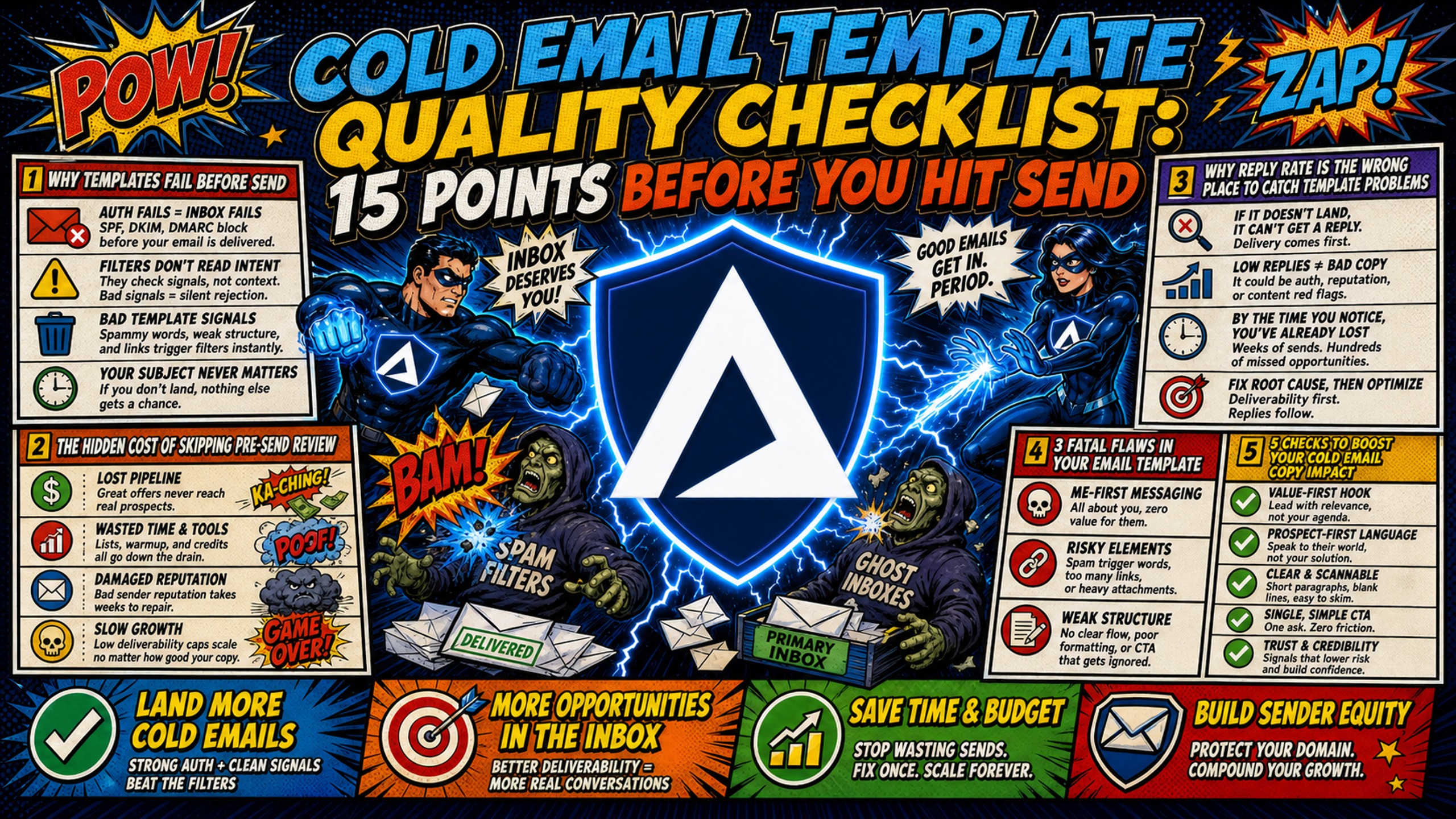
TL;DR: A cold email template can pass every copy review and still never reach an inbox, because SPF, DKIM, and DMARC decide delivery before the subject line matters. This 15-point pre-send checklist runs five copy checks, four personalization checks, four deliverability checks, and two infrastructure gates, and the fastest diagnosis runs it in reverse: authentication and warmup first, copy last. The three checks that gate everything else are authentication records (RFC 7489 identifier alignment), warmup status, and send volume matched to domain age. Google's sender guidelines warn that sudden volume spikes from a domain with no sending history can trigger rate limiting. Inframail automates SPF/DKIM/DMARC configuration and blacklist monitoring on dedicated US-based IPs from $147/month flat. Warmup, link hygiene, and reply routing stay manual.
Most cold email checklists stop at copy: subject line, value proposition, CTA, done. Silent technical failures, broken merge tags, missing authentication records, and cold domains account for a share of lost campaigns that copy review alone never catches.
A common cold email mistake is a template that passes copy review but fails SPF, DKIM, or DMARC, and never reaches a single inbox. A structured 15-point cold email template checklist ordered by launch sequence catches these failures before they cost you a campaign.
Why templates fail before send
Templates lose reply rates before send, not after. Copy, personalization, and technical setup each account for a share of failures that copy review alone never surfaces. The difference between templates that get replies and templates that get flagged often comes down to checks the sender never ran.
The hidden cost of skipping pre-send review
Skipping pre-send review burns budget on domains and warmup for templates that fail technical checks. A template with a broken merge tag can send "Hi {first_name}," to 500 prospects, which costs you the replies and a delayed next batch.
The cost compounds across clients, and manual DNS configuration across multiple registrars consumes hours monthly while creating launch delays. When stakeholders push for launch before domains finish warming, you face a lose-lose speed-versus-deliverability trade-off.
Why reply rate is the wrong place to catch template problems
Reply rate is a lagging indicator, so by the time you see a low reply rate, the damage is done. The checklist is a leading indicator that catches issues before send.
Belkins' analysis of 7.5 million cold emails sent in 2025 found reply rates fell from 0.50% in the first half of the year to 0.40% in the second, a 20% decline, measured as replies against total sends. Inframail's reply rate benchmark analysis measures replies against delivered emails and puts the B2B average at around 3.4%, with top-quartile performance at 5.5% and top-10% senders reaching 10.7%.
Poor reply rates get blamed on deliverability when the actual cause is copy or targeting. The checklist provides a diagnostic framework to identify the real failure point.
3 fatal flaws in your email template
Three flaws kill cold email templates before they reach the inbox.
Flaw 1: broken or missing personalization fields A broken merge tag means 500 prospects receive a half-finished greeting. Fix: map every enriched field to a merge tag with a fallback value (covered in check 7).
Flaw 2: spam-trigger language in subject line or body Certain words and patterns can trigger spam filters. Fix: audit templates for spam triggers before send (covered in check 12).
Flaw 3: technical setup errors SPF/DKIM/DMARC misconfiguration prevents delivery entirely. Fix: verify all three authentication records are configured and passing validation (covered in check 11).
5 checks to boost your cold email copy impact
Copy quality determines whether prospects read and reply. These five checks catch the most common copy failures.
1. Optimize subject lines for mobile view
Front-load the key information into the first 40 characters, since mobile inboxes show less of the subject line than desktop does. Litmus's anatomy of a good email recommends making the first 35 to 40 characters do the work. Inframail's email sequence strategy framework sets the same cap: subject lines under 40 characters with no spam triggers.
Preview the subject line on a mobile device or emulator before send. A subject line that reads "Quick question about your Q4 pipeline" displays fully. "I wanted to reach out about potentially helping you improve your Q4 pipeline numbers" gets cut off.
Inframail's guide to email opener psychology separates the two jobs: the subject line earns the open, the first line earns the reply.
2. Anchor claims in proven research
Every claim in the body needs a source or a specific number, not a vague assertion. "Cuts 12+ hours of DNS setup per 50-domain batch" beats "Saves your team time."
Follow the claim-evidence-takeaway structure. Make a claim, back it with a number or example, close with what it means for the reader. This structure builds credibility and gives prospects a reason to reply.
3. Make your value proposition concrete
The value proposition states a specific outcome with a number or timeframe. "Book 30+ calls per month" beats "Improve your pipeline."
| Vague | Concrete |
|---|---|
| Improve your pipeline | Book 30+ calls per month |
| Save time on outreach | Cut 50-domain DNS setup from 12 hours to minutes |
| Increase reply rates | Lift reply rates from 3% to 8% |
| Better deliverability | 98%+ deliverability rate |
Specific outcomes give prospects a clear reason to engage. Vague promises blend into the noise. The Salesman.com guide to cold email templates covers how outcome-focused framing closes the gap between vague promises and emails that get replies.
4. Limit CTAs to a single click
It's recommended to use one call to action per email. Two asks split attention and give the reader a decision to make instead of a reply to send.
"Reply with a time that works" or "Click here to see the case study," not both. The CTA should ask for one small thing that moves the conversation forward.
5. Check rhythm with a read aloud
Read the email aloud. If you stumble, the reader will too. Mix short sentences with longer explanatory sentences to maintain rhythm and keep prospects engaged from subject line to CTA.
Inframail's guide to email greetings and openers collects opener templates and the reply-rate data behind them.
Personalization depth: 4 checks beyond first name
Personalization separates templates that get replies from templates that get deleted. These four checks ensure your personalization adds value without triggering spam filters.
6. Map enriched fields to merge tags
Map every enriched data field (company, industry, recent funding, tech stack) to a corresponding merge tag in the template. Get the most from the data you are already paying for by making sure enriched fields reach prospects.
Audit your data provider output against your template fields. If you are paying for Apollo or ZoomInfo data on recent funding rounds, that data should appear in the email. Otherwise, you are paying for information that never reaches the prospect. Inframail's analysis of personalized vs. generic openers shows the reply rate difference when personalization depth matches prospect research.
7. Use fallbacks to avoid blank fields
Give every merge tag a fallback value, because blank fields hurt the email's credibility. "Hi {first_name}" becomes "Hi there" if the field is missing data.
Before: "Hi {first_name}, I noticed {company} is hiring for {role}." If any field is blank, the email breaks. After: "Hi {first_name|there}, I noticed {company|your company} is hiring for {role|a role}." The fallback preserves the flow even when data is missing.
8. Map dynamic fields to buyer personas
Dynamic fields (industry, pain point, use case) must match the persona you are targeting. A template for SaaS founders should not reference "manufacturing compliance" as a pain point.
Campaign managers running multiple clients or product lines need persona-specific templates. The pain point that resonates with a VP of Sales at a SaaS company differs from the pain point that resonates with a recruiter at a staffing firm. Map dynamic fields to the right persona or the personalization backfires. Inframail's guide to cold email opener mistakes ranks fake merge tags, self-focused intros, and openers with no reason to reply as the three to fix first.
9. Keep personalization density in check
Personalization merge tags should make up a moderate portion of the email body. Merge tags that pull irrelevant or mismatched data, such as the wrong industry or role, signal a mass send faster than no personalization at all.
Deliverability health: 4 essential setup checks
Deliverability determines whether your carefully crafted copy ever reaches an inbox. These four checks are non-negotiable gates.
10. Verify domain warmup completion
The sending domain must complete warmup before the template goes live. Start low and increase slowly. Google's sender guidelines tell senders to begin with a low volume to engaged recipients and raise it gradually, and warn that sudden volume spikes without a sending history can trigger rate limiting or reputation drops. Common practice is to open at 5 to 10 emails per day per inbox and step up over two to four weeks.
Sending high volumes from a cold domain triggers spam filters. The risk of skipping warmup is immediate: low deliverability, spam placement, and potential blacklisting. Beinn Yule's cold email infrastructure guide covers a cold email setup built to send 10,000 emails a day.
Inframail's DFY package includes free email account warmup, while every other plan requires an external warmup tool such as Warmbox or MailReach. External warmup tools typically cost $15 to $50 per month per inbox.
11. Verify SPF, DKIM, and DMARC setups
Configure and validate all three authentication records before send. SPF (Sender Policy Framework) authorizes which servers can send email for a domain. DKIM (DomainKeys Identified Mail) signs emails cryptographically to verify authenticity. DMARC (Domain-based Message Authentication, Reporting, and Conformance) tells receiving servers what to do with emails that pass neither SPF nor DKIM with a domain aligned to the From address.
SPF (RFC 7208) asks whether the sending server is authorized by the domain. DKIM (RFC 6376) asks whether the message has a valid cryptographic signature. DMARC (RFC 7489) asks whether the domain that passed SPF or DKIM aligns with the domain in the From address. The specification calls this identifier alignment.
Missing or misconfigured records can cause emails to land in spam or bounce entirely. Inframail automates SPF/DKIM/DMARC configuration without DNS panel access, dropping setup time from hours to minutes.
12. Audit templates for spam triggers
Scan subject line and body for spam-trigger words and patterns. Open-source spam filters score these patterns explicitly. Apache SpamAssassin's 3.3.x rule list includes a rule for all-capital subject lines and a rule that combines urgency phrasing with capitalization.
Spam filters evaluate multiple signals together. Run the template through a spam checker before send to catch issues. Kidous Mahteme's spam check tutorial covers what to check before sending.
13. Clean up link tracking parameters
Remove or simplify tracking parameters that may trigger spam filters or look suspicious to recipients. Long UTM strings and shortened links (bit.ly, tinyurl) can raise red flags with certain spam filters.
Use clean, branded links or no links at all in the first email of a sequence. The goal is to start a conversation, not track clicks. Links can come later once the prospect replies.
Infrastructure validation: 2 critical gates
Infrastructure readiness determines whether your emails reach the inbox at scale. These two gates protect sender reputation and ensure accurate performance data.
14. Adjust send limits by domain age
Match send volume to domain age and warmup status. Google's sender guidelines warn against sudden volume spikes from senders with no history of sending at that level.
| Domain age | Daily send volume | Notes |
|---|---|---|
| Under 2 weeks | 5-10 emails/day | Warmup phase, plain text only |
| 2-4 weeks | Gradual increase | Monitor metrics closely |
| Over 4 weeks | 40 emails/inbox/day | Spread volume across multiple domains for higher totals |
Inframail's flat-rate model means you can provision multiple domains and spread volume across them without per-inbox cost penalties. Dedicated IPs (1 on Unlimited, 3 on Agency Pack) isolate reputation from shared pool contamination.
15. Configure automated reply handling
Route automated replies (out-of-office, bounce-backs, auto-responders) correctly by configuring your sending platform to filter them from reply-rate calculations, so the data you report to clients or stakeholders reflects real human engagement only.
Inframail's deliverability monitoring dashboard tracks domain and IP health with blacklist monitoring. The platform auto-submits delisting requests when domains are flagged.
How to implement this cold email quality checklist
A checklist only works if it becomes a repeatable process. These three steps turn the 15-point cold email review checklist into a pre-launch gate.
Build a pre-launch approval workflow
Document the workflow as a process, not a mental checklist. Teams running multiple clients or product lines need a system anyone can follow without relying on individual knowledge.
- Draft template.
- Run copy checks (items 1-5).
- Run personalization checks (items 6-9).
- Run deliverability checks (items 10-13).
- Run infrastructure checks (items 14-15).
- Approve and schedule.
The workflow should be a documented process that anyone on the team can follow. Inframail's email sequence strategy framework includes pre-launch checklists as part of the 60-minute sequence build process.
Build your cold email checklist template
Copy this 15-point cold email quality checklist into your project management tool or spreadsheet. Mark each check Pass or Fail during your pre-launch review, and use the Notes column to record issues or fixes needed. Check 11 (SPF/DKIM/DMARC configuration) and blacklist monitoring can be automated with Inframail. Warmup (check 10), link hygiene (check 13), and reply routing (check 15) stay manual or sit with your sending platform.
| Check | Category | Pass/Fail | Notes |
|---|---|---|---|
| 1. Subject line 40 characters or fewer, key info front-loaded | Copy | ||
| 2. Claims anchored in research | Copy | ||
| 3. Value proposition concrete | Copy | ||
| 4. Single CTA | Copy | ||
| 5. Read-aloud rhythm check | Copy | ||
| 6. Enriched fields mapped | Personalization | ||
| 7. Fallbacks configured | Personalization | ||
| 8. Persona alignment | Personalization | ||
| 9. Personalization density in check | Personalization | ||
| 10. Warmup complete | Deliverability | ||
| 11. SPF/DKIM/DMARC verified | Deliverability | ||
| 12. Spam triggers audited | Deliverability | ||
| 13. Link tracking cleaned | Deliverability | ||
| 14. Send limits by domain age | Infrastructure | ||
| 15. Reply handling configured | Infrastructure |
Pinpoint template issues before sending
Run the checklist before launch to find the real failure point before it reaches a prospect. If a template fails a check, fix it before send, not after.
Work backward through the checklist in reverse order: technical checks (items 10-15) first, then personalization (items 6-9), then copy (items 1-5), to isolate the real failure point.
Inframail's A/B testing framework shows how to isolate variables during template iteration. Kidous Mahteme's ultimate cold email infrastructure guide surveys the cold email infrastructure category and how to choose a provider.
Start sending with Inframail
Inframail is a flat-rate Microsoft email infrastructure provider for agencies running 50 to 200 cold email domains. Inframail automates SPF/DKIM/DMARC configuration, blacklist monitoring, and delisting requests across unlimited inboxes, eliminating manual DNS panel work. Inframail delivers a 98%+ deliverability rate and a 68.3% blacklist delisting success rate within 48 hours.
The Unlimited plan is $147/month. The Agency Pack is $387/month and applies to higher-volume scenarios where sending demand can exceed the Unlimited plan's 80,000-email monthly limit. Domains are not included and usually cost $5 to $16 per year each. External warmup tools add $15 to $50 per inbox per month on top of the platform fee.
Check out this case study video and see how Inframail helped a client launch cold email from scratch with roughly 75 sending accounts and strong deliverability, book more calls than ever before, and more than double MRR in about 60 days while nearing another doubling soon after.
Sign up to Inframail and get started today. Cut DNS setup for 50 domains from 12+ hours to minutes and focus on copy and personalization.
FAQs
How long should pre-send review take per template?
Budget a focused pass on copy and personalization once technical setup is automated. Manual technical checks can add significant time per domain batch.
What's the minimum checklist for A/B test variants?
Run all 15 checks on the control template, then only re-run copy checks (items 1-5) on variants. Technical and personalization checks carry over unchanged.
Should I recheck templates after pausing a campaign?
Yes. Re-run deliverability and infrastructure checks (items 10-15) after any extended pause. Google's guidelines call for a consistent sending rate, so resuming at full volume after a pause repeats the spike problem. Re-check warmup status before resuming.
Which checklist items matter most for reply rates?
Technical checks (items 10-15) matter most, because an undelivered email has a reply rate of zero. Once delivery is solved, copy (1-5) and personalization (6-9) are what move the rate.
Can I automate any of these 15 quality checks?
Check 11 is the one you can fully automate. Inframail configures SPF, DKIM, and DMARC without DNS panel access, and separately handles blacklist monitoring and delisting. Copy and personalization checks (1-9) stay manual.
Key terms glossary
SPF (Sender Policy Framework): A DNS record that authorizes which servers can send email for a domain. Reduces envelope-sender spoofing and supports deliverability.
DKIM (DomainKeys Identified Mail): A cryptographic signature that verifies email authenticity. Receiving servers use it to confirm the email was not altered in transit.
DMARC (Domain-based Message Authentication, Reporting, and Conformance): A policy that tells receiving servers what to do with emails that pass neither SPF nor DKIM with a domain aligned to the From address. Protects against domain spoofing.
Warmup: The process of gradually increasing send volume from a new domain to build sender reputation. Typical schedule: 5 to 10 emails per day per inbox at the start, stepping up over two to four weeks.
Dedicated IP: An IP address used exclusively by one sender. Reputation is determined solely by that sender's behavior, unlike shared IP pools.
Inbox placement rate: The percentage of delivered emails that land in the primary inbox rather than spam or promotions.
Blacklist: A list of IPs or domains flagged for spam behavior. Being blacklisted causes emails to bounce or land in spam.
Merge tag: A placeholder in an email template that pulls data from a contact record. Example: {first_name} becomes the recipient's first name.