
Cold email outreach glossary: Essential terms every campaign manager should know
Cold email deliverability and cost control depend on a handful of terms and thresholds. Keep hard bounce rate under 2%. Google asks senders to stay below 0.1% s
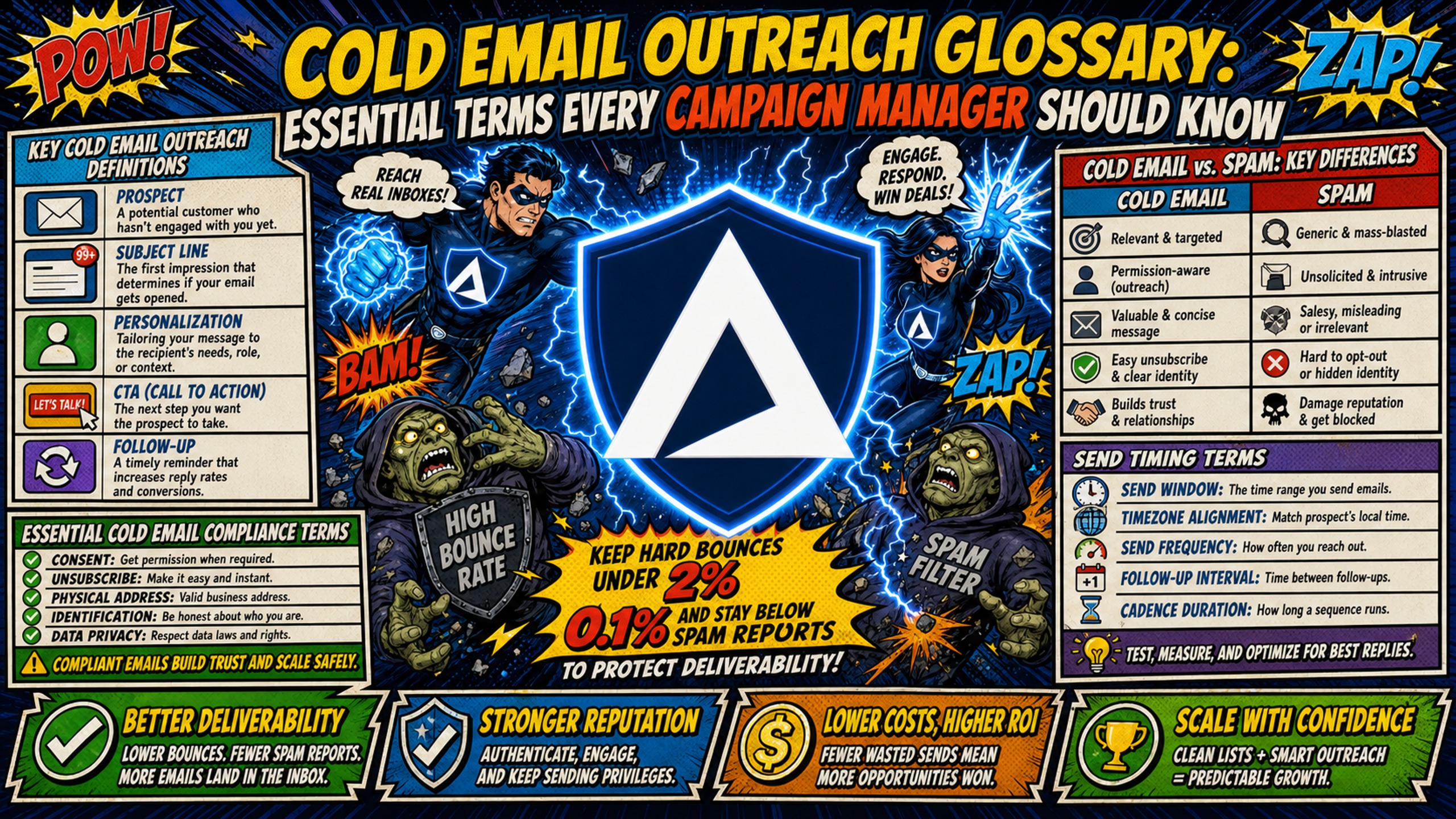
TL;DR: Cold email deliverability and cost control depend on a handful of terms and thresholds. Keep hard bounce rate under 2%. Google asks senders to stay below 0.1% spam complaint rate and never reach 0.3%. Sustained rates at or above 0.3% cost you access to Google's deliverability mitigation support. Configure SPF, DKIM, and DMARC on every sending domain, and keep blacklist monitoring in place. Inframail reports 98%+ deliverability and 68.3% blacklist delisting success within 48 hours. Track infrastructure cost per client with the full stack included, such as about $188 per client per month at 5 clients with 10 inboxes each on Inframail's $147/month flat-rate plan, once domains and warmup tools are counted. Bookmark this glossary to decode the rest of the jargon in platform docs, deliverability reports, and vendor conversations.
Campaign managers managing 50 domains encounter dozens of distinct technical terms monthly in platform docs, deliverability reports, and Slack threads. Misreading a deliverability report is the fastest way to lose a client's trust. Understanding cost terms before the bill arrives is what protects margin.
Cold email terminology is the operating language for protecting deliverability, controlling infrastructure costs, and diagnosing campaign failures before clients notice. This cold email outreach glossary organizes essential terms by workflow, defines each in practitioner language, and includes the specific numbers and actions that make each term useful.
Key cold email outreach definitions
Cold email vs. spam: key differences
Cold email is unsolicited outreach you send to a prospect with no prior relationship to start a sales conversation. It differs from spam through targeting, relevance, accurate sender identity, and a working opt-out mechanism.
The CAN-SPAM Act does not define spam. It sets requirements for commercial email, including accurate headers, honest subject lines, a working opt-out mechanism, and honoring unsubscribe requests within 10 business days. Commercial email that ignores these requirements is illegal.
Cold email is legal when it follows CAN-SPAM requirements. ISPs like Google and Microsoft use sophisticated filtering algorithms to distinguish between suspected spam and legitimate B2B outreach, so understanding this distinction helps you configure infrastructure to signal legitimacy and avoid spam folder placement.
Essential cold email compliance terms
These five compliance terms cover the legal requirements every cold email must meet before it sends.
CAN-SPAM: The U.S. law governing commercial email, requiring accurate headers, honest subject lines, identification as an ad, a valid postal address, a working unsubscribe link, and honoring opt-outs within 10 business days.
GDPR: The European Union's data protection regulation. Cold email to EU prospects requires a documented lawful basis, and consent is only one of the available bases.
Unsubscribe link: A clickable link in every commercial email that removes the recipient from future sends, required by CAN-SPAM and must be honored within 10 business days.
Physical address requirement: CAN-SPAM requires every commercial email to include a valid postal address (street address, P.O. box, or private mailbox).
Sender identity: Accurate From name and email address identifying who sends the message. Misleading sender identity violates CAN-SPAM.
Compliance is a baseline, not a deliverability strategy. Poor sender reputation sends compliant emails to spam.
Send timing terms
Send window: The time frame during which you send emails each day. Example: 8 AM to 12 PM in the recipient's time zone.
Time zone sending: Sending emails when recipients are most likely checking email, where morning sends outperform. Belkins' analysis of 7.5 million cold emails puts the 8 AM to 12 PM window at the highest reply rate, at 0.54%. Belkins calculates reply rate as replies divided by total emails sent, not replies divided by opens, which is why the percentages look small. Day of week matters less than most advice suggests, with Wednesday and Thursday highest at 0.48% each, Monday and Tuesday at 0.45%, and Friday at 0.44%.
Best time to send: The specific hour and day that generates the highest open and reply rates for a given audience. Varies by industry, role, and time zone.
Timing matters less than list quality and sender reputation. A perfectly timed email to a bad list will still fail. Sending to an unverified list with a high hard bounce rate damages sender reputation no matter which hour the email goes out, while a verified, well-targeted list can still earn replies outside the ideal window. Infrastructure configuration determines whether any send window reaches the inbox.
Mastering sender reputation and protocols
Infrastructure configuration determines whether your campaigns reach the inbox or die in spam folders. These cold email terms define the technical foundation every campaign manager must understand.
Configuring your sending domains
Sending domain: The domain you use to send cold emails, separate from your primary company domain. Example: If your company is acme.com, your sending domain might be acme-outreach.com.
Subdomain: A prefix you add to your primary domain. Example: outreach.acme.com. Subdomains build their own reputation and still need warmup, though a poor root-domain reputation can carry over.
Root domain: The primary domain without any subdomain prefix. Example: acme.com.
Domain registrar: The company where you purchase and manage domains (Namecheap, GoDaddy). Inframail allows domain purchases directly through the platform.
DNS panel: The web interface where you configure DNS records (SPF, DKIM, DMARC) for a domain through the domain registrar.
DNS propagation: The time global DNS servers take to update after you change DNS records. Typically 24 to 48 hours, though it can take up to 72 hours in some cases.
Separate sending domains protect your primary domain from reputation damage. Manual DNS configuration across multiple registrars consumes hours monthly. Inframail automates this without manual panel access. Watch this video walkthrough that shows how to set up SPF, DKIM, and DMARC records in 2 minutes.
SPF, DKIM, and DMARC explained
SPF, DKIM, and DMARC are the three authentication records that prove your emails come from you. Each is defined below.
SPF (Sender Policy Framework): A DNS record listing which mail servers you authorize to send email on behalf of your domain. SPF specifies which IP addresses can send email for your domain.
DKIM (DomainKeys Identified Mail): A digital signature you add to each email proving the message was not altered in transit. Receiving servers verify the signature using a public key published in DNS.
DMARC (Domain-based Message Authentication, Reporting & Conformance): A policy telling receiving mail servers what to do if SPF or DKIM checks fail. DMARC builds on SPF and DKIM by publishing enforcement rules for failed authentication.
All three are required for deliverability. Without SPF, receiving servers cannot verify you authorized the sending server. Without DKIM, they cannot verify message integrity. Without DMARC, they do not know how to handle failures.
This table summarizes what each protocol does and the consequence of skipping it:
| Protocol | What It Does | What Happens Without It |
|---|---|---|
| SPF | Authorizes sending server IP addresses | Emails rejected or marked as spam |
| DKIM | Cryptographically signs message integrity | Emails flagged as potentially spoofed |
| DMARC | Enforces policy alignment and sets failure actions | No enforcement, spoofing goes undetected |
Inframail automates SPF/DKIM/DMARC configuration. The platform sets up all three DNS records automatically when you add a domain.
Protecting your sending reputation
Sender reputation: ISPs (Google, Microsoft) assign you a score based on your sending behavior. High reputation means emails reach the inbox. Low reputation means spam folder placement.
Domain reputation: Your sending domain's reputation based on spam complaints, bounce rates, and engagement metrics from that domain.
IP reputation: The reputation of the IP address sending your emails, shared across all domains sending from that IP.
Sender score: A numerical representation of sender reputation, typically on a scale of 0 to 100. Third-party tools like Validity calculate it.
Building reputation on a new domain and mailbox starts with warmup, which runs 14 days as standard or 7 days on a previously warmed domain. Inboxes can also start immediately on an 80/20 warmup-to-campaign split. Google's email sender guide asks senders to stay below 0.1% and never reach 0.3%. Sustained spam complaint rates at or above 0.3% cost you access to Google's deliverability mitigation support.
Shared IP pools work like carpool lanes where other drivers affect you. One bad actor spamming gets the whole range flagged. Dedicated IPs work like private lanes where your behavior alone determines reputation.
| Factor | Dedicated IP | Shared IP Pool |
|---|---|---|
| Reputation control | Your behavior only | Aggregated from all senders |
| Contamination risk | None | One bad actor can blacklist the range |
| Cost | Higher | Lower |
Inframail provides dedicated US-based IPs (1 on Unlimited Plan, 3 on Agency Pack). Dedicated IPs isolate reputation so one bad actor cannot contaminate your sending.
Measuring your inbox placement rate
Inbox placement rate: The percentage of delivered emails that reach the inbox rather than spam folder.
Spam folder placement: The percentage of delivered emails routed to spam or junk folder instead of inbox.
Deliverability: The overall ability of your email to reach the recipient's inbox, influenced by sender reputation, authentication, list quality, and content. Inframail maintains a 98%+ deliverability rate.
Measure inbox placement rate using seed lists (test email addresses at major ISPs) or deliverability testing tools. Inframail's monitoring dashboard shows whether campaign emails land in spam and tracks healthy metrics.
Monitoring email blacklist status
Blacklist: A database of IP addresses or domains flagged for sending spam. Major blacklists include Spamhaus, Barracuda, and SURBL.
Delisting: The process of removing an IP or domain from a blacklist after resolving the issue that caused the listing.
Blacklist monitoring: Automated tracking that alerts you when your IP or domain is added to a blacklist. Inframail's dashboard includes blacklist monitoring with automated delisting requests.
Delisting request: A formal request submitted to a blacklist operator to remove an IP or domain.
Inframail achieves 68.3% blacklist delisting success within 48 hours. The recovery workflow: identify the blacklist, diagnose the root cause (spam complaints, list quality, or shared IP contamination), fix the issue, submit a delisting request, and monitor for re-listing.
Essential terms for building cold email sequences
Once infrastructure is configured, you build sequences that send emails on a schedule. These terms define how you structure multi-step campaigns.
Understanding inbox warmup requirements
Warmup: The process of gradually increasing send volume from a new inbox or IP to build sender reputation before sending high-volume cold email.
Warmup schedule: The daily send volume progression during warmup. Example: Day 1-3 at 10 emails/day, Day 4-7 at 20 emails/day, Week 2 at 30 emails/day.
Warmup tool: An external service (Warmbox, Lemwarm) that sends and receives emails between real inboxes to simulate engagement and build reputation. Inframail requires external warmup tools at $15-50/month per inbox because warmup is not included in the platform fee. The exception is the DFY Email Campaign Setup package, which includes free email account warmup.
Inbox warmup milestone: A specific point in the warmup process where reputation is sufficient to increase volume or start cold outreach. Warmup runs 14 days as standard, or 7 days on a previously warmed domain.
Warmup is required because ISPs treat new sending domains and IPs as suspicious until you establish positive sending history. Learn how to warm up inboxes after migrating to Inframail.
Defining sequence delays and gaps
Sequence: A multi-step email campaign you send on a defined schedule. Example: A 4-step sequence sent over 14 days.
Step: An individual email within a sequence. Step 1 is the initial email, Steps 2-4 are follow-ups.
Delay: The time interval between steps in a sequence. Example: 3-day delay between Step 1 and Step 2.
Gap: Synonym for delay. The time between emails in a sequence.
Follow-up: A subsequent email you send to non-responders after the initial email. Steps 2-5 of a typical sequence.
A 4-step sequence with 3-day delays looks like this: Day 1 (initial email), Day 4 (follow-up 1), Day 7 (follow-up 2), Day 10 (follow-up 3). Delays matter for deliverability because sending multiple emails in quick succession from a new inbox can trigger spam filters.
Send rate and cap terms
Send rate: The number of emails you send per hour or per day from a single inbox.
Daily send limit: The maximum number of emails a single inbox can send in 24 hours. Inframail Unlimited Plan ($147/month) supports up to 80,000 cold emails per month. Agency Pack ($387/month) supports up to 300,000.
Send cap: A limit you set on daily send volume to protect sender reputation. Inframail recommends a maximum of 40 emails per inbox per day, with 50 as the technical limit, across 3 to 5 inboxes per domain. The 40-email figure includes both warmup and campaign emails.
Throttle: Intentionally slowing your send rate to avoid triggering spam filters. Example: Sending 50 emails over 8 hours instead of all at once.
Calculate your email sending capacity based on inbox count and target send volume.
Managing outreach lists and segments
Outreach list: A database of prospects you target for cold email campaigns. Typically exported from a data provider (Apollo, ZoomInfo) as a CSV.
Segment: A subset of an outreach list grouped by shared characteristics (industry, job title, company size). Segmentation improves relevance and reply rates.
List cleaning: The process of removing invalid, bounced, or unengaged email addresses from a list. Required to maintain low bounce rates.
Bounce rate: See Key metrics for sender reputation for the full definitions of bounce rate, hard bounce, and soft bounce. Keep hard bounce rate under 2%.
List quality is critical to deliverability alongside sender reputation, authentication, and engagement. Keep hard bounces under 2%. Above 2% reputation starts to slip, and above 5% providers begin throttling or rejecting outright.
Mastering email copy and merge tags
After you build sequences, you write copy that drives replies. These terms define how you personalize and test email content.
Decoding template placeholders
Merge tag: A variable placeholder in email copy that gets replaced with prospect data at send time. Example: {{first_name}}, {{company_name}}.
Personalization token: Synonym for merge tag. A dynamic field you insert into email copy.
Custom field: Prospect-specific data beyond standard fields (name, company, email). Example: {{funding_stage}}, {{recent_news}}, {{tech_stack}}.
Placeholder: Synonym for merge tag. The {{variable}} syntax in email templates.
Dynamic content: Email content that changes based on prospect data, powered by merge tags.
Merge tags improve reply rates by making emails feel personal instead of mass-sent. {{first_name}} is table stakes. {{recent_company_news}} or {{mutual_connection}} drives higher engagement. Personalized openers improve reply rates compared to generic templates.
Essential A/B testing terminology
A/B test: A comparison of two email variants to measure which performs better on subject lines, body copy, or send times.
Variant: An alternative version of an email used in A/B testing. Version A versus Version B.
Subject line test: An A/B test comparing two different subject lines to measure open rate impact.
Body copy test: An A/B test comparing two different email body versions to measure reply rate impact.
Use a systematic A/B testing framework to isolate variables and avoid infrastructure contamination.
Email header terms
Subject line: The text that appears in the recipient's inbox as the email title. Keep it under 60 characters (roughly 6-10 words) so it displays fully on mobile.
Preview text: The snippet of text that appears after the subject line in the inbox preview. There is no single character limit across email clients. What displays ranges from zero to about five lines of text, roughly 278 characters at the top end.
Sender name: The name that appears in the From field. Use a real person's name, not "Sales Team" or "No Reply."
From address: The email address sending the message. Must match the sender identity in the SPF record.
Reply-to address: The email address that receives replies. Can differ from the From address.
Subject line length affects open rates. Shorter subject lines are less likely to be cut off on mobile devices. First lines make or break replies in cold email.
Key terms for email response triggers
Reply rate: The percentage of delivered emails that receive a response. Inframail customers report 9%+ and 25%+ reply rates on campaigns in customer testimonials.
Positive reply: A response indicating interest (request for more info, meeting booked, call scheduled).
Negative reply: A response indicating no interest ("not interested," "remove me," "stop emailing").
Objection: A reply that raises a concern or question instead of a clear yes or no. Example: "How much does it cost?"
Meeting booked: A scheduled call or demo resulting from a cold email reply.
Call booked: Synonym for meeting booked. A scheduled phone call or video meeting.
Positive reply rate is the metric that matters. Benchmark your reply rates against 2026 standards to diagnose performance.
Decoding cold email success metrics
After campaigns launch, you measure results. These terms define how you diagnose deliverability problems and prove ROI to clients or leadership.
Key metrics for sender reputation
Bounce rate: The percentage of emails that fail to deliver. Hard bounce means invalid address. Soft bounce means temporary failure.
Hard bounce: A permanent delivery failure (email address does not exist, domain does not exist). Keep under 2%.
Soft bounce: A temporary delivery failure (full inbox, server down, message too large).
Spam complaint rate: The percentage of recipients who mark your email as spam. Keep under 0.1%.
Unsubscribe rate: The percentage of recipients who click the unsubscribe link. High unsubscribe rates signal poor targeting.
Each metric signals something specific. High bounce rate means bad list quality. High spam complaint rate means irrelevant content or poor targeting. High unsubscribe rate means misaligned expectations.
Review Google's email sender guidelines and monitor your spam rate in Google Postmaster Tools to protect sender reputation.
Tracking key email engagement metrics
Open rate: The percentage of delivered emails that are opened. Unreliable due to Apple Mail Privacy Protection inflating opens.
Click-through rate: The percentage of delivered emails where a link is clicked. Only relevant if your email includes a link.
Reply rate: The most important engagement metric for cold email. See Key terms for email response triggers for the definition.
Meeting booked rate: The percentage of replies that convert to a scheduled meeting. Track it per campaign and compare it against your own baseline.
Engagement metrics (open, click, reply) measure recipient behavior. Deliverability metrics (bounce rate, spam complaint rate, inbox placement) measure whether the email reached the inbox at all. Deliverability is the prerequisite. Engagement is the outcome.
Key conversion metrics decoded
Lead: A prospect who has expressed interest (positive reply, meeting booked).
Qualified lead: A lead that meets specific criteria (budget, authority, need, timeline). Not every reply is a qualified lead.
Meeting booked: See Key terms for email response triggers for the definition.
Opportunity: A qualified lead that has entered the sales pipeline.
Cost per meeting: Total campaign spend divided by number of meetings booked. Example: $1,000 spend, 10 meetings = $100 cost per meeting.
Cost per lead: Total campaign spend divided by number of leads generated.
To find your own cost per meeting, divide total monthly infrastructure and software costs by meetings booked that month.
Cost audit terms
These terms come up when leadership asks what infrastructure costs per client.
Cost per inbox: Total infrastructure cost divided by number of active inboxes.
Infrastructure cost per client: Total infrastructure cost divided by number of active clients. If you run 5 clients with 10 inboxes each (50 inboxes, about 44,000 sends a month, inside the Unlimited Plan limit of 80,000), the platform fee is $147 ÷ 5 = $29.40 per client. Add roughly $8 per client in domains (10 domains at about $10 per year) and $150 per client in warmup tools (10 inboxes at $15 per month), and infrastructure cost per client is about $188/month.
Infrastructure spend as percentage of billings: Total infrastructure cost divided by total agency revenue.
Total cost of ownership: Platform fee plus domain costs plus warmup tools plus sending platform. The full stack cost, not just headline pricing.
For 50 inboxes, Inframail costs $147/month flat versus Google Workspace at $420/month on the Flexible Plan ($8.40 per inbox per month). That is $273/month in platform savings, or $3,276 annually. Domain costs ($5-16 per domain per year) and warmup tools ($15-50 per inbox per month) apply on both sides and are not included in this comparison. The table below compares platform fees only:
| Provider | 10 Inboxes | 50 Inboxes | 100 Inboxes |
|---|---|---|---|
| Inframail | $147/mo | $147/mo | $147/mo |
| Google Workspace Business Starter (Flexible, $8.40/user/mo) | $84/mo | $420/mo | $840/mo |
Domain costs ($5-16 per domain per year) and warmup tools ($15-50 per inbox per month) apply on both sides and are not included in this comparison.
Decoding common cold email platform jargon
Platform-specific terms appear in vendor docs, API documentation, and integration guides. These cold email terminology definitions help you understand how tools connect and what vendors are actually selling.
Decoding sending platform settings
Sending platform: The software you use to send cold email campaigns (Instantly, Smartlead, Lemlist) that connects to inbox infrastructure via IMAP/SMTP.
SMTP (Simple Mail Transfer Protocol): The protocol for sending outbound email from a server. SMTP connects cold email platforms to mailbox infrastructure for campaign sending.
IMAP (Internet Message Access Protocol): The protocol for retrieving and accessing email messages on a remote server. Sending platforms use IMAP to monitor inboxes for replies.
CSV export: See Managing exported SMTP and IMAP data for the full definition.
Inframail exports IMAP/SMTP credentials to CSV for import into sending platforms. Credentials flow from infrastructure provider to sending platform. Inframail provisions inboxes, generates IMAP/SMTP credentials, exports to CSV, and you import that CSV into Instantly or Smartlead.
Key data provider metrics defined
Data provider: A service that provides B2B contact data (Apollo, ZoomInfo, Inframail's B2B database). Inframail includes a B2B contact database with 545M+ contacts on the annual plan only.
Contact database: A searchable database of business contacts with email addresses, job titles, and company information.
Lead enrichment: The process of adding additional data (phone number, company revenue, tech stack) to existing lead records.
Email verification: A service that checks whether an email address is valid and deliverable before sending. Reduces bounce rate.
Bounce rate: See Key metrics for sender reputation for the definition.
High bounce rates signal poor data quality from the provider. Data quality determines deliverability. Keep email bounce rates below 2% by verifying addresses before you send.
Managing exported SMTP and IMAP data
SMTP credentials: The username, password, server address, and port required to send email via SMTP. Exported from Inframail as a CSV.
IMAP credentials: The username, password, server address, and port required to access an inbox via IMAP. Exported alongside SMTP credentials.
CSV export: A file containing inbox credentials in comma-separated format. One row per inbox, columns for email, IMAP server, IMAP port, SMTP server, SMTP port, username, password.
Inbox connection: The process of linking an inbox to a sending platform using IMAP/SMTP credentials.
Sending account: An inbox configured in a sending platform (Instantly, Smartlead) and used to send campaigns.
The workflow: provision inbox in Inframail, export IMAP/SMTP credentials to CSV, import CSV to sending platform, inbox is ready to send. Inframail automates the provisioning and credential export. The import into your sending platform is a single CSV upload.
Essential cold email workflow terms
Campaign launch: The moment a cold email campaign starts sending. Requires warmed inboxes, clean lists, and configured sequences.
Domain setup: The process of purchasing a domain, configuring DNS records (SPF, DKIM, DMARC), and connecting it to infrastructure. Inframail automates DNS setup.
Inbox provisioning: The process of creating email inboxes on a domain. Inframail provisions unlimited Microsoft inboxes with IMAP/SMTP credentials.
Deliverability monitoring: Ongoing tracking of inbox placement rate, bounce rate, spam complaint rate, and blacklist status.
Blacklist monitoring: See Monitoring email blacklist status for the definition. Inframail auto-submits delisting requests.
The full workflow: purchase domain, configure DNS (automated by Inframail), provision inboxes, export credentials, import to sending platform, warm up inboxes, launch campaign, monitor deliverability.
Inframail provisions Microsoft inboxes only. Teams that need Google Workspace mailboxes are not a fit.
These 60+ cold email terms define the technical foundation of every cold email campaign. Inframail removes the manual complexity these terms describe by automating DNS configuration, providing dedicated IPs, and offering flat-rate pricing that stays at $147/month whether you run 50 or 500 inboxes.
Start sending with Inframail
Inframail is the flat-rate Microsoft email infrastructure provider built for agencies and campaign managers running 50 to 200 cold email domains. It automates DNS configuration, provides dedicated US-based IPs, and charges $147/month flat regardless of inbox count, saving agencies $3,276 annually at 50 inboxes versus Google Workspace Business Starter on the Flexible Plan ($8.40/user/month), comparing platform fees only, since domains and warmup tools apply on both sides.
In this case study video, see how Inframail helped a client automate cold email outreach, recover from blacklisted IPs with support from the team, and scale to 250 warmed-up mailboxes with a nearly 25% reply rate, closing 4 new clients in the first month.
Sign up to Inframail and get started today.
FAQs
What does cold email mean in B2B sales?
Cold email is unsolicited outreach you send to a prospect with no prior relationship to start a sales conversation. It differs from spam through targeting, relevance, accurate sender identity, and a working opt-out mechanism.
How many terms should a campaign manager know?
Campaign managers working with cold email infrastructure should understand terms across deliverability, infrastructure, sequence, copy, and metrics. The most critical: SPF, DKIM, DMARC, inbox placement rate, blacklist, and cost per inbox.
Where do I find these terms in daily work?
Platform docs, deliverability reports, Slack threads, vendor conversations, and cost models. Campaign managers managing 50+ domains encounter most of these terms weekly.
What's the difference between deliverability and open rate?
Deliverability measures whether an email reaches the inbox at all. Open rate measures whether the recipient opened it. Deliverability is the prerequisite, open rate is the engagement signal.
How often does cold email terminology change?
Core protocol terms (SPF, DKIM, DMARC) remain functional with backward compatibility, though DMARC recently became a formal IETF standard (RFC 9989) with updated specifications in 2026. Platform-specific terms and AI-related terms evolve as tools change. Review the glossary quarterly.