
Reminder email subject lines: 50+ examples that get opened
Writing high-performing reminder email subject lines requires balancing psychological clarity with technical deliverability. Copy-paste templates help start the
TL;DR: Writing high-performing reminder email subject lines requires balancing psychological clarity with technical deliverability. Copy-paste templates help start the conversation, but maintaining high open rates across scaled campaigns requires automated DNS configuration and dedicated IP isolation. This guide provides 50+ proven reminder subject lines categorized by use case, alongside the technical frameworks needed to keep them out of the spam folder. For agencies scaling outreach, Inframail provides flat-rate Microsoft email infrastructure with automated SPF, DKIM, and DMARC setup, protecting margins and inbox placement rates.
A perfect reminder subject line cannot save an email that lands in the spam folder. The first follow-up alone gets an 8.4% reply rate versus 3.43% for the opener, which means the follow-up is often more valuable than the opener. But that stat assumes the email reached the inbox. For agencies managing large numbers of domains across multiple clients, a deliverability failure is not a copywriting problem. It is a margin problem.
This guide gives you 50+ proven reminder email subject lines organized by use case, alongside the technical deliverability frameworks that determine whether those subject lines ever get seen.
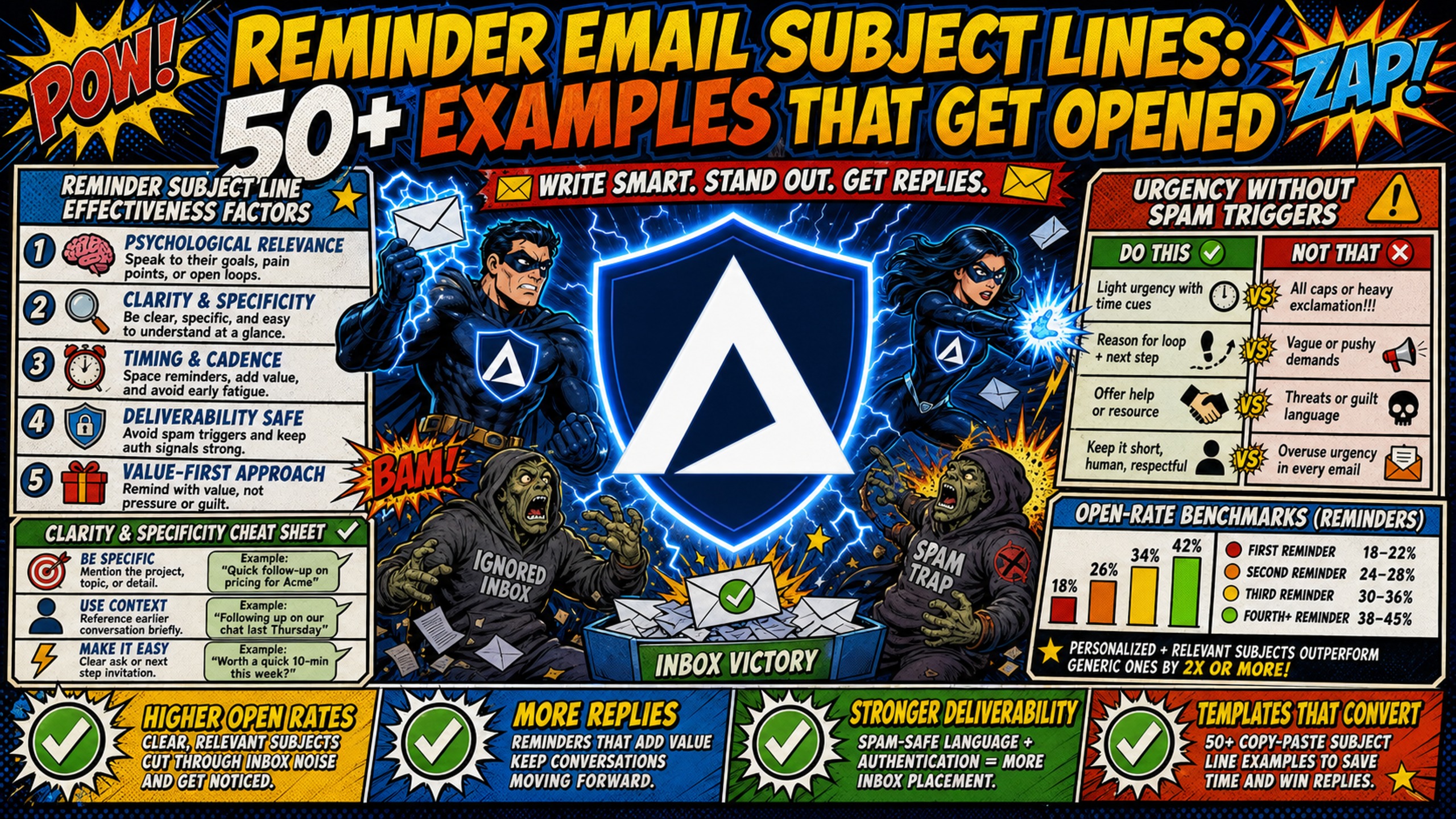
Reminder subject line effectiveness factors
Most copywriting guides treat subject line performance as pure psychology. Those questions matter, but a misconfigured SPF record sends perfectly written reminders straight to spam regardless of copy quality. The table below shows where the real impact sits when running reminder campaigns at scale.
| Metric | Manual follow-up | Automated sequence (Smartlead/Instantly) | Inframail advantage |
|---|---|---|---|
| Setup time | 12+ hours for 50 domains | 2 minutes | Near-instant DNS setup (2 mins for 10 inboxes) |
| Cost (50 inboxes) | $350-420/mo (Google Workspace) | Varies by platform | $129/mo platform + ~$34/mo domain costs = ~$163/mo total infrastructure |
| Deliverability risk | High (manual DNS errors) | Mixed by default (shared IP pools on standard plans, though both platforms offer paid dedicated-IP upgrades at higher volume tiers) | Low (dedicated US-based IPs) |
| Scalability | Poor (costs scale linearly) | Poor (per-seat fees scale) | Excellent (flat-rate pricing stays flat) |
*Warmup tools are additional on both sides, typically $15-50/month per inbox, and are not included in this comparison.
Current B2B cold email response rate benchmarks show what realistic follow-up performance looks like by list type and domain health.
Urgency without spam triggers
Artificial urgency can flag spam filters before a human ever reads your subject line. Phrases like "Act now" or "Limited time offer" are commonly associated with spam, per Clearout's spam trigger word analysis. Context and combination drive the risk more than any single word.
The fix is specificity. "Invoice 1047 due Friday" conveys urgency through concrete information rather than emotional pressure. "Still waiting on your feedback for the Acme proposal?" creates tension through implication rather than command language. These structures reach inboxes because they read like legitimate business communication.
Clarity and specificity
Vague subject lines like "Checking in" and "Following up" fail for a simple reason: they give the recipient no reason to open. They also look identical to hundreds of other follow-ups in the same inbox, which means they get ignored or deleted on reflex.
Mobile email clients typically display between 25 and 38 characters depending on device and email app, while desktop clients show more. Outlook displays up to 78 characters on a browser at full width. Writing for the mobile constraint forces clarity. "Invoice 1047 due Friday" fits. "Just wanted to circle back about the invoice we sent" does not.
Open-rate benchmarks for reminder emails
Recent B2B cold email data suggests average open rates are reported anywhere from 21% to 60% across all email types, though that full range includes warm marketing blasts and transactional sends. For genuine cold outreach, the realistic range is narrower, in the low-20s to high-30s. Apple Mail Privacy Protection inflates this metric significantly across all categories, and reply rate is the more reliable number. Reply rates average around 3.43%, with top-quartile senders reaching 5.5%+ and elite senders exceeding 10%. For warm outreach and invoice/receipt-type reminders (invoices, appointments, renewals), open rates typically range from 35-40%. Note that broader transactional categories such as shipping notifications and order confirmations run significantly higher, so this figure applies specifically to invoice and appointment reminder types. For cold outreach follow-ups, realistic baselines vary widely by list quality and domain health. If your reminder campaigns run below industry benchmarks, the gap is usually infrastructure, not copywriting.
Payment reminder subject lines
Payment reminders require a tone shift across the sequence. The first reminder is informational, the second adds professional firmness, and the final notice is direct without being aggressive. Each level below is calibrated to match that escalation.
First payment reminder examples
- "Invoice [Number] due on [Date]"
- "Quick note: [Company Name] invoice arriving [Date]"
- "Payment due [Date] for [Project Name]"
- "[Company Name]: invoice [Number] reminder"
- "Friendly reminder: balance due [Date]"
Second payment reminder examples
- "Overdue: Invoice [Number] for [Project Name]"
- "[Company Name] balance now past due"
- "Invoice [Number] is [X] days overdue"
- "Outstanding: [Project Name] payment needed"
- "Past-due notice: Invoice [Number], [Company Name]"
Final payment notice examples
- "Final notice: outstanding balance for [Company Name]"
- "Invoice [Number]: final payment request"
- "Action required: [Company Name] account balance"
- "Last reminder: Invoice [Number] for [Amount]"
- "Final request: [Project Name] payment overdue"
Meeting reminder subject lines
Meeting reminders work differently from payment sequences because the goal is logistics confirmation, not collection. The tone stays neutral to positive across all three stages.
24-hour meeting reminder examples
- "Reminder: our meeting tomorrow at [Time]"
- "[First Name], see you tomorrow at [Time]?"
- "Tomorrow: [Topic] call at [Time]"
- "Confirmed: [Date] at [Time] with [Name]"
- "Your [Topic] meeting is tomorrow, [Time]"
Same-day meeting reminder examples
- "See you at [Time] today? ([Topic])"
- "Today at [Time]: [Topic] call"
- "[First Name], today's call is in [X] hours"
- "Reminder: [Topic] starts at [Time] today"
- "Quick check: still on for [Time] today?"
Rescheduling request examples
- "Quick question about our call on [Date]"
- "[First Name], can we shift [Date]'s meeting?"
- "Need to reschedule: [Topic] on [Date]"
- "Still works for you, [Date] at [Time]?"
- "Flexibility on [Date]'s [Topic] call?"
Follow-up reminder subject lines
A follow-up sent from a domain without aligned DMARC records will fail authentication checks regardless of subject line quality. The cold email deliverability rules for 2026 apply directly here, and agencies managing higher domain volumes see the consequences of misconfiguration compound faster as send volume grows.
Sales follow-up examples
- "Next steps for [Company Name]'s outbound strategy"
- "[First Name], following up on [Topic]"
- "Still interested in [Offer/Solution]?"
- "Re: [Company Name] outreach conversation"
- "[First Name], one question about [Pain Point]"
Proposal follow-up examples
- "Feedback on the proposal for [Project Name]?"
- "[First Name], thoughts on the [Project] proposal?"
- "Proposal for [Company Name]: any questions?"
- "Checking in: [Project Name] proposal sent [Date]"
- "Re: [Project Name] proposal, next steps?"
Action-required follow-up examples
- "Action required: please review [Document Name]"
- "[First Name], [Document] needs your sign-off"
- "Approval needed: [Document Name]"
- "Waiting on your input: [Project/Task]"
- "[Company Name]: action needed by [Date]"
Appointment reminder subject lines
Appointment reminders prioritize logistics clarity over persuasion. The recipient has already committed to the appointment, so the subject line's job is confirmation and calendar reinforcement rather than selling. Format these with enough specificity that the recipient can verify the appointment from the subject line alone without opening the email.
Healthcare appointment examples
- "Confirmed: your appointment on [Date] at [Time]"
- "[Doctor Name] appointment reminder: [Date], [Time]"
- "Your [Specialty] visit is [Date] at [Time]"
- "[Clinic Name]: appointment [Date] at [Time]"
- "Reminder: [Procedure/Visit Type] scheduled [Date]"
Service appointment examples
- "Reminder: service scheduled for [Date]"
- "[Company Name] appointment: [Date] at [Time]"
- "Your [Service Type] is confirmed for [Date]"
- "[Date] service reminder: [Address/Location]"
- "Confirmed: [Service] appointment on [Date]"
Consultation reminder examples
- "Your upcoming consultation with [Name]"
- "[Topic] consultation: [Date] at [Time]"
- "Reminder: [Company Name] consultation [Date]"
- "[First Name], your [Topic] session is [Date]"
- "Confirmed: [Date] consultation at [Time]"
Subject line formulas that avoid spam filters
SPF, DKIM, and DMARC each handle a different layer of email authentication. These authentication protocols work together to verify sender legitimacy. If all three records are not passing and aligned, reminder emails are far more likely to land in spam regardless of subject line quality. Inframail automates SPF, DKIM, and DMARC configuration across all provisioned domains, and agencies managing 50+ domains can monitor domain and IP health in real time through the deliverability monitoring dashboard.
![Screenshot of Inframail's automated DNS setup dashboard showing SPF, DKIM, and DMARC configuration][image_inframail_dns_setup]
Words and phrases to avoid
The following terms reliably trigger spam filters, especially when combined with hype formatting:
- "Free," "100% free," "absolutely free"
- "Guarantee," "guaranteed," "money-back guarantee"
- "Urgent," "act now," "don't delay"
- "Limited time offer," "offer expires"
- "Click here," "click below," "visit now"
- "Earn $$$," "make money," "cash bonus"
- "You've been selected," "you're a winner"
- "Risk-free," "no obligation," "no strings attached"
- "Best price," "lowest price," "special promotion"
- "Open immediately," "important information inside"
No single word automatically triggers spam on its own. Context and combination drive the risk, per Clearout's spam trigger word analysis. One trigger word in a legitimate message rarely causes a problem, but stacking several trigger words with all-caps formatting and exclamation points pushes emails into spam territory at a significantly higher rate.
Spam-safe urgency formulas
These four formulas convey urgency through specificity rather than emotional pressure:
- "[Action] needed by [Date]" (e.g., "Approval needed by Thursday")
- "[Number] days until [Deadline]" (e.g., "3 days until invoice due date")
- "Re: [Specific Item] from [Date]" (e.g., "Re: proposal sent June 12")
- "[First Name], [specific action] for [Project Name]?" (e.g., "Maria, sign-off needed for Acme onboarding?")
Personalization tokens that work
Common personalization tokens for reminder subject lines are {{first_name}} and {{company_name}}, which most sending platforms support natively. Only activate personalization tokens when your list has been verified and the fields are clean, because a broken token displaying literally as {{first_name}} destroys credibility and may flag spam filters. For list hygiene tools, the ZeroBounce vs. NeverBounce comparison is useful for agencies deciding between email verification platforms.
Compliance requirements for reminder sequences
CAN-SPAM rules apply to every email in a follow-up sequence, not just the first one. If your initial email includes an unsubscribe mechanism but your second does not, that is a CAN-SPAM violation. CAN-SPAM generally allows unsolicited outreach as long as opt-out requests are honored promptly. GDPR requires opt-in consent before the first contact, and if a recipient opts out, continuing the sequence violates their rights. For US-based agencies targeting US markets, CAN-SPAM is the operative standard.
A/B testing your reminder subject lines
Testing subject lines is where agencies find compounding improvements, but only if infrastructure is stable enough to produce reliable data. If open rate variance is driven by deliverability issues rather than copy performance, A/B test results are noise. Stabilize domain health first using cold email delivery fundamentals, then test.
What to test first
Test one variable at a time. The highest-impact tests for reminder subject lines are:
- Length: Short (4-5 words) vs. slightly longer (6-8 words)
- Personalization:
{{first_name}}included vs. excluded - Capitalization: Sentence case vs. all lowercase
- Specificity: Generic ("following up") vs. specific ("re: Invoice 1047 from June 10")
Sample size and timing
For statistically reliable results, industry guidance varies but many experts recommend testing on larger samples. Some suggest at least 1,000 contacts per variant for detecting meaningful differences in open rates. Smaller samples may produce unreliable results, with variance between cohorts overwhelming any real copy signal. Run both variants simultaneously, not sequentially, to control for day-of-week and time-of-day effects. Most sending platforms (Smartlead, Instantly) handle split testing natively once Inframail integrates with your sending platform.
Tracking open rates by use case
Open rate tracking has a ceiling problem: Apple Mail Privacy Protection inflates open rates for Apple Mail users, which means absolute open rate numbers are less reliable than relative performance between variants. Track reply rate alongside open rate to validate that open rate movement is real. Inframail's blacklist monitoring dashboard auto-submits delisting requests when domains are flagged, catching issues before they distort test results.
Agencies scaling from 50 to 200+ inboxes can compare infrastructure costs across 7 platforms to see where the per-inbox vs. flat-rate crossover happens at each tier.
For agencies running reminder campaigns across 50+ client inboxes, Inframail's flat-rate $129/month Unlimited Plan covers unlimited inboxes on a dedicated US-based IP. Add ~$34/month in amortized domain costs and the true infrastructure total comes to ~$163/month for 50 inboxes. Google Workspace runs $350-420/month for the same 50 inboxes, a difference of $187-257/month that compounds as inbox count grows because Google's pricing scales per seat and Inframail's does not. (Warmup tools are additional on both sides, typically $15-50/month per inbox, and are not included in this comparison.) The Agency Pack at $327/month includes 3 dedicated IPs for agencies managing higher domain volumes.
Sign up to Inframail and get started today, or explore Inframail's done-for-you campaign setup for a complete, hands-off onboarding experience that includes domain warmup, a sending platform, and a dedicated cold email coach.
FAQs
How long should a reminder email subject line be?
Keep reminder subject lines concise to ensure visibility on mobile devices. Wylie Communications research shows that mobile devices display between 25 and 38 characters depending on the email client and device, so writing to mobile constraints forces clarity and ensures nothing gets truncated on mobile preview.
Should I include the recipient's name in a reminder subject line?
Including the recipient's first name can increase subject line relevance, but only use personalization tokens when your list data is clean and verified. A broken token displaying literally as {{first_name}} appears unprofessional and may signal bulk sending to spam filters.
How many reminder emails should I send in a sequence?
Industry research suggests sending 2 to 3 reminder emails per sequence as a best practice. Sending excessive follow-ups may increase spam complaint rates, which damages your domain reputation and reduces deliverability for the entire sending domain, not just the individual thread.
What is a good open rate for reminder emails?
For invoice and receipt-type reminder emails specifically, a healthy open rate sits between 35-40%, per Mailertogo's transactional email benchmarks. For cold outreach follow-ups on properly warmed domains, realistic baselines vary by list quality and domain health, and you should pair open rates with reply rates to validate real performance since Apple Mail Privacy Protection inflates raw open rate figures.
Does infrastructure affect whether my subject line gets opened?
Yes. If SPF, DKIM, or DMARC records are misconfigured or absent, mailbox providers are far more likely to route the email to spam before the recipient sees the subject line at all. Proper DNS authentication is the prerequisite for any subject line performing at its potential.
What is the difference between a dedicated IP and a shared IP for sending reminders?
With a dedicated IP, your sender reputation depends entirely on your own sending behavior. With a shared IP pool, other users' spam complaints and blacklist entries affect your deliverability directly. Inframail provides 1 dedicated US-based IP on the Unlimited Plan and 3 on the Agency Pack, isolating each agency's sending reputation from other users entirely.
Key terms glossary
DNS (Domain Name System): The internet's addressing system that translates human-readable domain names into IP addresses and stores authentication records. In email infrastructure, DNS hosts the SPF, DKIM, and DMARC records that mailbox providers check to verify sender legitimacy.
SPF (Sender Policy Framework): A DNS record that lists which mail servers are authorized to send email on behalf of your domain. Missing or incorrect SPF records can cause authentication failures that increase the likelihood of emails being routed to spam.
DKIM (DomainKeys Identified Mail): A cryptographic signature added to outgoing emails that allows receiving servers to verify the message was not altered in transit and originated from an authorized sender.
DMARC (Domain-based Message Authentication, Reporting, and Conformance): A DNS policy record that instructs receiving servers how to handle emails that fail SPF or DKIM checks, and requires the authenticated domain to match the visible From address.
Dedicated IP: An IP address used exclusively by one sender, so the sending reputation reflects only that sender's behavior. Contrasts with shared IP pools where multiple senders share the same address and the same reputation.
Inbox placement rate: The percentage of sent emails that land in the recipient's primary inbox rather than the spam or promotions folder. A more operationally accurate metric than delivery rate, which only measures whether the server accepted the message.
CAN-SPAM: The US law governing commercial email. It generally permits unsolicited outreach as long as opt-out requests are honored promptly and every email in a sequence includes a functioning opt-out mechanism.
GDPR: The EU regulation requiring opt-in consent before sending commercial email to EU residents. Under GDPR, continuing to email a recipient who has opted out may constitute a violation.