
Multi-IP Rotation vs Single Dedicated IP: Which Performs Better at Agency Scale
Compare multi-IP rotation against single dedicated IP infrastructure for agency-scale cold email, including deliverability control, blacklist risk, warmup complexity, client segmentation, and corrected Inframail cost calculations.
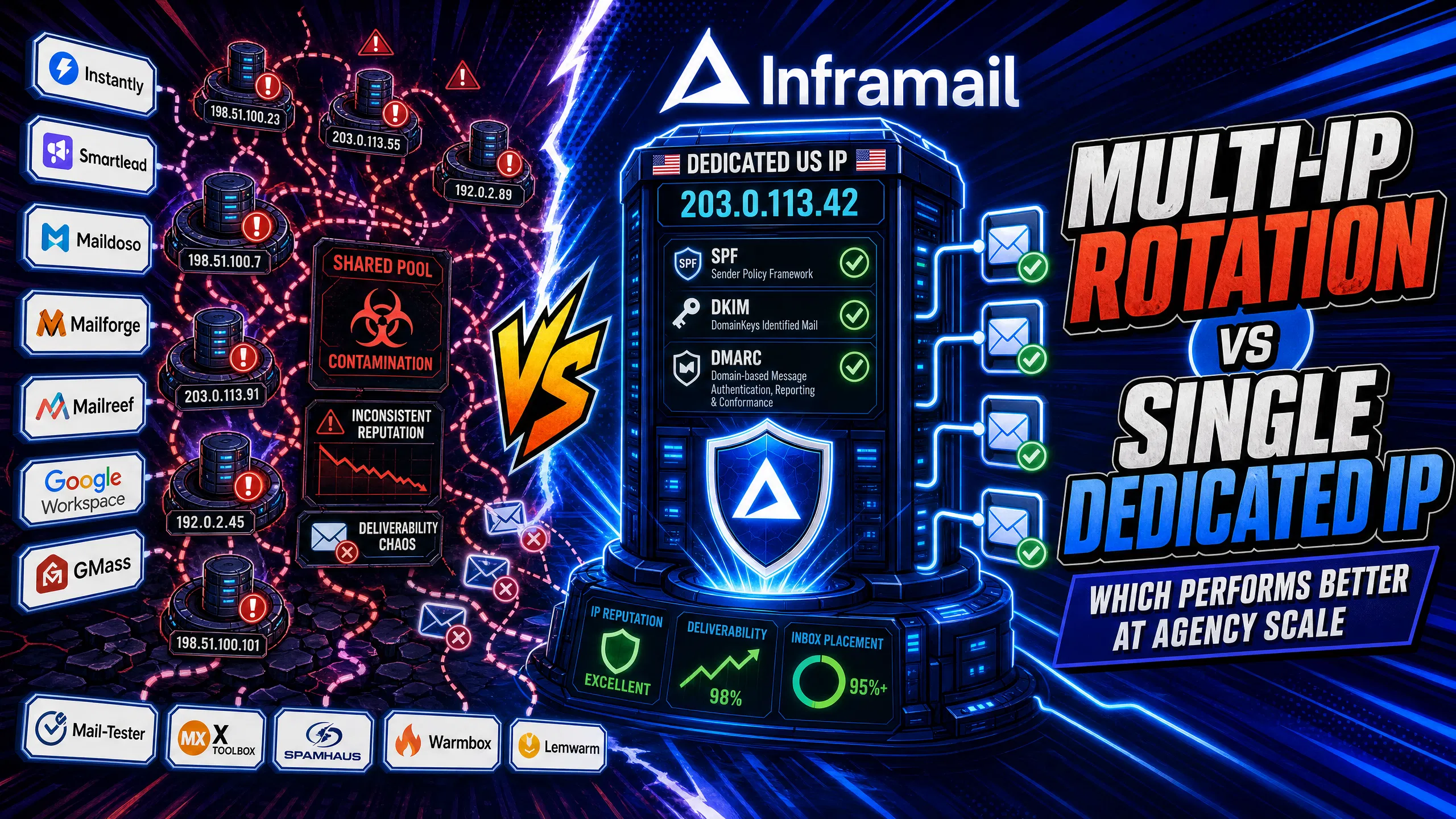
TL;DR: For agencies managing 50 to 200 cold email inboxes, a single dedicated IP gives you isolated sender reputation (zero shared-pool contamination), predictable monthly costs ($129/month vs $350-420 on Google Workspace for 50 inboxes), and simpler monitoring than multi-IP rotation. Multi-IP rotation adds meaningful value when your daily send volume exceeds approximately 450,000 to 600,000 emails per month. Inframail's flat-rate $129/month plan includes 1 dedicated US-based IP with automated SPF/DKIM/DMARC configuration. The TCO math and deliverability data both favor dedicated IPs at agency scale.
Scaling from 50 to 200 cold email inboxes forces a real infrastructure decision. Most campaign managers assume they need complex multi-IP rotation to avoid blacklists and protect reply rates. That assumption drives up infrastructure spend and monitoring time that could go toward campaign performance.
The choice between multi-IP rotation and a single dedicated IP determines your inbox placement rate, your monthly costs, and how much time your team spends firefighting reputation issues. This article breaks down how both models work, what each costs at 50, 100, and 200 inboxes, and which strategy makes operational sense at your current volume.
Every cold email you send carries an IP address that receiving mail servers use to assess your sender reputation. That IP history, combined with your SPF/DKIM/DMARC authentication records, determines whether your email lands in the primary inbox, the spam folder, or gets blocked entirely. Poor authentication is one of the fastest routes to a Microsoft blacklist block. You have two structural approaches at agency scale.
Multi-IP rotation: how it distributes risk
Multi-IP rotation distributes your sending volume across multiple distinct IP addresses instead of concentrating it on one. Your sending platform (Instantly, Smartlead) assigns outgoing emails to different IPs in a configured pool, so no single IP accumulates the entire sending history or complaint load.
The math is straightforward: 50 emails per day per mailbox across 20 mailboxes produces 1,000 daily sends from a single IP. Rotate across five IPs and each IP carries 200 sends per day, reducing per-IP exposure. This is the core math behind high-volume cold email infrastructure. The load-balancing goal is to prevent any single IP from triggering volume-based spam filters at receiving mail servers.
The complication is that each IP in the pool carries its own reputation history. If you're rotating across IPs from a shared pool, as providers like Maildoso and Mailforge use, other senders' behavior can affect your rotation. As our Maildoso deliverability review found, shared IP rotation can create exposure to other senders in that pool, and your inbox placement rate may be affected by the collective behavior of users sharing those IPs.
Dedicated IP for cold email
A dedicated IP gives you an IP address assigned exclusively to your sending infrastructure with no other senders sharing its reputation history. Your behavior alone builds or damages that IP's standing with Gmail, Outlook, and Yahoo mail servers. Inframail's dedicated IP model provides 1 dedicated US-based IP on the Unlimited Plan and 3 dedicated IPs on the Agency Pack, both built on Microsoft's cloud platform.
Deliverability comes down to one signal: does the receiving mail server trust the IP your email arrived from? Inframail scores 9.5/10 on Mail-Tester and 88% inbox placement via GMass testing. That result reflects a consistent fact: reputation isolation beats reputation dilution at agency-scale volumes.
Here's the direct comparison across the two factors that matter most:
Factor | Multi-IP rotation | Single dedicated IP |
|---|---|---|
Reputation control | Shared across multiple IPs, harder to isolate root cause | Yours alone, your behavior determines your standing |
Contamination risk | Higher on shared pools, lower on owned private IPs | Zero, no other senders affect your IP |
Monitoring complexity | Track 2-5+ IP reputations simultaneously | Track one IP reputation |
Warmup burden | Each IP requires warmup (timing varies by volume) | One warmup cycle |
Twilio SendGrid guidelines recommend allocating a minimum of two dedicated IPs when your volume reaches 250,000 messages each month. For the 50 to 200 inbox agency running 30 to 50 emails per inbox per day, total daily volume sits between 1,500 and 10,000 emails, well within single dedicated IP range, and you check campaign spam metrics from a unified view rather than tracking multiple IP reputations.
Blacklisting is the outcome campaign managers fear most, and your IP structure directly determines how quickly it happens and how fast you recover.
Multi-IP rotation: Distributing volume across multiple IPs means each IP sees a fraction of your total daily sends, staying below thresholds that may flag receiving servers. This is the legitimate use case for IP rotation: burst sending protection at high daily volumes. However, factors like spam complaint rates and bounce rates are often associated with your domain and content quality, following your sending patterns regardless of which IP delivered the message. Poor list quality can damage your domain reputation even if your IP pool appears clean.
Dedicated IP: With a dedicated IP, the root cause of any blacklisting is always your own sending behavior, which makes diagnosis straightforward. You check MXToolbox or similar blacklist monitoring tools, identify the blacklist, pull your recent campaign data, and find the campaign that caused the spike. With shared IP pools, the root cause might be another sender entirely, and you can't control or even identify the offender.
Repairing IP reputation post-blacklist
For dedicated IP delisting, the process follows these steps:
Identify the blacklist: Run your IP through MXToolbox or Inframail's built-in blacklist monitoring dashboard.
Access the delisting portal: Major lists like Spamhaus often provide delisting request forms.
Resolve the root cause: Scrub the sending list that generated complaints, lower daily volume, and verify your SPF/DKIM/DMARC setup is correct.
Submit the request: Inframail's platform auto-submits delisting requests when domains are flagged, with a reported 68.3% delisting success rate.
Monitor recovery: Use inbox placement testing tools to confirm the IP is clean before ramping volume back up.
For agencies running campaigns across multiple clients, the most damaging risk is cross-client contamination: one client's poor list quality tanking deliverability for everyone sharing the same infrastructure.
2-5 IP rotation: prevent blacklist risk
A small, private IP cluster can work for agencies separating high-risk campaigns from established ones. A new client with an unproven list sends through a separate IP while your long-running, high-reputation client stays on another IP. If one IP takes a hit, the other stays clean. This is a legitimate rotation strategy, but it requires owning each IP in the pool. Our Mailreef vs Inframail guide compares how dedicated vs shared pool architectures handle this separation in practice.
Single IP: shared reputation risks
When all client campaigns run through a shared pool IP, every client's sending behavior contributes to that IP's reputation score. The fix is domain isolation per client, not just IP separation. Each client gets their own sending domains and inboxes. If one client's campaign generates elevated complaint rates that trigger spam filters, that damage stays contained within their domain group rather than bleeding into a shared pool that affects your other clients.
The question "how many IPs do I need for cold email?" has a calculable answer based on your daily send volume. At 30 to 50 emails per inbox per day, the numbers break down as follows:
50 inboxes: 1,500 to 2,500 daily emails. One dedicated IP handles this comfortably.
100 inboxes: 3,000 to 5,000 daily emails. One dedicated IP works, with the option to upgrade to 3 IPs (Agency Pack) for client segmentation.
200 inboxes: 6,000 to 10,000 daily emails. Three dedicated IPs recommended for volume distribution and client isolation.
Inframail's Agency Pack ($327/month plus amortized domain costs, totaling approximately $460/month) provides this configuration.
Inframail's sending capacity guide helps you match inbox count to plan and determine whether the Unlimited Plan (1 dedicated IP) or Agency Pack (3 dedicated IPs) fits your current volume. It also covers recommended per-inbox limits for optimal deliverability. Pushing past those thresholds may generate elevated complaint rates that can affect IP reputation. The correct scaling lever is more inboxes, not higher per-inbox volume.
Warmup timelines: multi-IP vs single
Every new IP requires a warmup period before reaching full delivery capacity. A typical warmup schedule gradually increases volume over several weeks, though specific ramp rates vary by provider and volume targets.
Important: Inframail does not include a built-in warmup tool. External warmup tools like Warmbox or Lemwarm ($15 to $50 per inbox per month) are recommended for faster inbox readiness. For a fully managed approach, the Done-For-You Email Campaign Setup package ($499/month) includes free domain warmup. Inframail's inbox warmup guide walks through the ramp schedule after migration.
Multi-IP rotation adds warmup complexity: if you add a third IP to your rotation mid-campaign, that IP starts cold while the others carry established reputation. You either run sequential warmups (pausing rotation expansion) or parallel warmups (splitting volume further during a fragile period).
Your IP model directly determines your monthly spend as client count scales. Per-inbox pricing compounds quickly. Google Workspace Business Starter runs $7 to $8.40 per user monthly. At 50 inboxes, that's $350 to $420 per month before domain fees. Scale to 200 inboxes and you're paying $1,400 to $1,680 per month for cold email inboxes that provide zero performance benefit over a flat-rate alternative. Our infrastructure cost comparison across 7 platforms runs these numbers in detail.
Managing a rotation pool of private dedicated IPs also adds per-IP provisioning costs on top of your sending platform and domain fees. Flat-rate pricing eliminates this entirely.
TCO at 50, 100, and 200 inboxes
Monthly infrastructure cost by tier, including amortized domain fees ($5 to $16 per domain per year):
Inbox tier | Google Workspace | Inframail (dedicated IP) |
|---|---|---|
50 inboxes | $350-420/month | $163/month (Unlimited Plan: $129 + ~$34 domains) |
100 inboxes | $700-840/month | $197/month (Unlimited Plan: $129 + ~$68 domains; or $395/month on Agency Pack: $327 + ~$68 domains) |
200 inboxes | $1,400-1,680/month | $460/month (Agency Pack: $327 + ~$133 domains, based on 100 domains at 2 inboxes per domain at $16/year) |
At 50 inboxes, Inframail saves $187 to $257 per month versus Google Workspace. Maildoso's pricing runs from approximately $113/month for 50 inboxes on its standard per-mailbox plan, with costs varying by tier, but uses a shared IP pool rather than dedicated IPs. Maildoso does not include a built-in warmup tool, so external warmup costs apply on top of platform fees, similar to Inframail. At 200 inboxes, the savings against Google Workspace reach $940 to $1,220 per month, or $11,280 to $14,640 annually.
"I personally have over 1,000 email accounts with Inframail for one flat price. Adding all those records would have probably taken dozens of hours. Instead all records were added within 10 minutes." - Verified user review of Inframail
There is a clear scenario where multi-IP rotation is the right call: agencies running campaigns at high volume with multiple clients who each need full IP isolation, not just domain isolation.
Improving deliverability for 150+ inboxes
At higher volumes with multiple clients who have varied list quality, three dedicated IPs let you segment by client risk profile. High-trust, established clients sending to verified lists get IP 1. New clients with unproven lists get IP 2. Prospecting-heavy campaigns with higher bounce risk get IP 3. If IP 3 takes a hit, your best clients stay unaffected. Inframail's Agency Pack at $327/month (or $228/month on an annual plan) provides exactly this configuration.
Rapid onboarding for new clients
This is where automated dedicated IP infrastructure delivers the most visible operational advantage.
Before (manual DNS setup): You receive a new client contract. You spend hours or days manually configuring DNS records across multiple new domains, logging into Namecheap, creating SPF records, configuring DKIM keys, setting DMARC policies, waiting 24 to 48 hours for propagation, then testing each domain with Mail-Tester before sequences can launch. Setting up 50 cold email domains with manual DNS configuration takes 12+ hours.
After (Inframail automated setup): You purchase domains through Inframail, and the platform auto-configures SPF, DKIM, and DMARC for every domain without DNS panel access. IMAP/SMTP credentials export to CSV and import directly into Instantly or Smartlead, so the client campaign can launch in a fraction of the time, versus the 12+ hours manual DNS configuration takes for 50 domains.
For agencies managing 50 to 100 inboxes, a single dedicated IP is the operationally efficient model: one reputation to monitor, one warmup cycle to complete, and total isolation from other senders. When your total daily send volume approaches 15,000 emails or more across multiple clients with distinct risk profiles, upgrading to three dedicated IPs provides client segmentation and volume distribution.
Predictable dedicated IP costs
Flat-rate pricing protects agency margins as client count grows. Inframail's Unlimited Plan at $129/month covers unlimited inboxes whether you're running 50 or 500. With flat-rate pricing, adding a new client doesn't trigger incremental per-inbox infrastructure costs. That predictability matters when you're quoting clients on a retainer and need to know your infrastructure cost won't spike 30% next month if they want to scale.
Why dedicated IP for 50-100 inboxes?
At 50 to 100 inboxes, your total daily send volume sits between 1,500 and 5,000 emails per day. One dedicated IP handles this volume comfortably within the thresholds that receiving mail servers flag as suspicious. Inframail's dedicated IP setup scores 9.5/10 on Mail-Tester and 88% inbox placement on GMass testing, confirming that a properly warmed, isolated dedicated IP at this volume tier delivers competitive inbox rates without the operational overhead of rotation management.
Simplified IP reputation tracking
Monitoring a single dedicated IP takes minutes per week. Check reputation monitoring services for your IP standing, run periodic Mail-Tester checks, and review Inframail's blacklist monitoring dashboard for any flags. If your score drops, you have one IP's send history to audit. With a 3 to 5 IP rotation, you're running this diagnostic process across multiple IPs simultaneously, which multiplies investigation time when something goes wrong.
Knowing which IP model fits your volume is only part of the decision. How you implement and maintain that setup determines whether it holds up under real campaign conditions.
Configure IPs for 100 email inboxes
Getting 100 inboxes operational on Inframail's dedicated IP infrastructure follows four steps:
Buy or transfer domains: Purchase new domains through Inframail's platform or migrate existing domains. The platform handles registration and immediately begins DNS configuration.
Auto-configure DNS records: Inframail configures SPF, DKIM, and DMARC for every domain automatically, with no DNS panel access required.
Export credentials to CSV: Once inboxes are provisioned, download the IMAP/SMTP credentials CSV from the Update tab using the CSV export tool.
Import to Instantly or Smartlead: Upload the CSV directly to your sending platform. Credentials connect on first import.
Inframail provides integration guides for connecting to Smartlead and importing credentials into Instantly with custom tracking domain configuration. The cold email setup video shows the full domain-to-inbox-to-CSV workflow with timestamps.
Multi-IP deliverability performance
Adding more IPs does not automatically guarantee better inbox placement. Inbox placement is influenced by multiple factors including authentication (SPF/DKIM/DMARC), list quality, complaint rates, and sending consistency. Two senders can use different IP configurations and see different inbox rates based on their individual sending practices. Infrastructure architecture alone doesn't guarantee better placement if authentication records are incomplete. For a side-by-side look at how different infrastructure models compare on setup and cost, see our Mailreef vs Maildoso comparison.
IP blacklisting: single vs multi
The blacklisting risk profile for each model:
Single dedicated IP: One IP to monitor. Root cause of any blacklisting is always your own behavior. Recovery involves fixing the specific campaign that caused the issue, submitting to delisting portals, and monitoring one IP's recovery.
Multi-IP rotation (shared pool): Multiple IPs to monitor. Root cause may be another sender in the pool. Recovery is harder to plan because you can't control the behavior that caused the issue, and switching off a contaminated IP redistributes volume, which can spike per-IP send rates on your remaining IPs.
Can I switch from single IP to multi-IP rotation?
Yes, and the process is straightforward on Inframail. Upgrading from the Unlimited Plan (1 dedicated IP) to the Agency Pack (3 dedicated IPs) provisions two additional IPs. Each new IP requires its own warmup period before reaching full delivery capacity. During the transition, it's recommended to route only established, warmed inboxes through new IPs while they complete their warmup cycle. Note that reputation history from a previous provider's shared pool does not transfer. New dedicated IPs start with a clean slate, which can be advantageous if you're migrating from a contaminated shared pool. Our Maildoso migration guide and Mailreef migration guide cover the transition steps in detail.
For agencies running 50 to 200 inboxes on per-seat pricing or shared IP infrastructure, the TCO math and deliverability data both point to dedicated IP infrastructure on flat-rate pricing. Sign up to Inframail and get started today.
How many dedicated IPs do I need for 50 cold email inboxes?
One dedicated IP can handle 50 inboxes at 30 to 50 emails per inbox per day, producing 1,500 to 2,500 total daily sends, which is within typical per-IP thresholds that receiving mail servers monitor. Inframail's Unlimited Plan ($129/month) provides 1 dedicated US-based IP supporting unlimited inboxes.
At what send volume does multi-IP rotation become necessary?
Multiple dedicated IPs are typically recommended when you reach higher monthly email volumes. For a 200-inbox agency sending 50 emails per day per inbox, that's approximately 300,000 monthly emails, where the Agency Pack's 3 dedicated IPs can provide meaningful load distribution and client segmentation.
What inbox placement rate should I target for cold email?
A strong inbox placement rate is typically 80% or higher across Gmail and Outlook, measured using tools like GMass or GlockApps. Inframail tests at 88% inbox placement via GMass and 9.5/10 on Mail-Tester across its dedicated IP setup.
Does Inframail include a warmup tool?
No, Inframail does not include a built-in warmup tool. External warmup tools like Warmbox or Lemwarm ($15 to $50 per inbox per month) are recommended if you want faster inbox readiness. The Done-For-You Email Campaign Setup package ($499/month) includes free domain warmup as part of the managed service, and the Inframail warmup guide provides guidance on the ramp schedule for new inboxes.
SPF (Sender Policy Framework): A DNS record that specifies which mail servers are authorized to send email for your domain. Receiving servers check SPF to verify the sending server matches the domain's approved list.
DKIM (DomainKeys Identified Mail): A cryptographic signature added to outgoing emails that lets receiving servers verify the message content was not altered in transit. It uses a public key published in your domain's DNS records.
DMARC (Domain-based Message Authentication, Reporting and Conformance): A policy record that tells receiving servers what to do when an email fails SPF or DKIM checks (quarantine, reject, or allow) and where to send authentication failure reports.
IP rotation: A sending strategy that distributes outbound email volume across multiple IP addresses to reduce per-IP complaint accumulation. Rotation can use privately owned dedicated IPs or shared pool IPs depending on the infrastructure provider.