
IP Reputation Monitoring for Cold Email: Tools, Benchmarks & Alert Thresholds
Learn how cold email agencies can monitor IP reputation with SenderScore, Cisco Talos, Spamhaus, and MXToolbox, set healthy alert thresholds, diagnose blacklist risk, and protect dedicated IP infrastructure.
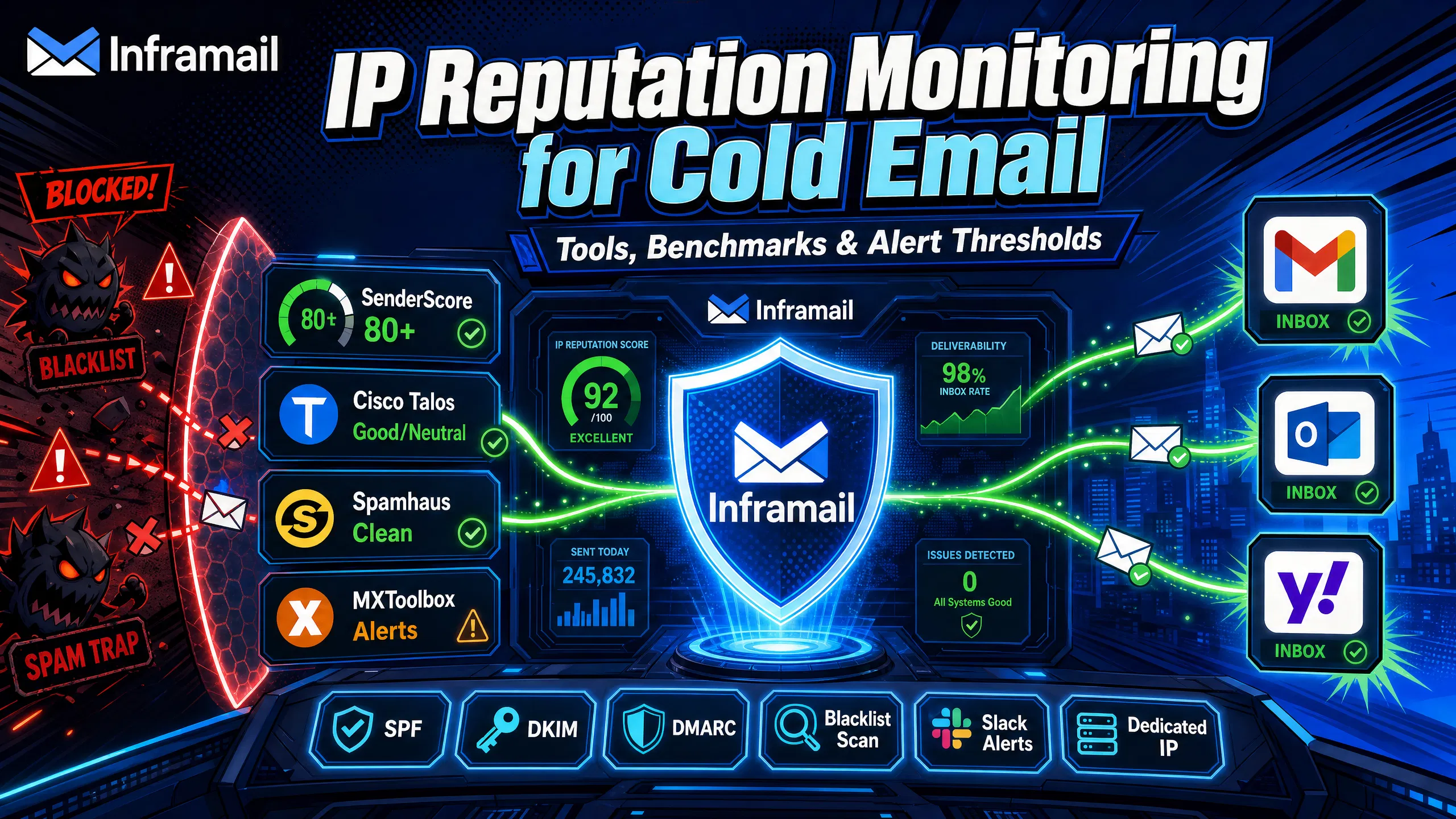
TL;DR: Most campaign managers check IP reputation after bounce rates spike. That's already too late. Proactive monitoring using SenderScore (target 80+), Cisco Talos (Good or Neutral), and MXToolbox automated alerts catches reputation drops before blacklists pause your campaigns. For agencies managing 50-200 domains, dedicated IPs help isolate your sender reputation from other users, making monitoring more predictable and recovery faster. Set weekly checks, configure Slack alerts for critical thresholds, and run infrastructure on dedicated IPs to maintain strong inbox placement.
Checking Spamhaus after your bounce rate spikes is too late. A blacklisted IP can drop inbox placement to near-zero for recipients on providers that check that list, and recovery takes weeks. The best campaign managers monitor IP reputation before the first warning sign appears.
Scaling to 100+ domains requires a systematic approach. This article covers the exact tools (SenderScore, Talos, Spamhaus, MXToolbox), the benchmarks that matter, and the alert thresholds you need to maintain inbox placement while keeping infrastructure costs predictable with dedicated IPs.
Inbox providers like Gmail, Outlook, and Yahoo check your sending IP and domain against reputation databases before delivery. A single bad signal, a spam complaint spike, a hard bounce surge, or a blacklist listing, starts filtering your campaigns to spam before you notice any change in reply rates.
When running 50-200 domains, you're often the last to know. Your sending platform shows sequences running and tracking shows opens, but actual inbox placement can drop significantly, and every email sent during that window is wasted. Blacklisting is easier to prevent than to reverse, and consistent domain hygiene is the correct approach.
How blacklists kill inbox placement rates
When your IP or domain gets listed on a major blacklist like Spamhaus or Barracuda, major inbox providers may pull that signal in real time. A listing on Spamhaus's SBL (Spamhaus Block List) can potentially route a significant portion of your sends to spam for recipients on providers that check that list, since many major providers reference external reputation databases as part of their filtering logic.
The inbox placement impact is fast and severe. Recovery requires pausing active sends, submitting delisting requests, and rebuilding sending volume from scratch. That process takes weeks, not days, which is why prevention is far more effective than recovery.
Cost of reputation incidents across 50-200 domains
The financial math is direct. A single shared IP contamination event can pause multiple client campaigns for weeks, creating service credit obligations or churn risk, plus 10-20+ hours of remediation work.
Contrast that with Inframail's $129 monthly flat rate for unlimited inboxes on a dedicated IP (Unlimited Plan), or $327/month for 3 dedicated IPs (Agency Pack). Infrastructure for 50 inboxes runs $163/month (platform fee plus ~$34 amortized domain costs), compared to $350-420 monthly for Google Workspace Business Starter at $7-8.40 per user. The dedicated IP architecture prevents the reputation contamination that triggers multi-thousand dollar incidents in the first place.
Four tools cover 90% of what you need to monitor IP and domain reputation at scale. Three are free for basic checks. One paid plan handles automated alerts across 50+ domains.
Tool | Free Tier | Paid Plan | Primary Use |
|---|---|---|---|
SenderScore | Free lookups | N/A | IP reputation scoring |
Cisco Talos | Free lookups | N/A | IP reputation classification |
Spamhaus | Free IP/domain checks | Commercial data feeds | Blacklist checking |
MXToolbox | One-time lookups | Delivery Center (paid plans available) | Blacklist scans, DNS diagnostics, SMTP testing |
How SenderScore rates your cold email IP
SenderScore reportedly assigns every sending IP a number from 0 to 100 representing how mailbox providers view that address. The score is calculated using factors such as complaint rates, bounce rates, and sending patterns. A low score means your email is more likely to get flagged before content filters even review the message.
Volume impacts your score contextually: it's the ratio of quality sends to total sends that matters, not raw numbers. This is why IP warming is required before ramping volume on any new domain. For benchmark context, review healthy campaign metrics in the Inframail help center.
Cisco Talos Intelligence: threat level monitoring
Cisco Talos maintains one of the most widely referenced IP reputation databases in enterprise security. According to Talos documentation, the public Talos Reputation Center displays three levels: Good, Neutral, and Poor. For cold email senders on Microsoft infrastructure, Talos reputation is worth tracking as one of the widely used IP reputation databases in enterprise security.
The good news is that Talos reportedly considers "Neutral" a positive signal. As Talos documentation explains, a neutral reputation means the system does not view the IP as a potential spam risk. Aim for Good or Neutral. "Poor" requires immediate remediation. Watch Inframail's dedicated vs shared IP comparison for context on how IP type directly impacts your Talos classification.
Spamhaus: verify IP against blacklists
Spamhaus operates the most influential set of blocklists for email filtering globally. Its primary lists for cold email senders include: SBL (Spamhaus Block List), XBL (Exploits Block List), and PBL (Policy Block List). Getting listed on the SBL is a critical event. Major inbox providers including Gmail and Outlook commonly reference Spamhaus in their filtering pipeline, and an SBL listing can immediately trigger filtering at the providers that check that list.
MXToolbox: find deliverability root causes
MXToolbox checks your IP and domain against 100+ blacklists simultaneously and validates your DNS authentication records (SPF, DKIM, DMARC). The free one-time lookup shows your current status across major lists. The paid Delivery Center plan runs monitoring and can fire alerts when blacklist events or DNS record changes are detected.
For agencies, MXToolbox also identifies DNS configuration errors that cause authentication failures. This is where automated infrastructure pays directly: Inframail's platform auto-configures SPF, DKIM, and DMARC at domain creation, eliminating the typos and missed records that MXToolbox typically flags as root causes. See the 2-minute DNS setup walkthrough for how this works in practice.
According to third-party reporting, free tier checks run periodically, while paid Delivery Center plans provide more frequent automated monitoring. Check MXToolbox's Delivery Center page for current plan specifications.
Benchmarks without thresholds are useless. Here are the specific numbers that separate healthy infrastructure from infrastructure about to cause a client churn conversation.
SenderScore: 80+ is your operational target
Commonly cited SenderScore benchmarks across the email industry use the following ranges:
90-100 Excellent: Exceptional sender reputation, minimal filtering risk.
80-89 Good: Solid reputation. Most emails reach the inbox with normal sending practices.
70-79 Needs work: Deliverability risk increasing. Improvements needed to prevent further degradation.
Below 70 High risk: Active reputation damage requiring immediate remediation.
For cold email, target 80+ as your operational goal. A score of 80-89 means the bulk of your sends are more likely to reach the inbox, and you have a buffer before hitting the danger zone. Scores in the 70-79 range indicate growing risk and warrant weekly review of list quality and complaint rates.
The Talos 0-10 reputation score breakdown
Talos Level | Cold Email Impact | Required Action |
|---|---|---|
Good | Little or no threat activity observed. Email traffic not likely to be filtered or blocked (Talos documentation) | Continue monitoring |
Neutral | Normal delivery, no active risk flag | Continue monitoring |
Poor | Reputation concerns, potential filtering | Investigate sending patterns immediately |
According to Talos Intelligence documentation, the granular score runs from -10 to +10 but displays as three levels in the public Reputation Center. Good or Neutral is your target. Poor requires pausing campaigns on that IP immediately.
Spamhaus listings: causes and resolution
Common triggers include spam trap hits from stale or purchased lists, high bounce rates from invalid addresses, and problematic sending patterns.
When to pause to prevent blacklists
These thresholds signal you need to pause sends and audit before a blacklist event occurs:
Spam complaint rate above 0.1%: Google recommends keeping spam complaint rates below 0.10%, with rates approaching 0.3% triggering active filtering.
Hard bounce rate above 2%: Mailchimp's email marketing benchmarks identify 2% as the standard industry threshold. Cold email senders commonly reference this same figure, with below 1% as the tighter target for high-volume sending.
SenderScore dropping significantly in a short period: A sudden drop signals a triggering event. Investigate before sending more volume.
Talos status moving to Poor: Investigate sending patterns and list quality immediately.
Understanding root causes lets you prevent blacklists rather than react to them. These causes account for the majority of listings for legitimate cold email senders.
High complaint rates and volume spikes
Google recommends keeping spam complaint rates below 0.10%, with rates approaching 0.3% triggering active filtering across major providers. Complaint rates above 0.1% almost always trace back to unverified lists, audiences too far outside your ideal customer profile, or sending too frequently before any positive engagement signal.
New IPs also need warming before handling high send volumes. Sending aggressively from an IP with limited sending history looks like a compromised or spam-sending account to inbox providers. IP warming typically runs over 4-6 weeks, starting with low daily volumes and increasing gradually based on positive engagement. Inframail's help center covers inbox warmup after migration in detail.
Shared IP risks for cold email
Shared IP pools work like carpool lanes. One bad actor affects your entire lane. If another sender on your shared IP pool hits spam traps, generates high complaint rates, or sends to purchased lists, their behavior can get associated with your IP address across reputation databases. On a shared IP, your reputation may be affected by the actions of all other senders. If they make poor sending decisions, mailbox providers may block you along with them.
Inframail provides 1 dedicated US-based IP on the Unlimited Plan ($129/month) and 3 dedicated IPs on the Agency Pack ($327/month), meaning your sending behavior alone determines your reputation. Mailforge uses shared IP pools, which means you're monitoring a pool you don't fully control.
SPF, DKIM, DMARC errors trigger blacklists
Without proper authentication records in place, domain security is compromised and messages are more likely to be rejected or filtered by major providers. SPF and DKIM each provide partial protection, but DMARC is what prevents exact-domain spoofing by telling inbox providers what to do when SPF or DKIM checks fail. Missing these records increasingly means email gets rejected or filtered more aggressively on major providers.
Manual DNS configuration across 50 domains in Namecheap or Cloudflare is time-intensive and error-prone. Configuration errors often only become apparent when MXToolbox flags the failure or inbox placement drops.
Inframail eliminates this entirely. The platform auto-configures SPF, DKIM, and DMARC at domain creation with zero manual panel work, as demonstrated in this step-by-step Inframail setup tutorial. The Inframail sending capacity guide covers how to plan domain count to stay within healthy volume thresholds per IP.
Manual daily checks across 50+ domains aren't sustainable. Automated alerts catch reputation drops within minutes and route them to the person who needs to act.
MXToolbox alert configuration for 50+ domains
MXToolbox's Delivery Center provides monitoring with alerts sent when blacklist events, DNS record changes, SMTP connectivity failures, or authentication status changes are detected. The paid Delivery Center plan (pricing listed on MXToolbox's website) provides automated checks with alert capabilities for agencies monitoring multiple domains.
Setup process for cold email agency scale:
Create account: Sign up for MXToolbox and select the Delivery Center plan.
Add domains: Add each sending domain under Monitor settings. Use bulk import via CSV for 50+ domains.
Enable blacklist monitoring: Configure monitoring across major blacklists for each domain.
Set sensitivity: Configure alerts to fire on any new listing rather than waiting for multiple confirms.
Configure delivery: Set your notification channel (email, webhook, or Slack) and confirm alerts are set to immediate delivery.
Configure Slack webhooks for alerts
Routing MXToolbox alerts into a dedicated Slack channel means the right person gets notified immediately. Configure it in two steps:
Step 1: Create the Slack webhook
Create app: Go to api.slack.com, select "From scratch," and name it "IP Reputation Monitor."
Enable webhooks: Under Features, enable "Incoming Webhooks."
Add to workspace: Click "Add New Webhook to Workspace" and select your target channel (e.g., #domain-alerts).
Copy URL: Copy the webhook URL (format: https://hooks.slack.com/services/...).
Step 2: Connect to MXToolbox
Open settings: In MXToolbox Delivery Center, go to account notification settings.
Select webhook: Choose "Webhook" as the notification method.
Paste URL: Paste the Slack webhook URL.
Set timing: Set alert delivery to "immediate" rather than digest.
Critical thresholds for IP reputation monitoring
Use these specific metrics as your alert trigger points:
SenderScore drops significantly: Investigate list quality and bounce rates before sending further volume.
Talos status changes to Poor: Investigate sending patterns and list quality immediately.
New major blacklist listing detected: Review and pause sends on that domain while beginning delisting process.
Hard bounce rate exceeds recommended thresholds: Clean the segment before the next send.
Spam complaint rate approaches critical levels: Pre-emptive action before provider-side filtering begins.
DMARC, SPF, or DKIM failures detected: Validate DNS records before any further campaigns.
Escalation workflow for critical reputation drops
When an alert fires, follow this sequence quickly:
Identify and pause: Find the affected domain and pause all active sequences in Instantly or Smartlead.
Run full MXToolbox report: Determine which specific lists are involved and check for DNS record changes.
Review bounce and complaint data: Check the last 48 hours of sends on that domain in your sending platform.
Address root cause: If the cause is clear (bad list segment, volume spike), fix it. If unclear, rotate to a clean backup domain to keep client campaigns running.
Submit delisting requests: For Inframail users, the platform's blacklist monitoring dashboard auto-submits delisting requests when domains are flagged.
A consistent weekly routine prevents the reactive firefighting that kills campaign velocity. Structure it across three checkpoints.
Bulk IP reputation scan for all domains
Start each week with a bulk status check across all active domains before campaigns resume. MXToolbox Delivery Center's continuous monitoring means most new listings will have already triggered alerts, but weekly bulk scans confirm clean status before high-volume sends begin.
Track SenderScore results in a spreadsheet to identify trends over time. Any domain with declining scores or recent Talos status changes should receive closer monitoring that week. For a comprehensive approach to infrastructure health checks, the Inframail agency monitoring guide covers the full process.
Mid-week and Friday health tracking
Mid-week, review the full alert log from the previous seven days. Look for recurring alerts on specific domains, which signal a systemic issue rather than a one-off event. Cluster alerts, meaning multiple domains flagged on the same day, often indicate a shared list problem or volume spike across the account. Any DNS record change your team did not initiate requires immediate investigation.
At week's end, compare current metrics against baseline to track reputation trends. Domains with improving SenderScores confirm your sending practices are building reputation correctly. Stagnant or declining scores on warmed domains signal a list quality problem before it becomes a blacklist event.
Even with proactive monitoring, drops happen. Acting quickly after detecting a reputation drop determines how fast you recover.
Immediate actions: pause affected domains
Pause all active sends on the affected domain or IP immediately. Continued sending from a blacklisted IP during investigation can compound the problem and delay recovery. In Instantly or Smartlead, pause the sequence rather than stopping it so you can resume once the domain is clean. Activate a backup domain for the client's active campaign to maintain continuity.
Blacklist delisting request process
Delisting timelines vary by blacklist operator:
Spamhaus SBL: Contact the listing ISP's abuse team directly. You cannot self-remove from SBL. Provide documented evidence of remediation. Processing time depends on ISP response.
Spamhaus CSS and XBL: Self-service removal available through the Spamhaus website. Processing typically occurs within hours to days once approved.
Barracuda: Submit the delisting form at BarracudaCentral with proof of remediation. Processing time varies.
Microsoft: Use Microsoft's Anti-Spam IP Delist Portal for IP removal requests. Processing time varies for legitimate senders with documented remediation.
Inframail's platform auto-submits delisting requests when domains are flagged through its blacklist monitoring dashboard, which eliminates the manual submission step for listings the platform monitors.
IP reputation rebuild schedule
IP reputation can take time to recover with clean sending, while domain reputation often takes longer. Set client expectations accordingly before an incident occurs.
Reduce send volume after a drop and increase it gradually as SenderScore climbs back toward 80. Spamhaus explicitly warns that removal requests without complete remediation lead to immediate relisting. Repeated listings can result in longer blacklist periods and more difficult review processes.
A few questions come up consistently when agencies build out their monitoring setup. The answers below address the most common operational sticking points.
Optimal frequency for IP reputation checks
With automated alerts configured, manual SenderScore and Talos verification can be conducted weekly. Automated alerts catch most reputation drops between manual check intervals. For high-volume operations, consider adding a mid-week manual check as a supplement to automated monitoring.
Best practices: dedicated vs. shared IP monitoring
Monitoring dedicated IPs is fundamentally simpler than monitoring shared pools. On a dedicated IP, every reputation signal traces back to your own sending behavior. When SenderScore drops, you investigate your own list quality, volume, and complaint rate. The root cause is always within your control.
On a shared IP pool, monitoring tells you your current status but not whether a drop is your fault or another user's fault. You can follow every best practice perfectly and still wake up to a blacklisted IP because another sender on the same pool got flagged. As noted in Inframail's infrastructure cost comparison, this is the core operational difference between shared and dedicated architectures.
Inframail's dedicated IP plans (1 IP on the Unlimited Plan at $129/month, 3 IPs on the Agency Pack at $327/month) make the monitoring process predictable and the recovery process controlled. Compare that to Google Workspace at $350-420/month for 50 inboxes on shared infrastructure, with no dedicated IP isolation and no automated DNS configuration. The cost difference funds your monitoring stack and still protects agency margin.
"I can set-up inboxes in 5mins while saving money on Google Workspace subscriptions and benefit from great deliverability. All of my campaigns on Inframail are on a >10% reply rate, which is really good." - Verified user review of Inframail
Agencies aiming for high inbox placement run dedicated IPs with automated DNS configuration, follow weekly monitoring cadences, and configure Slack alerts before problems occur. Reputation monitoring is not a fire drill protocol. It's a weekly operating routine that keeps client relationships and campaign revenue intact. Sign up to Inframail and get started today.
What SenderScore do I need for 80%+ inbox placement?
Target 80 or above as your operational floor. Scores in the 70-79 range show increasing risk and warrant close weekly monitoring. Below 70 indicates active reputation damage requiring immediate remediation before increasing send volume.
How often should I check my cold email IP reputation?
Automated monitoring via MXToolbox Delivery Center should run continuously (paid plans provide frequent automated checks). Manual SenderScore and Talos checks can be conducted weekly, with more frequent checks added for high-volume operations.
What triggers a Spamhaus blacklist listing for cold email?
Common triggers include spam trap hits from unverified or purchased lists, high bounce rates from stale addresses, elevated spam complaint rates, and problematic volume patterns. Spamhaus does not disclose specific numeric thresholds for listing triggers, so consistent list hygiene and complaint monitoring is the only reliable prevention.
How long does it take to recover from an IP blacklisting?
Individual blacklist delisting timelines vary. Spamhaus CSS/XBL self-service can process within hours to days once approved. Spamhaus SBL (ISP-mediated) processing time depends on ISP response. Barracuda and Microsoft process removal requests on varying timelines. The underlying IP reputation score (SenderScore) can take weeks to rebuild with clean sending, and domain reputation often takes longer.
What is the difference between monitoring a dedicated IP vs. a shared IP?
On a dedicated IP, reputation signals are determined by your own sending behavior, making root cause analysis more direct and recovery more predictable. On a shared IP pool, reputation may be influenced by other senders using the same IP, so your standing can be affected even when your own sending practices are clean.
What spam complaint rate triggers Google and Microsoft filtering?
Google recommends keeping spam complaint rates below 0.10%, with rates approaching 0.3% triggering active filtering. For cold email, targeting well below 0.10% maintains a safety margin before provider-side filtering begins.
Does MXToolbox free tier check enough blacklists for cold email?
The free tier checks 100+ blacklists on a one-time lookup basis, which covers the major lists. For active cold email campaigns, the free tier's periodic automated check frequency may be too slow to catch reputation drops before they impact campaign performance. The paid Delivery Center plan provides more frequent checks and alert capabilities for proactive monitoring.
SenderScore: A 0-100 score that measures your sending IP's reputation based on complaint rates, bounce rates, and sending behavior across mailbox provider networks.
Cisco Talos: A threat intelligence platform that rates IP and domain reputation as Good, Neutral, or Poor, widely referenced in enterprise email security.
Spamhaus Block List (SBL): The primary Spamhaus blacklist for known spam sources. A listing here causes filtering across inbox providers that reference Spamhaus data, and requires ISP-mediated removal with processing time depending on ISP response.
Dedicated IP: A sending IP address assigned exclusively to one sender, so reputation signals are determined primarily by that sender's behavior rather than being shared with other users.
Shared IP pool: A group of IP addresses shared across multiple senders on the same email infrastructure platform. One sender's spam complaints or blacklist events can affect all senders on the pool.
SPF (Sender Policy Framework): A DNS record used to specify which mail servers are authorized to send email from your domain, helping prevent domain spoofing.
DKIM (DomainKeys Identified Mail): An email authentication method that uses cryptographic signatures to help inbox providers verify the message was sent from an authorized server and wasn't altered in transit.
DMARC (Domain-based Message Authentication, Reporting & Conformance): A policy record used alongside SPF and DKIM to help prevent exact-domain spoofing by instructing inbox providers how to handle messages that fail authentication checks.
Hard bounce: An email that permanently failed to deliver, typically because the address is invalid or does not exist. High bounce rates signal list quality problems that can risk blacklisting.
Spam trap: An email address used by blacklist operators or inbox providers to identify senders with poor list hygiene. Sending to spam traps is a significant trigger for blacklist listings.