
Email tracking software: the complete buyer's guide for B2B sales teams
Email tracking is a two-layer buy. The tracking platform (Instantly, Smartlead, and Saleshandy on flat rates, Lemlist, Apollo, and HubSpot per seat) decides wha
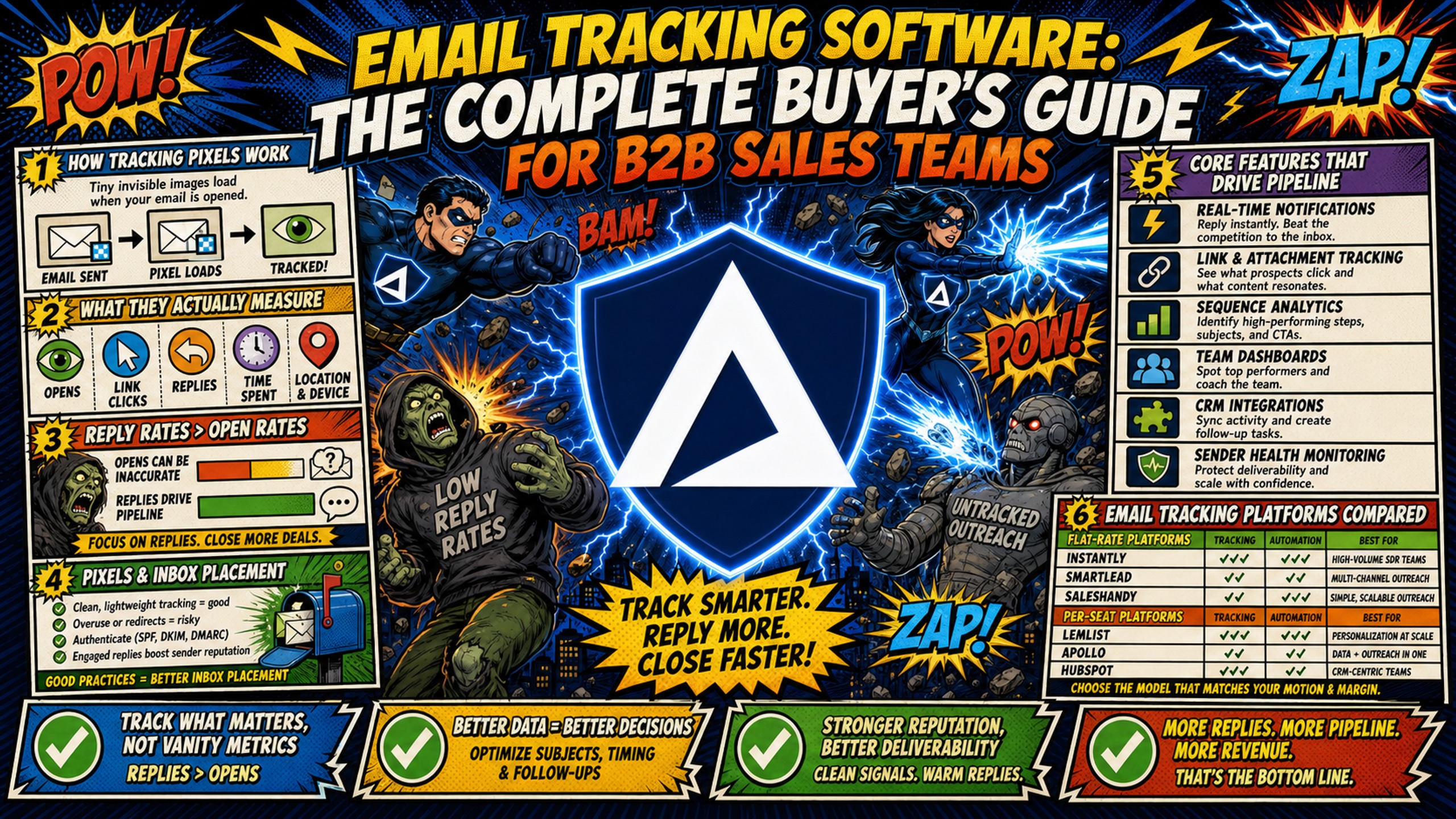
TL;DR: Email tracking is a two-layer buy. The tracking platform (Instantly, Smartlead, and Saleshandy on flat rates, Lemlist, Apollo, and HubSpot per seat) decides what you measure. The infrastructure underneath decides whether the tracking domain inside every rewritten link is trusted or filtered. That second layer matters because Litmus put Apple Mail at 62.26% of all tracked opens in July 2026, so open rate is mostly machine noise and clicks and replies carry the signal. Under 20 inboxes, any per-seat platform works. At 50 to 150 inboxes, pair flat-rate tracking with dedicated IPs, since per-seat costs compound and a shared tracking domain lets another sender's spam hit your placement. Above 150 inboxes across multiple clients, add a custom tracking domain, a unique subdomain in your DNS that replaces the platform's default tracking link, for each client.
Tracking pixels and redirect links load resources from a tracking domain, and when that domain carries poor reputation on a shared pool, spam filters penalize every email that references it.
Most buyer guides cover tracking features and skip that second layer entirely, which is why teams end up with excellent dashboards reporting on email nobody received. This guide covers both: how to choose the right tracking platform and how to set up the infrastructure underneath it so the tracking domain stays trusted.
How tracking pixels work and what they actually measure
Email tracking software works through two mechanisms: invisible image pixels for opens and URL redirects for clicks. Both create technical signals that inbox providers evaluate when deciding whether to deliver your message to the primary inbox or the spam folder.
A tracking pixel is a 1x1 transparent image embedded in the HTML of your email. When a recipient opens the message, their mail client requests that image from a tracking server, which logs the request along with IP address, device type, operating system, and timestamp.
Link tracking works differently. When you include a link in your email, the tracking software rewrites that URL to point to a tracking server first. The flow is: user clicks link, tracking server records the click, then redirects to the destination URL. This redirect happens in milliseconds.
The critical detail is that every rewritten link contains a domain name. That domain is either a shared tracking domain used by all customers on the platform, or a custom tracking domain (CTD) that you configure yourself. The reputation of that domain directly affects your deliverability.
Why reply rates matter more than open rates
Apple Mail accounts for 62.26% of all tracked email opens according to Litmus Email Analytics (over 1 billion opens, July 2026), and Mail Privacy Protection pre-loads tracking pixels for those recipients whether or not anyone reads the message. That makes open rate an unreliable signal for any list with meaningful Apple Mail usage.
SDR managers who rely on open rate as a primary success metric are measuring a signal Apple MPP corrupts. Positive reply rates and booked meetings are the metrics that reflect real engagement.
How tracking pixels affect inbox placement
Spam filters do not just evaluate your sending domain and IP. They also evaluate every domain that appears in your email, including the domains embedded in your tracking links and pixels. If your tracking domain has been associated with spam, the email containing it gets penalized, even if your sending domain is spotless.
Google's email sender guidelines require SPF, DKIM, and DMARC to pass, require spam complaint rates to stay below 0.10% and never reach 0.30%, and state that web links in the message body should be visible and easy to understand. That last requirement is directly relevant to rewritten tracking URLs: a link that resolves through an unfamiliar tracking subdomain before reaching its destination is harder for both filters and recipients to evaluate. This is why understanding healthy email metrics matters before you enable tracking on every campaign.
Core features that drive pipeline for SDR teams
Email tracking software offers more than open notifications. The features that actually drive pipeline are conversion tracking, intent data management, sequence A/B testing, and real-time blacklist notifications. One key accuracy limitation sits at the top of the list because it affects how you interpret every metric that follows.
- Tracking accuracy limitations: A prospect who never actually read your email may show as an open. Treat opens as directional signals, not precise engagement data.
- Conversion tracking: Connect email engagement to downstream actions. You track three conversion points: link clicks that lead to landing pages, replies that indicate interest, and booked meetings that show in your CRM. The sales email automation tools you choose must support all three.
- Intent data management: A prospect who opens your email three times and clicks two links shows higher intent than one who never opens. This data helps SDRs prioritize follow-up calls, but it only works when tracking is accurate. Cold email infrastructure monitoring covers the alert thresholds that tell you when tracking data has stopped being trustworthy.
- Sequence A/B testing: Test subject lines, opening sentences, and call-to-action variations. The winning variant is the one that generates more replies and booked meetings, not just more opens. When open data is inflated by MPP, your A/B test results become skewed.
- Real-time blacklist notifications: Blacklist monitoring alerts you when your domains or IPs land on spam lists like Spamhaus or Barracuda. Early detection matters because getting off the Microsoft blacklist can take days. Inframail includes blacklist monitoring with auto-submitted delisting requests and reports a 68.3% auto-delisting success rate within 48 hours.
Email tracking platforms compared
Every platform below handles sending and tracking. None of them provisions the domains and dedicated IPs the tracking runs on, which is the infrastructure layer covered later in this guide.
| Platform | Pricing model | Entry price (annual) | A/B testing | Notes |
|---|---|---|---|---|
| Instantly | Flat, per workspace | $37.60/mo | Hypergrowth plan ($77.60/mo) | Unlimited connected accounts on all plans |
| Smartlead | Flat, tiered | $32.50/mo | Via SmartDelivery add-on (from $49/mo) | Webhooks for sent, opened, clicked, replied, bounced, and unsubscribed on Unlimited Smart ($144.50/mo annual) and above |
| Saleshandy | Flat, tiered | $34/mo | All plans | — |
| Lemlist | Per seat | $55/user/mo (annual) | Not confirmed on entry plan | Campaigns auto-pause when bounce rate crosses 50% |
| Apollo | Per seat | $49/user/mo | Professional ($79/user/mo) | Organization tier carries a 3-seat minimum on annual billing, a $4,284 annual floor |
| HubSpot Sales Hub | Per seat | $90/seat/mo (annual) | Professional and above | Professional requires a one-time $1,500 onboarding fee. Conversation intelligence on Professional and above. |
| Outreach | Per seat | Not published | Included | Annual contracts only, plus $5,000 to $25,000 implementation |
Flat-rate platforms (Instantly, Smartlead, Saleshandy) keep software costs fixed as you add inboxes. Per-seat platforms (Lemlist, Apollo, HubSpot, Outreach) scale with headcount, which compounds against per-seat inbox infrastructure costs. For teams running 50 or more inboxes, pairing a flat-rate tracking platform with flat-rate infrastructure is the only model that keeps cost-per-inbox predictable at scale.
Which setup suits which team
Under 20 inboxes, one or two senders. A per-seat platform is fine. Tracking domain reputation is a low risk at this volume, and the cost difference between pricing models is marginal.
50 to 150 inboxes, a team of 8 to 15 SDRs. Flat-rate tracking plus dedicated infrastructure. Per-seat pricing compounds badly here, and the shared tracking domain becomes a real deliverability liability because one other sender on that domain can penalize your entire team's emails.
150 or more inboxes across multiple clients. Flat-rate tracking, dedicated IPs, and a custom tracking domain per client. One client's reputation problem stays contained and does not affect the others.
What tracking costs once you add infrastructure
The tracking platform you choose is only one line item. Domain registration, warmup tools, inbox infrastructure, and sending platform fees all add up, and the pricing model you choose for each layer determines whether costs stay predictable as you scale.
Managing costs per SDR seat
Google Workspace Business Starter costs $8.40 per user per month on the Flexible Plan, which means 50 inboxes cost $420 per month, 100 inboxes cost $840 per month, and 150 inboxes cost $1,260 per month. Every new domain you provision adds another $8.40 per month to your infrastructure bill before you pay for tracking software.
Inframail charges $129 per month flat for unlimited inboxes on the Unlimited Plan. The Agency Pack costs $327 per month and includes 3 dedicated US-based IPs. This flat-rate model means your infrastructure costs do not increase when you add SDRs or launch new campaigns.
Calculating actual per-email overhead
The true cost per email includes more than the platform fee. You need to account for domain registration, warmup tools, and sending platform costs. The full domain and warmup cost breakdown appears in the TCO table below.
For 50 inboxes, warmup tools alone add $750 to $2,500 per month on top of your infrastructure costs. This is why calculating your email sending capacity matters before you commit to a pricing model. The platform fee is only one line item in your total cost.
Calculating true total cost of ownership
A 12-month TCO model includes platform fees, domain costs, warmup tools, and sending platform costs. Here is the comparison for 50, 100, and 150 inboxes:
| Inbox count | Google Workspace ($8.40/seat) | Inframail flat rate | Monthly savings |
|---|---|---|---|
| 50 | $420 | $129 | $291 |
| 100 | $840 | $129 | $711 |
| 150 | $1,260 | $129 | $1,131 |
Domain costs ($5 to $16 per domain per year) and warmup tools ($15 to $50 per inbox per month) apply on both sides and are not included in this comparison. Inframail does not include a native warmup tool, so warmup runs through an external service such as Warmbox or Lemwarm. Google Workspace does not include one either, so this cost applies on both sides. The cold email infrastructure costs guide provides additional context on how these line items compare across providers, though figures may vary from current live pricing.
12-month ROI and cost projection model
For 50 inboxes, Google Workspace costs $420 per month on the Flexible Plan while Inframail costs $129 per month flat, producing annual savings of $3,492 on platform fees alone. The savings compound at scale: 100 inboxes save $8,532 annually, and 150 inboxes save $13,572 annually.
Domain and warmup costs apply on both sides of this comparison and are detailed in the TCO table above.
Evaluating email costs per meeting
Cost per meeting is the metric your VP Sales cares about. Calculate it by dividing total outbound costs by meetings booked.
For 50 inboxes on Google Workspace's Flexible Plan, the platform fee is $420 per month. At the minimum warmup rate of $15 per inbox, warmup adds $750 per month, bringing total infrastructure cost to $1,170 per month. At 20 meetings booked, that is $58.50 per meeting.
With Inframail, the platform fee drops to $129 per month for the same 50 inboxes. Warmup tools cost the same $750 per month at the minimum rate, bringing total infrastructure cost to $879 per month. At 20 meetings booked, that is $43.95 per meeting, a $14.55 reduction per meeting, which is the same $291 per month the platform fee comparison shows.
Reclaim 12 hours monthly on DNS tasks
Manual DNS configuration consumes 12 or more hours per month when you are actively scaling. Each domain requires manual entry of SPF, DKIM, and DMARC records across DNS panels, and doing this without admin access adds coordination time with a dev team or IT admin on top of the configuration itself.
Inframail automates this entire process. The platform configures DNS records automatically when you purchase domains or migrate existing ones. This automation reclaims 12 or more hours per month that you can redirect to campaign strategy, A/B testing, and SDR coaching.
Where your tracking domain lives: infrastructure compared
Choosing the right inbox infrastructure affects how cleanly your tracking data reads. Here is how the main providers compare on pricing model and IP setup:
| Vendor | Pricing model | IP type | Setup automation |
|---|---|---|---|
| Inframail | $129/mo flat | Dedicated (1–3 IPs) | Automated DNS |
| Maildoso | $2.50/mailbox at 30 | Proprietary SMTP | 10–15 min setup |
| Mailforge | $3/mailbox/monthly, $2.40 annual (10-slot min) | Shared IP pool | 3 min setup |
| Infraforge | $4/mailbox/mo (annual, 10-slot min) + $99/mo IP add-on (billed quarterly) | Dedicated | Automated |
| Google Workspace | $8.40/seat on flexible plan | Native platform | Manual DNS |
Maildoso charges per mailbox, which means costs scale linearly as you add inboxes. Inframail charges a flat rate regardless of inbox count. Infraforge charges $4 per mailbox per month on annual billing plus a $99 per month IP add-on billed quarterly, while Inframail includes dedicated IPs in the flat rate.
Mailforge charges $3 per mailbox per month on monthly billing, or $2.40 on annual, falling toward $2.00 at 1,000 or more slots. It bills for slots rather than active mailboxes with a 10-slot minimum, and unfilled slots are still charged, so the cost per live mailbox rises if you provision fewer than you buy. Google Workspace charges per seat, while Inframail charges a flat rate regardless of inbox count.
How to evaluate tracking software for 50-150 inboxes
Evaluating tracking software at scale requires a different framework than evaluating it for a single inbox. Here are the five criteria that matter most:
- Workflow integration: Your tracking software must integrate with your SDR workflow. SDRs use sequences in Instantly or Smartlead to send multi-touch campaigns, and the tracking data must flow back into those sequences automatically. Inframail provisions each inbox with IMAP/SMTP credentials that you can export to CSV and import directly into your sending platform. The Smartlead integration guide shows how this works.
- Sender reputation risk across 50+ inboxes: When running tracking pixels across 50 or more inboxes on shared infrastructure, your tracking domain accumulates reputation from every other sender on that platform, meaning one bad actor's spam behavior can penalize your emails. A custom tracking domain (CTD) is a unique subdomain configured in your DNS settings that replaces the default tracking link of your email software. When you set up a CTD on a dedicated IP, your tracking reputation is isolated from other senders.
- Analytics depth: Three analytics matter for SDR teams: open rate, click-through rate, and positive reply rate. Open rate measures how many recipients opened your email, click-through rate measures how many clicked a link, and positive reply rate measures how many replied with interest. Positive reply rate is the most reliable metric because it is not affected by Apple MPP. Positive reply rates for B2B cold email typically land between 1% and 2%, against total reply rates of roughly 3% (per Revenue Boost and Searchlab). Total reply rate includes unsubscribes, out-of-office responses, and negative replies, so the two figures should not be used interchangeably when evaluating campaign performance.
- Role-based access: SDR managers need visibility into team-level performance without giving every SDR access to infrastructure settings. When evaluating tracking software, look for role separation that gives managers aggregate open, click, and reply data across all inboxes while keeping individual SDRs scoped to their own campaign view. Inframail handles inbox infrastructure and DNS automation. The analytics layer sits in your sending platform, such as Instantly or Smartlead.
- CRM syncing: Tracking data only drives pipeline when it syncs with your CRM. You need to map email engagement to contact records in Salesforce or HubSpot. This mapping lets you attribute meetings and opportunities to specific email campaigns.
How to maintain 90% inbox placement rates
Maintaining a 90% inbox placement rate requires more than good tracking software. You need to manage spam scores, comply with regulations, streamline setup workflows, and connect tracking data to inbox health.
How tracking pixels impact spam scores
Tracking pixels add HTML and image elements to your email. Spam filters evaluate these elements when assigning spam scores. If your tracking domain has poor reputation, your spam score increases and your inbox placement drops.
The fix is to isolate tracking pixels on a custom tracking domain with a dedicated IP. When your tracking domain reputation is clean, spam filters treat your tracking pixels as neutral elements rather than risk factors.
Email compliance for cold outreach
CAN-SPAM regulates commercial email sent to US recipients. You must honor a recipient's opt-out request within 10 business days, and each separate violating email carries penalties of up to $53,088 under the FTC's CAN-SPAM rules.
GDPR applies to EU recipients, but the stricter rule for tracking pixels sits in Article 5(3) of the ePrivacy Directive, which the EDPB reads as requiring prior consent rather than legitimate interest. Italy's regulator set a compliance deadline of 28 October 2026 for opt-in consent on pixels that identify a recipient. If you send to EU prospects, treat pixel consent as a separate requirement from your CAN-SPAM opt-out handling.
Cutting DNS setup time when onboarding new SDRs
Manual DNS configuration is the biggest bottleneck when onboarding new SDRs. Setting up SPF, DKIM, and DMARC records for 50 domains takes 12 or more hours of active configuration work across DNS panels. Each domain requires individual CNAME, SPF, DKIM, and DMARC record entry across your DNS panel, and propagation can add further delay on top of that.
Inframail automates this process. The platform auto-configures SPF, DKIM, and DMARC records without manual DNS panel work. Customer testimonials report spinning up 10 inboxes in 2 minutes.
Connecting tracking data to inbox rates
Your tracking data tells you when deliverability is dropping. If open rates suddenly decline across all inboxes, you likely have a deliverability problem, and if reply rates drop on specific domains, those domains may be blacklisted.
Inframail's deliverability monitoring dashboard tracks domain and IP health with blacklist monitoring. The platform auto-submits delisting requests when domains are flagged. This connection between tracking data and infrastructure health lets you diagnose problems before they impact your pipeline.
Start tracking email performance with the right infrastructure
Inframail is a flat-rate Microsoft email infrastructure provider built for B2B sales teams running 50 to 200 inboxes. The platform automates SPF, DKIM, and DMARC configuration, assigns dedicated US-based IPs, and includes blacklist monitoring with a 68.3% auto-delisting success rate within 48 hours. At $129 per month for unlimited inboxes on the Unlimited Plan, infrastructure costs stay fixed whether you run 50 inboxes or 500. See how Inframail added $20,000 in revenue in just 30 days for this customer, and the strategy behind the results, in this case study video.
Sign up to Inframail and get started today.
FAQs
Do tracking links cause blacklisting?
Yes, using shared tracking domains can land your emails in spam folders if other users on those domains send spam. Setting up a custom tracking domain on a dedicated IP reduces your blacklisting risk by isolating your reputation.
How reliable is email open tracking?
Open tracking is unreliable due to Apple Mail Privacy Protection, which automatically triggers open pixels even when messages sit unread. Sales teams should focus on positive reply rates and booked meetings as their primary success metrics.
What is the cost difference between Google Workspace and Inframail for 50 inboxes?
Google Workspace costs $420 per month for 50 seats on the Flexible Plan. Inframail costs $129 per month flat, saving you $291 per month on platform fees alone before domain and warmup costs.
How long does it take to set up custom tracking domains?
Inframail's automated DNS configuration handles SPF, DKIM, and DMARC records without manual panel work, cutting the per-domain manual record entry process down to a batch operation.
Do I need dedicated IPs for email tracking?
Yes, dedicated IPs isolate your tracking domain reputation from other senders. Shared IP pools let one bad actor damage deliverability for everyone using that tracking domain.
Are tracking pixels legal in cold email campaigns?
Tracking pixels are legal under CAN-SPAM for US recipients as long as you honor opt-out requests. In the EU, tracking pixels fall under Article 5(3) of the ePrivacy Directive, which the EDPB reads as requiring prior consent rather than legitimate interest. Italy's regulator set a compliance deadline of 28 October 2026 for opt-in consent on pixels that identify a recipient. If you send to EU prospects, treat pixel consent as a separate requirement from your CAN-SPAM opt-out handling.
Key terms glossary
Custom Tracking Domain (CTD): A unique subdomain configured in your DNS settings that replaces the default tracking link of your email software, protecting your deliverability.
Dedicated IP Address: A unique internet protocol address assigned exclusively to your sending account, ensuring your reputation is not affected by other senders.
SPF (Sender Policy Framework): A DNS record that specifies which mail servers are authorized to send email on behalf of your domain.
DKIM (DomainKeys Identified Mail): An email authentication method that adds a digital signature to your messages, allowing receiving servers to verify the email was not altered in transit.
DMARC (Domain-based Message Authentication, Reporting, and Conformance): A protocol that builds on SPF and DKIM to tell receiving servers how to handle emails that fail authentication checks.
Tracking Pixel: A 1x1 transparent image embedded in HTML email that loads when the recipient opens the message, allowing the sender to log opens with timestamp and device data.
Inbox Placement Rate: The percentage of delivered emails that land in the primary inbox rather than the spam folder or promotions tab.
Positive Reply Rate: The percentage of delivered emails that receive a favorable response, such as booking a meeting or expressing genuine interest.