
Email subject lines for work: examples for workplace communication
Running cold outreach across multiple domains means your subject lines are doing double duty: passing spam filters at the ESP level while competing for attentio
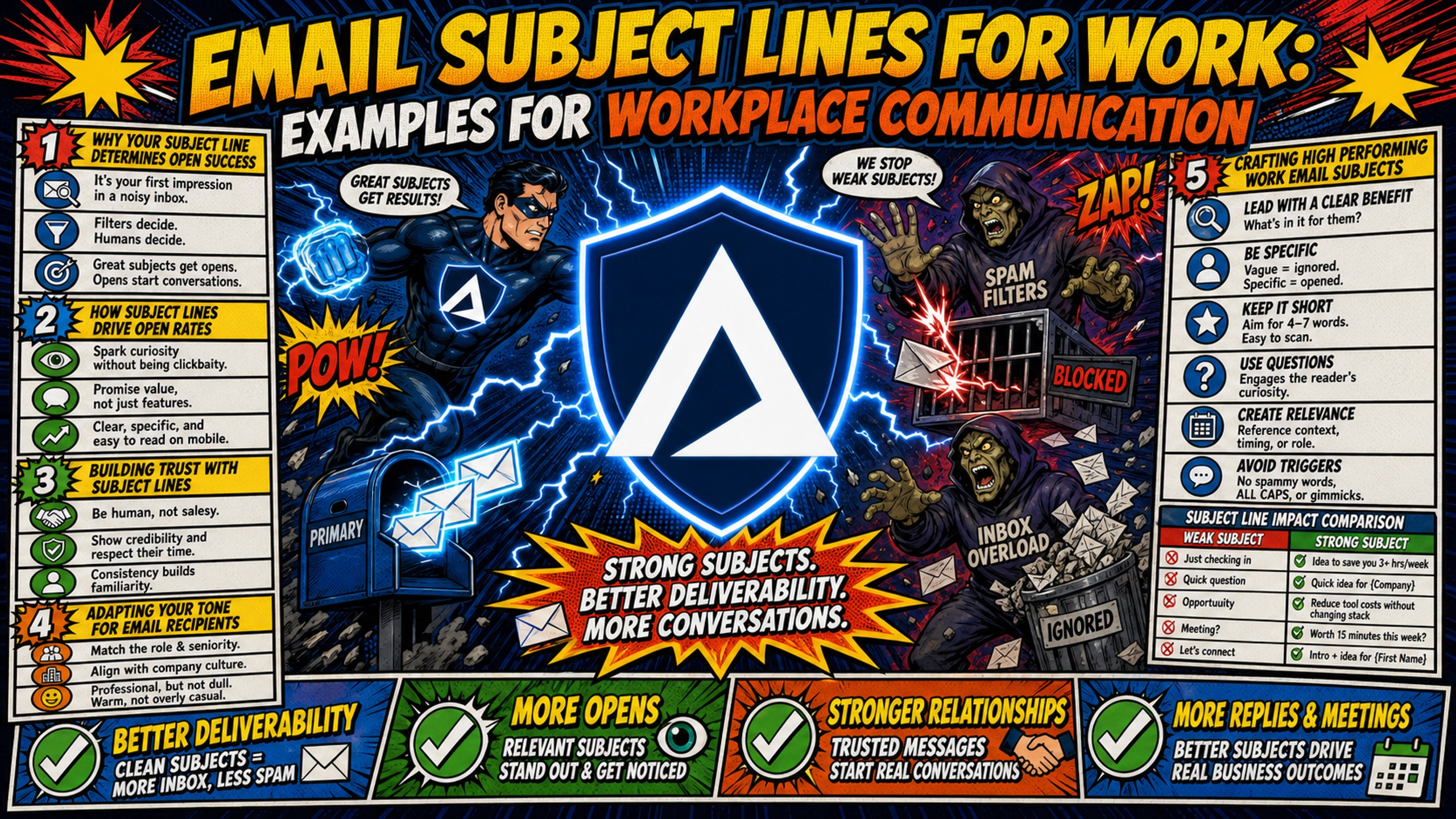
TL;DR: Running cold outreach across multiple domains means your subject lines are doing double duty: passing spam filters at the ESP level while competing for attention in a prospect's inbox. Keeping subject lines under 40 characters prevents mobile truncation and improves open rates across all devices and email clients. To protect sender reputation and test subject lines at scale, campaign managers should use dedicated IP infrastructure rather than shared pools. Inframail provides unlimited inboxes on dedicated US-based IPs for a flat rate of $129/month, helping outbound teams scale outreach without compounding per-seat costs.
A poorly written subject line does more than lower open rates. It triggers spam filters, damages domain reputation, and delays critical outreach timelines before a single recipient sees the message body. Running a cold outreach sequence across 50 domains, the subject line determines whether the email reaches the inbox and whether a prospect opens it.
This guide provides 60+ ready-to-use subject line templates organized by workplace intent, combined with the technical deliverability standards that ensure your emails land where they belong.
Why your subject line determines open success
The subject line passes two filters simultaneously: a human's mental scan in under two seconds and the email service provider's (ESP) spam filter before any recipient sees it. Failing either test means the email gets ignored or routed to junk, and repeated failures degrade domain reputation over time.
The quick-reference table below covers subject line examples by intent, each kept under the 40-character mobile safe limit:
| Category | Intent | Subject line example (under 40 chars) | Key benefit |
|---|---|---|---|
| Team Coordination | Action required | Action Required: SDR List Review | Clear priority |
| External Outreach | Cold introduction | Quick question re: [Topic] | Drives curiosity |
| Urgent/Deadline | Time-sensitive | Due Today: Signed Contract | High urgency |
| Meeting Request | Scheduling | Scheduling: Q4 Marketing Sync | Reduces friction |
| Project Update | Status | Project Update: Website Redesign | Instant context |
| Follow-Up | Response prompt | Follow-up: [Topic] Discussion | Signals continuity |
How subject lines drive open rates
Open rate performance in B2B email depends on targeting quality and subject line clarity working together. Cold email open rates average around 27.7%, outperforming general B2B email averages because tightly targeted campaigns use sharper subject lines. For highly targeted professional outreach, open rates can reach 25-45% on properly warmed domains, while new or recently migrated domains typically sit between 5-20% as sender trust builds with providers.
Running A/B tests on subject lines requires infrastructure that doesn't penalize you for creating more inboxes. Inframail's flat-rate model at $129/month for unlimited inboxes means campaign managers can run this testing workflow without watching per-seat costs climb:
- Formulate two distinct angles: Test one variable at a time, either length, personalization, or tone, never all three simultaneously.
- Split-test across a clean sample: Use at least 1,000 recipients per variant. List hygiene matters more than sample size: a clean 800-person list produces more trustworthy results than a dirty 5,000-person list.
- Roll out the winning variant: After at least two to three sends, roll the winning subject line to the remaining 80% of the list.
Building trust with subject lines
Clickbait subject lines damage professional trust in a measurable way. When recipients feel deceived by a subject line that didn't match the email body, spam complaint rates rise. Gmail treats a complaint rate above 0.10% as a signal to begin degrading inbox placement, and rates above 0.30% can produce significant delivery failures across active campaigns. The practical rule: the subject line must accurately represent the email body, always.
Adapting your tone for email recipients
Tone should match the relationship and the formality of the context. A cold introduction to an enterprise procurement lead calls for a different register than a project update to a direct report. The table below shows open-rate benchmarks by subject line style in B2B outreach contexts, based on research from internal communications benchmarks and B2B cold email studies:
| Subject line style | Example | Best use case |
|---|---|---|
| Professional / Direct | "Partnership Inquiry: [Company Name]" | Enterprise prospects, formal partners |
| Casual / Conversational | "quick question" | Mid-market prospects, informal intros |
| Internal / Operational | "Update: Q3 Marketing Budget" | Internal teams, active clients |
Research on B2B cold email templates consistently shows that conversational subject lines outperform formal ones for cold outreach to mid-market audiences, while internal operational emails perform best with clear prefixes and dates.
Crafting high performing work email subjects
High-performing workplace subject lines share three structural qualities: they lead with the most important word or action, they stay short enough to avoid mobile truncation, and they contain no words that activate spam filters at the ESP level. Applying all three consistently separates subject lines that get opened from ones that get filtered.
Use concise language to drive action
Front-loading means placing the most critical information within the first five to seven words. Mobile email clients, including Gmail's mobile app, display as few as 30 characters before truncating, so anything relying on context after the opening phrase gets cut off for most mobile recipients.
Strong front-loaded subject lines use concrete nouns and action verbs, not generic labels. "Files" tells the recipient nothing. "Shared Files: Signed Contract for [Client]" tells them exactly what the email contains and why it matters, and that full message survives truncation because the label lands within the first five characters.
Drive action with time-sensitive language
Adding a specific date or urgency signal inside the subject line increases response rates for time-sensitive emails. Recipients who can see the deadline without opening the email can prioritize accordingly. Time-sensitive language works when used sparingly and honestly: phrases like "Action Required" and "Due Today" move recipients to act faster when they reflect a genuine situation. Using them on low-priority emails erodes their effectiveness across all future sends.
Six examples that cover deadlines and urgency without triggering spam filters:
Due [Date]: [Project Name] Final ReviewDeadline: Submit Q3 Numbers by [Date][Due 10/24]: Signed Budget ApprovalAction Required: Q3 Budget Sign-OffResponse Needed Today: Client ProposalToday: Final Call on [Project Name]
Avoid exclamation marks and all-caps, which are formatting signals that ESPs treat as spam indicators regardless of the underlying word choice.
Boost deliverability by cutting spam
Subject line word choice affects spam filtering decisions and the engagement signals that ESPs use to assess sender reputation. When subject lines contain heavy spam trigger words, ESPs route the email to junk, and the resulting low engagement degrades sender reputation over time, making future sends from the same domain less likely to reach the inbox even when the content is legitimate.
Spam trigger words checklist - avoid these in subject lines:
- "Free" or "Free gift"
- "Guarantee" or "Guaranteed"
- "Risk-free"
- "Urgent!!!" (especially with excessive punctuation)
- "Make money" or "Earn extra cash"
- "Click here"
- "Act now" or "Limited time offer"
- "Winner" or "You've been selected"
The technical fix runs parallel to the copy fix. SPF, DKIM, and DMARC (the Domain Name System records that verify sender identity and authenticate your domain) must be fully configured to prevent spoofing and protect against being flagged as spam even when subject line copy is clean. As Microsoft's enforcement standards explain, Microsoft requires SPF, DKIM, and DMARC configuration for senders exceeding volume thresholds. Google introduced equivalent requirements in February 2024, mandating SPF, DKIM, and DMARC compliance for senders exceeding 5,000 messages per day to Gmail accounts, with enforcement rolling out progressively through 2024 and into 2025.
Inframail automates the full DNS configuration stack without manual panel access, and each account operates on a dedicated US-based IP so sending reputation stays isolated from shared pool contamination. One bad actor on a shared IP pool can drag down inbox placement for every other domain on that range, regardless of how clean individual subject lines are.
"I've tried other email infrastructure providers and they tank after 20 days. Inframail is the only one that's survived and keeps up with Gmail/Outlook deliverability. Setup took maybe 10 minutes. AI generated my domains, DNS configured automatically, inboxes created in bulk, CSV export ready for Instantly. No cPanel headaches, no manual DNS records, no guessing." - Verified user review of Inframail
Effective subject lines for meeting requests
Unclear meeting request subject lines create scheduling friction with prospects and clients. A subject line that specifies the meeting type, participants, and context removes the need for back-and-forth clarification before a calendar invite is accepted, which is critical when reaching out cold to contacts who don't yet recognize your sender identity.
Internal team meeting request examples
Weekly Sync: [Team Name] - [Date]Brainstorm: [Project Name] Next StepsTeam Meeting: Q4 Planning - [Date]Kickoff: [Project Name] Starting [Date]
Scheduling one-on-one work meetings
1:1 Sync: [Your Name] / [Manager Name]Check-in: [Name] - [Date]Monthly 1:1: [Name] Performance Review
Subject lines for interdepartmental syncs
Marketing & Sales Sync: Q4 AlignmentFinance + Ops: Budget Review [Month]Cross-Team: [Project Name] Dependencies
Scheduling external stakeholder syncs
External stakeholder subject lines should name both companies to provide immediate context, particularly for cold outreach introduction calls where the recipient doesn't yet recognize the sender:
[Your Company] x [Their Company]: Intro CallDiscovery Call: [Topic] - [Date]Scheduling: [Your Name] / [Their Name] - [Date]
Crafting effective project update emails
Client-facing project and campaign update subject lines keep stakeholders informed on active engagements without requiring them to read the full email body to understand the status. A subject line that specifies the campaign name, update type, and date gives clients core information at a glance, reducing unnecessary follow-up requests and reinforcing professional reliability.
Writing clear project status updates
Use these for client-facing campaign status emails, agency deliverable check-ins, and active outreach sequence reporting.
Project [Name] Status Update: [Date][Project Name]: Week [Number] ProgressStatus Update: [Project Name] - On Track
Project milestone update email examples
Milestone Achieved: [Feature Name] is Live[Project Name]: Launch Complete - [Date]Goal Reached: [Specific Metric] Hit [Date]
Managing email sending delays
Communicating delays professionally requires subject lines that acknowledge the issue directly. A subject line like "Project [Name] Update" when the actual topic is a delay creates confusion and erodes trust. Three templates for delay communication:
Delay Update: [Project Name] New TimelineTimeline Revision: [Project Name] - [Date][Project Name]: Revised Launch Date Notice
Campaign managers running outbound sequences face a parallel challenge when sending delays stem from domain blacklisting. Inframail's deliverability monitoring dashboard tracks domain and IP health in real time and auto-submits delisting requests when a domain is flagged, achieving a 68.3% delisting success rate within 48 hours.
Writing effective internal email subject lines
Internal email subject lines serve a different function from outbound or client-facing emails. They need to be scannable at a glance, signal the required action or information type immediately, and route the email into the correct priority tier without the recipient needing to open it.
Internal team email subject examples
[Monthly Update] Q3 Financials: [Month][Weekly Report] [Team Name]: [Date Range][Quarterly Review] [Department] HighlightsTeam Update: Welcome [Name] to the TeamAnnouncement: New [Role/Tool] Starting [Date][FYI] Office Closure: [Date]
Writing clear policy change emails
Policy Update: New Remote Work GuidelinesHR Update: PTO Policy Change - Effective [Date][Action Required]: Review Updated Code of Conduct
Best practices for file sharing emails
Shared Document: [Project Name] BriefFile Attached: [Client Name] Signed ContractReview Ready: [Document Name] Draft v[Number]
How to ask for internal feedback
Feedback Requested: [Topic] DraftInput Needed: [Project Name] ProposalReview Request: [Document Name] - By [Date]
Subject lines that drive immediate responses
High-priority emails to prospects, clients, and vendor contacts require subject lines that signal urgency without triggering alert fatigue. The distinction is between genuine time pressure that recipients need to act on and manufactured urgency that trains them to ignore priority signals, which compounds the damage when using shared IP infrastructure where one bad send affects the entire pool.
Subject lines for same-day replies
Quick Question: Need Input by [Time]Same-Day Response Needed: [Topic]Response by EOD: [Project Name] Decision
Securing manager approval by email
Approval request subject lines perform better when they name the specific item requiring sign-off rather than using a generic label. Specificity reduces the clarification emails that precede an approval decision, as covered in the sales email automation guide:
Approval Needed: [Project Name] BudgetSign-off Required: [Document Name] by [Date][Action Required]: Approve [Campaign Name]
Handling urgent workplace email issues
Critical issue subject lines should be direct, specific, and front-loaded with the system or project name:
Urgent: [System Name] Outage UpdateCritical: [Campaign Name] Deliverability IssueAlert: [Domain Name] Blacklisted - Action Needed
Drafting effective networking subject lines
Professional networking subject lines navigate a narrower range than internal or transactional emails. They need enough clarity to convey intent and enough curiosity to prompt an open, without sounding like a mass-marketing template. Subject lines that obscure sender identity or intent can cross email outreach legality lines in regulated industries.
Drafting outreach introduction emails
Curiosity-driven formulas consistently outperform direct benefit statements for cold professional outreach. Aaron Reeves's analysis of B2B cold email structure highlights that subject lines referencing a specific goal or department perform significantly better than generic greetings:
Quick question regarding [Specific Goal]Idea for [Company Name]'s [Department][Mutual Connection] suggested I reach out[Your Company] + [Their Company]: Quick Chat?
Testing these subject lines at scale requires isolated sending environments. Running them across a shared IP pool means a single poorly performing variant can contaminate reputation for all subsequent sends. Inframail's dedicated IP infrastructure, described in the infrastructure cost comparison guide, ensures each test variant's performance stays within a controlled sending environment, and the flat-rate $129/month model means testing 10 variants across 10 domains costs the same as testing one.
Effective meeting follow-up emails
Great Meeting You at [Event Name]Follow-up: [Topic] Discussion from [Date]Next Steps: [Project Name] from Our Call
Writing effective coffee chat requests
Coffee Chat Request: [Your Name] / [Their Name]30 Min Chat: [Your Name] Intro RequestIntro Call: [Your Name] & [Their Name]
Reconnecting with dormant work contacts
Reconnecting subject lines work best when they reference a shared context or acknowledge the passage of time directly. Kirke Männik's breakdown of cold email timing and structure recommends leading with a specific shared reference rather than a generic reconnection line:
Reconnecting: [Your Name] from [Company]Catching Up: [Time Period] Since We Spoke[Your Name] Checking In: [Relevant Topic]
3 subject line errors that kill email response
The most common subject line mistakes fall into predictable categories. Fixing them requires understanding both the human psychology of why they fail and the technical reasons they get filtered before any human reads them.
Fixing vague work email subjects
Vague subject lines like "Hey," "Checking in," or "Update" provide no signal about the email's content or required action. Low engagement from vague subjects accumulates over time and degrades domain reputation at ESPs. The front-loading fix:
| Before | After |
|---|---|
| "Quick question" | "Question: Q3 Budget Approval" |
| "Meeting" | "Scheduling: Q4 Marketing Sync" |
| "Update" | "Project Update: Website Redesign Live" |
| "Files" | "Shared Files: Signed Contract for [Client]" |
| "Urgent" | "Urgent: Server Outage in US-East" |
Each "after" version front-loads the category label first, then adds specificity. The label appears within the first five characters, giving the recipient enough context to prioritize even if the rest gets truncated on mobile.
Formatting traps to avoid in emails
Formatting errors in subject lines trigger ESP filters independently of the words used. All-caps subject lines, excessive punctuation like "!!!" or "???", and blank subject lines all carry spam signals that can route emails to junk even when the content is legitimate.
Key formatting rules:
- No all-caps words in subject lines
- Maximum one exclamation mark, used only for genuine urgency
- Never send with a blank subject line
- Avoid multiple consecutive special characters
The sales training perspective from Jeremy Miner reinforces that aggressive formatting signals low professionalism and reduces response likelihood even when the email reaches the inbox.
Clearer context for internal emails
Prefix tags give internal emails instant searchability and context. Research on sales prospecting email structure confirms that subject lines with bracket prefixes achieve higher open rates than those without structural labels, with bracketed formats reaching 52.08% open rates in structured tests.
Standard prefix tags for workplace emails:
[Action Required]- needs a response or decision[FYI]- informational, no action needed[Update]- status change on an active project[Review]- document or proposal needs input[Approved]- confirms a decision has been made
Clarifying best practices for email subject lines
Modern email clients vary enough across devices that a single character limit doesn't cover every case. Understanding the technical constraints of the most common clients determines where the practical safe limit sits.
Recommended character limits for emails
A work email subject line should be under 40 characters to prevent mobile truncation. Research on email deliverability standards confirms that the optimal safe limit across all tested devices is 33 characters for subject lines and 37 characters for preheaders. Gmail's mobile app shows approximately 30 characters, one of the tightest truncation points in common use.
| Device | Visible characters (approx.) |
|---|---|
| Gmail mobile app | 30 characters |
| iPhone (vertical) | 33-35 characters |
| Android phones | 33-41 characters |
| iPhone (horizontal) | 50-55 characters |
| Desktop Gmail | 70 characters |
| Desktop Outlook | 50-70 characters |
The practical approach: front-load the category and the key noun within the first 40 characters so the critical context lands even when the rest is cut. "Action Required: Q3 Budget by Friday" at 38 characters delivers the full message on every device listed above.
The Inframail sending capacity guide covers how domain volume and inbox count interact with deliverability thresholds, which is the infrastructure equivalent of character limit planning.
Using recipient names in subject lines
Personalization with first names can increase open rates in cold outreach contexts, but it carries risk in high-volume workplace communication. ESPs that see mass emails with personalized subject lines alongside low engagement rates may treat personalization as a spam indicator rather than a trust signal. Use names when the relationship or targeting justifies individual personalization, and avoid name insertion in broadcast or mass internal emails where it reads as an obvious template.
When to label emails as urgent
The "Urgent" label loses effectiveness when overused. Alert fatigue sets in quickly when colleagues and clients see "Urgent" applied to routine updates, and once the label is discounted, genuinely urgent messages get missed. A practical threshold: if the issue can wait until the next business day without meaningful impact, it's not urgent. If hours matter, the label is appropriate.
How do I write subject lines for group emails?
Segmented outreach emails need subject lines that make the audience context and topic clear without requiring the recipient to open to understand relevance. For campaign managers, this applies to multi-stakeholder prospect threads, client update broadcasts, and agency team communications. Prefixes like [Client: Company Name], [SDR Team], or [Q4 Campaign] give recipients immediate context. Four practical formats:
[All Team]: Q3 Company Update - [Date][Marketing Team]: Campaign Brief Ready[Client: Acme Co]: Q4 Outreach Sequence Live - [Date][SDR Team]: Updated Prospect List - [Date]
The group identifier at the front also makes filtering and archiving easier for recipients managing high email volume.
Cost comparison: Inframail vs. Google Workspace at 50 inboxes
For campaign managers running A/B subject line tests across multiple domains, infrastructure cost directly affects how many variants you can test without budget pressure. At 50 inboxes, the difference between per-seat and flat-rate pricing is significant:
| Cost component | Inframail (Unlimited) | Google Workspace (Starter) |
|---|---|---|
| Platform fee | $129/month | $350-420/month (50 seats at $7-8.40/seat) |
| Domain costs | ~$34/month (amortized) | Same (domains priced separately at any registrar) |
| Warmup tools | External (Warmbox, Lemwarm, etc.) | External (not included) |
| Total (platform + domains) | ~$163/month | ~$350-420/month |
| IP type | Dedicated US-based | Shared |
| Inbox limit | Unlimited | Per-seat |
Inframail's infrastructure runs at approximately $163/month versus $350-420/month for Google Workspace Business Starter at 50 inboxes, a saving of roughly $187-257/month before warmup tool costs on either side. Warmup tools are a separate cost on both platforms, typically $15-50/month per inbox for services like Warmbox or Lemwarm. The Maildoso alternatives comparison provides a broader view of how flat-rate and per-mailbox pricing structures compare across the full category.
Sign up to Inframail and get started with unlimited inboxes on dedicated US-based IPs for a flat rate of $129/month, with automated SPF/DKIM/DMARC setup and no per-seat charges as domain count scales.
FAQs
What is the ideal character limit for a work email subject line?
Keep work email subject lines under 40 characters to prevent mobile truncation. Gmail's mobile app shows as few as 30 characters, making front-loading the first five to seven words the most reliable way to ensure the core message is visible across all devices.
How many spam trigger words can I use before an email is flagged?
Avoid using any spam trigger words in subject lines. Even a single trigger word like "free" or "guarantee" can cause ESPs to route the email to the spam folder, especially when combined with low sender reputation or poor list hygiene.
Does Inframail include email warmup tools?
Inframail does not include a built-in warmup tool, so an external service like Warmbox or Lemwarm is required for inbox warming. Users who purchase the Done-for-you (DFY) campaign setup package receive free domain warmup included in that package.
What dedicated IPs does Inframail provide?
The Unlimited Plan includes 1 dedicated US-based IP, and the Agency Pack includes 3 dedicated US-based IPs. Both plans isolate your sending reputation from shared pool contamination.
How does Inframail's pricing compare to per-seat providers for 50 inboxes?
Inframail charges $129/month for unlimited inboxes, while Google Workspace Business Starter costs $350-420/month for 50 seats at $7-8.40 per user. Total platform cost is approximately $163/month on Inframail versus $350-420/month on Google Workspace for the same 50 inboxes, before warmup tools on either side.
Key terms glossary
Mobile truncation: The cutting off of subject line text on mobile screens, which typically occurs after 30-40 characters depending on the device and email client.
Front-loading: The practice of placing the most critical words and action items at the very beginning of a subject line, ensuring the key message is visible even when the remainder is truncated.
Dedicated IP: An IP address used exclusively by one sender, ensuring their email reputation is not affected by other users on a shared pool.
SPF/DKIM/DMARC: Technical DNS records that verify a sender's identity and authenticate the sending domain. SPF identifies authorized sending servers, DKIM adds a cryptographic signature to messages, and DMARC specifies how receivers should handle messages that fail either check. These protocols operate at the DNS level and protect against spoofing regardless of subject line content.
Sender reputation: The score assigned to a sending domain and IP by ESPs based on engagement rates, spam complaint rates, bounce rates, and blacklist history. Low sender reputation reduces inbox placement rates regardless of subject line quality.
Inbox placement rate: The percentage of sent emails that land in the recipient's primary inbox rather than spam, junk, or promotional folders.