
Email sequence templates that book meetings in 2026
For most B2B teams a 5-touch cold outreach sequence on a Day 1, 3, 7, 14, and 21 cadence is the right starting point, with shorter 3-touch and 4-touch variants
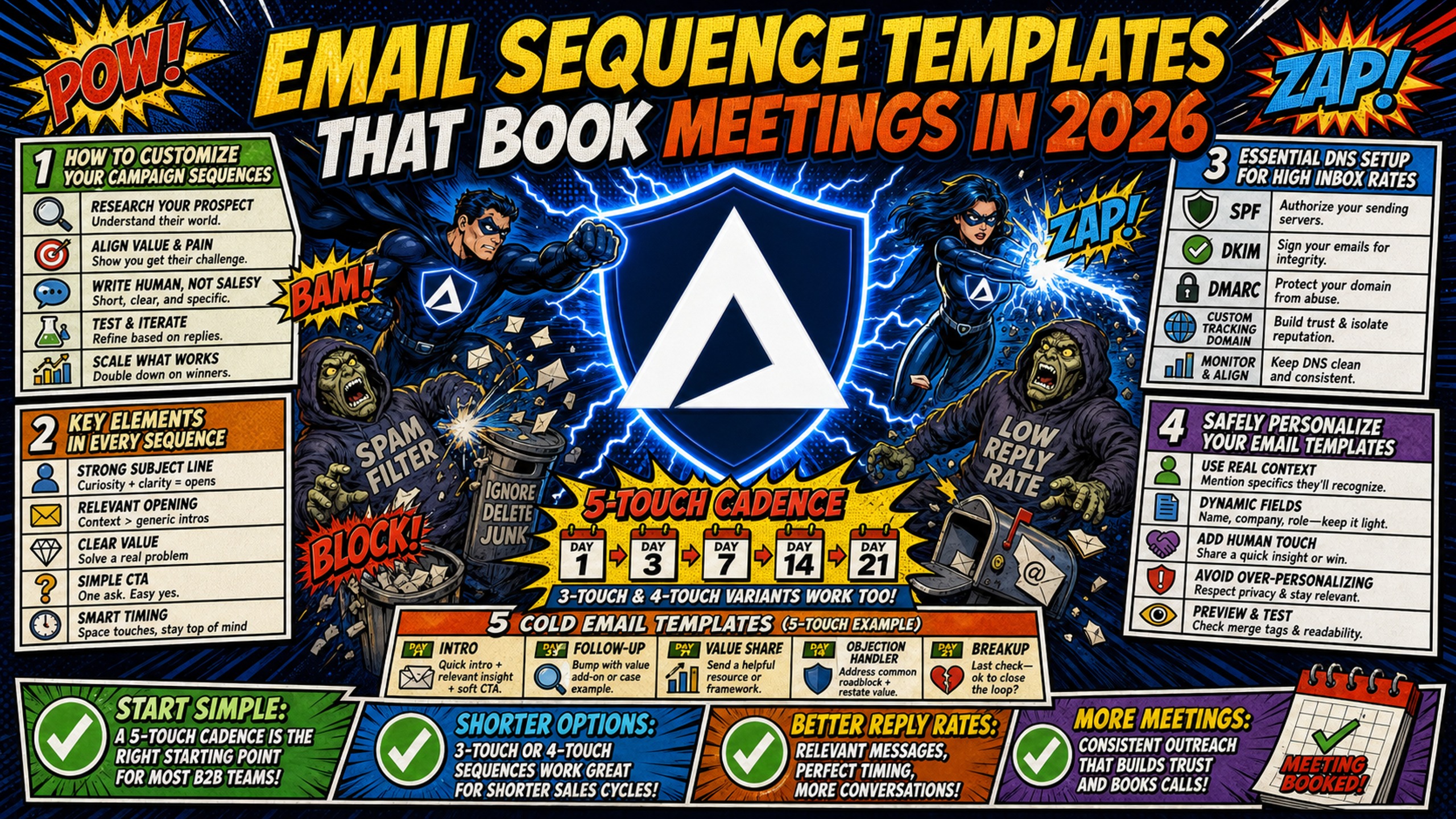
TL;DR: For most B2B teams a 5-touch cold outreach sequence on a Day 1, 3, 7, 14, and 21 cadence is the right starting point, with shorter 3-touch and 4-touch variants for demo follow-up, no-show recovery, lead reactivation, event invites, and account expansion. Deliverability decides whether any of them land. Google requires SPF, DKIM, and DMARC authentication from bulk senders and holds spam complaints below 0.30%, and Microsoft caps Exchange Online at 10,000 recipients per mailbox per day. Infrastructure cost is the other constraint at scale. Google Workspace runs approximately $420 per month for 50 inboxes on the Flexible Plan, while Inframail provides flat-rate Microsoft infrastructure with dedicated IPs at $129 per month for unlimited inboxes, a $291 monthly difference before domain and warmup costs that apply to both.
Campaign performance in B2B cold email depends on infrastructure first. A sequence that lands in spam produces no replies, regardless of how well the copy is written. Google's sender guidelines make SPF, DKIM, and DMARC a requirement for bulk senders, and the same records govern inbox placement well below that threshold. Every template below assumes those prerequisites are already in place.
How to customize your campaign sequences
This structure (identify who the prospect is, state why the outreach is relevant, present the offer, close with one clear action) reflects how practitioners commonly build B2B outbound sequences.
Key elements in every sequence
Before copying any template, confirm these four components are in place for every touchpoint:
- Personalization variable: A first name, company name, or specific trigger (recent funding, job posting, or LinkedIn activity).
- Single CTA per email: One action, not three options. A meeting link, a yes/no reply, or a specific question.
- Cadence with gaps: Day 1, 3, 7, 14, and 21 is the baseline. Spacing prevents spam filter triggers and gives prospects time to respond.
- Plain text formatting: Heavy HTML, image-heavy layouts, and high link density damage inbox placement.
Essential DNS setup for high inbox rates
Templates fail without proper DNS authentication. SPF (Sender Policy Framework) tells receiving servers which mail servers are authorized to send on behalf of your domain. DKIM (DomainKeys Identified Mail) adds a cryptographic signature proving the email was not altered in transit. DMARC (Domain-based Message Authentication, Reporting, and Conformance) ties both together and instructs receivers how to handle messages that fail authentication.
Google's email sender guidelines require SPF, DKIM, and DMARC for anyone sending more than 5,000 messages a day to Gmail, and require spam complaint rates to stay below 0.30% in Postmaster Tools, with a recommended threshold of 0.10%.
Setting these records manually across 50 domains takes over 12 hours. Inframail's automated DNS configuration provisions SPF, DKIM, and DMARC records automatically without manual panel work, and customers report setting up 10 inboxes in 2 minutes. Inframail's guide to email infrastructure health monitoring covers how to configure alert thresholds and monitor domain health across active campaigns.
Safely personalize your email templates
Use merge tags for first name, company name, and one custom variable. Run every list through an email verification tool like ZeroBounce or NeverBounce before you run personalization at scale, since high bounce rates damage domain reputation across all active campaigns sharing the same infrastructure.
Cold email templates
The following two templates cover the most common cold outreach scenarios for B2B lead generation and SaaS outbound. Short scripts that lead with a specific observation and ask for one thing are the common convention. Kidous Mahteme's 32 ironclad rules to avoid spam video says your email body should stay between 70 and 150 words to keep your message concise, natural, and less likely to trigger spam filters.
Template 1: 5-touch B2B outreach sequence
| Touchpoint | Day | Subject line | Body copy |
|---|---|---|---|
| 1 | 1 | Quick question, [First Name] | Hi [First Name], noticed [Company] recently [trigger: hired SDRs / raised funding / expanded to X market]. Teams scaling outbound usually hit [specific pain]. [One sentence on what you do and for whom]. Worth a 15-minute call this week? |
| 2 | 3 | Re: Quick question | Hi [First Name], following up on my note. [One-line proof point about a similar result]. Still worth a chat? |
| 3 | 7 | [Company] + [Your Company] | Hi [First Name], sharing one resource regardless: [link to case study or relevant stat]. Curious if [specific pain point] is on your radar. |
| 4 | 14 | Last thought | Hi [First Name], one question before I close this out: is [pain point] something your team is actively working on this quarter? |
| 5 | 21 | Closing the loop | Hi [First Name], closing this thread for now. If [pain point] becomes a priority, I'm at [email]. Happy to reconnect when timing makes more sense. |
Template 2: 4-touch sequence for confirmed pain points
For prospects where a specific pain point is confirmed via intent data or recent job postings, a tighter 4-touch sequence is the common approach.
| Touchpoint | Day | Subject line | Body copy |
|---|---|---|---|
| 1 | 1 | [Specific pain] at [Company]? | Hi [First Name], [Company]'s [job posting / LinkedIn post / tool stack] suggests your team is dealing with [pain]. We solve this for [similar company type] in [timeframe]. 15 minutes this week? |
| 2 | 3 | One result worth sharing | Hi [First Name], [Client Name] was in the same position and [specific result]. Happy to show you how. Still interested? |
| 3 | 7 | Simple yes or no | Hi [First Name], just need a yes or no: is [problem] worth 15 minutes of your time? |
| 4 | 14 | Closing out | Hi [First Name], signing off on this one. Reach out anytime if [problem] moves up the list. |
You can also check out Christian Bonnier's 3 cold email scripts for more samples.
Send windows
Spread send volume across the full day rather than batching all sends at once to maintain consistent sending patterns. For agencies managing multiple client campaigns, stagger campaign start times to distribute load evenly across sending windows.
Scaling infrastructure cost-effectively
At 50 inboxes, infrastructure cost becomes a margin variable that compounds as you scale. Inframail offers dedicated Microsoft IPs on a flat-rate model that isolates your sending reputation and saves $291 per month for 50 inboxes. Here is how platform fees compare across three common inbox tiers:
| Inbox count | Google Workspace (Flexible Plan) | Inframail (Unlimited Plan) | Monthly savings |
|---|---|---|---|
| 50 | $420/month | $129/month | $291/month |
| 100 | $840/month | $129/month | $711/month |
| 200 | $1,680/month | $129/month | $1,551/month |
Domain costs ($5 to $16 per domain per year) and external warmup tools ($15 to $50 per inbox per month) apply to both options and are not included in the platform fee comparison above.
The Unlimited Plan covers up to 80,000 sends per month. At 40 to 50 emails per inbox per day across 22 workdays, the 100-inbox row (88,000 sends) and the 200-inbox row (176,000 sends) exceed that cap and require the Agency Pack at $327 per month, which supports up to 300,000 sends per month.
Maildoso charges per mailbox, starting at $2.50 per mailbox for 30 mailboxes ($75 per month), domains excluded. Inframail's Unlimited Plan stays at $129 per month up to 80,000 sends per month. The Agency Pack covers up to 300,000 sends per month at $327 per month. Mailscale requires a sales call and publishes no pricing.
Frameworks for automated lead follow-up
Demo follow-up and no-show recovery are the two sequences most teams leave unbuilt. The templates below cover the two scenarios most teams underinvest in: post-demo follow-up and no-show recovery.
Template 3: 3-touch demo follow-up
| Touchpoint | Day | Subject line | Body copy |
|---|---|---|---|
| 1 | 1 (same day) | Great chatting, [First Name] | Hi [First Name], thanks for the time today. Based on what you shared about [specific pain from call], [Product] addresses this by [specific mechanic]. Here's the [next step: trial link, proposal, or resource]. |
| 2 | 3 | Quick follow-up | Hi [First Name], checking in on [specific question from demo]. Happy to answer anything before you decide. |
| 3 | 7 | Still worth it? | Hi [First Name], one last follow-up. If [concern from demo] is the sticking point, I can [specific accommodation: extended trial, custom pricing, reference call]. Worth 10 minutes to revisit? |
Template 4: 3-touch no-show recovery sequence
| Touchpoint | Day | Subject line | Body copy |
|---|---|---|---|
| 1 | 0 (day of) | Missed you today | Hi [First Name], we had a call scheduled for [time]. No worries at all. Here's a link to rebook when it works: [calendar link]. |
| 2 | 2 | Re: [Original meeting subject] | Hi [First Name], sending a quick follow-up. Happy to find a new time if [original day] didn't work. [Rebooking link]. |
| 3 | 7 | Still interested? | Hi [First Name], last nudge. If [meeting topic] isn't the right fit right now, no pressure. If it is, I'm one reply away. |
Using branching logic for replies
Both Instantly and Smartlead support conditional branching that stops a sequence the moment a prospect replies. In Instantly, set the campaign to "stop on reply" under campaign settings. In Smartlead, enable the setting that stops sending when a lead replies, found in the campaign settings. This prevents automated follow-ups after a prospect responds, which protects the relationship and prevents unnecessary messages.
The complete Smartlead integration guide walks through the full setup using Inframail credentials.
Revive dead leads with automated follow-up
Re-engagement campaigns benefit from careful list hygiene. Clean the list before sending and reduce daily send volume compared to fresh outreach.
Optimize lead lists for deliverability
Clean every reactivation list through an email verification service before loading into your sending platform. Consider removing contacts with no recent engagement, and reduce daily send volume compared to fresh outbound lists.
Template 5: 4-touch cold lead reactivation
| Touchpoint | Day | Subject line | Body copy |
|---|---|---|---|
| 1 | 1 | Still relevant? | Hi [First Name], we connected a few months back about [original topic]. Since then, [relevant update: new feature, new case study, pricing change]. Still on your radar? |
| 2 | 5 | Update from [Your Company] | Hi [First Name], sharing a quick update: [one-line result from a recent client]. If [original pain] is still something your team is working through, happy to reconnect. |
| 3 | 10 | Different angle | Hi [First Name], is [specific sub-problem] worth exploring, even if the broader [original topic] isn't a fit right now? |
| 4 | 17 | Closing out | Hi [First Name], wrapping up this thread. If anything changes, I'm easy to find at [email]. |
Template 6: 3-touch churned customer win-back
| Touchpoint | Day | Subject line | Body copy |
|---|---|---|---|
| 1 | 1 | We've made some changes | Hi [First Name], it's been a while since you used [Product]. Since you left, we've added [specific new feature or improvement that addresses original churn reason]. Worth a second look? |
| 2 | 5 | What changed for you? | Hi [First Name], genuinely curious what drove the switch. If it was [suspected reason], we've addressed that with [specific solution]. Happy to show you. |
| 3 | 10 | One last note | Hi [First Name], last note from me. If you're open to a brief update call, here's a link: [calendar]. If not, no hard feelings. |
Event invitation sequences
Event-driven sequences have a built-in urgency trigger: the date. Use it explicitly in every touchpoint, and tie each follow-up to a specific outcome the attendee will get from showing up.
Template 7: 4-touch webinar invite flow
| Touchpoint | Day | Subject line | Body copy |
|---|---|---|---|
| 1 | 14 before | [First Name], quick invite | Hi [First Name], hosting a webinar on [specific topic] on [date]. Given your work in [industry/role], thought it might be worth your time. Register here: [link]. |
| 2 | 7 before | Spots filling up | Hi [First Name], following up on the [topic] webinar. We're covering [specific outcome #1] and [specific outcome #2]. [Link] to grab a spot. |
| 3 | 2 before | Two days out | Hi [First Name], the [topic] session is in two days. [One-line value statement]. [Registration link] if you haven't signed up yet. |
| 4 | 1 day after | Recording available | Hi [First Name], missed you at the session. Here's the recording: [link]. Happy to chat if any questions come up. |
Template 8: 3-touch conference booth meeting request
| Touchpoint | Day | Subject line | Body copy |
|---|---|---|---|
| 1 | 14 before | Meeting at [Conference Name]? | Hi [First Name], our team will be at [Conference] on [dates]. Given what [Company] is working on, think we'd have a useful conversation. Book time at our booth: [calendar link]. |
| 2 | 5 before | Still room on [date] | Hi [First Name], a few slots still open at [Conference]. [One-line reason the meeting is worth it]. [Booking link]. |
| 3 | 2 before | Last call for [Conference] | Hi [First Name], one last note before [Conference]. If the booth doesn't work, happy to meet anywhere at the venue. [Calendar link] or reply with a time. |
Best practices for daily send limits
Microsoft's Exchange Online limits cap each mailbox at 10,000 recipients per day, and apply a separate tenant-level limit on external recipients per day that scales with license count. Cold email is entirely external recipients, so at agency scale the tenant limit can bind before the per-mailbox ceiling. Microsoft also notes plainly that Exchange Online is not suited to bulk-mailing scenarios. Both limits sit far above what cold outreach should use. Most practitioners cap mature domains well below that ceiling, commonly in the 40 to 50 range across combined campaign and warmup sends.
Google's sender guidelines give no fixed number, advising instead to start with a low volume to engaged users and increase gradually, avoiding sudden spikes. Spreading sends across multiple inboxes is safer than concentrating volume in fewer inboxes. Warmup emails count against your daily reputation budget, so adjust cold send volume accordingly. Monitor reply rates and inbox placement regularly, reducing send volume if performance drops.
Ready-to-use upsell and cross-sell templates
Account expansion sequences target warmer contacts, so tone can be slightly less formal. These prospects already know the company and have context for the offer.
Template 9: 3-touch upsell sequence for existing leads
| Touchpoint | Day | Subject line | Body copy |
|---|---|---|---|
| 1 | 1 | Something worth considering, [First Name] | Hi [First Name], based on how you're currently using [Product], teams at your stage typically get more from [higher tier or add-on]. Specifically: [one-line outcome]. Would it make sense to spend time looking at the numbers? |
| 2 | 5 | Quick follow-up | Hi [First Name], [one-line ROI stat from a similar client]. Happy to run the same numbers for [Company] if useful. |
| 3 | 10 | Final thought | Hi [First Name], last nudge. Worth flagging for Q[X] planning if [specific upgrade] isn't a fit right now? |
Template 10: 4-touch cross-sell sequence for existing accounts
| Touchpoint | Day | Subject line | Body copy |
|---|---|---|---|
| 1 | 1 | [First Name], quick idea | Hi [First Name], given how [Company] uses [existing product], [complementary product] could [specific outcome]. Thought it was worth flagging. |
| 2 | 4 | One example | Hi [First Name], [similar client] combined [existing product] with [new product] and [specific result]. Time to see if the same applies to [Company]? |
| 3 | 9 | Simple question | Hi [First Name], is [specific problem that new product solves] on your team's list for this quarter? |
| 4 | 15 | Closing out | Hi [First Name], wrapping up this thread. If [cross-sell product] ever becomes relevant, I'm easy to reach. |
Verify inbox health before going live
Run through these checks before activating any sequence. Skipping these steps is a frequent cause of deliverability problems that get blamed on copy.
Pre-launch deliverability checklist:
- Domain has been warming for a minimum of 14 days before cold outreach, with 21 to 30 days recommended before scaling toward the 40 to 50 emails per inbox per day safe limit
- SPF record verified and returning a pass
- DKIM record active and signing outgoing mail
- DMARC policy set to at least
p=nonewith a monitoring address - Domain not appearing on major blacklists
- Daily send limit configured at or below the ramp-up target for domain age
- List verified with a validation tool (bounce rate below 2% is the common industry threshold)
- One link per email in the first three touches on a new domain
- Sending platform configured to stop sequence on reply
- Warmup tool still running alongside campaign sends
Warmup requirement before sending any sequence
Inframail requires external warmup tools like Warmbox or Lemwarm ($15 to $50 per inbox per month) before cold outreach. Agencies on the DFY email campaign setup package ($3,497 one-time or $499 per month) receive free domain warmup included.
Common warmup ramp pattern
| Domain age | Max emails per day per inbox | Notes |
|---|---|---|
| Days 1-7 | Very low volume | Warmup only |
| Days 8-14 | Low volume | Test sends to known addresses |
| Days 15-21 | Gradual ramp | Begin cold outreach at low volume |
| Day 22 onward | 40-50 | Common practitioner ceiling, no authoritative number published |
Google's sender guidelines publish no numeric ramp schedule. The pattern above reflects common practitioner convention, not a platform-stated standard.
Blacklist monitoring on dedicated IPs
Inframail's deliverability dashboard monitors domain and IP health automatically. The platform reports a 98%+ deliverability rate. When a domain gets flagged, the platform submits delisting requests and achieves a 68.3% success rate within 48 hours according to internal data. The Maildoso alternatives guide covers how dedicated IP infrastructure compares against shared-pool providers when blacklist incidents occur.
Syncing templates to your sending platform
Inframail exports IMAP/SMTP credentials to CSV directly from the dashboard. In Instantly, go to Email Accounts, select Add New, choose Connect Existing Accounts, select Any Provider, and select Bulk Import from CSV. Note: Outlook and Microsoft 365 accounts purchased through GoDaddy cannot use bulk CSV import and must connect via Instantly's Microsoft OAuth connector instead. Inframail-provisioned domains use raw IMAP and SMTP credentials and go through the Any Provider path without that restriction.
In Smartlead, go to the email account section and drag and drop your CSV file into the designated field. Set daily campaign limits to 30 to 40 emails per inbox, keeping combined campaign and warmup sends within the 40 to 50 email daily safe limit.
The Smartlead integration guide walks through the export, the SMTP and IMAP settings, and the common connection errors. Inframail's sales email automation tools guide compares 25 sales email platforms.
Get started with Inframail
Inframail is a flat-rate Microsoft email infrastructure platform built for agencies and SDR teams running 50 to 200 cold email domains. The Unlimited Plan provides 1 dedicated US-based IP, automated SPF, DKIM, and DMARC configuration, and IMAP/SMTP credentials exportable to Instantly, Smartlead, and other major sending platforms, all at $129 per month regardless of inbox count. The Agency Pack provides 3 dedicated IPs at $327 per month. Domain costs ($5 to $16 per domain per year) and external warmup tools ($15 to $50 per inbox per month) apply separately.
In this case study video, a public relations company owner explains how Inframail helped them scale cold email outreach to tens of thousands of emails, generating 2.06× more positive replies per dollar than their Outlook infrastructure and contributing to a $20,000 deal in the first month.
Sign up to Inframail and get started today.
FAQs
How much does Inframail cost compared to Google Workspace for 50 inboxes?
Inframail costs $129 per month flat for unlimited inboxes, while Google Workspace costs $420 per month for 50 inboxes on the Flexible Plan ($8.40 per user per month). Domain costs ($5 to $16 per domain per year) and external warmup tools ($15 to $50 per inbox per month) apply to both options.
Does Inframail include an email warmup tool?
No. External services like Warmbox or Lemwarm ($15 to $50 per inbox per month) are required, though agencies on the DFY email campaign setup package receive free domain warmup included.
What is the daily sending limit for a new domain on Inframail?
New domains should stay at 5 to 10 warmup emails per day during the first week, with no cold outreach sends during this period, ramping to 40 to 50 emails per inbox per day from day 22 onward. Track inbox placement weekly against your own baseline and reduce volume if you see a sustained drop from it.
How does Inframail export credentials to Instantly and Smartlead?
Inframail generates IMAP/SMTP credentials automatically for every inbox and exports them as a CSV file. For Instantly, follow the full import path and GoDaddy restriction note in the Syncing templates to your sending platform section above. In Smartlead, drag and drop the CSV file into the email account section.
What is the best email sequence template for B2B sales?
The 5-touch sequence (Day 1, 3, 7, 14, 21) is a standard baseline for cold B2B outreach. Deliverability prerequisites (SPF, DKIM, DMARC, dedicated IP, and 14 to 21 days of warmup) must be confirmed before activating any sequence.
How does Inframail compare to Maildoso for agencies scaling to 100 inboxes?
At 100 inboxes, Maildoso bills per mailbox on a volume-tiered model, so the total scales with inbox count even as the per-mailbox rate falls. Inframail charges $129 per month regardless of inbox count. The Maildoso deliverability review covers the full comparison including IP structure differences.
Key terms glossary
SPF (Sender Policy Framework): A DNS record specifying which mail servers are authorized to send email on behalf of your domain. A missing or misconfigured SPF record causes emails to fail authentication at the receiving server.
DKIM (DomainKeys Identified Mail): An email authentication method that adds a digital signature to outgoing emails, proving they were not altered in transit.
DMARC (Domain-based Message Authentication, Reporting, and Conformance): A protocol that uses SPF and DKIM to verify email authenticity and instructs receiving servers how to handle messages that fail authentication. A p=quarantine or p=reject policy protects your domain from spoofing.
Dedicated IP: An IP address used exclusively by one sender, isolating your sending reputation from all other users. Inframail provides 1 dedicated US-based IP on the Unlimited Plan ($129/month) and 3 on the Agency Pack ($327/month).
Inbox placement rate: The percentage of sent emails that land in the recipient's primary inbox rather than spam or promotions folders. Inbox placement varies by provider. Track your own baseline over the first 30 days and investigate any sustained drop from it, rather than measuring against a fixed target.
Warmup schedule: A structured ramp-up period where a new domain gradually increases daily send volume while receiving replies, training ESPs to treat the domain as a legitimate sender before cold outreach begins.