
Dedicated IP Cost vs Shared IP: When the Upgrade Pays Off for Cold Email Agencies
Compare dedicated IP and shared IP cold email infrastructure costs across agency inbox tiers, including deliverability risk, bad-neighbor exposure, retainer margin impact, breakeven points, and corrected Inframail domain-cost calculations.
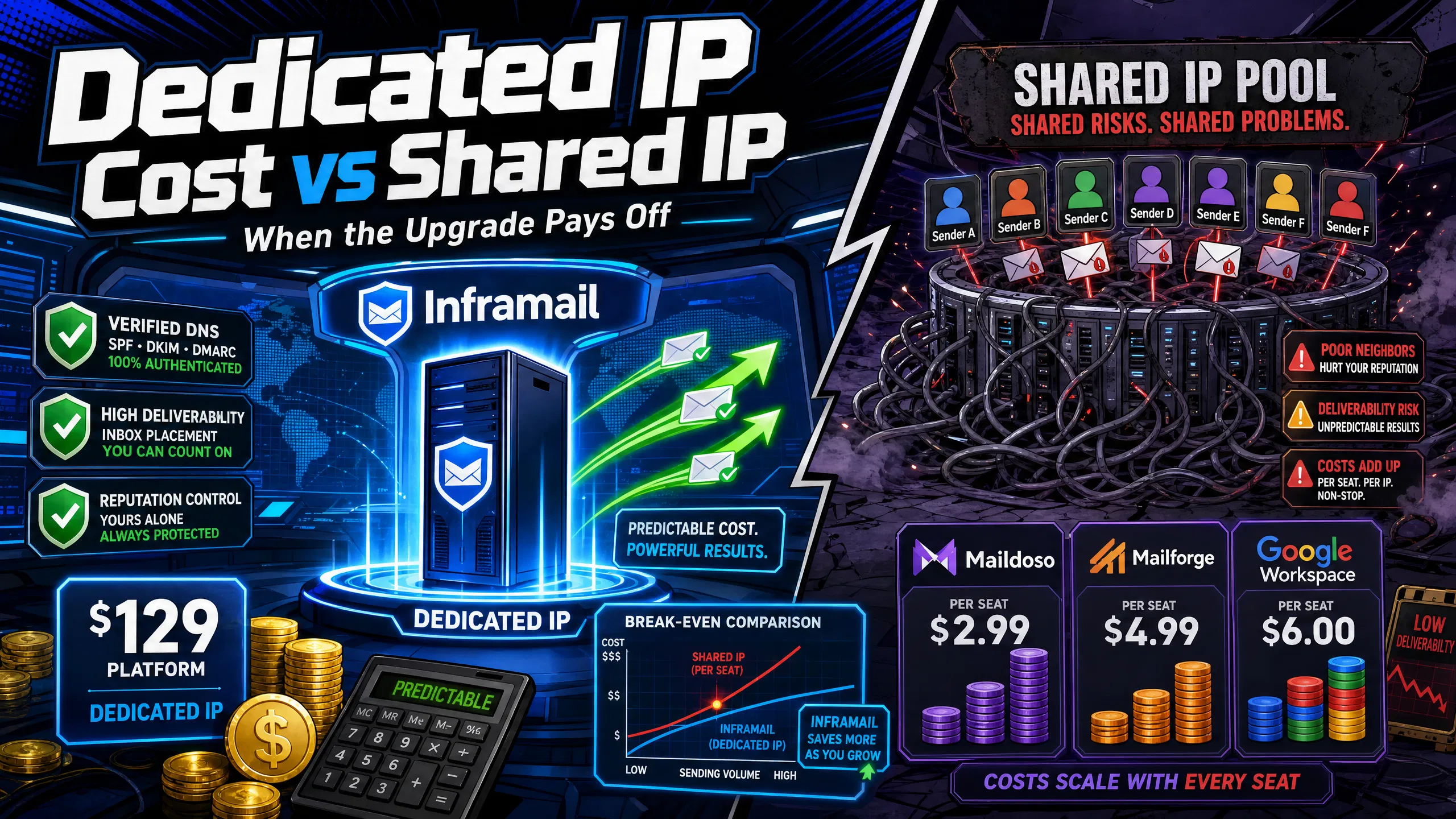
TL;DR: Shared IPs look cheaper until one bad actor on your pool gets flagged and your client's deliverability suffers. At 50 inboxes, Inframail's dedicated IP infrastructure costs approximately $163/month ($129/month platform plus approximately $34/month in amortized domain costs), while Maildoso's shared pool costs approximately $113-166/month at the same count. Above 43 inboxes, Inframail's flat-rate pricing becomes cost-efficient compared to per-inbox shared tools. For agencies running campaigns at volume, dedicated IP infrastructure protects client reputation while maintaining predictable costs as inbox count scales.
Most campaign managers obsess over subject line split tests while their client's domains sit in a shared IP pool contaminated by another sender's spam run. Reply rates tank, clients complain, and "deliverability" becomes the scapegoat for a problem that started at the infrastructure layer.
This article breaks down the exact cost of dedicated versus shared IP infrastructure at 50, 100, 150, and 200 inboxes, the margin math at $2,500-3,500/month retainer rates, and the precise point where upgrading from shared to dedicated IPs becomes mathematically necessary.
Understanding where your infrastructure spend actually goes requires looking beyond the platform fee. This section breaks down the components that make up your true monthly cost and how IP type affects both pricing structure and deliverability outcomes.
Dedicated vs shared IP: key differences
A dedicated IP gives you an IP address exclusively for your sending domain. No other senders share it, so your sending behavior alone determines how receiving servers like Gmail and Outlook score your reputation. A shared IP pool bundles hundreds or thousands of senders onto the same IP range, and every sender's behavior affects every other sender's deliverability.
The bad neighbor effect is the core risk of shared pools. When one sender in your pool engages in poor sending practices (spam traps, high complaint rates, significant bounce rates), it contaminates the reputation of the entire IP range. Our dedicated vs shared IP analysis documents how receiving servers at Microsoft flag the entire range, dropping your inbox placement with zero warning and zero connection to anything you did.
For a walkthrough of how this plays out technically, Inframail's CEO Kidous Mahteme covers the architectural differences clearly in video content.
Hidden costs beyond the monthly platform fee
The platform fee is never your total cost. Three additional line items apply regardless of whether you run dedicated or shared infrastructure:
Domain registration: Domains cost $5-16/year through Inframail, or approximately $13.98/year through providers like Namecheap. For 50 domains amortized monthly, budget approximately $34/month based on company profile rates.
External warmup tools: Inframail does not include a built-in warmup tool. Lemwarm's Essential plan runs $29/month per email account (meaning one fee per sending address you warm up, or $24/month per address on annual billing), and Warmbox's entry plan starts at $19/month for 1 inbox, with multi-inbox plans available at higher tiers. Both tools carry per-address costs during warmup, so factor in whichever tier covers your inbox count when comparing total monthly infrastructure spend. Maildoso does not include a warmup tool, meaning external warmup costs apply there as they do with Inframail. Mailforge includes some warmup features, so verify current warmup coverage directly with Mailforge before budgeting for a separate tool. Budget $19-29/month per inbox during the initial warmup window when comparing total monthly infrastructure spend across providers.
Sending platform fees: Instantly.ai or Smartlead subscription fees sit on top of infrastructure costs at every tier.
Our infrastructure cost calculator models all three cost variables across platform tiers so you can calculate your actual monthly spend before committing.
Justifying shared IP for campaigns
Shared IPs are acceptable in two specific scenarios:
You're running fewer than 20 inboxes on a tight budget where the cost difference matters more than reputation isolation.
You're testing a new niche and don't need to protect long-term domain reputation for any sending identity.
Once you cross higher inbox counts, per-inbox pricing on shared tools starts approaching Inframail's flat rate, and reputation isolation becomes a margin protection decision, not just a technical preference.
This section puts the numbers side by side across the main infrastructure options at each inbox tier. Figures cover platform fees and domain costs to give a consistent basis for comparison.
50 inboxes: dedicated vs shared IP breakdown
At 50 inboxes, the monthly numbers look like this:
Provider | Platform fee | Domains (~50) | Total/month |
|---|---|---|---|
Inframail (dedicated) | $129 | ~$34 | $163 |
Maildoso (shared) | ~$113-166 | Separate | Variable |
Mailforge (shared) | Variable by tier | Separate | Variable |
Maildoso's per-inbox pricing runs $1.80-$3.10 per mailbox depending on volume tier (quarterly plans range from $3.10/inbox at 32 mailboxes down to $1.80/inbox at 400 mailboxes), with the 32-mailbox quarterly plan working out to approximately $100/month amortized ($299/quarter). Our full Maildoso pricing analysis shows how those costs compound as you scale.
At this tier the platform fee difference is narrow. Inframail is not always cheaper than Maildoso at 50 inboxes when Maildoso uses aggressive volume discounts. But reputation control changes the equation: Maildoso runs on a shared IP pool with IP rotation, meaning your sending reputation is pooled with other users regardless of pricing tier.
100 inbox tier: dedicated vs shared IP cost
At 100 inboxes, per-inbox pricing starts pulling away from Inframail's flat rate. Inframail stays at $129/month regardless of inbox count, while shared platforms continue scaling linearly based on per-inbox fees.
The inflection point from our 7-platform cost comparison is approximately 43 inboxes, where $129/month flat equals the per-inbox fees of shared alternatives at approximately $3.00/mailbox. Above 43 inboxes, every additional inbox on Inframail costs $0 more in platform fees while shared platforms keep charging per inbox.
150 inbox tier: increase dedicated IP savings
At 150 inboxes, Inframail's platform fee stays at $129/month while per-inbox shared tools continue scaling linearly. The platform fee savings at this tier compound across multiple clients, reducing infrastructure costs as a percentage of billings significantly compared to per-inbox models.
200 inbox tier: avoid shared IP deliverability drops
At 200 inboxes, running on a shared pool creates two compounding problems: cost and contamination risk. Per-inbox pricing models continue scaling linearly while Inframail costs $129/month. Beyond the dollar difference, 200 inboxes on a shared pool means your full campaign portfolio is exposed to any contamination event that hits the IP range.
Each platform structures its pricing differently, so a direct comparison requires looking at each one on its own terms. The breakdowns below cover how each provider's costs are built and what drives the final monthly figure across inbox tiers.
Inframail dedicated IP: platform + domains + warmup
Inframail's Unlimited Plan runs $129/month for unlimited inboxes on 1 dedicated US-based IP. The Agency Pack runs $327/month for 3 dedicated US-based IPs. Add amortized domain costs and you reach approximately $163/month total for the 50-inbox tier. This figure holds at the same platform fee whether you run 100, 150, or 200 inboxes, because we charge a flat platform fee per plan.
Inframail also automates SPF, DKIM, and DMARC configuration, eliminating manual DNS panel work entirely. The DNS 2-minute setup video shows exactly how the auto-configuration works in practice.
Maildoso shared pool: per-inbox pricing model
Maildoso charges approximately $1.80-$3.10 per inbox depending on volume and plan type, with quarterly and monthly billing options available. At 32 mailboxes, the quarterly rate works out to roughly $3.10 per mailbox per month. Our Maildoso deliverability analysis examines the inbox rate performance behind the pricing, and our Maildoso alternatives comparison covers when switching makes financial sense.
The structural issue with Maildoso is IP rotation on a shared pool. You can't see who shares your IP range or what they send. That's the core risk our dedicated vs shared IP analysis documents in detail.
Mailforge: volume tiers and budget
Mailforge uses per-mailbox pricing that drops at higher volume tiers. Check current rates directly on the Mailforge pricing page, as published figures vary by tier and billing period. At 50 mailboxes, add domain costs of approximately $14/year per domain on top of whichever mailbox rate applies to your volume. Mailforge runs a shared IP pool, which provides an established reputation baseline but still exposes your campaigns to other users' sending behavior.
IP cost comparison: 12-month view
Platform | Type | 50 inboxes/mo | 100 inboxes/mo | 200 inboxes/mo |
|---|---|---|---|---|
Inframail | Dedicated | ~$163 | ~$163+ | ~$163+ |
Maildoso | Shared pool | ~$113-166+ | ~$166-200+ | Variable |
Mailforge | Shared pool | Variable | Variable | Variable |
Google Workspace | Per-seat | $350-420 | $700-840 | $1,400-1,680 |
Note: Inframail's totals include scaled domain amortization at market rates per domain. Competitor figures show platform fees only for tiers where per-inbox rates are documented; add domain costs separately.
Infrastructure decisions don't stop at the cost comparison. This section looks at how IP setup affects the campaign metrics that determine client outcomes, from reply rates and meetings booked through to the point where the platform fee pays for itself.
Reply rate lift from dedicated IP: real campaign data
Instantly's Cold Email Benchmark Report 2026 puts the platform-wide average reply rate at 3.43%. The gap between average and top-performer outcomes is largely an infrastructure and deliverability story. Proper email infrastructure, including authentication and spam avoidance, can improve response rates significantly according to industry research.
Improving inbox placement directly affects reply volume. Litemail's controlled testing across 10,000 emails documents that moving inbox placement from 61% to 94% moved reply rates from 1.7% to 4.2% with identical copy, meaning the same 1,000 emails sent through a clean dedicated IP can generate significantly more replies than the same batch routed through a contaminated shared pool.
Dedicated IPs contribute to that lift by keeping your sending reputation clean and independent. Industry data shows Gmail inbox placement averaged approximately 87% by Q4 2024, down from 89.8% in early 2024, according to industry deliverability data, while Outlook inbox placement runs lower than Gmail, with 61% of Outlook accounts receiving email in the primary inbox and overall deliverability at 75.6% according to Validity's 2026 report. Any contamination event on a shared pool pushes these numbers lower, directly cutting the reply volume your campaigns generate.
Calculating meetings booked per 1,000 emails sent
At a 3.43% baseline reply rate, here's the math for a standard 1,000-email batch:
1,000 emails sent at industry-average reply rates generate approximately 34 replies.
Reply-to-meeting conversion: Converting replies to booked meetings varies by offer and targeting quality.
Improved infrastructure quality can raise reply rates measurably by keeping inbox placement high.
Better deliverability translates to more replies reaching your prospect list per campaign batch.
When infrastructure quality improves inbox placement, the additional replies and meetings compound quickly across campaign volume. Better deliverability means more prospects see your message, which directly impacts meeting volume.
Breakeven point for dedicated IP inboxes
Inframail's Unlimited Plan costs $129/month. Here's what it takes to cover that fee through improved deliverability:
Cover the fee with send volume math: At a 3.43% industry-average reply rate and a 10% reply-to-meeting conversion rate, every 1,000 emails produces approximately 3.4 booked meetings. At that rate, covering the $129/month platform fee requires roughly 38 booked meetings per month, or approximately 11,100 emails sent. Agencies sending at that volume or above bring the platform fee down to under $3.40 per meeting booked.
Cost-per-meeting by send volume: At 1,000 emails per month, the $129 platform fee works out to approximately $38 per meeting booked at a 10% reply-to-meeting conversion. At 5,000 emails, cost-per-meeting drops to under $8. At 10,000 emails, it falls below $4. The platform fee is a fixed cost, so every additional email sent reduces the per-meeting cost without changing the monthly infrastructure bill.
Send volume matters: At 1,000 emails per month and a 3.43% industry-average reply rate, campaigns generate approximately 34 replies. At 5,000 emails per month, that scales to approximately 171 replies. At a 10% reply-to-meeting conversion rate, 5,000 monthly emails produce roughly 17 booked meetings, putting the $129/month platform cost at under $8 per meeting booked.
Our infrastructure ROI calculator lets you model this against your specific send volume and average deal values.
When shared IP reputation fails your campaigns
The bad neighbor effect works silently until it doesn't. You can't see who shares your IP pool or what they send. One sender hitting spam traps or generating high complaint rates can get the entire IP range flagged. Your inbox rate can drop significantly overnight, and the root cause has nothing to do with your copy, targeting, or sending volume.
Dedicated IP infrastructure produces measurably stronger inbox placement -- the deliverability results section below shows the specific Mail-Tester and GMass figures.
Shared pool contamination events can take time to delist per blacklist, and during that window all campaigns sending through the flagged IP are impaired or blocked. For a client paying $3,000/month, a multi-day campaign pause mid-month creates a renewal conversation you don't want to have.
Infrastructure spend only matters in context of what you charge. This section translates cost figures into margin percentages at common agency retainer rates, so you can see what each platform choice costs as a share of client revenue.
Dedicated IP: retainer's cost share
At a $3,000/month retainer, infrastructure costs as a percentage of billings at the 50-inbox tier break down as follows:
Provider | Monthly infra cost | % of $3,000 retainer |
|---|---|---|
Inframail | ~$163 | ~5.4% |
Maildoso (50 inboxes) | ~$113-166+ | Variable |
Google Workspace | $350-420 | 11.7-14% |
Inframail holds below the 10% threshold even as inbox count scales, because the platform fee stays flat. At higher inbox counts on a $3,000 retainer, per-inbox shared pricing can push infrastructure costs above 10-15% of billings at the higher pricing tiers. That margin difference compounds significantly across a 10-client book of business.
Knowing the cost difference is one thing. Knowing when to act on it is another. This section covers the specific signals and thresholds that indicate an upgrade is warranted, and what the migration process looks like when you're ready to move.
Safeguarding premium client deliverability
Upgrade from shared to dedicated IP when any of these thresholds appear in your monitoring:
Inbox placement drops on weekly GMass or GlockApps tests with no change in your sending behavior.
Bounce rate exceeds 2% on a clean list, potentially indicating IP-level reputation problems rather than list quality issues. Bounce rates above 5% require an immediate send pause.
Spam complaint rate approachesGmail's 0.3% complaint rate threshold at the domain or IP level, triggering potential enforcement thresholds.
You cross higher inbox counts and per-inbox shared pricing approaches or exceeds $129/month.
A client requires zero campaign pauses as a retention condition, making shared pool contamination risk unacceptable.
The healthy campaign metrics guide covers the specific numbers to track weekly to catch problems before they hit client campaigns.
Dedicated IP: cost savings for 100+ inboxes
The math tips at 43 inboxes based on our 7-platform cost comparison, where $129/month flat equals the per-inbox fees of shared alternatives at approximately $3.00/mailbox. At 100 inboxes, Inframail saves significantly on platform fees versus Maildoso's linear per-inbox pricing. Dedicated IPs become the cost-efficient choice, not a premium one, at any inbox count above 43.
Cost-effective shared IP for agencies
Hold off on upgrading if you run under 20 inboxes across low-stakes test campaigns, where the deliverability risk may be acceptable and your current shared provider hasn't shown contamination. Shared pools also work when you're rotating clients frequently and don't need to protect long-term domain reputation for any single sending identity.
The sections below cover the deliverability outcomes that follow from each IP setup and the thresholds that determine when risk becomes measurable.
Dedicated IP: inbox placement gains
Inframail-provisioned domains score 9.5/10 on Mail-Tester and 88% inbox placement via GMass testing. For context on what that means operationally, the cold email infrastructure guide covers the full testing methodology used to validate deliverability before campaigns go live. Dedicated IPs provide consistent inbox placement by isolating your sending reputation from other senders.
What's the minimum inbox count to justify dedicated IP?
At 43 inboxes, Inframail's $129/month flat rate becomes cheaper than per-inbox shared alternatives on pure platform fee math. Below 20 inboxes, shared tools typically cost less than our $129 rate, making the price difference hard to justify through deliverability alone. Between 20 and 43 inboxes, the upgrade decision comes down to your tolerance for bad neighbor risk and your client retention requirements. Above 43 inboxes, the math makes the decision for you.
Dedicated IP payback timeline
For agencies sending 1,000+ emails monthly, the $129/month platform fee translates to roughly $4.30 per day in infrastructure cost. At industry-average reply rates of 3.43% across 1,000 emails, that's approximately 34 replies per batch. How quickly those replies convert to booked meetings and cover the platform fee depends on your offer, deal size, and conversion rate. Agencies generating 3-5 qualified meetings per $1,000 invested can reach breakeven within a single campaign cycle at typical deal values.
The one trade-off to acknowledge honestly: you own your reputation entirely on a dedicated IP. If your sending practices generate high complaint rates or you skip the proper warming period required for new dedicated IPs, the reputation damage belongs to you alone. The discipline required to maintain a clean dedicated IP is the same discipline that produces strong deliverability long-term, and our inbox warmup guide covers each step after migration. For most agencies running serious client campaigns, it's a trade-off that comes with the territory.
Sign up to Inframail and get started today with dedicated US-based IPs, automated DNS configuration, and unlimited inboxes at a flat $129/month rate.
At what inbox count does dedicated IP become cheaper than shared IP pricing?
The tipping point is approximately 43 inboxes, where Inframail's $129/month flat rate falls below the cumulative per-inbox fees of shared alternatives. Above 43 inboxes, every additional inbox on Inframail costs $0 more in platform fees.
How long does it take to warm up a new dedicated IP for cold email?
Plan for 4-8 weeks per industry IP warm-up best practices, starting at low daily volume and scaling gradually. Monitor bounce rates (target below 2%) and spam complaint rates (keep below 0.1%) throughout the process to avoid damaging the reputation you're building.
What happens to my campaigns if a shared IP pool gets blacklisted?
Your inbox placement can drop alongside other senders on the affected IP range, regardless of your own sending practices. Delisting can take time per blacklist, and during that window campaigns sending through the flagged IP may be impaired or blocked entirely.
Does Inframail include email warmup tools?
No. Inframail does not include a built-in warmup tool. External warmup tools are strongly recommended during the warmup period to build sender reputation on your new dedicated IP. The DFY Email Campaign Setup package includes domain warmup as part of the managed setup.
Dedicated IP: An IP address assigned exclusively to one sender's domain. Your sending history alone determines the reputation score, and no other sender's behavior affects your inbox placement.
Bad neighbor effect: The deliverability degradation caused when one sender in a shared IP pool engages in spammy behavior. Blacklists flag the entire IP range, penalizing all senders on the pool regardless of their individual practices.
IP warming: The process of gradually increasing send volume from a new IP address over 4-8 weeks. Starting at 50-100 emails per day and scaling slowly signals to ISPs that the IP belongs to a legitimate sender rather than a newly activated spam source.
SPF/DKIM/DMARC: Authentication records configured in a domain's DNS that prove to receiving servers that outbound emails are legitimate. SPF authorizes sending servers, DKIM adds a cryptographic signature to each email, and DMARC sets the policy for handling authentication failures.