
Dedicated IP Blacklist Recovery: Step-by-Step Playbook for Cold Email Agencies
Learn how cold email agencies can recover a blacklisted dedicated IP, submit delisting requests, restart sending volume safely, monitor reputation, and prevent future blacklist incidents with dedicated infrastructure.
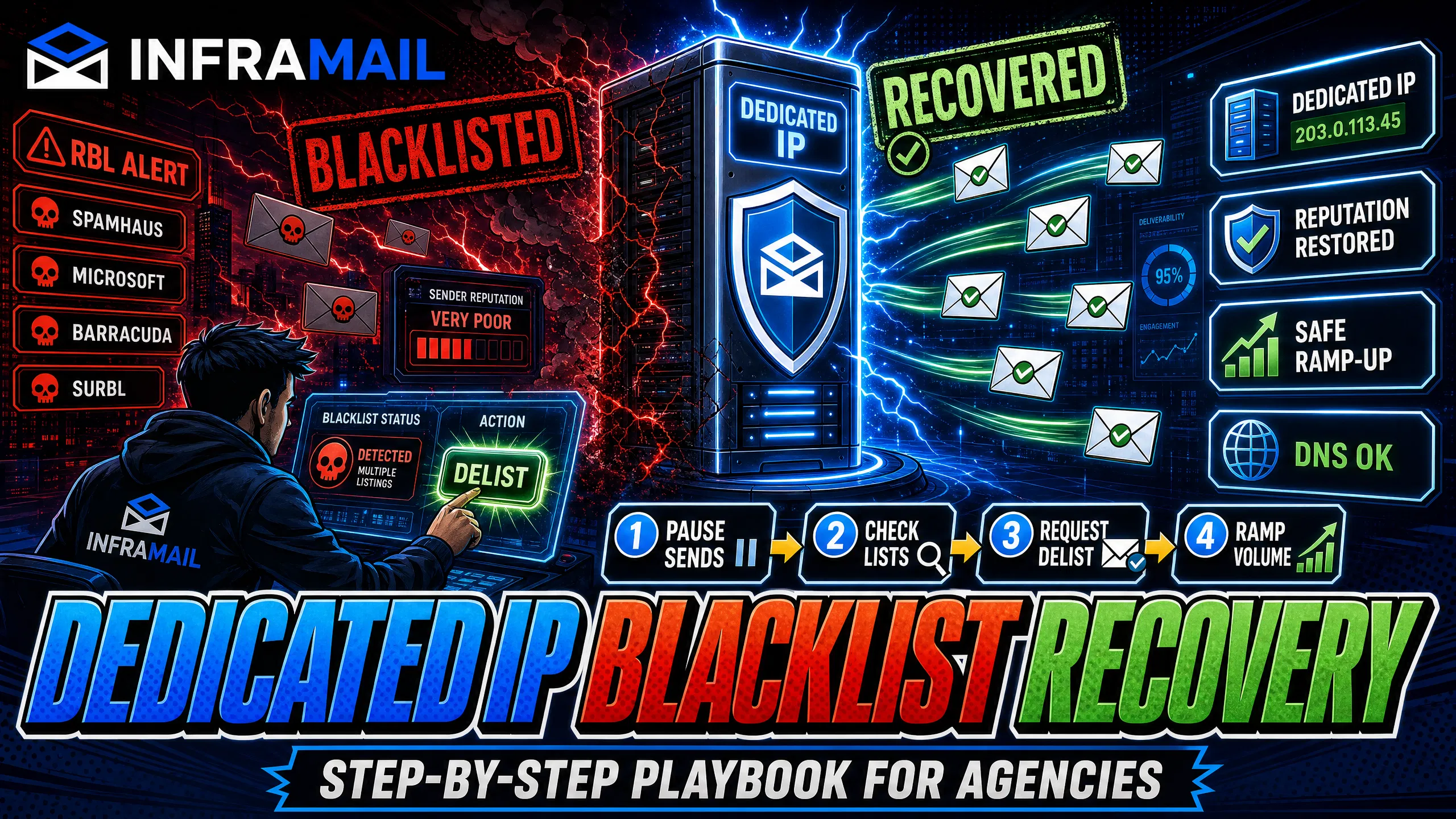
TL;DR: Stop all active sends immediately, then check your dedicated IP against major blacklists using MXToolbox or the Spamhaus checker. Submit targeted delisting requests to Spamhaus, Microsoft, SURBL, or Barracuda depending on where you appear. Once cleared, restart volume at 10-15 emails per day per inbox and scale over four weeks. To prevent future blacklists, move off shared IP pools. Inframail provides dedicated US-based IPs (1 on Unlimited at $129/month, 3 on Agency Pack at $327/month) and automates SPF/DKIM/DMARC configuration, isolating your sender reputation and cutting infrastructure costs from $420/month to roughly $163/month for 50 inboxes.
A blacklisted dedicated IP is not a death sentence for your cold email campaign. It is a strict test of your infrastructure setup, and the recovery process dictates whether you lose the client or save the account.
IP blacklisting means your sending IP address appears on a DNS-based blackhole list (DNSBL) or real-time blackhole list (RBL), a database queried by receiving mail servers to decide whether to accept, reject, or divert your email. A dedicated IP is an IP address assigned exclusively to your sending infrastructure, as opposed to a shared IP pool where multiple senders share the same address and reputation. Even dedicated IPs get blacklisted. The causes are predictable: sudden volume spikes, high spam complaint rates, bad list quality producing hard bounces, or missing authentication records triggering spam filters.
This playbook gives you exact steps to identify the blacklist, submit successful delisting requests, ramp volume back safely, and build infrastructure that prevents the next incident.
Your first priority is to confirm the diagnosis, stop the bleeding, and document the damage. Work through these four steps in order before contacting clients or submitting any requests.
Verify your IP: Run your sending IP through MXToolbox's blacklist check, which queries multiple public RBLs simultaneously. Cross-reference with the Spamhaus IP and Domain Reputation Checker to identify which specific list you appear on. Note exactly which lists flag your IP as this determines your delisting path and timeline.
Test inbox placement: Run a placement test through GlockApps or Mail-Tester to get a baseline score across Gmail, Outlook, and Yahoo. Mail-Tester checks spam score, content issues, authentication, blacklist signals, and inbox placement factors. Document this baseline before any remediation so you can prove recovery to clients and measure whether your ramp-up is working. The Inframail help center's spam detection and healthy metrics guide explains what scores to target during recovery.
Rank client impact: Identify which active client campaigns are affected and rank them by revenue risk. Contact each affected client with a factual update, the exact blacklist identified, and a realistic timeline. Clients tolerate honest timelines but not silence. The Inframail blog covers Microsoft blacklist recovery in detail if Outlook deliverability is your primary concern.
Stop all sends: Pause all active sequences in Instantly.ai or Smartlead immediately. Every email sent to a major inbox provider while your IP is blacklisted adds negative signals to your reputation and can trigger secondary blacklist listings. Continuing to send can significantly extend your recovery timeline.
Each blacklist provider has a different process, timeline, and evidence requirement. Submitting to the wrong portal or skipping root cause documentation before requesting removal will either delay approval or, in Spamhaus's case, disable your self-service access entirely. Work through these based on which lists your MXToolbox check flagged.
Spamhaus delisting procedure
The Spamhaus IP and Domain Reputation Checker at check.spamhaus.org is the starting point for all Spamhaus-related delisting. Enter your IP or domain to identify which specific list you appear on.
The Spamhaus Domain Block List (DBL) covers domains used in spam, phishing, or malware. DBL listings can reportedly be requested through the checker. For CSS and XBL listings, self-service removal is available once approved. Fix the root cause before submitting because Spamhaus can disable self-service delisting if you request removal repeatedly without resolving the underlying issue.
The Spamhaus DROP list covers IP netblocks controlled by criminal operations. Individual senders typically cannot initiate DROP removal. Your ISP or network operator must contact Spamhaus directly with evidence the netblock is no longer compromised. Kidous Mahteme's dedicated vs shared IP video explains why this distinction matters when choosing your infrastructure architecture.
Delisting cold email IPs from SURBL
SURBL (Spam URI Real-Time Blocklist) focuses on spam URLs rather than general email content. Visit surbl.org, enter your domain or IP to confirm the listing, then locate the delisting request page and submit with accurate details about your domain and the actions you took to resolve the issue. After submission, allow time for the system to process the delisting.
Barracuda blacklist removal steps
The Barracuda Reputation Block List (BRBL) is a real-time database covering IP addresses and domains flagged as suspicious. Access Barracuda Central, go to the Removal Request section, and complete the required fields: email server IP address, your email address, phone number, and reason for removal. Barracuda typically investigates and processes requests, often within a day of submission. After processing, rerun the Barracuda check to confirm your IP status has changed.
Restore Outlook deliverability now
Microsoft provides the Office 365 Anti-Spam IP Delist Portal at sender.office.com. Enter your email address and the flagged IP address and click Submit. Click the confirmation link sent to your email, then click "Delist IP" in the portal. Microsoft's documentation indicates restrictions may take up to 24 hours or longer to lift. Inframail covers the full Microsoft blacklist recovery process including specific steps for Outlook and Hotmail blocks.
Restore Google sender reputation
Google Postmaster Tools reportedly gives you visibility into Gmail's assessment of your sending domain. After verifying domain ownership by adding a TXT record to your DNS, you can monitor spam rate and delivery errors. Keep your spam complaint rate below 0.10% to maintain reliable Gmail inbox placement. Nick Abraham's 2026 cold email deliverability rules covers how Google's filtering has tightened and which signals matter most.
Delisting without fixing the root cause guarantees re-listing. Before restarting sends, work through this diagnostic checklist to identify what triggered the blacklisting.
Volume spike: Did you increase daily send volume significantly overnight? ESPs treat sudden spikes as suspicious activity, and maintaining a consistent send schedule is critical for IP health.
Bounce rate: Are hard bounces above 2% of total sends? Quality lists typically keep hard bounces well below this threshold, and unverified lists with dead addresses and spam traps are among the most common blacklist triggers. Use a validation tool like ZeroBounce or NeverBounce before importing any list, as covered in the Inframail ZeroBounce vs NeverBounce comparison.
Spam complaint rate: Is your complaint rate elevated? Industry guidance suggests keeping complaint rates below 0.10% for reliable inbox delivery, with inbox placement degrading as rates climb.
Authentication records: Are SPF, DKIM, and DMARC records correctly configured? Missing or misconfigured authentication records cause major providers to flag your sends aggressively. Kidous walks through SPF, DKIM, and DMARC setup for 10+ inboxes in under two minutes.
Content triggers: Are your subject lines or body copy using phrases commonly caught by spam filters? Short, conversational copy outperforms promotional-style language for deliverability. The bulk email best practices guide covers content alongside technical setup.
Engagement drop: Did open rates or reply rates fall significantly in the week before blacklisting? Low engagement signals to ESPs that recipients do not want your email. Cold email deliverability benchmarks in 2026 cover what engagement thresholds actually matter.
Once you have identified the root cause and implemented a fix, document the specific change made. You will need this for your delisting submissions.
Getting off a blacklist removes the immediate block, but your IP's reputation does not return to neutral automatically. You need a controlled ramp-up schedule to rebuild trust with inbox providers.
Setting your recovery volume baseline
Start conservatively at 10-15 emails per day per inbox after delisting, not your pre-incident volume. Jumping back to 50-100 daily sends per inbox immediately risks re-listing. Inframail's help center covers sending capacity and plan selection to match volume to your infrastructure safely.
During the first two weeks of recovery, focus on sending to your highest-engagement prospects. Positive engagement signals (opens, replies) can help improve your IP's reputation score with inbox providers. Consider saving your newest, coldest list segments for week three and four of recovery to protect your early ramp metrics.
Analyze daily inbox delivery metrics
Run a Mail-Tester or GlockApps placement test regularly during your ramp to confirm inbox placement is trending upward. Monitor spam rate in Google Postmaster Tools frequently. Inframail's inbox warmup guide covers how to coordinate warmup tools with your sending platform schedule during recovery.
Your step-by-step volume ramp
Use this four-week schedule as a starting point after delisting. Adjust based on your daily placement test results.
Week | Daily sends per inbox | Focus |
|---|---|---|
Week 1 | 10-15 | Engaged prospects only, monitor placement regularly |
Week 2 | 20-40 | Add moderately engaged leads, mix warmup sends |
Week 3 | 40-60 | Introduce cold segments gradually |
Week 4 | 60-100 | Return to normal campaign volume if placement improves |
Signs your IP needs replacing
Abandon recovery and request a replacement IP from your infrastructure provider when any of the following apply:
Inbox placement stays below 50% after a full four-week ramp with verified lists and correct authentication
You receive a Spamhaus DROP listing (requires ISP-level intervention, not self-service)
You continue to be re-listed with no change to your sending behavior, indicating the root cause was not fully resolved
The same IP appears on multiple major blacklists simultaneously with no path to self-service removal
The Mailreef vs Inframail comparison breaks down how each provider handles IP replacement, shared versus dedicated IP architecture, and pricing structure, which are the variables that determine your recovery options when an IP becomes too damaged to rehabilitate.
This section covers the infrastructure decisions and documentation practices that shape how well your agency handles blacklist events, both in reducing how often they happen and in resolving them faster when they do.
Dedicated IP for blacklist prevention
The architecture decision that determines your blacklist risk is whether your sending IPs are dedicated or shared. Shared IP pools work like carpool lanes where you are affected by other drivers. One bad actor on the same pool can get the entire IP range flagged, including your campaigns. We built Inframail on dedicated IPs so your behavior alone determines your reputation.
Here is the cost math for 50 inboxes:
Provider | Platform cost (50 inboxes) | IP type |
|---|---|---|
Inframail Unlimited | $129/mo | Dedicated (1 IP) |
Inframail Agency Pack | $327/mo | Dedicated (3 IPs) |
Maildoso | Varies by volume, domain costs additional | Rotating IPs (shared infrastructure) |
Mailforge | Varies by volume, domain costs additional | Shared pool |
Google Workspace | $350-420/mo ($7-8.40/inbox) | None (inbox provider) |
Domain costs are additional for all providers. At $5-16/year per domain, 10 domains adds roughly $14/month regardless of plan.
At 200 inboxes, Google Workspace costs $1,400-1,680/month. Inframail stays at $129/month. Your infrastructure costs do not scale linearly with client growth, and your reputation stays isolated from other users' sending behavior. The cold email infrastructure costs guide covers this math across seven platforms.
Inframail's 68.3% blacklist success
Inframail's deliverability monitoring runs continuously in the background, checking your domains against major blacklists without any action required on your part. When a listing is detected, delisting requests are submitted automatically to the relevant provider, achieving a 68.3% delisting success rate within 48 hours. The "phantom redirects" feature also hides domain redirects from ESPs, reducing a common trigger for spam filtering. Kidous walks through the full cold email infrastructure setup with specifics on how the monitoring dashboard operates.
Required data for IP delisting
Successful delisting requests to major providers require the same documentation. Gather this before submitting to any provider:
The exact IP address flagged
Your sending domain and current SPF, DKIM, and DMARC records
Volume data showing sends per day in the 7 days prior to blacklisting
Bounce rate and complaint rate data from your sending platform
The root cause you identified and the specific changes made to resolve it
Spamhaus, Microsoft, and Barracuda all weigh the quality of your explanation. Vague submissions with no root cause analysis get denied or ignored. Specific submissions with documented fixes get approved faster.
Recovery is reactive. The operational goal is building infrastructure that makes blacklisting events rare and detectable before they become client emergencies. The cold email infrastructure monitoring guide covers the full monitoring stack for agencies.
Set up daily blacklist checks
Configure MXToolbox monitoring alerts for your sending IPs and domains. MXToolbox queries multiple RBLs simultaneously and notifies you of new listings quickly rather than when client reply rates collapse. For agencies running 50-200 domains, catching a listing within an hour versus 24 hours is the difference between pausing one client's campaign and explaining to three clients why their pipelines are empty.
List validation and volume caps
Validate every list before import using ZeroBounce or NeverBounce to remove hard bounces, spam traps, and role-based addresses. Target hard bounce rates below 2% on all sends, with quality lists typically achieving under 0.5%. Purchased or scraped lists without validation are among the most common causes of blacklisting for agencies handling multiple client accounts. The is cold email illegal guide covers CAN-SPAM compliance requirements alongside technical validation steps.
Cap cold email sends at 30-50 emails per inbox per day after full warmup. New dedicated IPs require 14-30 days of warmup before handling full campaign volume, and you should coordinate external warmup tools with your campaign launch schedule. Spencer Painter's bulletproof cold email infrastructure guide covers volume limits alongside domain configuration in a full setup walkthrough.
Maintain these benchmarks across active campaigns
Spam complaint rate: Below 0.10% to maintain Gmail inbox delivery
Hard bounce rate: Below 2% per campaign send
Warmup engagement: Strong open and reply rates to confirm warmup network quality
Inbox placement: Above 80% on weekly GlockApps or Mail-Tester checks
Operators who have moved to dedicated IP infrastructure consistently report strong results. Lorenzo Garufi noted after two months on Inframail:
"I can set-up inboxes in 5mins while saving money on Google Workspace subscriptions and benefit from great deliverability. All of my campaigns on Inframail are on a >10% reply rate, which is really good." - Verified user review of Inframail
Use this section during an active incident when you need fast answers.
Recovery timelines by provider
Plan client communications around these ranges:
Provider | Typical timeline |
|---|---|
Spamhaus CSS/XBL (self-service) | Self-service available, DNS propagation varies |
Spamhaus SBL | Hours to weeks depending on ISP response |
Microsoft Office 365 | Up to 24 hours or longer |
Barracuda BRBL | Often within a day of submission |
SURBL | Varies by request |
Managing sends and client communications
Pause all sequences in Instantly or Smartlead for the duration of the delisting review. If you have a backup domain with a separate IP, migrate urgent sends to that infrastructure while recovery proceeds. The Inframail to Smartlead integration guide and the CSV export guide cover how to move credentials to a backup sender platform quickly.
Send clients one factual update shortly after pausing campaigns. Include the blacklist identified, an estimated recovery timeline based on the provider table above, and the root cause. Follow up at the 24-hour mark with a status update. Clients who receive timely, specific updates stay in the relationship.
Strategies for faster IP removal
Three practices improve delisting approval speed across all major providers. First, fix the root cause before submitting. Spamhaus and Barracuda both review whether the underlying issue has been resolved before approving removal. Second, provide specific data in your submission including volume figures, bounce rates, and the exact change you made. Third, Inframail's support team is available to help compile the documentation needed for submissions.
Moving from reactive blacklist firefighting to predictable, automated infrastructure is what keeps clients from needing that recovery call in the first place. Sign up to Inframail and get started today. The Unlimited plan costs $129/month for unlimited inboxes with 1 dedicated US-based IP, or upgrade to the Agency Pack at $327/month for 3 dedicated IPs. Both plans automate DNS setup so SPF, DKIM, and DMARC are configured without manual panel work.
How long does Spamhaus delisting take?
Spamhaus CSS and XBL self-service removals are available once approved. SBL listings involving your ISP can take hours to weeks depending on your ISP's response time.
How much does Inframail cost for 100 inboxes?
Inframail's Unlimited Plan starts at $129/month for the platform, covering unlimited inboxes with 1 dedicated US-based IP. The Agency Pack is $327/month and includes 3 dedicated IPs, which gives larger sending operations better reputation isolation across campaigns. Domain costs ($5-16/year per domain depending on TLD) are additional for both plans, meaning 100 inboxes across 10 domains adds roughly $14/month, keeping total infrastructure well below Google Workspace's $700-840/month for the same count.
What is Inframail's blacklist delisting success rate?
Inframail's automated deliverability monitoring achieves a 68.3% delisting success rate within 48 hours, auto-submitting requests when domains are flagged rather than requiring manual submissions to each provider.
When should I replace a blacklisted IP rather than recover it?
Replace the IP when inbox placement remains poor after a full four-week ramp with verified lists, or when you continue to be re-listed with no change to your sending behavior after multiple recovery attempts, indicating the IP's reputation is too damaged for self-service recovery.
IP address: A numerical label assigned to each device on a network. For email, your sending IP is the address receiving servers check against blacklists and use to score your sender reputation.
DNS (Domain Name System): The system that translates human-readable domain names into IP addresses and stores authentication records like SPF, DKIM, and DMARC.
SPF (Sender Policy Framework): A DNS TXT record listing all IP addresses authorized to send email from your domain, allowing receiving servers to verify your email came from a legitimate source.
DKIM (DomainKeys Identified Mail): A DNS record storing your domain's public key. Receiving servers use this key to verify a cryptographic signature attached to your email, confirming the message was not altered in transit.
DMARC (Domain-based Message Authentication, Reporting and Conformance): A DNS record telling receiving servers what to do when an email fails SPF or DKIM checks, either quarantine it or reject it.
RBL (Real-time Blackhole List): A list of IP addresses or domains flagged as spam senders, queried in real time by receiving mail servers during the email delivery decision.
DNSBL (DNS-based Blackhole List): A DNS-based system allowing mail servers to check sender IPs against blacklist databases. Spamhaus, Barracuda, and SURBL all operate DNSBLs.
SMTP (Simple Mail Transfer Protocol): The standard protocol for sending email between servers and from a sending client to a mail server.
IMAP (Internet Message Access Protocol): A protocol for retrieving email from a mail server, used by sending platforms like Instantly and Smartlead to access and manage inbox accounts.
Dedicated IP: An IP address assigned exclusively to one sender, meaning your sending reputation is determined solely by your own sending behavior rather than shared with other users on a pool.