
Cold email for startups: the complete founder-led outbound playbook
: Founder-led cold email is an infrastructure problem before it is a copywriting one. Set up secondary domains with automated SPF, DKIM and DMARC authentication
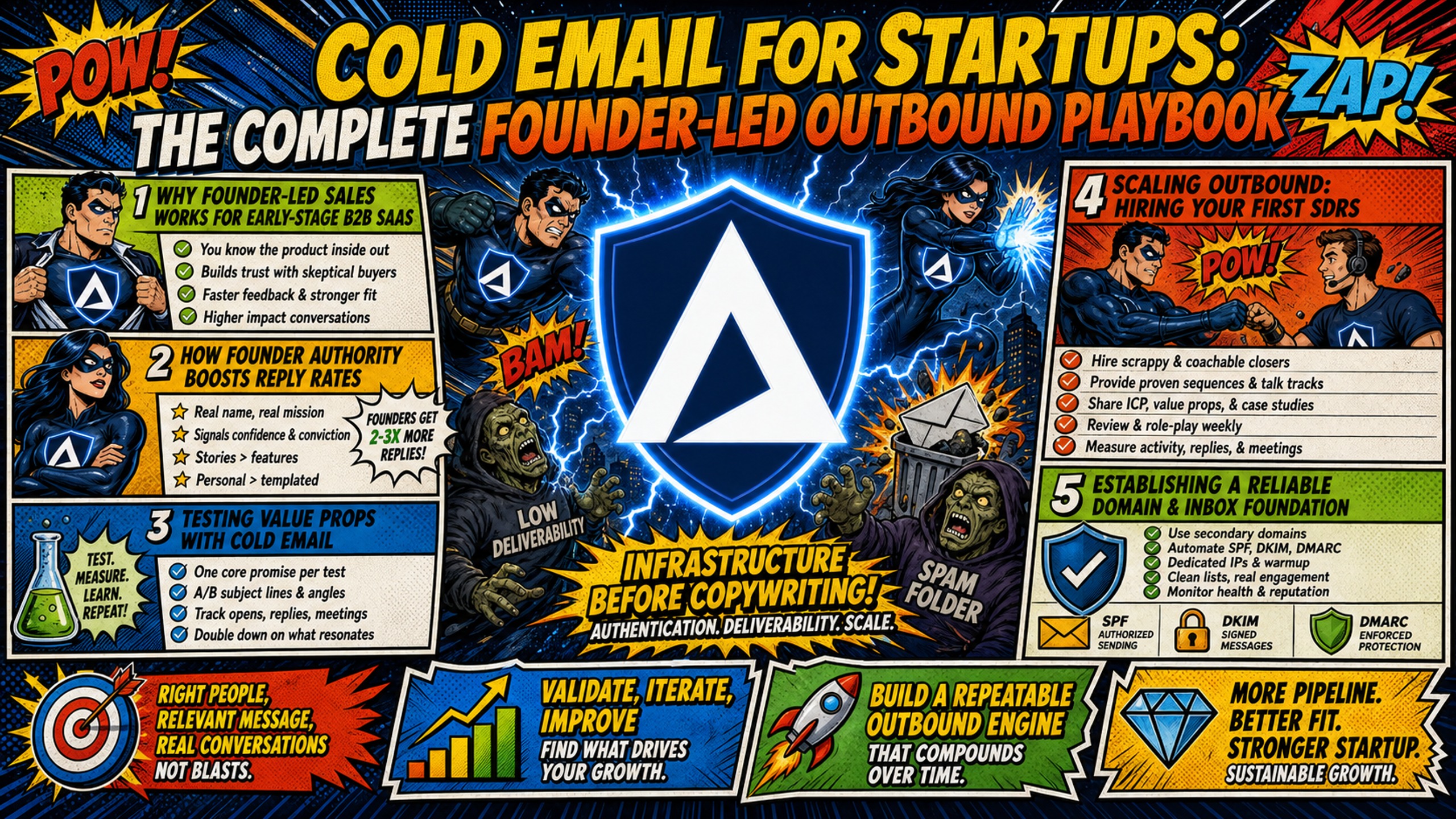
TL;DR: Founder-led cold email is an infrastructure problem before it is a copywriting one. Set up secondary domains with automated SPF, DKIM and DMARC authentication, run a standard 14-day warmup in your sending platform, and send from a dedicated IP so another sender's behavior cannot damage your reputation. Then target narrowly and expect modest numbers. Instantly's 2026 benchmark report, cited by Woodpecker, puts the average reply rate at 3.43%, and Woodpecker treats 5-10% as good. Belkins' analysis of 16.5 million emails, also cited by Woodpecker, found 5.8% on lists under 50 contacts against 2.1% on lists of 1,000 or more. Plan four to seven touches, since 42% of replies come from follow-ups, and keep bounces under 2%. On cost, Google Workspace at $8.40 per inbox on the Flexible Plan is cheaper below 18 inboxes, above which Inframail's $147 flat rate wins, rising to $387 past 80,000 sends per month. Domains and warmup tools apply either way, and Inframail provisions Microsoft inboxes only.
Cold email works best in a fixed order: infrastructure first, list second, copy third. Writing sequences before setting up domains reverses that order, and even carefully crafted emails can land in spam. A single blacklisted domain can kill your campaign before the first reply lands, and manual DNS setup can delay launch by days or weeks.
Founder-led cold email works because you bring authority, directness, and product knowledge that SDRs can't fake. But authority means nothing if your email lands in spam. You'll learn the complete system: infrastructure setup, prospecting, sequence writing, deliverability protection, and measurement, with specific costs and benchmarks at each step.
Why founder-led sales works for early-stage B2B SaaS
This section covers why founders are well placed to run early outbound, how to test messaging, and when to hand outbound to SDRs.
How founder authority boosts reply rates
You'll get higher reply rates as a founder because you speak with authority that SDRs can't replicate. When you email a prospect, your message carries weight: you built the product and understand the problem deeply.
Inframail customers report 9%+ and 25%+ reply rates on well-targeted campaigns. That performance stems from founder directness and specificity, not polished templates. Cold email from a founder works best when it reads like one person writing to another, so focus on relevance by referencing the prospect's company or a specific pain point they likely have.
Testing value props with cold email
You can test value propositions cheaply with cold email before scaling. Read replies weekly and change one thing at a time, so you know which change moved your results.
Here's a 3-step test framework:
- Write value prop variations: Each variation should target a different pain point or outcome, and the rest of the email should stay the same so you test one variable at a time.
- Send to 100 prospects each: Split your list into segments of 100 contacts, one per variation.
- Measure reply rate and meeting rate: Compare both metrics across variations and use the results to choose which version to scale. Reply rate data beats opinion. Let the market tell you which value prop resonates.
Scaling outbound: hiring your first SDRs
Hire SDRs once your outbound already converts. That means you have a repeatable message, a known reply rate, and a meeting-to-opportunity rate you trust. Many founders reach that point by running outbound personally, so the first rep inherits a working playbook instead of building one from scratch. The transition typically happens in stages:
- Founder-only stage: You run all outbound personally and book initial meetings.
- Founder plus 1 SDR stage: You bring on one SDR to handle increased volume.
- SDR team stage: You scale to multiple SDRs with defined processes and targets.
You should have infrastructure in place before hiring. If you're still configuring DNS manually when your first SDR starts, the extra setup work can delay their first campaigns.
Establishing a reliable domain and inbox foundation
This section walks through the domain, authentication, warmup, IP, and cost decisions that make up your sending foundation.
Choosing and registering sending domains
Never use your primary domain for cold outreach. Register secondary domains to protect your main domain's reputation. Common naming conventions include:
You'll pay $5-16 per year for each domain through Inframail, and the platform allows you to purchase domains directly or migrate existing ones.
Configuring SPF, DKIM, and DMARC records
SPF (Sender Policy Framework) specifies which servers can send email for your domain. DKIM (DomainKeys Identified Mail) adds a digital signature to your emails. DMARC (Domain-based Message Authentication, Reporting, and Conformance) tells receivers what to do with emails that fail SPF or DKIM checks.
If you configure DNS manually, you'll spend hours across multiple DNS panels. Inframail automates this: the platform configures SPF, DKIM, and DMARC records automatically with no DNS panel access required.
Here's what DNS setup involves when done manually:
- Register secondary domains.
- Add SPF record to authorize sending servers.
- Generate DKIM records for email signature verification.
- Publish the DKIM records in your DNS.
- Add a DMARC record to handle authentication failures.
Inframail automates steps 2-5, removing hours of DNS panel work.
Recommended daily warmup ramp schedules
You build sender reputation gradually through warmup. Inframail's standard warmup is 14 days. Start at 10 emails per day per inbox and add 1 email per day, which reaches 23 per day by day 14:
| Days | Emails per Day per Inbox |
|---|---|
| 1 (start) | 10 |
| 1-7 | 10-16 |
| 8-14 | 17-23 |
After day 14, campaign send limits apply instead of warmup volume: up to 40 emails per day per inbox, with 50 as the technical maximum. Warmup emails keep running alongside campaigns and level off at 20-30 per day from day 20.
You'll need external warmup tools like Warmbox or Lemwarm at $15-50 per month per inbox, since Inframail does not include built-in warmup. Inframail's help doc recommends a 14-day standard warmup, with a 7-day quick start only for previously warmed domains. New domains should always complete the full 14 days for best results. Complete the warmup process before sending at full volume.
Dedicated IP vs. shared: impact on deliverability
Shared IP pools work like carpool lanes where you're affected by other drivers. One bad actor spamming gets the whole range flagged. Dedicated IPs work like private lanes where your behavior alone determines reputation.
Inframail includes 1 dedicated US-based IP on the Unlimited Plan and 3 on Agency Pack. That isolation means your sender reputation isn't contaminated by other users' sending behavior.
What cold email infrastructure actually costs
A founder running outbound personally typically needs 2-10 inboxes. At that size, per-seat pricing is cheaper on platform fees alone. Google Workspace Business Starter on the Flexible Plan costs $8.40 per user per month, so 5 inboxes cost $42 per month, while Inframail's flat platform fee is $147 per month.
The crossover point is 18 inboxes, derived from two published rates ($147 ÷ $8.40 = 17.5) rather than from a sourced claim. At 18 inboxes, Google Workspace costs $151.20 per month versus $147 on Inframail, and the gap widens with every inbox you add. Below that point, per-seat is cheaper, so a founder running 5 to 10 inboxes should stay on per-seat until volume justifies the switch. The case for Inframail at that size rests on automated DNS setup and a dedicated IP rather than platform cost.
Inframail provisions Microsoft inboxes only. Teams that need Google Workspace inboxes specifically should stay on Google.
| Inboxes | Google Workspace (Flexible, $8.40 per inbox) | Inframail (flat rate) |
|---|---|---|
| 5 | $42/month | $147/month |
| 10 | $84/month | $147/month |
| 18 | $151.20/month | $147/month |
| 50 | $420/month | $147/month |
Domain costs and warmup tools apply on both sides and aren't included in this table.
Per-seat charges, domain costs, warmup tool costs, and sending platform fees all add up as you scale. Here's the monthly cost at 50 inboxes, the point where founder-led outbound becomes a small team operation:
| Cost line (per month) | 50 inboxes |
|---|---|
| Inframail platform (flat rate) | $147 (Unlimited Plan) |
| Google Workspace platform (Flexible, $8.40 per inbox) | $420 |
| Microsoft 365 platform ($4-7 per inbox, depending on plan) | $200-350 |
| Domains (estimate, ~$34 per 50 inboxes, both sides) | ~$34 |
| Sending platform (varies by tool, both sides) | Not included |
| Inframail total | $181 |
| Google Workspace total | $454 |
| Microsoft 365 total | $234-384 |
Note on plan limits: The Unlimited Plan caps at 80,000 emails per month. At 40 emails per day per inbox, 50 inboxes send roughly 60,000 per month, which fits under that cap. If you grow into a team, Agency Pack at $387/month (300,000 cap) is where the math goes next.
For 50 inboxes, Google Workspace Business Starter costs $420/month at $8.40 per seat on the Flexible Plan, against Inframail's flat platform fee of $147/month. Savings: $273/month, or $3,276 annually. Domain costs ($5 to $16 per domain per year) are scaled in the table at about $34/month per 50 inboxes as an estimate, while warmup tools (typically $15 to $50 per inbox per month) and sending platform fees apply on both sides and are not included in the totals.
Precision prospecting for founder-led sales
This section covers how to define your target, find contacts, verify addresses, and group your lists.
Defining your B2B SaaS ICP
ICP (Ideal Customer Profile) tells you who to target. Use 4 criteria:
- Company size: Employee count or revenue range.
- Role: The person who feels the pain, not just the highest title.
- Pain point: The specific problem your product solves.
- Buying trigger: The event that makes them ready to buy (new funding, hiring spree, product launch).
Target the person who feels the pain daily, not just the decision-maker.
Finding high-quality B2B lead sources
Lead sources vary in cost, accuracy, and ease of use:
- LinkedIn Sales Navigator: Starts at $119.99 per license per month for Core with manual prospecting tools.
- Apollo: A database of 240M+ contacts and 30M+ accounts, with built-in sequences and a free tier of 900 credits per seat per year.
- ZoomInfo: Priced for larger teams with dedicated research budgets. Pricing is not published.
Choose based on budget and prospecting volume. Inframail also includes a B2B contact database (545M+ contacts) on annual plans.
How to verify emails before you send
Verify emails before sending to protect deliverability. High bounce rates damage sender reputation and trigger spam filters.
Tools like NeverBounce or ZeroBounce verify email addresses before you send.
3 proven ways to segment lead lists
Segmentation lifts reply rates because relevant messaging beats volume. Here are 3 methods:
- By industry: Customize messaging to industry-specific pain points.
- By pain point: Group prospects by the specific problem they're trying to solve.
- By buying trigger: Segment by recent funding, hiring, or product launches.
Smaller lists reply at higher rates. Belkins' analysis of 16.5 million emails, cited in Woodpecker's cold email statistics, found 5.8% on lists under 50 contacts against 2.1% on lists of 1,000 or more.
Writing cold email sequences that book meetings
This section covers the writing side of outbound, from tone and subject lines to each email in the sequence.
How to sound human in cold emails
Write like a founder, not a marketer. Use short sentences, skip corporate jargon, and include specific observations about the prospect's business.
Bad example: "I hope this email finds you well. I wanted to reach out to introduce our cutting-edge solution that uses AI to improve workflows."
Good example: "Saw you're hiring 3 SDRs. Guessing outbound is a priority. We help SaaS founders book 20+ meetings per month without hiring SDRs. Worth a chat?"
The email opener psychology matters more than the pitch.
5 cold email subject line tactics
- Ask a question: "Quick question about [specific pain]"
- Reference a specific detail: "Saw your post about [topic]"
- Use the prospect's name: "[Name], thoughts on [pain point]?"
- State a benefit: "Cut infrastructure costs by 60%"
- Create curiosity: "The mistake most SaaS founders make"
Avoid clickbait. Cold email opener mistakes kill reply rates faster than weak subject lines.
Email 1: identifying prospect pain points
The first email should name a specific pain point the prospect likely has. Skip the pitch and links. Keep it under 80 words.
Template:
"Hi [Name],
Saw [specific observation about their business]. Guessing [pain point] is a priority right now.
We help [ICP] solve [pain point] without [common objection]. Worth a 10-minute call?
[Your name]"
Email 2-4: using case studies for impact
Follow-up emails should add value: share a relevant case study, a specific result, or a useful insight. Leave scheduling links out of your first emails, because links can hurt deliverability and feel pushy before you've built rapport. Instead, propose a specific time, such as "Does Tuesday at 2pm work?" Add the link in a later email, such as email 4, once the prospect has seen value from earlier touches.
Early links feel pushy and later links feel earned. Follow-ups also matter because 42% of all replies come from follow-ups, and 48% of reps never send one. A typical sequence includes four to seven emails spaced over a couple of weeks.
Email 2: Share a relevant case study or result.
Email 3: Provide a useful insight or resource.
Email 4: Direct ask with scheduling link.
Structuring high-converting breakup emails
Your breakup email is the last touch. Keep it short, direct, and leave the door open.
Template:
"Hi [Name],
I haven't heard back, so I'll assume now isn't the right time. If [pain point] becomes a priority, feel free to reach out.
Best, [Your name]"
Keep the breakup email short and direct, and leave the door open. The email sequence strategy framework covers the full cadence.
Protecting inbox placement in cold campaigns
This section covers send limits, reputation monitoring, blacklist response, and deliverability audits.
Safely increasing outbound send limits
Your warmup schedule and send volume directly impact inbox placement. After warmup, send up to 40 emails per day per inbox, with 50 the technical maximum. Inframail's Unlimited Plan caps at 80,000 emails per month, which is well above the roughly 12,000 per month that 10 inboxes send at 40 per day. If you later grow into a larger team, Agency Pack raises the cap to 300,000 per month.
You need gradual increases. Sudden volume spikes trigger spam filters and damage sender reputation.
How to audit domain reputation
Use Google Postmaster Tools and Microsoft SNDS to monitor domain and IP reputation. Both free dashboards show spam complaint rates, authentication results, and delivery errors.
Inframail's optional IP and Domain Monitoring add-on ($12.41/month billed annually) tracks domain and IP blacklist status in real time.
How to fix blacklisted domains fast
When your domain gets blacklisted, follow these steps:
- Identify the blacklist: Use MXToolbox or Spamhaus to confirm status.
- Stop sending: Pause all campaigns from that domain immediately.
- Submit delisting request: Follow the blacklist's specific guidelines.
- Identify root cause: Check send volume, list quality, and shared IP contamination.
Inframail's 68.3% blacklist delisting success rate within 48 hours reflects the platform's automated delisting workflow. Dedicated IPs reduce blacklist risk by isolating your reputation from other senders.
How to audit your email deliverability
Audit deliverability by checking inbox placement rate, spam complaint rate, bounce rate, and reply rate. Here's a KPI benchmark table:
| Metric | Benchmark |
|---|---|
| Inbox placement rate | Track through seed tests and Postmaster data, and aim for most emails reaching the primary inbox |
| Spam complaint rate | Under 0.1%, 0.3% is the damage threshold |
| Bounce rate | Under 2% |
| Reply rate | 5-10% |
| Meeting rate | No published benchmark. Set a target from your average deal value |
Average bounce rate is 5.1%, and good performance is below 2%. Average cold email reply rate is 3.43% platform-wide, and 5-10% is good.
Spam complaint rate is the metric with a hard limit. Inframail's help doc warns that spam complaint rates above 0.3% will damage your sender reputation. Gmail publishes the same 0.3% line for bulk senders, and Microsoft requires SPF, DKIM and DMARC above 5,000 messages a day without publishing a numeric complaint limit. Check it weekly in Google Postmaster Tools and Microsoft SNDS, and pause the affected campaign if it approaches 0.3%.
Inframail reports 98%+ deliverability on its platform. That is a platform figure, not a benchmark for your own campaigns, which depend on your list quality, send volume, and domain history. Inframail provides one-on-one deliverability consulting to help diagnose and fix deliverability issues.
Optimizing sequence data for higher conversion
This section covers the metrics to track, how to test sequences, and how to decide whether to scale or pivot.
Metrics that matter: open, reply, meeting rates
Track open rate but don't optimize for it alone. Reply rate and meeting rate matter more. Here's what to track:
| Metric | What It Measures | Benchmark |
|---|---|---|
| Open rate | Deliverability and subject line | 40-60% is Woodpecker's good band, and the average is 27.7%-44% . Inframail's help doc lists 30-50%+ as healthy |
| Reply rate | Message relevance | 5-10% |
| Meeting rate | Overall campaign effectiveness | No published benchmark. Set a target from your average deal value |
How to run split tests on sequences
When you A/B test cold email, test one variable at a time. Here's a 3-step process:
- Pick a variable: Subject line, opening line, or CTA.
- Split the list: Divide your list into two equal segments.
- Measure reply rate after 100 sends per variant: The variant with the higher reply rate wins.
The email sequence A/B testing framework covers how to isolate variables without contaminating results.
Mapping cold email to CRM pipelines
You should track cold email in your CRM to measure pipeline impact. Key fields to track:
- Lead source: Cold email
- Reply date: When the prospect responded
- Meeting booked: Yes or No
- Deal stage: Discovery, demo, proposal, closed
- Revenue: Deal value if closed
This data connects cold email activity to revenue outcomes.
Scaling or pivoting your email strategy
Use these thresholds as a starting point and adjust them to your deal size. Scale when reply rate holds at 5% or higher (the platform-wide average is 3.43%), meeting rate stays at or above a target you set from your average deal value, and cost per meeting stays under a target you set from the same figure. Many outbound teams aim for under $150-200 per meeting, but that figure is a guideline rather than an industry standard. Pivot when reply rate drops below 2%, bounce rate climbs above 5%, or blacklist incidents occur.
Your infrastructure should scale flat, not linearly. Going from 10 inboxes to 30 as you add a second sequence shouldn't change the bill. That's the core advantage of flat-rate pricing over per-seat models once you pass the crossover point of roughly 18 inboxes.
Set up your cold email infrastructure with Inframail
Inframail is a flat-rate email infrastructure provider for teams running cold email at scale. It includes automated SPF, DKIM, and DMARC setup, dedicated IPs, and hands-on support.
In this case study video, see how Inframail helped a client send high-volume cold emails cost-effectively with strong deliverability, achieve 20-35% positive reply rates, and generate 4–5 sales with over 10x ROI.
Sign up to Inframail and get started today.
FAQs
How many emails should a founder send per day?
Start at 10 emails per day per inbox during warmup and add 1 per day, which reaches 23 per day by day 14. After the 14-day warmup, send up to 40 per day, with 50 the technical maximum. With 10 inboxes, that's up to 400 emails per day at full ramp.
What reply rate should I expect from cold email?
A good reply rate is 5-10%. Inframail customers report 9%+ and 25%+ reply rates on well-targeted campaigns, while rates below 2% mean targeting or messaging needs work.
How long does it take to warm up a new domain?
Standard warmup takes 14 days on Inframail. Start at 10 emails per day per inbox and add 1 email per day, reaching 23 per day by day 14. Previously warmed domains can use a 7-day quick start, but new domains should complete the full 14 days.
Should I use my primary domain for cold outreach?
No. You should use secondary domains like getcompanyname.com to protect your primary domain's reputation. Secondary domains cost $5-16 per year each.
What's the real cost to run cold email at scale?
A founder running 5 inboxes pays about $42 per month on Google Workspace's Flexible Plan versus Inframail's flat $147 per month. Inframail becomes cheaper at 18 inboxes. For 50 inboxes, Inframail costs $181 per month ($147 platform plus $34 domains) versus $454 per month on Google Workspace. Warmup tools at $15-50 per inbox monthly apply on both sides.
Key terms glossary
SPF: Sender Policy Framework. A DNS record that specifies which servers can send email for your domain.
DKIM: DomainKeys Identified Mail. A DNS record that adds a digital signature to your emails so receivers can verify they weren't altered.
DMARC: Domain-based Message Authentication, Reporting, and Conformance. A DNS record that tells receivers what to do with emails that fail SPF or DKIM checks.
Dedicated IP: An IP address used only by your sending infrastructure. Your reputation is isolated from other senders.
Shared IP pool: An IP address shared by multiple senders. One bad actor can damage everyone's deliverability.
Inbox placement rate: The percentage of sent emails that land in the primary inbox rather than spam or promotions.
Warmup: The process of gradually increasing send volume on a new domain or inbox to build sender reputation.
Blacklist: A list of IP addresses or domains flagged for sending spam. Being blacklisted reduces deliverability.
Reply rate: The percentage of recipients who reply to a cold email. A key metric for sequence effectiveness.
Meeting rate: The percentage of recipients who book a meeting from a cold email sequence.