
The ultimate guide to cold email subject lines that get opened in 2026
A perfect subject line sent from a blacklisted domain lands in the spam folder, not the inbox. Writing high-converting cold email subject lines is an optimizati
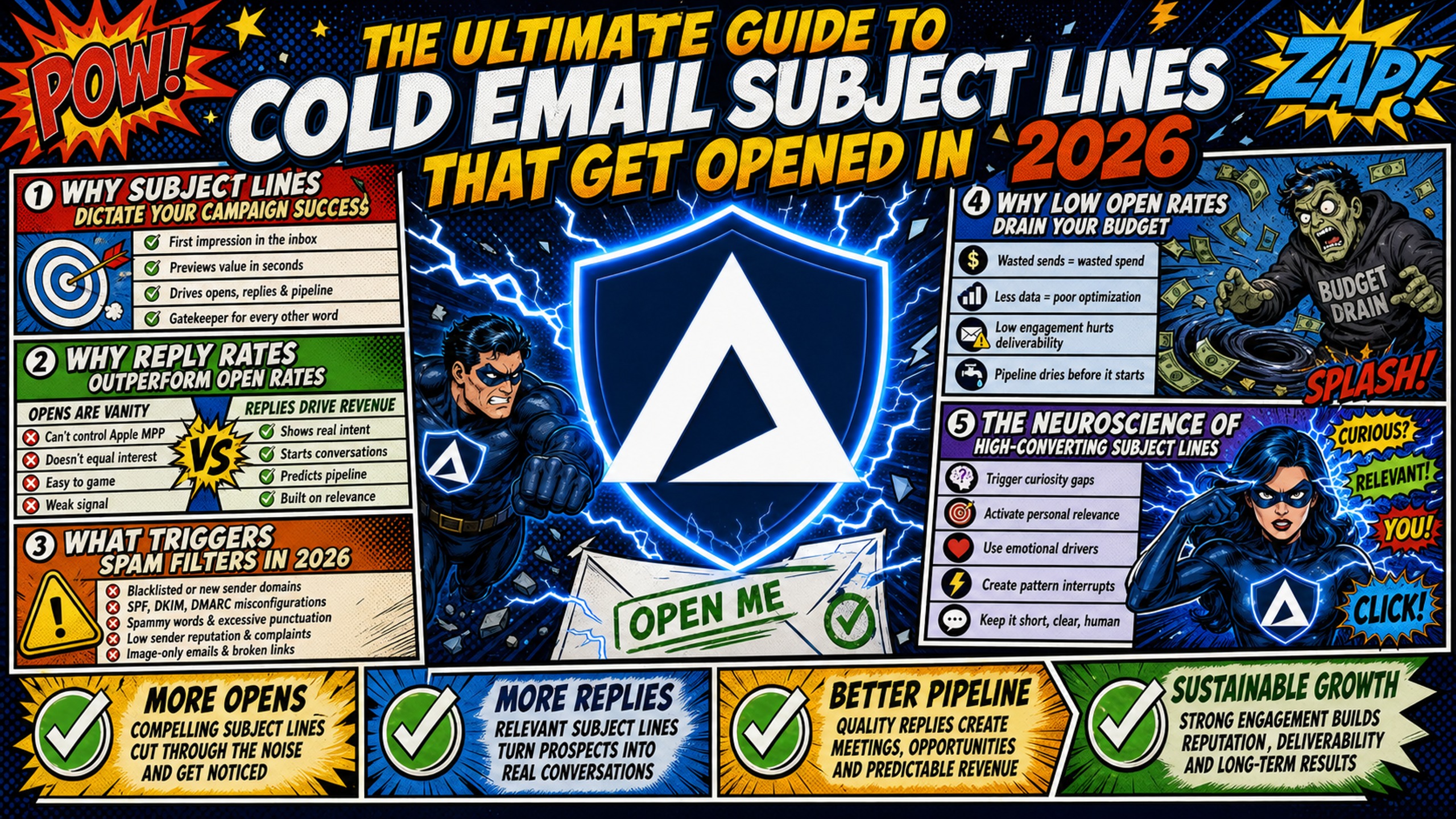
TL;DR: A perfect subject line sent from a blacklisted domain lands in the spam folder, not the inbox. Writing high-converting cold email subject lines is an optimization layer, not a fix for poor technical setup. Campaign Managers who pair psychological copy triggers with properly authenticated, dedicated email infrastructure consistently outperform those who focus on copy alone. This guide covers the exact formulas, templates, technical prerequisites, and A/B testing frameworks needed to land in the inbox and book meetings in 2026.
Most Campaign Managers spend hours tweaking subject line copy while ignoring the misconfigured SPF record that is actually tanking their open rates. Infrastructure failures and copy failures look identical in a dashboard: low opens, low replies, no meetings booked. The difference is that a new subject line won't fix a deliverability problem, but fixing infrastructure immediately recovers performance that copy can then build on.
Why subject lines dictate your campaign success
Subject lines are the primary creative driver of open rates in cold email, but they only perform when the technical foundation underneath them is solid. Think of it as two distinct layers working together.
The foundational layer: SPF, DKIM, and DMARC authentication records determine whether email reaches the inbox at all. Since February 2024, Google and Yahoo have required all bulk senders to have these records in place, and Microsoft implemented identical requirements in May 2025. No subject line, however well-crafted, bypasses this gate.
The optimization layer: Once infrastructure is confirmed healthy, subject lines become the primary variable controlling whether recipients open. The Inframail deliverability guide confirms this sequencing: if open rates are below 30%, the problem is almost always deliverability, not copy.
Why reply rates outperform open rates
Open rates are no longer a reliable primary metric for cold email in 2026. Apple Mail Privacy Protection preloads tracking pixels automatically before recipients see the message, making a significant share of reported "opens" proxy fetches rather than human interactions.
Reply rate is the more reliable signal because it requires deliberate user action that no proxy can fake. Platform-wide data from Instantly analyzing billions of interactions shows an average reply rate of approximately 3.43%, while Belkins reports an all-campaign industry average of 0.45%. For well-targeted B2B (Business-to-Business) cold email managed by competent teams at scale, 3-5% is a realistic and achievable benchmark.
According to McKinsey research, email drives nearly 40x more acquired customers than Facebook and Twitter combined, with conversion rates at least 3x higher than social media. Protecting that channel through proper infrastructure is what makes subject line optimization worthwhile.
What triggers spam filters in 2026
Modern spam filters do not work from simple keyword blocklists. They analyze sender reputation, engagement history, authentication records, formatting signals, and content patterns together. As the Zeffy deliverability guide explains, when recipients mark emails as spam due to irrelevance or pushiness, that behavior directly damages sender reputation over time.
The table below shows how subject line length and copy choices interact with spam risk and mobile visibility.
| Subject line length | Mobile visibility | Spam trigger risk |
|---|---|---|
| Under 33 characters | Fully visible on all devices | Length alone is not a direct spam trigger. However, extremely short subject lines under 20 characters can appear vague or suspicious to filters and recipients alike |
| 33-50 characters | Visible on most devices | Subject line length alone is not a direct spam trigger. Content, sender reputation, and authentication records carry significantly more weight than character count |
| Over 50 characters | Truncated on most mobile clients | Not a direct spam trigger, long lines risk truncation on mobile, which reduces message clarity and can lower engagement |
Research consistently shows 2-4 word subject lines (roughly 30-50 characters) perform best in open rate studies. Front-load the most important content within the first 33 characters so the hook lands even when the rest gets cut.
Why low open rates drain your budget
Low open rates mean every dollar spent on domains, warmup tools, and sending platform credits delivers diminished return. When Google Workspace bills scale linearly with inbox count, running a proper subject line A/B test across 100 inboxes becomes a budget problem before it becomes a copy problem.
| Inbox count | Google Workspace (at $7-8.40/inbox) | Inframail platform + domains | Monthly savings |
|---|---|---|---|
| 50 inboxes | $350-420/month | $163/month (~$129 + ~$34 domains) | ~$187-257/month |
Warmup tools ($15-50/month per inbox on external services like Warmbox or Lemwarm) are additional costs on both sides and are not reflected in this comparison. Inframail's Unlimited Plan is $129/month for unlimited inboxes, so infrastructure bills do not scale linearly as inbox count grows beyond 50.
At Inframail's flat-rate, A/B test volume scales without proportional cost increases. That cost difference funds copy testing, list acquisition, or additional SDR (Sales Development Representative) capacity.
The neuroscience of high-converting subject lines
People open emails for three core psychological reasons: curiosity about something relevant to them, perceived self-interest (what's in it for me), and recognition of timely relevance. Subject lines that activate all three consistently outperform those targeting only one.
The key constraint is trust. A subject line that manufactures curiosity through deception produces short-term opens and long-term domain damage. Google's sender guidelines explicitly prohibit subject lines that start with "Re:" or "Fwd:" unless the email genuinely is a reply or forward. The smarter path is activating curiosity through specificity rather than manufactured intrigue.
Crafting subject lines that demand clicks
The balance between curiosity and clarity is the central tension in subject line writing. Clickbait maximizes curiosity at the cost of clarity and trust. Pure clarity removes the curiosity that makes someone stop scrolling. The highest-performing cold email subject lines are specific enough to be credible and intriguing enough to create a small information gap the reader wants to close.
As Chris Bussing explains in his breakdown of top B2B subject lines, the most effective formats reference something concrete about the prospect's situation. "How [Similar Company] reduced churn by 30%" outperforms "Increase your retention" because it is specific, plausible, and directly relevant. Avoid three-word subject lines overused to the point of invisibility: "Quick question," "Just checking in," and "Partnership opportunity" no longer register as personal outreach in 2026.
Targeted subject lines increase open rates
Personalization is the single highest-leverage copy variable in cold email subject lines. Research shows personalized subject lines achieve 46% open rates versus 35% without personalization, and reply rates more than double from 3% to 7% when the subject line references the prospect's specific context.
The "Why Framework" provides a structure for building that relevance:
- Why me: Reference something specific to this prospect, their company, a recent initiative, a role change, or a stated pain point tied to their position.
- Why now: Connect to a trigger event, a funding round, a hiring push, a product launch, or a market shift that makes the timing of outreach logical.
- Why industry: Frame around something happening in their vertical that makes the value proposition timely and credible.
Passing the Why Framework test:
| Subject line | Why me | Why now | Why industry |
|---|---|---|---|
| "Question about [Company]'s expansion" | Yes | Yes (expansion signal) | Partial |
| "[Name] suggested I reach out" | Yes | Yes | No |
| "Quick question" | No | No | No |
The bottom example fails all three tests and should never be used as a primary subject line.
Tactics to build genuine email urgency
Authentic urgency comes from timing relevance, not pressure words. A subject line that references a trigger event creates genuine urgency because the timing is real. "Saw [Company] just raised Series B" creates urgency because that funding event is time-sensitive context. "Act now before it's too late" creates artificial urgency that experienced B2B buyers immediately discount.
Avoid urgency words that consistently trigger spam filters: "urgent," "limited time," "act now," "don't miss," and "expires." These terms correlate with low-quality sender behavior in aggregate reputation models, compounding risk on borderline domains.
Apply social proof for higher replies
Social proof in subject lines reduces perceived risk and increases credibility before the email is opened. The most effective formats reference a mutual connection, a named peer company, or a specific quantified result tied to someone in the prospect's category.
High-performing social proof structures:
- "[Mutual connection] said to reach out"
- "How [Industry peer] booked 30 more calls/month"
- "Result [Named company] got in 60 days"
Apply these carefully, ensuring the proof point is real, specific, and directly relevant to the prospect's role. A vague reference ("Our clients see great results") provides no social proof value and reads as filler. Nick Abraham's 2026 cold email deliverability breakdown reinforces why generic AI-written copy fails: recipients immediately recognize templated language that lacks genuine context about their situation.
How to bypass aggressive email spam filters
Bypassing spam filters in 2026 requires a three-step sequential workflow before a single subject line goes live.
Campaign Manager's toolkit: 3-step pre-send workflow:
Technical audit (DNS). Confirm SPF, DKIM, and DMARC records are correctly configured on every sending domain. DNS (Domain Name System) records control how email servers authenticate your identity. Inframail's platform configures these records automatically during domain setup, eliminating the manual DNS panel work that typically consumes 12+ hours across 50 domains plus 24-48 hours of propagation time.
Warmup status check. New domains need gradual volume increases before cold outreach begins. The Inframail inbox warmup guide details the specific volume ramp schedule to follow after setup. Warmup tools like Warmbox or Lemwarm handle automated interactions that build a clean engagement history. For new domains, expect 2-4 weeks before full send volume is safe.
Subject line A/B testing. Once infrastructure is confirmed healthy and domains are warmed, run controlled subject line tests. A/B testing has been shown to improve open rates by up to 49% higher over sending a single untested version.
"The level of automation is exceptional and clearly designed for serious operators; it removes friction and allows you to focus on execution rather than setup." - Verified user review of Inframail
Kidous Mahteme's tutorial on avoiding spam folder placement covers 32 specific technical and copy rules, with DNS authentication at the foundation of the entire framework.
Spam-triggering phrases to avoid
The following phrases consistently increase spam flag rates across modern filters. Avoid them in subject lines and preview text:
- Financial promises: "Make money fast," "Earn $X," "Double your revenue," "Guaranteed ROI (Return on Investment)"
- Urgency and pressure: "Act now," "Limited time," "Expires soon," "Don't miss out," "Last chance"
- Vague offers: "Free gift," "Risk-free," "No obligation," "Special promotion," "Exclusive offer"
- Miracle language: "Breakthrough," "Amazing results," "Guaranteed results" These terms do not automatically kill deliverability on a clean, well-authenticated domain, but they compound risk when reputation is already borderline and signal low-quality intent to experienced B2B buyers.
Stop using all caps in subject lines
ALL CAPS subject lines trigger spam filters and signal low-quality sending behavior to both algorithms and human recipients. Spam filters flag excessive capitalization as a spam indicator, associating it with bulk promotional email rather than genuine business communication. Beyond filters, B2B buyers respond to all-caps subject lines as shouting, which undermines the one-to-one feel that cold email depends on to generate replies.
How to spot high-risk subject lines
Use this pre-send checklist before any subject line goes live:
- Does the subject line contain urgency trigger words ("urgent," "act now," "expires")?
- Does it use financial promise language ("guarantee," "risk-free," "earn")?
- Is it longer than 50 characters?
- Does it use ALL CAPS in any word?
- Does it use "Re:" or "Fwd:" without a prior thread?
- Does it make a claim the email body cannot immediately support?
- Does it contain emojis?
One "yes" on items 1-3 or 5-7 warrants rewriting. Two or more "yes" answers and the subject line will likely underperform even on a perfectly healthy domain.
Testing subject lines for spam risks
Before launching a campaign, test domain health and subject line deliverability using dedicated tools. The Inframail campaign health guide explains what healthy metrics look like across bounce rate, spam rate, and open rate benchmarks. Run seed tests using deliverability testing tools like Mail-Tester for domain authentication checks or GlockApps for inbox placement testing before scaling volume on any new domain or subject line variant.
High-converting cold email subject line formulas
Formulaic copywriting removes guesswork from subject line creation by providing proven structural patterns that activate psychological triggers reliably. These formulas work because they are built on specificity, relevance, and a clear reason for the reader to open. The Connor Murray step-by-step cold email guide covers how these formulas integrate into full sequence structures.
Proven question formulas for cold email
Question subject lines perform consistently because they create a direct information gap that the reader cannot close without opening the email. High-performing question formulas:
- "Quick question about [specific pain point]?"
- "How does [Company] currently handle [process]?"
- "Question about [Company]'s [specific initiative]?"
- "Is [outcome they want] a priority for [Company] right now?"
- "What's [Company]'s approach to [relevant challenge]?"
The question must be directly relevant to the recipient's role. "Want to grow faster?" is too vague. "How does [Company] currently onboard enterprise clients?" is specific and role-relevant.
Dynamic field formulas for custom emails
Merge tags like {{first_name}} and {{company}} are now table stakes. The differentiation comes from using deeper personalization fields that reference context beyond basic contact data:
- "{{first_name}}, question about {{company}}'s [specific process]"
- "{{company}}'s [recent trigger event] - quick thought"
- "{{mutual connection}} suggested I reach out, {{first_name}}"
The Instantly team's 2026 cold email strategy breakdown covers how dynamic fields in subject lines integrate with personalization at scale. Avoid over-personalization that reads as automated: use one or two precise dynamic fields rather than stacking every available tag.
Writing compelling cold email offers
Value proposition subject lines state a specific, quantified benefit in under 5 words. The constraint forces clarity and removes filler language. Strong offer formula: [Outcome] for [Company type] in [Timeframe]:
- "30 more calls/month for agencies"
- "Cut DNS setup from hours to minutes"
- "50 domains live this afternoon"
5 pattern interrupt subject line tactics
- Lowercase everything: "quick question about your outbound stack" reads as personal rather than templated.
- Use specific numbers: "3 things [Company] could fix in DNS setup this week" beats "some thoughts on your infrastructure."
- Unexpected references: "[Company] came up in a call with [industry name] yesterday" creates immediate intrigue without being deceptive.
- Incomplete thought: "About your Q3 pipeline..." implies context without overstating it.
- The opposite frame: "This is not a typical vendor pitch" works when the email genuinely delivers something different.
High-converting follow-up subject lines
Follow-up subject lines should maintain thread context without being repetitive. High-performing follow-up formulas:
- "Re: [original subject topic] - one more thought"
- "Adding to my note on [specific topic]"
- "Bumping this - worth 3 minutes this week?"
- "Last note on [Company]'s [pain point]"
- "Did the [specific offer from email 1] land at a bad time?"
The Inframail follow-up strategy video covers how follow-up subject lines integrate with sequence structure in Instantly to maintain deliverability across multiple touchpoints.
50+ cold email subject line templates for high open rates
These templates are grouped by use case. Replace all bracketed fields with specific, researched information before sending. Using them with generic placeholders defeats their purpose.
High-converting initial email templates
- "Quick question about [Company]'s outbound process"
- "[Mutual contact] said to reach out"
- "How [Competitor] handles [pain point] differently"
- "[Company]'s [recent trigger] - a thought"
- "Question about [Company]'s Q3 pipeline"
- "Saw [Company] is hiring [role] - relevant?"
- "[First name], how does [Company] currently [process]?"
- "3 things [Company] could do differently on outbound"
- "How [Named company] cut [metric] by [%]"
- "Is [outcome] a priority for [Company] this quarter?"
High-converting follow-up email templates
- "Bumping this - still relevant, [first name]?"
- "Adding one thought to my last note"
- "Re: [original topic] - worth 3 minutes?"
- "Last note on [Company]'s [pain point]"
- "Did my note on [specific offer] land at a bad time?"
- "Following up - [Company] + [your company]?"
- "Final note on [topic]"
- "Circling back: [original subject in 3 words]"
- "In case this got buried..."
- "[First name] - last follow on [Company]"
"We spent months hunting for a reliable cold-emailing stack. After repeated failures with another provider, we trialled two options - Inframail and a competitor. We chose the competitor. A month later, we switched back to Inframail. Zero issues since." - Verified user review of Inframail
Scaling A/B tests for cold email subject lines
Scaling A/B tests across hundreds of inboxes is where flat-rate infrastructure becomes a direct competitive advantage. At $7-8.40/inbox on Google Workspace Business Starter, adding 50 inboxes for a testing pool costs $350-420/month in infrastructure alone, a range rather than a fixed figure, depending on the plan tier selected. At Inframail's $129/month flat rate, those same 50 inboxes cost nothing incremental.
Inframail exports IMAP (Internet Message Access Protocol) and SMTP (Simple Mail Transfer Protocol) credentials to CSV (Comma-Separated Values) format for direct import into Instantly or Smartlead. The Inframail to Smartlead integration guide covers the exact steps for connecting credentials and launching campaigns across multiple inboxes.
Structuring your A/B test variables
Test one variable at a time, and only one. The most common testing error is changing subject line copy, from address, and send time simultaneously, making it impossible to identify which change drove the result.
Correct A/B test structure:
- Variable A (control): "Question about [Company]'s outbound process" - sent from inbox set 1
- Variable B (test): "[First name], quick thought on [Company]'s pipeline" - sent from matched inbox set 2
- Fixed across both: Email body, from name, send time, target list segment, inbox count per variant
Taylor Haren's SaaS (Software as a Service) cold email strategy video covers how to structure these tests within a full sequence system.
Calculating necessary cold email volumes
To reach meaningful conclusions from your A/B tests, the required sample size depends on your baseline open rate and the size of the improvement you want to detect. As a rule of thumb, 1,000 emails per variant is a reasonable starting benchmark for detecting modest relative improvements of 10-20%, though it is not a universal requirement. For example, detecting a 20% relative improvement on a 40% baseline open rate requires approximately 592 emails per variant. Use a free sample size calculator from Optimizely or Evan Miller to calculate the exact figure for your specific baseline metrics before committing to a send volume.
Key KPIs for testing subject lines
Track three metrics per variant, in priority order:
- Reply rate: The most reliable signal because it requires deliberate human action. For competent teams running well-targeted campaigns, 3-5% is a realistic benchmark. Strong-performing variants can achieve 5-10%.
- Positive reply rate: Replies expressing interest, not just unsubscribes. This is the metric that maps directly to meetings booked.
- Open rate: Useful as a directional signal but inflated by Apple Mail Privacy Protection. Use as a supporting metric only.
The Inframail campaign spam metrics guide provides specific threshold benchmarks for each metric.
Statistical significance for email tests
A test is not a reliable result until you reach 95% confidence. If one variant shows 44% opens and the other shows 47% opens after 200 emails per variant, that difference is not yet statistically meaningful. Email A/B tests should run for 3-7 days or until both variants have reached the minimum sample size to account for day-of-week engagement variation.
7 subject line errors that tank your campaigns
Inframail's deliverability dashboard automatically submits delisting requests when domains are flagged, with a 68.3% blacklist delisting success rate within 48 hours. The fastest path to avoiding blacklist issues is preventing them through subject line discipline.
Why generic cold email lines fail
"Quick question," "Partnership opportunity," and "Following up" have been overused to the point of invisibility. Research from cold email practitioners in 2026 consistently shows that generic openers significantly underperform compared to specific, contextually relevant subject lines, with personalization improving reply rates from 3% to 7%. Five alternatives that front-load value instead:
- "Saw [Company] is expanding into enterprise - timing?"
- "[Mutual contact] mentioned your Q3 push"
- "3-minute idea for [Company]'s outbound stack"
- "[Company]'s DNS setup - one fix this afternoon"
- "How [Named peer company] changed their outbound process"
Stop using invasive data in subject lines
Hyper-specific personal references that cross into surveillance territory destroy trust before a single word of copy lands. References like "Saw you went to [University] in 2008" or "Noticed you live in [Neighborhood]" feel invasive rather than personalized, and they generate negative replies that damage domain reputation over time. Professional context (company, role, initiative, business pain) is fair game. Personal context (personal history, location, lifestyle data) crosses the line for B2B outreach.
Stop baiting leads with false promises
Deceptive subject lines that imply a relationship that does not exist - "Re: Our meeting tomorrow" when no meeting is scheduled, or "As discussed" when no conversation has happened - generate short-term open rate spikes and immediate trust destruction. Google's email sender guidelines require subject lines to accurately represent message content. Beyond the ethical problem, these tactics produce complaint rates that damage domain reputation faster than almost any other single factor.
Why long subject lines fail on mobile
33 characters is the safe visible threshold across most Apple and Android email clients. Gmail mobile displays roughly 30-40 characters on Android depending on device and screen resolution, while most other mobile clients cut off between 40-50 characters. The 37-character limit often cited applies to preheader text, not subject lines. Designing to 33 characters is the practical standard that ensures the hook remains visible across the widest range of devices.
Given that a significant portion of B2B email is previewed on mobile during commutes or between meetings, front-loading the most important information in the first 33 characters is a hard requirement, not a best practice. "How [Company] can cut infrastructure costs by $1,400/month starting this week" buries the most interesting part. "Cut infrastructure costs by $1,400: how [Company] does it" keeps the hook in the visible window.
Sign up to Inframail and get unlimited inboxes on dedicated US-based IPs at $129/month, with automated SPF, DKIM, and DMARC configuration built in.
FAQs
What is the best subject line length for open rates?
Keep subject lines to 2-4 words or under 33 characters for best mobile visibility across all clients. Research shows 2-4 word subject lines hit 46% open rates in large-scale cold email studies, outperforming longer formats.
Do emojis help or hurt B2B reply rates?
Emojis do not automatically trigger spam filters. Modern filters weigh overuse and context far more than the mere presence of an emoji. Experian data shows emails with emojis in subject lines are opened 45% more often, and 56% of brands using symbols in subject lines record higher open rates.
However, the risk scales sharply with quantity and context: a single relevant emoji (📊, 💡) can create visual differentiation in a crowded inbox, while three or more feels unprofessional and is more likely to harm inbox placement. Pairing emojis with spam-trigger words or using them to replace key words compounds that risk further. For B2B cold email, use at most one emoji per subject line, ensure it adds context rather than replacing words, and avoid pairing it with high-risk copy.
How often should you rotate cold email subject lines?
Rotate subject lines regularly per sending domain, or sooner if reply rates drop below your established baseline. Repeating the same subject line across high-volume sends trains ESP (Email Service Provider) filters to associate that string with bulk outreach behavior.
How do subject lines affect deliverability and blacklist risk?
Spam-trigger words in subject lines do not directly cause complaints in isolation. Research analyzing 774,000 emails found that terms like "free" correlate with higher spam placement not because inbox providers flag the word itself, but because campaigns using such language tend to reach broader audiences with more disengaged contacts.
Complaint rates also rise when subject lines feel misleading or when unsubscribe options are difficult to find, prompting recipients to report the email as spam rather than opt out. Inbox providers weight those complaint signals heavily. A small increase in complaint rate can have a disproportionate negative impact on inbox placement. The risk is compound: spam-trigger language combined with disengaged audiences and misleading content, not any single factor acting alone.
What are average cold email open rates in 2026?
Average cold email open rates range from 27.7% to 44% in 2026, with the higher figure inflated by Apple Mail Privacy Protection preloading pixels. If open rates fall below 30%, the cause is almost always deliverability, not subject line copy, and the fix starts with a DNS audit.
Subject lines are the sharpest tool in a Campaign Manager's kit, but they only cut when the infrastructure underneath them is working. Fix the foundation first: authenticate every domain, warm every inbox, and monitor every dedicated IP for blacklist flags. Then apply these formulas and templates to push reply rates into the double digits.
Key terms glossary
SPF (Sender Policy Framework): A DNS record that specifies which mail servers are authorized to send email on behalf of your domain.
DKIM (DomainKeys Identified Mail): A cryptographic signature added to emails that verifies the email was sent by the domain owner and was not altered in transit.
DMARC (Domain-based Message Authentication, Reporting, and Conformance): A protocol that uses SPF and DKIM to determine the authenticity of an email message and specifies how receivers should handle failures.
Dedicated IP: An IP address used exclusively by one sender, isolating their sending reputation from other users on shared IP pools.
Inbox placement rate: The percentage of sent emails that successfully land in the recipient's primary inbox rather than the spam folder.
ESP (Email Service Provider): A platform that sends, receives, and manages email on behalf of users, applying spam filters and authentication checks.
CSV (Comma-Separated Values): A simple file format used to store tabular data, commonly used for exporting email credentials and contact lists.
IMAP (Internet Message Access Protocol): A protocol that allows email clients to retrieve messages from a mail server while keeping the original on the server.
SMTP (Simple Mail Transfer Protocol): The protocol used to send email messages between servers.
DNS (Domain Name System): The system that translates domain names into IP addresses and stores email authentication records.
B2B (Business-to-Business): Commercial transactions and communications between businesses rather than between a business and individual consumers.
SDR (Sales Development Representative): A sales role focused on outbound prospecting and qualifying leads before passing them to account executives.
SaaS (Software as a Service): Software delivered over the internet on a subscription basis rather than installed locally.
ROI (Return on Investment): A measure of the profitability of an investment, calculated as the ratio of net profit to cost.