
The Complete Cold Email Infrastructure Setup Playbook for Agencies: 50-500 Domains
Build cold email infrastructure for 50-500 domains with automated SPF, DKIM, DMARC, inbox provisioning, dedicated IPs, and scalable agency workflows.
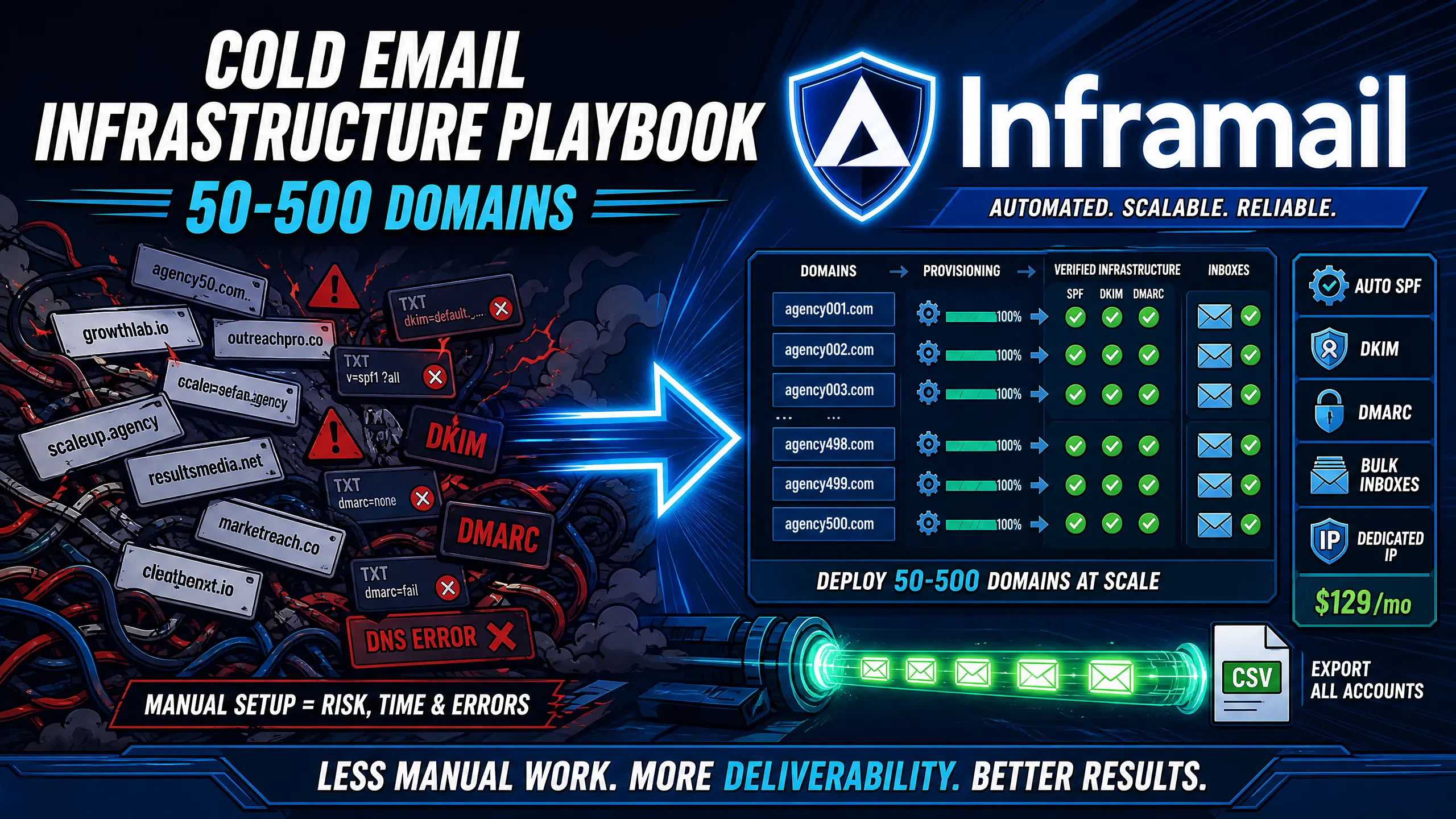
TL;DR: Scaling cold email infrastructure from 50 to 500 domains requires choosing between manual DNS configuration consuming substantial time per domain and automated flat-rate provisioning that handles SPF, DKIM, and DMARC in minutes. Google Workspace costs $350–420/month for 50 inboxes at $7–8.40 per seat, scaling linearly as you add clients. Inframail's flat-rate model at $129/month covers unlimited inboxes on 1 dedicated US-based IP with automated authentication records. For 50 inboxes, total infrastructure drops to approximately $197/month, saving $153–223/month per client, or up to $2,676 annually.
Manual DNS configuration and per-seat email pricing consume significant operational margin before a single campaign goes live. For operations teams running 15–40 active clients, this is not a technical inconvenience, it is a margin problem that compounds every time sales closes a new account.
This playbook gives you the exact methodology to automate DNS configuration, provision inboxes in bulk, and manage 50 to 500 domains on flat-rate infrastructure, with time benchmarks and cost math at every scale tier.
Every agency scaling cold outreach hits the same operational fork. You can manage DNS manually across GoDaddy, Namecheap, and Cloudflare, logging into separate panel UIs, copying records, waiting for propagation, and testing each domain individually. Or you can run automated infrastructure that handles SPF, DKIM, and DMARC in one workflow and exports ready-to-import IMAP credentials to your sending platform. The cold email infrastructure guide from Inframail's founder walks through both paths with real platform demonstrations.
The hidden costs of manual provisioning
Manual DNS configuration across multiple registrars typically consumes significant active work per domain for experienced ops staff, based on the time required to log into panels, create SPF records, add DKIM selectors, apply DMARC entries, and wait for propagation. For a 50-domain client onboarding, that can translate to substantial technical work before a single inbox goes live. This time does not include troubleshooting syntax errors from copying long DKIM keys manually, or handling propagation failures that require registrar support tickets. As client count grows from 5 to 20, that manual setup time becomes the hard ceiling on onboarding speed.
Reducing setup time via automation
Inframail cuts domain setup time dramatically compared to manual DNS configuration, based on the unlimited inboxes vs. Workspace cost comparison. You purchase domains through the platform or migrate existing ones, SPF, DKIM, and DMARC records configure automatically, and no DNS panel access is required. The 2-minute SPF DKIM DMARC setup shows this in practice, with inboxes provisioned and a clean CSV ready for Instantly.ai or Smartlead import at the end of the workflow.
Comparing operational costs and timelines
Factor | Manual (Google Workspace) | Automated (Inframail) |
|---|---|---|
Setup time (50 domains) | 12–16+ hours | Under 2 hours |
Monthly platform cost (50 inboxes) | $350–420 | $129 |
Monthly domain cost (amortized, ~50 domains) | ~$34 | ~$34 |
Total monthly cost | ~$384–454 | ~$197 |
For 50 inboxes, Inframail cuts monthly infrastructure from approximately $350–420 to around $197, saving $153–223/month or up to $2,676 annually per client.
Domains are the foundation of any cold email program. Before creating a single inbox, you need a procurement strategy covering naming conventions, volume distribution across senders, and cost-per-domain across your client base. The infrastructure cost comparison across seven platforms shows that domain cost is often the hidden variable that breaks per-client cost models when agencies rely on external registrars with variable renewal pricing.
Scaling domain procurement for cold email
For proper rotation, agencies commonly use 3–5 inboxes per domain. Buying domains in batches at the start of a client engagement reduces transaction overhead and ensures all domains start warmup simultaneously, keeping launch timelines tight.
Selecting your domain provider
Registrar | Avg .com first year | Renewal | API access | DNS setup |
|---|---|---|---|---|
Namecheap | ~$9.58 | ~$13.98 | Yes | Manual |
GoDaddy | Variable | Variable | Yes | Manual |
Cloudflare | ~$10.44 | Same rate | Yes | Manual |
Inframail | $5–16/year | Billed yearly | Automated | Auto SPF/DKIM/DMARC |
Inframail domains cost $5–16 per year with instant DNS configuration on purchase, eliminating any separate registrar login entirely for agencies buying 25–50 domains per new client.
Streamlined DNS configuration steps
When you purchase domains directly through Inframail, the platform handles authentication records without external panel access:
Purchase or transfer domains through the Inframail dashboard, individually or in bulk.
SPF auto-generates with appropriate Microsoft
include:spf.protection.outlook.comsyntax, applied to all domains simultaneously.DKIM CNAME records are created in bulk, eliminating manual key copying.
DMARC TXT record is applied
_dmarc.yourdomain.comwith ap=nonestarting policy for monitoring.MX records point to Microsoft's mail servers automatically.
Platform monitors propagation and provides validation status updates. For a full screen-share walkthrough, the Inframail setup tutorial covers this sequence from domain purchase to inbox creation.
Projecting infrastructure costs at scale
Plan your per-client cost model using these three line items:
Domain registration: $5–16/year through Inframail, or comparable rates via external registrars
Email hosting: $129/month flat rate (Inframail Unlimited) versus $7–8.40 per seat (Google Workspace)
External warmup tools: $15–50/month per plan for services like Warmbox or Lemwarm, covering a set number of inboxes per tier, required on all standard plans. For 50 inboxes across 50 domains, total monthly infrastructure on Inframail runs approximately $197, well below the $180/month per-client ceiling that protects agency margin.
SPF, DKIM, and DMARC are not optional for cold email senders. Microsoft's authentication requirements make all three records necessary for deliverability when sending from custom domains. Manual entry of these records introduces syntax errors that cause silent authentication failures, meaning emails land in spam without triggering a bounce.
Automating SPF record deployment
Inframail automatically applies the correct SPF record v=spf1 include:spf.protection.outlook.com -all with Microsoft-compatible syntax to every domain at provisioning, preventing common manual errors such as creating multiple SPF records on the same domain or syntax mistakes in the include directive. No DNS panel login, no syntax checking required.
Fast DKIM setup for bulk domains
DKIM configuration for Microsoft-based infrastructure requires two CNAME records per domain. Inframail generates and applies both records automatically at domain creation, so you never touch a raw DKIM key. The 2-minute SPF DKIM DMARC setup shows this creation process across 10+ inboxes.
Configuring DMARC to prevent spoofing
DMARC tells receiving servers what to do when SPF or DKIM fail. Start with p=none to collect authentication failure reports without blocking any sends. After an extended period of clean sending with all legitimate senders identified and passing authentication in your aggregate reports, move to p=quarantine to push failures to spam folders. Inframail auto-configures the initial DMARC record at domain setup.
DNS propagation validation
DNS propagation takes several hours and can extend to 48 hours for full global distribution. Inframail's dashboard provides propagation status updates for your authentication records. The infrastructure monitoring guide covers how to interpret these signals and configure alerts for propagation failures.
With DNS validated, the next step is inbox creation and credential management. For a large-scale client deployment with multiple inboxes per domain, that means managing hundreds of inbox credentials, each requiring a unique username, password, IMAP server (the protocol for retrieving incoming mail), and SMTP server (the protocol for sending outgoing mail). Managing these manually in a spreadsheet creates data entry errors that break sending platform connections.
Automating domain and inbox provisioning
Inframail creates unlimited inboxes per domain under the flat-rate plan with no per-seat charges. Select your domains in the dashboard, specify the number of inboxes per domain, and the platform provisions each account in seconds.
"I personally have over 1,000 email accounts with Inframail for one flat price. Adding all those records would have probably taken dozens of hours. Instead all records were added within 10 minutes." - Verified user review of Inframail
Exporting IMAP credentials for bulk import
After inbox creation, Inframail generates a CSV export containing Email Address, Username, IMAP Server, SMTP Server, Password, all necessary connection credentials for every provisioned inbox, matching the exact import field requirements for both Instantly.ai and Smartlead. Inframail's supported email platforms guide confirms CSV export works for both.
Optimizing CSV files for fast imports
Before importing, verify three things in the exported CSV: no blank cells in the IMAP or SMTP server columns, no special characters in the password column that cause CSV parsing errors, and unique email addresses on every row. Instantly.ai maps columns by header name, so do not rename the exported headers. For the full Smartlead connection sequence, the Inframail to Smartlead integration guide covers each step.
Protecting your sending infrastructure
Inframail's Unlimited plan includes 1 dedicated US-based IP, and the Agency Pack includes 3 dedicated US-based IPs. Dedicated IPs mean your sending reputation is isolated from every other sender on the platform. With shared IP pools, your deliverability depends on every other sender sharing that address, and one aggressive sender can damage the IP's reputation. The dedicated vs shared IP video explains how reputation contamination plays out in practice.
The right operational blueprint depends on how many active client domains you manage. The table below shows time and cost benchmarks for each scale tier using automated Inframail provisioning.
50-domain onboarding workflow
For a single client requiring 50 domains and 150 inboxes:
Day 1: Purchase 50 domains through Inframail, DNS configures automatically (allow up to 48 hours for full propagation).
Day 2–3: Create 150 inboxes across 50 domains, export CSV, import to Instantly or Smartlead. Inframail users report setting up 10 inboxes in 2 minutes.
Day 3–17+: External warmup via Lemwarm or Warmbox. New domains typically need 14–21 days before ramping to full volume.
Day 18+: Run Mail-Tester validation on sample domains before live send. Total infrastructure cost: $129/month platform + ~$34/month amortized domains + external warmup = approximately $197/month.
100-domain infrastructure setup plan
At 100 domains and 300 inboxes, allocate 90–120 minutes for the full provisioning cycle using Inframail's automated flow. The Unlimited plan covers this tier, and the sending capacity calculator helps confirm the right plan before provisioning starts.
Managing 200-domain setup workflows
At 200 domains, manual DNS configuration would consume the equivalent of weeks of ops time quarterly. Automated DNS is the only operationally viable path at this scale. The Agency Pack at $228/month (billed annually) or $327/month (monthly billing) with 3 dedicated IPs handles 200 domains across multiple clients, keeping per-client platform cost at $15.20 on the annual plan ($228/month ÷ 15 clients) or $21.80 on monthly billing ($327/month ÷ 15 clients) for a 15-client agency.
Managing 500-domain setup workflows
At 500 domains with 1,500+ inboxes, Google Workspace costs $3,500–4,200/month. Inframail's Agency Pack at $327/month plus approximately $333/month in amortized domain costs at an average of $8/domain totals approximately $660/month, a monthly saving of $2,840–3,540 compared to Google Workspace.
Inbox count | Google Workspace monthly | Inframail monthly | Monthly savings |
|---|---|---|---|
50 | $350–420 | ~$197 | $153–223 |
100 | $700–840 | ~$231 | $469–609 |
200 | $1,400–1,680 | ~$299 | $1,101–1,381 |
500 | $3,500–4,200 | ~$660 | $2,840–3,540 |
No domain should enter a live campaign without passing authentication validation. Authentication failures cause silent spam placement, not hard bounces, so campaigns can run for days with zero replies before anyone investigates the root cause.
Validating DNS record integrity
Before starting warmup, verify all three authentication records are live and syntactically correct using MxToolbox's domain health checker. Run each domain through the SPF checker, DKIM checker, and DMARC analyzer. Inframail's dashboard shows propagation status internally, but external verification via MxToolbox confirms how records appear to receiving mail servers globally.
5-Point DNS validation sequence
Run this checklist on a 10% sample of provisioned domains before starting warmup:
SPF: Confirm
include:spf.protection.outlook.comis present and the record usesallnot~all.DKIM: Verify both selector1.\_domainkey and selector2.\_domainkey CNAME records resolve correctly.
DMARC: Check that a TXT record exists at
_dmarc.yourdomain.comwith a validv=DMARC1tag.MX records: Confirm MX records point to
yourdomain-com.mail.protection.outlook.com.rDNS/PTR: Validate that reverse DNS resolves correctly for your dedicated IP.
Validating inbox placement benchmarks
After warmup completes, run each domain through Mail-Tester before the first live send. Inframail reports 9+/10 on Mail-Tester across tested domains. For inbox placement testing at scale, GlockApps provides panel-based inbox rate data across Gmail, Outlook, and Yahoo. The spam metrics guide from Inframail explains which thresholds indicate a problem requiring intervention before client-visible deliverability drops.
Real-time blacklist status alerts
Inframail's deliverability monitoring dashboard checks domain and IP health against major blacklists. When a domain is flagged, the platform auto-submits delisting requests rather than waiting for manual filing. The infrastructure health checks guide covers how to configure alert thresholds so you learn about a blacklist event in minutes rather than when a client escalates.
Every cost decision in cold email infrastructure involves a direct trade-off between launch speed, per-client margin, and deliverability risk.
Targeting the $180 monthly per-client cap
The $180/month per-client ceiling keeps infrastructure cost under 18–22% of a $1,000–1,500 retainer. With Inframail's flat-rate model, the platform fee of $129/month is shared across all active clients. For 10 clients, that is $12.90/client in platform fees, plus approximately $34/month in amortized domain costs for 50 domains per client, keeping total infrastructure well under $50/client before warmup tools. The unlimited inbox provider checklist provides a full framework for verifying whether any provider hits this threshold once all line items are included.
Time requirements for 50 to 500 domains
Domain count | Manual setup time | Inframail automated time |
|---|---|---|
50 | 12–16+ hours | Under 2 hours |
100 | 24–33+ hours | Under 4 hours |
200 | 33–66+ hours | Under 8 hours |
500 | 83–166+ hours | Under 20 hours |
Manual vs. automated setup economics
At scale, the choice between manual DNS work and automated provisioning is a cost-per-client decision. Manual configuration, whether done internally or by a virtual assistant, creates a variable cost that scales with every new domain, exactly the dynamic flat-rate pricing eliminates. The cost comparison across providers shows this compounding cost clearly across 50, 100, and 200 inbox tiers.
Predicting monthly infrastructure spend
Flat-rate pricing means the same $129 line item appears every month regardless of whether you onboard 2 clients or 10. Domain costs scale with client count but are predictable: budget $5–16 per domain per year and amortize by active client count. There are no per-seat overage charges and no mid-month billing surprises when a client adds personas.
When provisioning fails or authentication breaks, work through these diagnostics:
Fixing Slow DNS Propagation Issues: DNS propagation typically completes within several hours but can take up to 48 hours. Do not create inboxes or start warmup until Inframail's dashboard shows all authentication records confirmed. Running warmup before DKIM propagates fully damages domain reputation before your first campaign send.
Solving SPF DKIM and DMARC failures: The three most common failures are (1) duplicate SPF records that invalidate both entries, (2) DKIM selector mismatch between CNAME record and sending platform reference, and (3) DMARC records missing from sending subdomains. Inframail's automated provisioning prevents all three at setup. For manually migrated domains, the Microsoft blacklist resolution guide covers common causes of Microsoft blacklisting and the delisting process.
Fixing Inbox Provisioning Errors: If bulk provisioning fails partway through, confirm DNS has fully propagated before retrying. Clear partially provisioned domains and re-provision rather than patching, since partial configurations create authentication mismatches that are harder to diagnose than a clean re-run.
Troubleshooting Platform Sync Gaps: If imported inboxes show connection errors in Instantly or Smartlead after CSV import, verify IMAP is enabled on each inbox within Inframail's dashboard. The Smartlead integration guide covers each step of the import and connection setup process.
Migrating from manually configured infrastructure to Inframail requires moving active domains without disrupting live campaigns.
Automating your domain migration process
Do not migrate active sending domains mid-campaign. Instead, purchase new domains through Inframail for the next client cohort and migrate inactive or low-priority domains in controlled batches. The inbox warmup after migration guide recommends a fresh warmup cycle after migration even for aged domains, since the dedicated IP changes and receiving servers treat the new IP as a new sender.
Automated zero-downtime domain migration
For active campaigns, keep the original infrastructure live while new Inframail-provisioned domains complete warmup in parallel. Once new domains score 9+/10 on Mail-Tester and show solid inbox placement on a GlockApps test, swap sending volume from old to new domains over 3–5 days rather than in a single cutover. The Maildoso to Inframail migration guide covers this parallel-run approach in detail.
Calculating migration lead time
For a 50-domain client migration, budget at least 20–25 calendar days from start to live: DNS provisioning and propagation takes 2–48 hours, warmup requires a minimum 14–21 days for new domains, and validation testing adds 2–3 days. Sequence migrations across clients to avoid overloading warmup tool capacity in any given week.
Emergency failover and recovery steps
If a domain or IP is blacklisted mid-campaign, Inframail's automated delisting request submission handles the formal removal process. In parallel, activate backup domains provisioned through the platform and route sending volume immediately. The Maildoso alternatives comparison covers the operational differences between dedicated and shared-IP infrastructure.
At 500 domains, the operational model must be repeatable and documented. The agency at this scale needs infrastructure that provisions correctly every time and costs predictably regardless of quarter-over-quarter growth.
Time required for 100-domain setup
Manual setup of 100 domains at 15–20 minutes per domain takes 24–33+ hours across multiple registrar panels. Inframail reduces that to under 4 hours including propagation monitoring, meaning a single ops team member can handle a 100-domain new client deployment in one business day rather than across an entire work week.
Cost comparison: Inframail vs Workspace
At 500 inboxes, the cost gap becomes the difference between infrastructure that supports growth and infrastructure that restricts it:
Provider | 500 inboxes monthly | Annual cost | Annual savings vs Workspace |
|---|---|---|---|
Google Workspace | $3,500–4,200 | $42,000–50,400 | – |
Inframail Agency Pack | ~$660 (platform + domains) | ~$7,920 | ~$34,080–42,480 |
That $34,000–42,400 in annual savings funds roughly one to two additional account executives, or extends runway through a slow acquisition quarter.
Can I integrate with Instantly and Smartlead?
Yes. Inframail exports all provisioned inbox credentials as a structured CSV that maps directly to the import fields in both Instantly.ai and Smartlead. The supported platforms documentation confirms official integration support for both. The complete infrastructure tutorial walks through domain-to-sending-platform setup with an Instantly import demo.
Tools for real-time blacklist alerts
Inframail's deliverability monitoring dashboard checks domain and IP reputation continuously against major blacklists. When a domain is flagged, the platform auto-submits delisting requests and logs the event with a timestamp and blacklist source. This removes the manual MxToolbox checking cycle from your weekly ops workload and ensures blacklist events are addressed within hours, not after a client escalation. The Maildoso deliverability review shows what happens operationally when shared-IP blacklist events are not caught in real time.
Troubleshooting DNS propagation failures
If a domain shows propagation failure in Inframail's dashboard after 48 hours, work through this sequence:
Confirm the domain's NS records point to the correct nameservers within Inframail's platform.
Check for conflicting TXT records pre-existing on the domain before transfer.
Use MxToolbox's propagation checker to see which global resolvers still show old records.
Contact Inframail support via in-platform chat. Inframail provides priority support for 16 hours daily from real staff, with fast response times per customer reviews.
"One of the best mailbox infra vendors I have ever used super easy and quick setup and support is practically 24/7 with at max a 2min wait to get a question answered." - Verified user review of Inframail
Sign up to Inframail and get started today. The flat-rate pricing starts at $129/month for unlimited inboxes, and the full DNS-to-CSV workflow takes under 2 hours for a complete 50-domain client deployment.
How much does it cost to run 50 inboxes on Inframail compared to Google Workspace?
Inframail costs $129/month plus approximately $34/month in amortized domain costs and external warmup tools, totaling approximately $197/month. Google Workspace costs $350–420/month at $7–8.40 per seat, producing monthly savings of $153–223 with Inframail, or $1,836–2,676 annually.
Can I integrate Inframail with Instantly and Smartlead?
Yes. Inframail exports all provisioned inbox credentials as a CSV containing username, password, IMAP server, and SMTP server fields that map directly to both Instantly.ai and Smartlead's import requirements, with official integration support confirmed in the supported platforms documentation.
Does Inframail include a built-in email warmup tool?
No. Standard plans require external services like Lemwarm or Warmbox at $15–50/month per plan. Users who purchase the Done-For-You campaign setup package ($3,497 one-time or $499/month) receive free domain warmup included.
What dedicated IP options are included in each Inframail plan?
The Unlimited plan at $129/month includes 1 dedicated US-based IP. The Agency Pack at $228/month (billed annually) or $327/month (billed monthly) includes 3 dedicated US-based IPs, both with unlimited inboxes and automated DNS configuration.
Dedicated IP: An IP address used exclusively by your sending accounts, so your sending reputation is determined solely by your own behavior rather than by other senders sharing the same address.
SPF (Sender Policy Framework): A DNS TXT record specifying which mail servers are authorized to send email on behalf of your domain, preventing unauthorized senders from spoofing your address.
DKIM (DomainKeys Identified Mail): An authentication method that adds a cryptographic signature to outgoing emails, allowing receiving servers to verify the message was not altered in transit.
DMARC (Domain-based Message Authentication, Reporting, and Conformance): A DNS policy record using SPF and DKIM alignment to tell receiving servers how to handle messages that fail authentication checks, starting with p=none for monitoring and progressing to enforcement after establishing a clean baseline.
Flat-rate pricing: A fixed monthly billing model that charges the same amount regardless of how many inboxes or domains you create, decoupling inbox growth from software cost growth.
DNS propagation: The process of distributing updated DNS records across global resolvers after a record is created or changed, typically completing within several hours and up to 48 hours in edge cases.
Inbox placement rate: The percentage of sent emails arriving in the recipient's primary inbox rather than spam or junk folders, the core deliverability metric for cold email campaigns.
IMAP (Internet Message Access Protocol): A protocol that allows email clients to retrieve messages from a mail server while keeping messages stored on the server, enabling access from multiple devices.
SMTP (Simple Mail Transfer Protocol): The protocol used to send outgoing email from a client to a mail server or between mail servers.
rDNS (Reverse DNS): A DNS lookup that maps an IP address back to a domain name, required by many email servers to verify the legitimacy of sending servers.
PTR record: The DNS record type used for reverse DNS lookups, associating an IP address with a domain name to improve email deliverability.