
SPF Records for Cold Email: Managing the 10 DNS Lookup Limit
Learn how SPF records work for cold email, why the 10-DNS-lookup limit causes PermError failures, and how Inframail prevents SPF lookup issues.
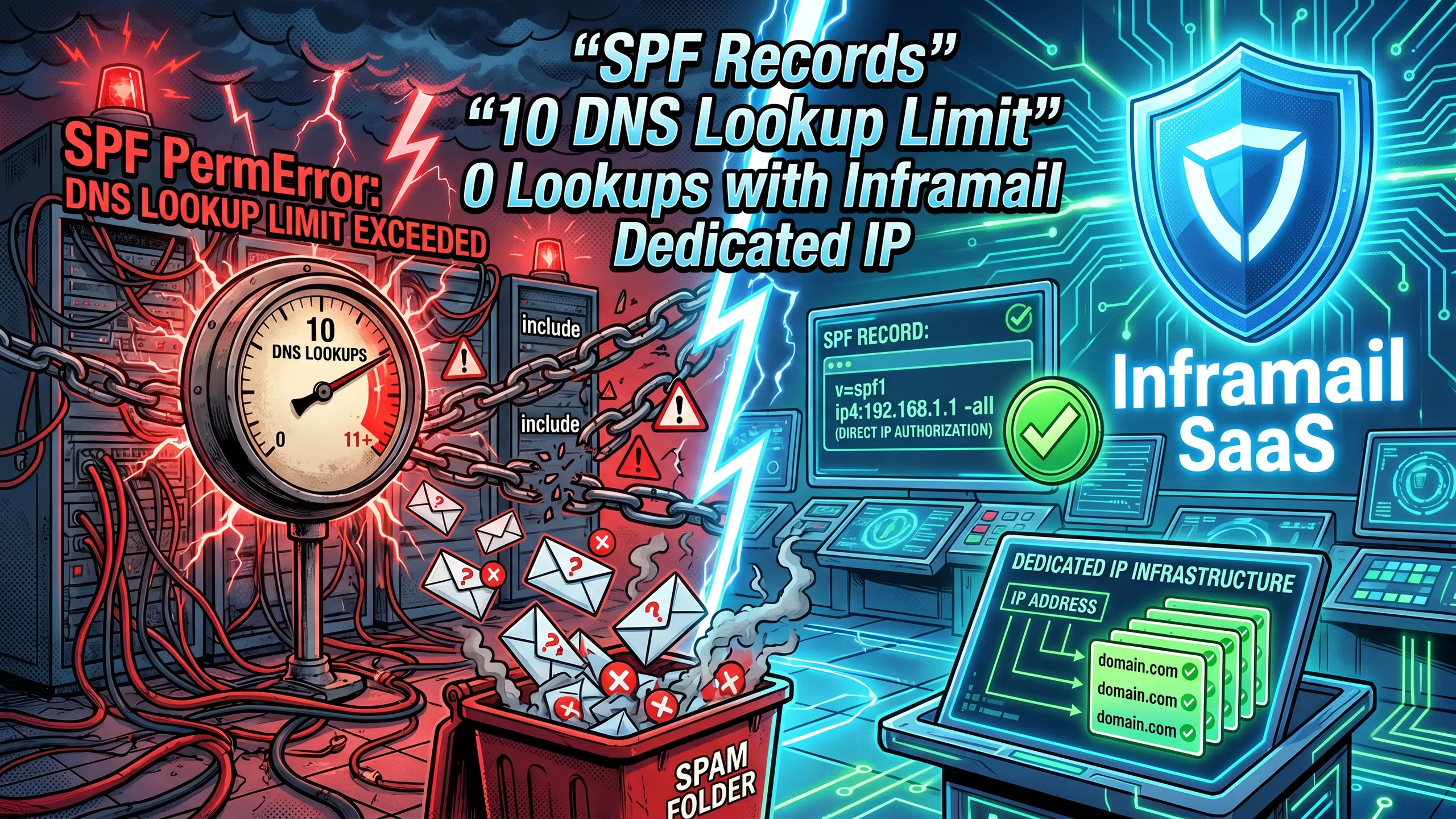
TL;DR: The SPF 10-DNS-lookup limit, defined in RFC 7208 section 4.6.4, is a hard cap that causes a permanent authentication error (PermError) when breached, sending cold emails to spam without any obvious delivery failure message. Every
include,a,mx,ptr, andexistsmechanism counts toward that limit.ip4andip6mechanisms do not. Fix it by flattening records into raw IP addresses, or eliminate the problem entirely with dedicated IP infrastructure like Inframail ($129/month), which auto-configures SPF records and assigns dedicated US-based IPs, dropping your lookup count to zero per domain.
When you stack Google Workspace, a CRM (Customer Relationship Management) sending tool, a warmup platform, and a custom SMTP (Simple Mail Transfer Protocol) route into a cold email domain's DNS, your SPF record quietly breaks. Gmail and Outlook stop authenticating your messages, but the failure is silent. Reply rates drop, campaigns stall, and you spend hours in Cloudflare trying to find the cause.
The culprit is almost always the SPF 10-DNS-lookup limit. This guide explains exactly how lookups accumulate, how to calculate where your record stands today, how to manually flatten records, and why automated infrastructure is the only sustainable fix when you manage 50 or more domains.
This section covers how SPF works as an authentication layer, what happens when records fail evaluation, and how to read diagnostic output from common lookup tools.
Ensuring email legitimacy with SPF
SPF, or Sender Policy Framework, is a DNS TXT record that lists every mail server authorized to send email on behalf of your domain. When a receiving server gets a message from your domain, it checks your DNS for that TXT record and confirms whether the sending IP appears on the approved list. If it doesn't, the message fails authentication and gets routed to spam or rejected outright.
For cold email, SPF is not optional. Gmail and Outlook use SPF as a primary signal to determine whether an email is legitimate or spoofed. Agencies managing multiple client domains need valid SPF records on every single domain they use for outbound campaigns, and that's where complexity compounds fast.
Fixing SPF to boost inbox rates
When SPF returns a PermError, receiving servers stop evaluating the record entirely. Gmail and Outlook then treat the message as having no valid SPF authentication, which can trigger spam classification or outright rejection depending on your DMARC (Domain-based Message Authentication, Reporting and Conformance) policy.
A correctly configured SPF record for a dedicated cold email domain looks like this:
v=spf1 include:spf.inframail.io -allBreaking that down:
v=spf1identifies this as an SPF recordinclude:spf.inframail.iodelegates lookup to Inframail's SPF record (1 DNS lookup)alltells receiving servers to reject any IP not listed in the record
For established cold email domains where all authorized sending IPs are known, -all (HardFail) sends the strongest authentication signal with Gmail and Outlook. If you're still in warmup and haven't fully enumerated all authorized IPs, use ~all (SoftFail) initially and switch to -all once the domain is fully configured.
Diagnosing SPF lookup errors
RFC 7208 section 4.6.4 hardcodes the 10-lookup limit into the SPF specification to prevent DNS amplification attacks, where an attacker could nest hundreds of include statements and force receiving servers to perform thousands of queries.
Use MXToolbox's SPF lookup tool to audit any domain in real time. It recursively expands every mechanism, counts every DNS-triggering query, and flags records that exceed the limit. If you see "PermError: Too many DNS lookups" in the output, every email sent from that domain is failing SPF authentication right now.
This section breaks down how the lookup count is calculated, how a typical sending stack accumulates lookups, and how to check your current count before a campaign goes live.
How DNS lookups are calculated
Not every mechanism in an SPF record triggers a DNS lookup. Here's the exact breakdown:
Table 1: SPF mechanism lookup cost
Mechanism | Triggers DNS lookup? | Lookup cost | Notes |
|---|---|---|---|
| Yes | 1 + nested lookups | Every |
| Yes | 1 | Resolves the domain's A record |
| Yes | 1 per MX record queried | Resolves MX records for the domain |
| Yes | 2+ | Performs reverse and forward DNS lookups. Deprecated, avoid using |
| Yes | 1 | Macro-based check |
| Yes | 1 + nested | Replaces the entire record |
| No | 0 | Direct IP check, no query required |
| No | 0 | Direct IP check, no query required |
| No | 0 | Catch-all qualifier |
The nested lookup problem catches most operators off guard. If your record contains include:_spf.google.com, that single statement doesn't just cost 1 lookup. The referenced record contains its own mechanisms, which trigger their own lookups, and all of them count against your limit of 10. RFC 7208 is explicit: the 10-lookup cap applies to the total recursive evaluation, not just the top-level mechanisms you can see.
Optimizing SPF for cold email deliverability
Here's how a typical cold email stack accumulates lookups without anyone noticing:
include:_spf.google.com(Google Workspace for corporate email): verify current lookup count with MXToolbox, as Google has restructured this record in recent updatesinclude:spf.protection.outlook.com(Microsoft 365 for client inboxes): widely cited at 2-3 lookups, but verify your current count with MXToolbox as resolution results can varyinclude:sendgrid.net(transactional email platform): multiple nested lookupsinclude:warmup-tool-spf.com(warmup service): additional lookups
Add an include for your cold email sequencing tool, and you're likely past 10. Your record returns PermError on every send, and no one notices until reply rates collapse.
Resolving "too many DNS lookups" errors
When a PermError fires, receiving servers do not attempt to recover. They stop evaluating the record entirely, and without any bounce notification, your campaign just quietly stops performing. Proactive infrastructure monitoring is the only way to catch it before it damages a client relationship.
How to check your SPF lookup count
Before you launch any campaign on a fresh domain, check your SPF lookup count:
Copy your full TXT record from Cloudflare, Namecheap, or GoDaddy
Paste it into MXToolbox's SPF checker
Count every lookup-triggering mechanism in the expanded results, including nested includes
If you're approaching the 10-lookup limit, flatten or restructure the record before sending
You can also use Mail-Tester to send a test email and receive a full authentication report including SPF status before any campaign goes live.
This section covers the manual process for reducing lookup counts, how to audit records for unnecessary entries, and the steps to take when a domain is already failing during an active campaign.
How to manually flatten SPF records
SPF flattening replaces every include mechanism with the raw IPv4 and IPv6 addresses those includes point to, eliminating DNS lookups entirely. Here's the transformation:
Before flattening (multiple lookups):
v=spf1 include:_spf.google.com include:sendgrid.net include:your-smtp.com -allAfter flattening (0 lookups):
v=spf1 ip4:209.85.128.0/17 ip4:74.125.0.0/16 ip4:198.37.144.0/20 ip4:198.21.0.0/21 -allTo flatten manually, resolve each include domain to its IP ranges using MXToolbox or dig commands, then replace each include with the corresponding ip4 and ip6 entries. This drops your lookup count to zero, eliminating PermError risk from lookup accumulation.
The critical risk: if any Email Service Provider (ESP) updates their IP ranges (which providers do periodically), your record immediately stops authorizing those new IPs. Emails sent through their infrastructure will fail SPF authentication, and you won't know until reply rates drop.
Streamlining SPF to avoid lookup caps
Before flattening, audit your record for dead weight:
Remove retired ESPs: Old providers from previous campaigns whose
includestatements remain in the recordRemove unused tools: Warmup services or SMTP relays you no longer use
Separate domain purposes: Never combine marketing email, transactional email, and cold email sending on the same domain's SPF record
For cold email, the cleaner approach is a dedicated sending domain for each campaign with a single authorized IP, not a shared corporate record that accumulates tools over time. The infrastructure cost comparison across platforms covers the cost difference between flat-rate and per-seat pricing in detail.
Fixing SPF violations during an active campaign
If a domain is currently failing due to lookup limits during an active campaign, act in this order:
Reduce send volume on affected domains immediately to limit spam classification damage
Run the domain through MXToolbox's SPF analyzer to confirm PermError and identify which mechanisms are over-counting
Remove any
includestatements for tools not actively used for cold email sendingFlatten remaining
includestatements toip4blocks where ESP IP ranges are stablePublish the updated TXT record in your DNS provider
Wait for propagation (typically 12-48 hours on standard registrars, within minutes to a few hours on providers like Cloudflare)
Retest with Mail-Tester before resuming sends
This section covers how infrastructure choices affect SPF complexity, what an optimized record structure looks like for cold email domains, and the character constraints that apply when managing large IP lists.
How infrastructure affects SPF lookups
The email infrastructure provider you choose directly determines how complex your SPF records need to be. When you use providers with large sending pools, you typically need multiple include statements to cover the range of possible sending servers, each consuming part of your lookup budget.
Dedicated IP infrastructure eliminates that complexity entirely. When you control a specific IP address, you authorize exactly that IP using ip4:x.x.x.x, which triggers zero DNS lookups. The Mailreef vs. Inframail comparison covers this tradeoff in detail.
Shared IP pools also introduce a second problem: other senders on the pool affect your reputation. One bad actor spamming at high volume can get an IP range flagged on Spamhaus or SURBL, dropping your deliverability overnight without you doing anything wrong. Dedicated IPs mean your sending behavior alone determines ESP trust.
Optimizing SPF templates for cold email
A standard, optimized SPF record for a dedicated cold email domain using a dedicated IP looks like this:
v=spf1 ip4:YOUR.DEDICATED.IP.HERE -allZero DNS lookups. Zero PermError risk regardless of what other tools you're running. Zero dependency on third-party IP ranges that could change without notice.
Cold email domains should never share SPF records with corporate mail domains. Mixing transactional email, marketing automation, and cold outbound onto one record is how lookup counts balloon past 10 without anyone noticing until campaigns fail.
Managing IP limits in SPF records
RFC 1035 limits DNS TXT record strings to 255 characters each. A single flattened record with dozens of IP ranges can hit that limit, requiring you to split the content into multiple character strings within the same TXT record. DNS resolvers concatenate them into one logical value, but your DNS provider must support multi-string TXT records for this to work correctly.
When flattening records across 50+ domains simultaneously, character length becomes an operational constraint, especially for clients whose ESPs use large IP ranges. Using ip4:x.x.x.x with a dedicated IP beats flattened includes for cold email at scale.
This section covers SPF configuration for providers that use large sending pools, how dedicated IP authorization simplifies record structure, and how to handle hybrid setups where multiple sending sources share one domain.
Google Workspace SPF setup tactics
Google has restructured the include:_spf.google.com record in recent updates, but the exact lookup count varies depending on when the domain was last resolved. Check your actual count with MXToolbox before assuming any specific number.
Even at 1 lookup, you've immediately consumed 10% of your total budget. Add Microsoft 365 authorization for clients using Outlook inboxes (typically 2-3 more lookups via include:spf.protection.outlook.com), and you're already at 30-40% of your limit before adding any sending tools. That headroom disappears fast when coordinating multiple platforms across a client portfolio, as the Maildoso deliverability review demonstrates for agencies at scale.
How Inframail eliminates SPF lookup overhead
This is where Inframail's infrastructure model directly solves the 10-lookup problem. Because Inframail assigns dedicated US-based IPs (1 IP on the Unlimited Plan at $129/month, 3 IPs on the Agency Pack at $327/month), you authorize those specific IPs using the ip4 mechanism, which triggers exactly zero DNS lookups.
The resulting SPF record for an Inframail-hosted domain:
v=spf1 ip4:INFRAMAIL.DEDICATED.IP -allLookup count: 0. PermError risk: eliminated. The SPF, DKIM, and DMARC setup video from the Inframail channel shows the full configuration in under 2 minutes for 10 inboxes, covering the exact DNS automation the platform provides.
Consolidating multiple ESPs in one SPF record
If you're running a hybrid setup with Google Workspace for corporate mail and a dedicated IP provider for cold outbound, the safest approach is to keep them on separate domains. Your corporate domain handles Google Workspace mail. Your cold email sending domains point only to your dedicated sending IPs. This separation keeps lookup counts low on both and prevents corporate domain reputation from getting contaminated by outbound volume.
When consolidation on one domain is unavoidable, prioritize ip4 and ip6 mechanisms over include statements for every sending source you can control, and reserve your limited include budget for third-party tools that don't expose their IP ranges directly.
This section covers the operational difference between manual and automated DNS provisioning, how to validate records across a large domain portfolio, and the failure modes that automation prevents.
Automating SPF vs manual DNS entries
Manually configuring SPF for 50 domains across Cloudflare and Namecheap takes 12+ hours per batch: log into DNS panel, create TXT record, paste SPF syntax, verify format, wait for propagation, test with Mail-Tester, move to the next domain. Multiply that across new client onboarding every month and DNS management becomes a full-time job that blocks campaign launches.
Inframail's automated DNS configuration handles the entire process during domain setup. The platform provisions SPF, DKIM (DomainKeys Identified Mail, the cryptographic signature standard that verifies message authenticity), and DMARC records automatically when you purchase a domain through the platform, without requiring DNS panel access.
"I can set-up inboxes in 5mins while saving money on Google Workspace subscriptions and benefit from great deliverability." - Verified user review of Inframail
The cost difference between manual Google Workspace setup and Inframail is substantial. Here's how the two approaches compare at 50 inboxes:
Table 2: Infrastructure comparison for 50 inboxes
Provider | Monthly cost (50 inboxes) | Setup time (50 domains) | IP type |
|---|---|---|---|
Inframail Unlimited | $129 + ~$34 domains = ~$163 | Minutes (vs. 12+ hours manual) | Dedicated (1 US IP) |
Google Workspace | $350-$420 | 12+ hours | Shared |
Maildoso | ~$113-$166 | 10-15 min | Shared pool |
At 50 inboxes, Inframail saves $187-257/month over Google Workspace, or $2,244-3,084 annually. That saving grows as client count increases, because Inframail's $129/month flat rate covers unlimited inboxes while Google bills per seat.
"InfraMail makes it remarkably easy to purchase domains, configure them correctly, create inboxes, and initiate warm-up immediately. The level of automation is exceptional and clearly designed for serious operators; it removes friction and allows you to focus on execution rather than setup." - Verified user review of Inframail
The Smartlead integration guide covers the exact export workflow: once domains and inboxes are provisioned, export IMAP (Internet Message Access Protocol)/SMTP credentials to CSV and import directly into Smartlead. The full cold email volume guide shows the complete infrastructure stack in practice.
Validating SPF records at scale
After provisioning domains in bulk, verify SPF status across your portfolio using MXToolbox's bulk DNS lookup or a scripted dig query against each domain's TXT records. Any domain returning PermError needs immediate attention before sequences go live.
For ongoing monitoring, set up aggregate DMARC reports in RUA (Reporting URI for Aggregate) format on every cold email domain. These automatically surface SPF results including PermErrors for every sending source. Inframail's infrastructure monitoring guide covers how to build alerts for SPF failures before they cost you meetings.
Preventing SPF failures at scale
Automated infrastructure prevents the two most common failure modes:
Record drift: A new tool gets added to the stack and someone manually updates one domain's SPF but forgets to update the other 49 in that client's portfolio
IP range staleness: An ESP updates their infrastructure and manually flattened records stop authorizing new IPs
Inframail's automated DNS provisioning means every new domain gets the same optimized record from day one, with no manual touchpoints that can introduce errors or omissions.
Start using dedicated IP infrastructure with Inframail's Unlimited Plan at $129/month for unlimited inboxes and zero SPF lookup headaches.
This section covers the most common configuration mistakes that cause persistent authentication failures, including record duplication and qualifier misuse.
Managing multiple SPF records per domain
A domain must never have more than one SPF TXT record. RFC 7208 section 3.2 is clear: multiple SPF records cause an immediate PermError for every message from the domain, regardless of whether each individual record is syntactically valid.
This error happens most often during DNS migrations, when operators add a new record without deleting the old one. Merge all include and ip4 statements into a single TXT record beginning with v=spf1.
Critical SPF syntax errors and hidden risks
Beyond the lookup limit, two errors consistently cause domain blocking at scale:
Wrong qualifier setting: ~all (SoftFail) accepts email but marks it as suspicious. -all (HardFail) rejects emails from unauthorized IPs. For established cold email domains where all authorized sending IPs are known, use -all to send the strongest authentication signal. Use ~all only during initial domain configuration when IP enumeration is still in progress.
Old IP entries: Retired ESPs or tools sitting in your SPF record waste character budget (remember the 255-character string limit) and, if those IPs have been reallocated to senders with poor reputations, create a potential abuse vector. Audit SPF records quarterly and remove any ip4 or include entries tied to providers you no longer use.
PermErrors from SPF lookup violations cause DMARC to treat the message as a hard fail, which can result in rejection or spam routing without any bounce notification. Inframail's platform auto-submits delisting requests when domains are flagged, but prevention is always faster than remediation. The Microsoft blacklist recovery guide covers the delisting process in detail for Microsoft-specific blocks.
This section covers the pre-launch verification checklist for new domains and the remediation steps to follow when a live campaign is already affected by lookup errors.
Verifying SPF limits before campaign launch
Before any new client domain goes live, verify:
Only one SPF TXT record exists (check with
dig TXT yourdomain.comor MXToolbox)Total lookup count is below 10, with staying well under the limit recommended as a safe buffer
The qualifier is
allfor established domains, not~allor+allNo retired ESP
includestatements remain in the recordMail-Tester shows SPF passing before any sequences go live
If a domain is currently failing mid-campaign, follow the remediation steps in the "Fixing SPF violations during an active campaign" section above.
Manual SPF management breaks at agency scale. The 10-lookup limit is a hard technical ceiling that creates compounding problems: lookup counts creep up as you add tools, manually flattened records go stale when ESPs update their IP ranges, and a single misconfigured domain in a client's portfolio can tank an entire campaign without a single bounce notification to tip you off.
The sustainable fix for agencies running 50+ domains is dedicated IP infrastructure with automated DNS provisioning. Inframail's Unlimited Plan at $129/month provisions unlimited inboxes on 1 dedicated US-based IP, auto-configures SPF, DKIM, and DMARC records on every domain, and keeps your lookup count at 0 through ip4 authorization. The Agency Pack at $327/month includes 3 dedicated US-based IPs for agencies managing larger client portfolios.
Compared to Google Workspace's $350-420/month for 50 inboxes with manual DNS, the math is straightforward: Inframail costs $163/month all-in for 50 inboxes and eliminates DNS management overhead entirely. Sign up to Inframail and get started today.
What happens if my SPF record exceeds the 10-lookup limit?
Receiving servers return a PermError (Permanent Error) and stop evaluating the SPF record entirely. Gmail and Outlook then treat the message as having no valid SPF authentication, which can trigger spam classification or outright rejection depending on your DMARC policy.
How long does it take for a new SPF record to propagate?
DNS propagation typically takes 12 to 48 hours on standard registrars, though providers like Cloudflare can propagate changes within minutes to a few hours. Always retest with Mail-Tester after any SPF change before resuming campaign sends.
Can I have two SPF records on a single domain?
No. RFC 7208 section 3.2 prohibits multiple SPF records on the same domain name, and doing so causes an immediate PermError that breaks authentication for every message from that domain. Merge all mechanisms into a single TXT record.
Does ip4 count toward the 10-lookup limit?
No. The ip4 and ip6 mechanisms are direct IP address checks that require no DNS query, so they do not count toward the 10-lookup limit. This is why replacing include statements with ip4 blocks (flattening) eliminates PermError risk.
How often should I audit manually flattened SPF records?
Audit them every 90 days (quarterly). Major ESPs including Google and Microsoft update their IP ranges periodically, and a stale flattened record can silently stop authorizing new IPs, causing SPF failures that only show up as declining reply rates.
What is the character limit for a DNS TXT record?
RFC 1035 limits each TXT string to 255 characters. For SPF records that exceed this limit after flattening, DNS resolvers support multiple character strings within one TXT record that they concatenate into one logical value. Your DNS provider must support multi-string TXT records for this to work.
What is the difference between SoftFail and HardFail in SPF?
~all (SoftFail) accepts the email but marks it as suspicious. -all (HardFail) rejects emails from unauthorized IPs. For established cold email domains where all authorized IPs are known, use -all to send the strongest authentication signal. During initial domain setup when IP configuration is still in progress, ~all gives you flexibility without rejecting legitimate mail.
SPF (Sender Policy Framework): A DNS TXT record that specifies which mail servers are authorized to send email on behalf of your domain. Receiving servers check this record to verify the sending IP matches the domain's authorized list.
PermError (Permanent Error): An SPF verification result indicating the SPF record could not be correctly parsed or evaluated. Most commonly caused by exceeding the 10-lookup limit or by having multiple SPF TXT records on one domain.
SPF flattening: The process of replacing domain-based include mechanisms in an SPF record with raw IP addresses using ip4 and ip6 blocks. This eliminates DNS lookups and removes PermError risk from lookup accumulation, but requires regular auditing as ESP IP ranges change.
Dedicated IP: An IP address used exclusively by one sender. Your email deliverability depends entirely on your own sending behavior, with no shared-pool contamination risk from other senders.
DNS propagation: The time required for an updated DNS record to replicate across all DNS resolvers globally. Typically 12-48 hours on standard registrars and within minutes to a few hours on providers like Cloudflare.
DMARC (Domain-based Message Authentication, Reporting and Conformance): An email authentication policy that builds on SPF and DKIM. A PermError on SPF breaks DMARC alignment, which can trigger quarantine or rejection policies independently of SPF.
DKIM (DomainKeys Identified Mail): An email authentication method that uses cryptographic signatures to verify that the message was sent by an authorized server and has not been altered in transit. Works alongside SPF and DMARC to establish sender legitimacy.
ESP (Email Service Provider): A platform that sends, delivers, and manages email on behalf of a domain. Examples include Google Workspace, SendGrid, and Mailgun. ESPs maintain pools of IP addresses from which they send email for their customers.