
SPF, DKIM, and DMARC Alignment: Why the Three Records Must Work Together
Learn why SPF, DKIM, and DMARC alignment matters for cold email deliverability, how mismatches hurt inbox placement, and how Inframail automates setup.
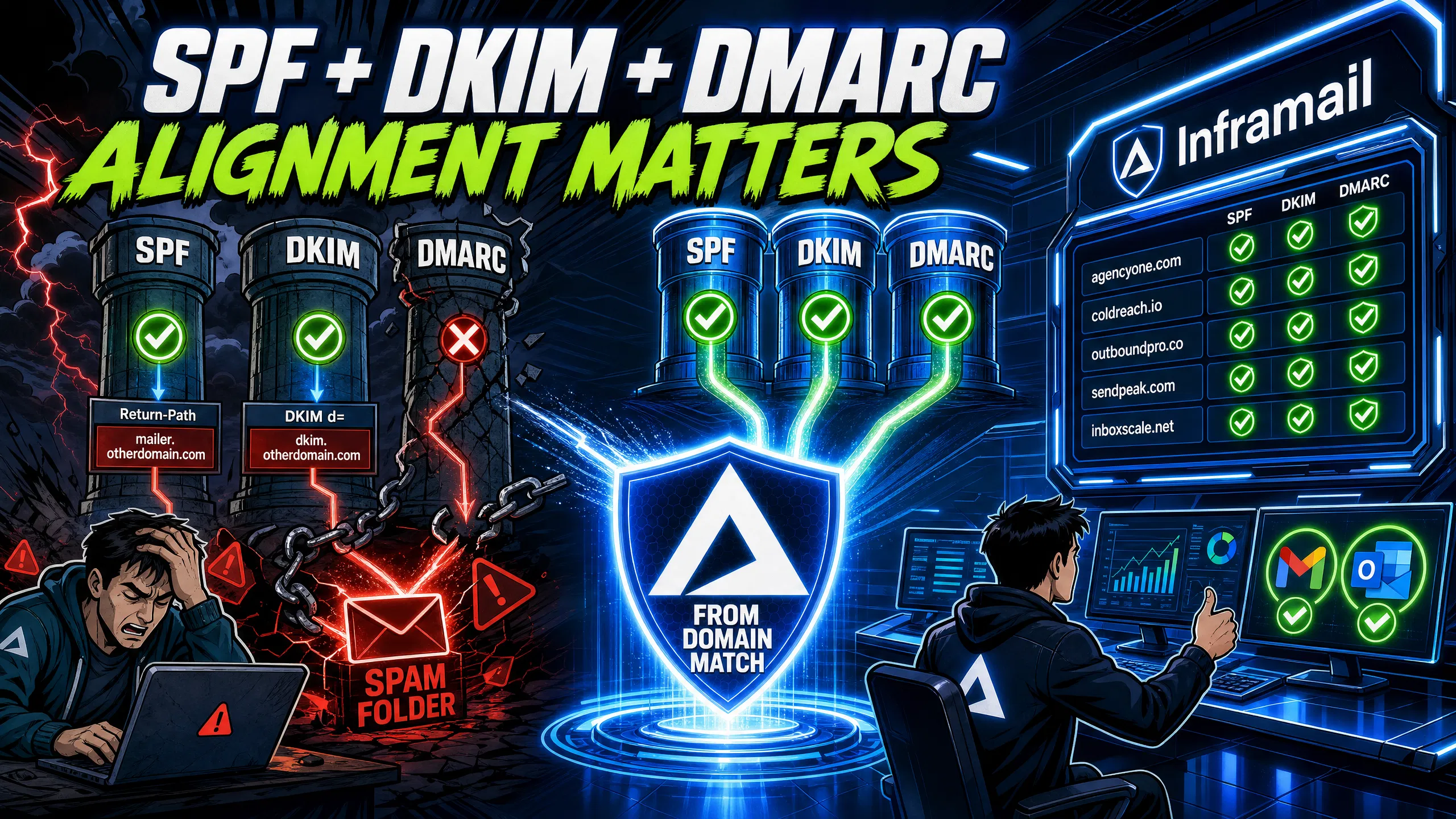
TL;DR: Passing SPF and DKIM is not the same as alignment. Gmail and Outlook require the domain in your visible "From" header to match the domain authenticated by SPF or DKIM before routing mail to the inbox. Google's bulk sender requirements mandate all three records be present and aligned for anyone sending over 5,000 messages per day. Misconfigured records can hurt your inbox placement rate. Inframail automates SPF, DKIM, and DMARC alignment on dedicated US-based IPs for $129/month, removing 12+ hours of manual DNS work for every 50 domains you spin up.
Your deliverability tool shows green checkmarks for SPF and DKIM, yet half your cold emails land in spam. The problem is not your copy - your domain alignment is broken.
Authentication and alignment are two separate checks. Authentication confirms that a specific domain authorized the send. Alignment confirms that the authenticated domain matches what your recipient actually sees in the "From" field. You can pass both SPF (Sender Policy Framework) and DKIM (DomainKeys Identified Mail) and still fail DMARC (Domain-based Message Authentication, Reporting, and Conformance) if these domains do not match. When that happens, Gmail and Outlook apply their spam or rejection filters without ever evaluating your copy.
This guide walks through the exact mechanics so you can diagnose failures, fix mismatches, and automate alignment across every domain you manage.
When a receiving server processes your email, it runs three checks in sequence, with DMARC acting as the supervisor that decides whether your authentication passes. According to RFC 7489 (RFC stands for Request for Comments, the numbered technical standards documents that define internet protocols), a message satisfies DMARC if at least one supported authentication mechanism produces a "pass" result based on an identifier that aligns with the visible "From" domain. Passing authentication without alignment does not satisfy DMARC.
Here is what each record does:
SPF: Verifies that the sending IP address is authorized to send mail for the domain in your Return-Path address.
DKIM: Adds a cryptographic signature to each outgoing message, tied to a specific signing domain via the "d=" tag in the DKIM-Signature header.
DMARC: Checks whether the domain that passed SPF (Return-Path) or DKIM (d=) actually matches your visible "From" domain.
Google's bulk sender requirements mandate that any sender exceeding 5,000 messages per day must have SPF, DKIM, and DMARC records present and aligned. Per Google's Email sender guidelines, messages from domains missing any of these three records or failing alignment will be rejected or routed to spam regardless of content quality. This policy applies to all Gmail recipients and went into full enforcement in February 2024, making alignment a baseline requirement rather than an optimization for anyone operating cold email at scale.
Ensuring SPF record validity
SPF checks the Return-Path address against a list of authorized IPs (Internet Protocol addresses) in your TXT (text) record. Common validity failures break alignment by preventing SPF from passing in the first place. Having multiple SPF records on the same domain (only one is allowed) means receiving servers ignore both, causing SPF to fail before alignment can be tested.
Exceeding the 10 DNS lookup limit triggers a permanent error (permerror) that fails SPF authentication and blocks alignment. Listing outdated IP ranges from former sending providers causes authentication failures when mail arrives from your current IP. Any of these issues prevents SPF from contributing to DMARC alignment. Verify your current record using MXToolbox's SPF checker to confirm only one record exists and all lookups resolve correctly.
DKIM validation and inbox placement
A valid DKIM signature is the more reliable alignment mechanism for cold email at scale because it survives email forwarding when message headers remain unmodified, which SPF does not. When a recipient forwards your email to a colleague, the Return-Path changes to the forwarding server's domain, breaking SPF alignment. DKIM alignment persists because the cryptographic signature and "d=" tag travel with the message unchanged. For agencies running domains across multiple clients where forwarding is common, configuring DKIM alignment provides resilience that SPF alignment alone cannot deliver.
Ensuring DMARC record matching
DMARC checks whether your "From" header domain matches the domain authenticated by SPF (Return-Path) or DKIM (d= tag). Per RFC 7489, alignment requires at least one authenticated domain to match the "From" domain under either strict or relaxed rules. If neither SPF nor DKIM produces an aligned pass, DMARC fails, and your policy setting determines whether the email lands in spam or gets rejected.
A domain can pass SPF and DKIM authentication and still fail DMARC alignment. The business impact is immediate: reply rates drop, booked meetings fall, and clients often blame copy when the actual problem is infrastructure. GlockApps breaks down how the Return-Path and From domains interact, highlighting that SPF can pass for a sending platform's domain while failing alignment for your own.
Per InboxKit DNS testing data, domains with all three records properly configured average 89% inbox placement. Domains with SPF and DKIM but no DMARC drop to 74%. Domains with SPF alone average 61%. Domains with no authentication sit at 38%, meaning proper DNS configuration alone accounts for a 51 percentage point difference in inbox placement.
Fixing SPF and From domain mismatch
SPF alignment requires the domain in the Return-Path address to match the domain in the "From" header. In cold email, the most common mismatch occurs when a sending platform inserts its own domain into the Return-Path by default. Your "From" shows yourcompany.com, but the Return-Path shows a platform subdomain. SPF passes for the platform's domain but fails alignment for yours.
The fix is configuring a custom Return-Path subdomain (such as bounces.yourcompany.com) that aligns with yourcompany.com under relaxed DMARC rules. MXToolbox's Return-Path guide and Prospeo's Return-Path documentation both walk through the CNAME (Canonical Name) record setup step by step.
DKIM signature domain misalignment
DKIM alignment requires the "d=" tag in the DKIM-Signature header to match the domain in the "From" header. When a sending platform signs outgoing mail with its own domain in the "d=" tag rather than yours, DKIM passes for the platform but does not align with your "From" domain. Configure your sending platform to sign with your domain's DKIM key by publishing the platform's public key in your own DNS under the platform's designated selector.
DMARC policy enforcement on failures
What happens when alignment fails depends entirely on your DMARC policy. Under p=none, the email is delivered but the failure is logged. Under p=quarantine, the email goes to spam. Under p=reject, the receiving server blocks the message entirely. For cold email, any domain running p=quarantine or p=reject with unresolved alignment failures actively suppresses your own campaigns.
Common misalignment scenarios in cold email
Table 1: SPF alignment scenarios and DMARC outcomes
From header domain | SPF domain (Return-Path) | DMARC result | Inbox impact |
|---|---|---|---|
Pass via SPF | High | ||
Fail (no alignment) | Spam or blocked | ||
Pass (relaxed SPF) | High |
Table 2: DKIM alignment scenarios and DMARC outcomes
From header domain | DKIM domain (d=) | DMARC result | Inbox impact |
|---|---|---|---|
Pass via DKIM | High | ||
Fail (no alignment) | Spam or blocked | ||
Pass (relaxed DKIM) | High |
Getting each record to align requires specific configuration choices at both the DNS and sending platform level. The two sections below cover the key settings for SPF and DKIM that determine whether your records satisfy DMARC alignment requirements.
SPF alignment: strict vs relaxed
Strict alignment requires the Return-Path domain to exactly match the "From" domain. Relaxed alignment (the default) allows a subdomain of the "From" domain to satisfy alignment, so bounces.yourcompany.com aligns with yourcompany.com. For cold email at scale, relaxed alignment is the right default because it lets you use subdomain-specific bounce addresses across multiple clients without creating a separate top-level domain for each. Set aspf=r in your DMARC record to enable relaxed SPF alignment.
Keep your SPF record to a single TXT entry per domain and stay within the 10 DNS lookup limit. Each include: statement counts as one lookup, and nested includes from your ESP's (Email Service Provider) record can push you over without warning. Audit your record quarterly to remove IP ranges from services you no longer use.
DKIM alignment: the d= tag and From domain
For a complete visual walkthrough of SPF, DKIM, and DMARC configuration, watch this Inframail cold email DNS setup tutorial showing the full process from domain purchase to inbox creation in under two minutes.
The "d=" tag in the DKIM-Signature header specifies the domain taking cryptographic responsibility for the message. To ensure your DKIM signing domain matches your visible sender domain, configure your sending platform to use your domain's DKIM key. Most platforms support custom DKIM signing - publish the platform's provided public key in your DNS under your own domain's selector, then check the raw message headers to confirm the "d=" tag shows your domain. Set adkim=r in your DMARC record for relaxed DKIM alignment, which allows subdomain signing.
Start new cold email domains at p=none. This monitors alignment failures and sends aggregate reports to your specified RUA (Reporting URI for Aggregate reports) address, the email address where DMARC XML (Extensible Markup Language) reports are delivered without affecting delivery. Once DMARC reports show 95-100% alignment on legitimate mail, move to p=quarantine. Only move to p=reject after your p=quarantine; pct=100 policy has run cleanly for at least 30 days with no legitimate mail failures, confirming that your authorized senders consistently pass alignment. Jumping directly to p=reject before verifying alignment blocks your own campaigns and is one of the most expensive mistakes in cold email infrastructure setup.
Use this checklist when a domain's DMARC alignment is failing:
Confirm your Return-Path domain aligns with your "From" domain under relaxed rules.
Confirm your DKIM "d=" tag matches your "From" domain in the raw message headers.
Check for multiple SPF records on the same domain and consolidate into one.
Set your DMARC policy to
p=nonewhile fixing alignment, then escalate once clean.Run a DMARC report parse to identify any unauthorized senders using your domain.
After configuring or updating records, verify alignment, not just authentication passes.
Use these three tools together:
Mail-Tester: Send a test email to your Mail-Tester address and read the DMARC alignment section specifically, not just the SPF and DKIM checkmarks. The report flags alignment failures separately from authentication passes, which is the distinction most campaign managers miss on the first read. Inframail reports a 9.5/10 Mail-Tester score in comparative platform testing.
GlockApps: Point your DMARC RUA address to GlockApps, which parses aggregate XML reports and visualizes authorized versus unauthorized senders, authentication pass rates, and alignment issues across Gmail, Outlook, and Yahoo inboxes.
GMass: Run GMass inbox tests to see where your emails land across Gmail test accounts, giving you placement data that correlates directly with your alignment configuration. GMass focuses on Gmail and does not test Outlook, Yahoo, or corporate domains systematically, so pair it with GlockApps to cover the full range of inbox providers your recipients use.
Check your DMARC reports weekly during the first 30 days of any new campaign. Look for rows where dkim=fail and spf=fail appear together, which indicates an alignment failure rather than an isolated authentication issue. Inframail's help documentation on healthy campaign metrics covers how to interpret these results in the context of a cold email operation.
Manual DNS (Domain Name System) configuration for 50 cold email domains takes 12+ hours per setup cycle: logging into DNS panels, copying SPF and DKIM TXT values, waiting for propagation, and testing each domain individually. Multiply that across three to five new client onboards per month and DNS setup becomes the primary bottleneck on campaign launch velocity.
Inframail eliminates that bottleneck. When you purchase or migrate a domain, the platform writes your SPF TXT record, generates a DKIM keypair, publishes the public key to DNS, and creates a DMARC record with p=none as the starting policy. Every record aligns with your "From" domain, with zero DNS panel access or manual TXT copy-paste required. The full process completes in under two minutes per domain - watch the Inframail setup walkthrough to see domain purchase through CSV (comma-separated values file) export to Instantly, a cold email sending platform.
Inframail runs on dedicated US-based IPs (1 IP on the Unlimited Plan, 3 on the Agency Pack), which means your sending reputation stays isolated from other senders. With shared IP pools, another sender's behavior on the same IP range affects your deliverability. With dedicated IPs, your behavior alone determines your reputation.
The cost difference is material. Google Workspace Business Starter costs $8.40 per user monthly, putting 50 inboxes at $420/month. Inframail runs $129/month for unlimited inboxes, plus approximately $34/month in averaged domain costs at the mid-range of $5-16 per domain per year.
Table 3: Cost comparison (50 inboxes, monthly billing)
Provider | Monthly platform fee | Domain costs (50 domains) | Total monthly | Annual cost |
|---|---|---|---|---|
Google Workspace (Starter) | $420 (50 x $8.40) | Separate registrar | $420+ | $5,040+ |
Inframail (Unlimited Plan) | $129 | ~$34 (averaged) | ~$163 | ~$1,956 |
That is a saving of $187-257/month, or $2,244-3,084 annually, on infrastructure alone for a 50-inbox operation, using the $350-420/month Google Workspace range against Inframail's $163/month all-in cost.
"I've been using Inframail for a couple of months and the experience has been really good. I can set-up inboxes in 5mins while saving money on Google Workspace subscriptions and benefit from great deliverability." - Verified user review of Inframail
Sign up to Inframail and get started today to automate SPF, DKIM, and DMARC alignment across all your cold email domains on dedicated US-based IPs for $129/month.
How long does Inframail take to align DNS records?
Inframail configures and aligns SPF, DKIM, and DMARC records automatically within 2 minutes of domain setup. No DNS panel access or manual TXT record entry is required.
What does Inframail's automated alignment platform cost?
The Unlimited Plan costs $129/month and includes automated DNS setup for unlimited domains and inboxes, plus 1 dedicated US-based IP. Domain costs run $5-16 per year per domain separately.
Can I use my own domains with Inframail?
Yes. Purchase domains directly through Inframail for $5-16 per year, or migrate existing domains with same-day DNS configuration.
Can I pass DMARC with only SPF or DKIM aligned?
Yes. DMARC passes if either SPF or DKIM is authenticated and aligned with the "From" domain. That said, relying on SPF alignment alone is risky because forwarding emails breaks SPF alignment as the Return-Path changes. Per Prospeo's DMARC alignment documentation, DKIM alignment survives forwarding when headers remain unmodified, making it the more reliable fallback mechanism.
What do common DMARC authentication error messages mean?
"SPF permanent error" (permerror): Exceeding the 10 DNS lookup limit. Audit your SPF record with MXToolbox and remove unused includes.
"DKIM signature body hash did not verify": Message body was altered in transit after signing. Check whether your sending platform or a forwarding server is modifying message content.
"No DMARC record found": Your domain is missing a DMARC TXT record at
_dmarc.yourdomain.com. Addv=DMARC1; p=none; rua=mailto:dmarc@yourdomain.comto start monitoring."SPF alignment failed" with SPF pass: Your Return-Path domain does not match your "From" domain. Configure a custom bounce subdomain as described in the SPF section above.
Does DMARC alignment apply to subdomains?
Under relaxed alignment (the default), a subdomain such as bounces.yourcompany.com aligns with yourcompany.com. Under strict alignment, the subdomain and "From" domain must match exactly, which adds operational complexity without a meaningful protection gain for most cold email operations.
Return-Path: The hidden email address where receiving servers send bounce messages, used to verify SPF alignment. The domain in the Return-Path must match the "From" domain under relaxed DMARC rules.
From header: The visible sender address your recipient sees in their inbox, which must match the domain authenticated by SPF (Return-Path) or DKIM (d= tag) to pass DMARC alignment.
DKIM signature: A cryptographic signature added to the email header that verifies the message was sent by the domain owner and was not altered in transit, identified by the "d=" tag.
DMARC alignment: The requirement that the domain in the visible "From" header matches the domain authenticated by SPF, DKIM, or both, as defined in RFC 7489.
Strict alignment: DMARC mode requiring an exact domain match between the "From" header and the authenticated SPF or DKIM domain.
Relaxed alignment: DMARC mode (set via aspf=r and adkim=r) allowing a subdomain of the "From" domain to satisfy alignment, recommended for cold email infrastructure.
p=none: DMARC policy that monitors alignment failures and logs them in aggregate reports without affecting delivery, recommended as the starting policy for new cold email domains.
Dedicated IP: A sending IP address assigned exclusively to your account, isolating your sender reputation from other senders' behavior, as distinct from shared IP pools where multiple users share the same IP address range.