
Migrating from Maildoso to Inframail: Step-by-Step Migration Guide
Migrate from Maildoso to Inframail with a 21-day zero-downtime plan covering DNS setup, inbox migration, cost savings, and dedicated IP infrastructure.
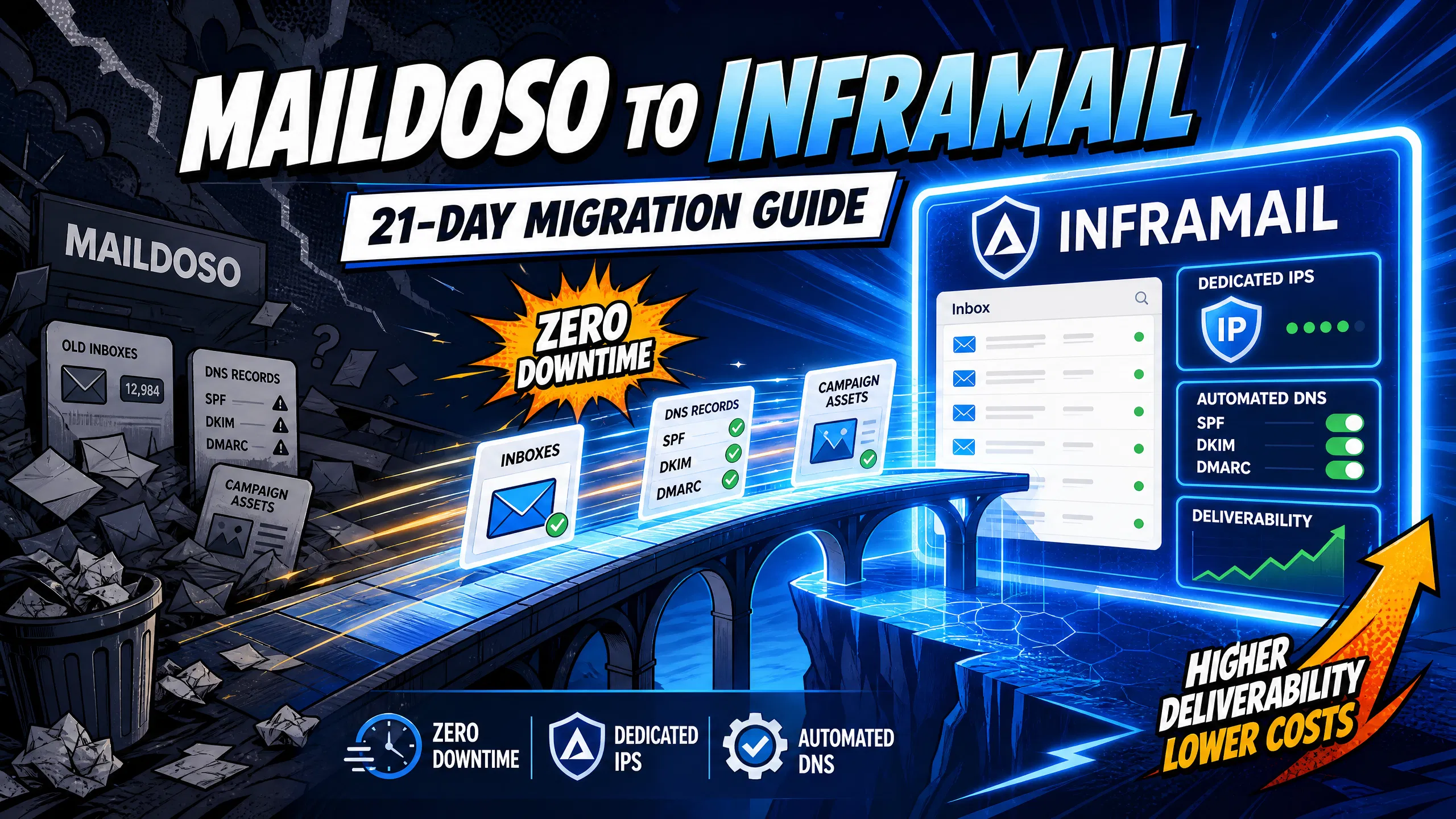
TL;DR: Migrating from Maildoso to Inframail protects your agency margins with flat-rate pricing and dedicated IP infrastructure. At 200 inboxes, Maildoso costs approximately $255 per month on their Growth plan compared to Inframail's platform plus domain costs, saving approximately $82 per month or $984 annually. This guide details our parallel setup method, allowing you to migrate active campaigns in a 21-day window with zero downtime. Our flat-rate $129/month plan caps infrastructure costs regardless of inbox count, while Maildoso's pricing scales with inbox count. Dedicated US-based IPs mean your sending reputation is determined by your behavior alone, not other users on a shared pool. Automated SPF, DKIM, and DMARC configuration eliminates manual DNS work across multiple panels.
If your agency is scaling past 50 inboxes, Maildoso's per-inbox pricing is quietly eating your margins. At 200 inboxes, Maildoso costs approximately $255 per month on their Growth plan based on published pricing analysis, compared to our flat $129 per month for unlimited inboxes. This guide gives you a complete blueprint to migrate from Maildoso to Inframail in a 21-day window without pausing a single active campaign.
The core problem with Maildoso isn't its product, it's its pricing model and infrastructure architecture. Per-inbox pricing scales linearly with your client count. Shared IP pools expose your campaigns to reputation damage from other senders on the same range. Both problems compound as you grow.
Maildoso to Inframail profit and loss (P&L) impact
Running 200 inboxes across 28 clients on Maildoso costs approximately $255 per month on their Growth plan based on published pricing data.
On our Unlimited Plan, that same 200-inbox operation costs $129 per month flat, plus domain registration at $5 to $16 per domain annually. The direct infrastructure cost comparison shows a saving of approximately $984 annually at 200 inboxes on platform fees and domain registration costs.
Automated DNS setup eliminates 12+ hours of manual configuration per client
Manual SPF, DKIM, and DMARC configuration across GoDaddy or Namecheap takes 15-30 minutes per domain for DNS records alone. For a 50-domain client onboarding, that's over 12 hours of pure technical work. Our automated DNS provisioning handles all three records in seconds, cutting the 12+ hour manual process for 50 domains down to under 30 minutes.
Automating DNS and domain setup
Our automated DNS configuration provisions SPF, DKIM, and DMARC records simultaneously for every domain you add, with no panel access required. We also handle email forwarding and domain redirects. You purchase or transfer your domains inside our dashboard, the records populate automatically, and you export IMAP credentials to CSV within minutes.
Both platforms offer DNS automation, but our implementation completes all three records in seconds and integrates directly into the same workflow used to provision inboxes, so there's no context-switching between tools. Maildoso includes basic built-in warmup (15 emails/day). Inframail does not include native warmup, so you will need an external tool like Warmbox or Lemwarm at $15-50/month per inbox when you migrate.
Before you provision a single domain, run a clean inventory of your current Maildoso stack. This assessment prevents cost overruns, identifies domains mid-warmup that need parallel handling, and ensures you size your plan correctly before contract signature.
Inventory active domains by client
Pull a complete list of every domain currently active in Maildoso, organized by client. For each domain, log the registrar, current DNS status, and whether an active campaign is attached. Flag any domains currently mid-warmup, as these require parallel handling during the transition. Our capacity planning guide recommends this audit as the first step before any infrastructure move.
Track inbox totals by client
Log the total inbox count per client and the current daily send volume per inbox. This determines which plan you need: our Unlimited Plan at $129 per month covers unlimited inboxes on one dedicated US-based IP, while our Agency Pack at $327 per month gives you three dedicated US-based IPs for higher-volume operations.
Estimate your domain warmup duration
Any new domain you provision needs warmup before it handles full campaign volume. If you're migrating clients with active campaigns, those campaigns continue running on Maildoso while new domains warm up in parallel. Plan your post-migration warmup schedule before Day 1 of migration.
Sync DNS and credentials for migration
Export all current IMAP credentials from Maildoso before you begin. This gives you a fallback if any domains encounter issues during the transition.
Compare Maildoso vs Inframail costs
Run this calculation before your leadership presentation:
Cost item | Maildoso (200 inboxes) | Inframail (200 inboxes) |
|---|---|---|
Monthly platform fee | $255 | $129 |
Domain costs (50 domains)\* | Variable | ~$44/month |
Monthly total (platform + domains) | ~$255+ | ~$173 |
Annual total (platform + domains) | ~$3,060+ | ~$2,076 |
Domain costs reflect 50 domains at $5-16 annual registration, amortized monthly (~$44).
The parallel setup method keeps your Maildoso campaigns live and delivering meetings throughout the entire migration. You provision new infrastructure alongside your active Maildoso accounts, warm the new inboxes for 14 to 21 days, then switch your sending platform credentials once the new inboxes pass 80% inbox placement. Your clients see zero delivery interruption.
Step-by-step Inframail account setup
Create your account at app.inframail.io/signUp and select your plan (Unlimited or Agency Pack).
Add your first test domains by purchasing new domains through our dashboard or transferring existing ones.
Confirm automated DNS records appear within seconds of adding each domain.
Create inboxes in bulk for your first test client in one operation.
Export IMAP credentials by downloading the CSV file from our dashboard export tool.
Step 1: Provision your test domains
Start with one internal or low-risk client before moving your highest-volume accounts. Provision 5 to 10 domains through our dashboard and confirm DNS records populate automatically. Our setup walkthrough video shows this process end-to-end, including domain purchase, DNS auto-configuration, bulk inbox creation, and CSV export in under 10 minutes.
Execute a zero-downtime migration
While your test domains begin their warmup cycle, your Maildoso campaigns continue sending at full volume. You do not touch Maildoso until the new inboxes have completed at least 14 days of warmup and you've validated inbox placement above 80% via GlockApps testing.
Audit baseline inbox placement
Before migrating any active campaign, run a GlockApps inbox placement test on your new inboxes. You're looking for an 80%+ inbox rate before shifting any live client volume. GlockApps tracks inbox rate, spam rate, tabs rate, and missing rate across a seed list of real addresses, giving you a reliable benchmark of real-world placement.
The full migration follows five stages across a 21-day window. The provisioning and setup stages run across the first four days, the parallel warmup cycle continues through Day 21, and inbox verification begins from Day 21 onward.
Days 1-3: Provision domains and validate DNS
Provision all client domains in batches of 10 to 20 per session to reduce risk. For each domain, we auto-configure DNS records with zero panel work required. Our unlimited inboxes demo confirms that provisioning 10 domains with full DNS takes approximately 10 minutes total. After we auto-provision your DNS records, global propagation typically completes within hours. Confirm SPF, DKIM, and DMARC are resolving correctly using Mail-Tester before proceeding.
"Inframail has been absolute gold in terms of delivering a great customer experience, and allowing me to spin up cold email infrastructure at scale for my clients as easily and fast as possible." - Verified user review of Inframail
Day 3-4: Bulk exporting IMAP credentials
Export your IMAP credentials CSV from our dashboard export tool. The file contains all email addresses and passwords formatted for direct import into Instantly.ai or Smartlead. We support CSV export for major platforms including Instantly.ai, Smartlead, and SalesHandy, and work with any platform using standard IMAP and SMTP connections over SSL/TLS.
Day 4-21: Handling parallel warmup cycles
During this window, Maildoso runs your active campaigns while new inboxes build sender reputation. Follow this warmup ramp:
Days 1-7: Warmup tool only, gradually increasing volume. No live campaign sending.
Days 8-14: Continue warmup at increasing volumes. Begin adding limited real outbound emails to safe addresses.
Days 15-21: Maintain warmup, gradually ramp live sending volume.
Our post-migration warmup guide recommends holding any phase longer if spam placement increases, resuming ramp only after two to three consecutive days of stable inbox delivery.
Day 21+: Verifying post-migration inbox health
Once your inboxes clear the 21-day warmup, run a full GlockApps audit across a sample of your active domains. Target strong inbox placement before fully cutting over from Maildoso. Keep Maildoso domains active for several days after the switchover to catch delayed deliveries or active threads, then cancel your Maildoso account once you've confirmed stable parallel operation.
Transferring your active campaign configuration is a separate step from domain migration. Your Maildoso campaigns keep running until you manually swap the sending account credentials in your platform.
Export credentials and connect inboxes
From our dashboard, use the built-in export tool to download a CSV with all IMAP/SMTP credentials. The file format maps directly to Instantly.ai and Smartlead's bulk import templates. If you've misplaced an earlier export, our dashboard regenerates a fresh copy on demand. You cannot transfer a domain from Maildoso mid-campaign, so register fresh domains through our platform for each client during the warmup period, then redirect the old Maildoso domains once new inboxes are active. See the credential export and DNS setup guide for the full step-by-step process.
"I've been using Inframail for a couple of months and the experience has been really good. I can set-up inboxes in 5mins while saving money on Google Workspace subscriptions and benefit from great deliverability." - Verified user review of Inframail
Automate SPF DKIM and DMARC setup
We handle SPF, DKIM, and DMARC configuration automatically the moment you add a domain. You do not log into any DNS panel or type any records manually. We also manage email forwarding and domain redirects as part of the same automated workflow, as shown in the cold email infrastructure guide. Before deactivating Maildoso inboxes in your sending platform, export all active sequence configurations, custom variables, and contact lists. Re-import these into Instantly or Smartlead against your new inboxes. The Smartlead integration guide covers credential import setup for Smartlead.
Run validation before you switch any live client campaigns to confirm the migration succeeded and prevent deliverability drops that trigger client churn.
DNS propagation verification
After we auto-provision DNS records, confirm propagation is complete before sending any emails from the new inboxes. Use Mail-Tester to run a test send and verify SPF, DKIM, and DMARC all return passing status. With TTL lowered to 300 seconds ahead of migration, most global resolvers propagate within minutes rather than the standard 24-hour window.
GlockApps inbox placement benchmarks
The GlockApps inbox insight tool reports inbox rate, spam rate, tabs rate, and missing rate across a seed list of real addresses distributed across Gmail, Outlook, Yahoo, and other major providers. Your target before shifting any live volume is an 80%+ inbox rate. Run this test on a sample of migrated domains before fully cutting over. Beyond GlockApps, send test emails from each new inbox to addresses you control, confirming emails land in the primary inbox and that DKIM signatures and DMARC pass correctly in raw email headers. The Inframail spam health guide outlines what healthy metrics look like.
Reviewing bounce and spam thresholds
Monitor hard bounce rate and spam complaint rate closely across migrated domains during the warmup period. Exceeding recommended thresholds during the warmup ramp signals you should slow volume and extend the warmup cycle before increasing send rates. Our blacklist monitoring dashboard tracks domain and IP health automatically and submits delisting requests when domains are flagged.
The tables below break down platform fees and total annual costs across three inbox tiers so you can size the financial impact before committing to a migration timeline.
Monthly platform fees breakdown
At 28 clients with 200+ inboxes total, here's how the monthly fees compare:
Cost item | Inframail | Maildoso |
|---|---|---|
Platform fee | $129/month | $255/month |
Domain costs (50 domains)\* | ~$44/month | Variable |
Total monthly (platform + domains) | ~$173 | ~$255+ |
Monthly saving (platform + domains) | ~$82+ | \- |
50 domains at $5-16 annual registration, amortized monthly (~$44).
12-month total cost of ownership (TCO) projection
Tier | Inframail 12-month | Maildoso 12-month | Annual saving |
|---|---|---|---|
50 inboxes | ~$2,076 | Variable by tier | Varies by tier |
100 inboxes | ~$2,076 | Variable by tier | Varies by tier |
200 inboxes | ~$2,076 | ~$3,060+ | ~$984+ |
Our annual cost stays flat regardless of inbox count. Maildoso's cost scales per inbox, so the gap widens as you add clients.
"One of the best mailbox infra vendors I have ever used super easy and quick setup and support is practically 24/7 with at max a 2min wait to get a question answered." - Verified user review of Inframail
The steps below cover how to keep client campaigns running throughout the switch and what to do if a domain or inbox issue appears mid-migration.
Maintaining campaign uptime during move
Your active campaigns never touch the new inboxes until warmup completes. Maildoso handles live campaign volume throughout Days 1 to 21. On Day 21, you swap sending account credentials in Instantly or Smartlead from Maildoso to new inboxes. Active sequences in Instantly or Smartlead reference specific inbox credentials, so during the parallel warmup window, add your new inboxes as secondary accounts in your sending platform without removing the Maildoso accounts. Once warmup clears 80% inbox placement, swap the primary sending accounts at the campaign level. This swap is non-destructive: contact lists, sequences, and custom variables remain intact.
"We spent months hunting for a reliable cold-emailing stack. After repeated failures with another provider, we trialled two options - Inframail and a competitor. We chose the competitor. A month later, we switched back to Inframail. Zero issues since." - Verified user review of Inframail
Contingency plan for migration failures
If a domain fails DNS validation after provisioning, re-provision it through our dashboard, which regenerates SPF, DKIM, and DMARC records automatically. Keep Maildoso active as your fallback for at least 7 days after the cutover date. If inbox placement on new inboxes drops below 70% during warmup, pause the ramp and hold at the current volume for 3 to 5 days before resuming. Do not deactivate Maildoso until you've seen stable inbox placement above 80% for two consecutive GlockApps test cycles.
Ready to use migration templates
Our dashboard includes CSV templates formatted for direct import into Instantly.ai and Smartlead. Your IMAP export file maps to each platform's expected column structure, eliminating manual data reformatting. For Smartlead, follow our integration steps to complete the credential import.
The following covers the three issues agencies most commonly run into during migration and the steps to work through each one.
Managing deliverability risks during moves
The biggest deliverability risk during migration is sending from unwarmed inboxes too early. Maildoso uses a shared IP pool where other senders' behavior affects your reputation. We use dedicated US-based IPs, so your sending history is yours alone from Day 1. That reputation isolation means you start from a clean baseline rather than inheriting shared pool contamination.
Migrating clients one by one
Migrating all 28 clients simultaneously increases risk. Instead, migrate in tiers:
Tier 1: Start with a small group of clients with the lowest active campaign volume.
Tier 2: Move mid-volume clients once Tier 1 confirms clean inbox placement.
Tier 3: Migrate remaining high-volume clients after stable Tier 2 performance. This batching approach lets you identify and fix any provisioning issues on low-risk accounts before touching your highest-volume clients. The Mailreef vs. Inframail feature comparison covers how both platforms differ on infrastructure, pricing, and IP architecture.
Retaining warmup data during migration
When provisioning on different infrastructure, your new inboxes begin warmup from a fresh baseline. To minimize impact, keep your highest-warmup-status Maildoso inboxes running on active campaigns until replacements complete their warmup cycle. Our post-migration warmup process details how to configure your external warmup tool to ramp new inboxes correctly.
Sign up to Inframail and start your migration today. Your infrastructure costs stop scaling the moment you switch to our flat-rate pricing, and our support team is available to walk you through every provisioning step.
How much does it cost to migrate 200 inboxes to Inframail?
Our Unlimited Plan costs a flat $129/month for unlimited inboxes, plus domain registration at $5 to $16 per domain annually. For 50 domains amortized monthly, total infrastructure runs approximately $173/month, compared to Maildoso's per-inbox model that scales with your client count.
Will my active campaigns experience downtime during the migration?
No. The parallel setup method keeps your Maildoso campaigns running at full volume while new domains complete their warmup cycle. You only swap sending account credentials in Instantly or Smartlead once new inboxes achieve strong inbox placement on deliverability testing.
Does Inframail support Google Workspace accounts?
No. We are a Microsoft-only platform built on Microsoft's cloud infrastructure with an enterprise partnership announced in January 2024. Agencies with clients requiring Google infrastructure need a separate solution for those specific accounts.
How long does DNS propagation take during migration?
Our automated DNS setup configures SPF, DKIM, and DMARC records within seconds of adding a domain. Full global propagation typically completes within hours.
Do I need to purchase a separate warmup tool?
Yes. You will need to use external warmup tools like Warmbox or Lemwarm. Warmup tools typically cost $15 to $50 per month per inbox depending on the service and volume.
How many inboxes can I provision on the Unlimited Plan?
Our Unlimited Plan at $129/month includes unlimited email inboxes with no per-seat charges, plus one dedicated US-based IP. Our Agency Pack at $327/month includes three dedicated US-based IPs, also with unlimited inboxes.
What happens if a domain fails DNS validation during migration?
Re-provision the domain through our dashboard, which regenerates SPF, DKIM, and DMARC records automatically. Keep the corresponding Maildoso domain active as a fallback while the new domain completes a fresh propagation cycle, typically under 2 hours with low TTL.
Dedicated IP: An IP address used exclusively by your agency, so your sending reputation is determined only by your own behavior and is not affected by other users on the same range.
Shared IP pool: A group of IP addresses shared across multiple senders, where one user's spam activity can damage deliverability for everyone on the same pool.
DNS automation: A system that automatically writes SPF, DKIM, and DMARC records for your sending domains within seconds of adding each domain, without requiring manual edits in a DNS control panel or registrar dashboard.
Parallel warmup: The process of building sender reputation on new inboxes while existing Maildoso inboxes continue handling live campaign volume, eliminating any sending gap during migration.
IMAP credentials: The username and password settings that connect an email inbox directly to a sending platform like Instantly.ai or Smartlead, typically exported as a CSV file for bulk import.
SPF/DKIM/DMARC: The three DNS authentication records that tell receiving mail servers your email is legitimate. SPF lists approved sending servers, DKIM adds a cryptographic signature, and DMARC sets the policy for handling messages that fail either check.
Per-inbox pricing: A billing model where cost scales with each mailbox added, as used by Maildoso.
Flat-rate pricing: A fixed monthly fee regardless of inbox count, as used by Inframail at $129/month for unlimited inboxes.