
Microsoft 365 vs Google Workspace for Cold Email: Deliverability, Cost & Performance Comparison
Compare Microsoft 365 and Google Workspace for cold email deliverability, cost, DNS setup, and performance, including Inframail's flat-rate Microsoft infrastructure.
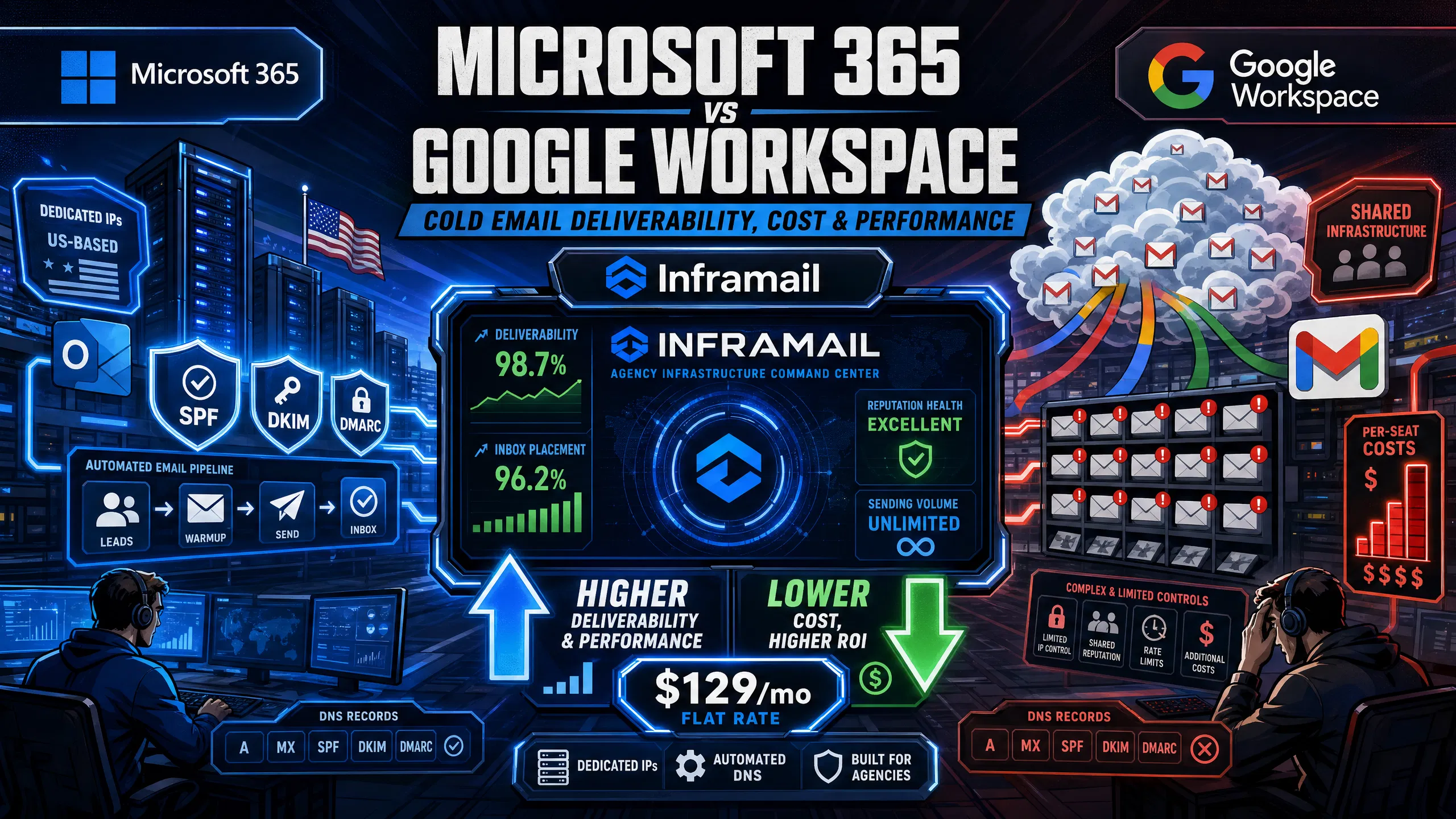
TL;DR: For 50 cold email inboxes, Google Workspace costs $350-420/month in platform fees alone. Inframail's flat-rate Microsoft 365 setup costs $129/month for unlimited inboxes. That's $2,494-3,044 back per 50-inbox build every year, without changing your sending platform, your sequences, or your prospect list.
For agencies managing 50+ domains, Microsoft 365 through Inframail cuts infrastructure costs roughly 50-55% versus Google Workspace and removes manual DNS setup from your onboarding workflow. Google Workspace remains the better fit below approximately 18-20 inboxes or for teams built around Google productivity tools. Above 50 inboxes, the TCO gap makes Microsoft infrastructure the financially stronger choice.
Most lead generation agencies default to Google Workspace without running the math. This guide compares Microsoft 365 and Google Workspace across cost, deliverability, DNS setup time, and integration with Instantly.ai and Smartlead, so you can make the switch with your CFO's approval rather than their frustration.
Cold email at agency scale typically involves managing 50-200 sending domains across multiple clients. Neither Microsoft nor Google built their platforms for this use case. The differences that matter for operations are IP type, DNS setup workflow, and per-inbox billing structure. For a full overview of cold email infrastructure mechanics, the ultimate cold email infrastructure guide from Inframail covers the core concepts in detail.
Managing IP reputation for cold email
Deliverability is the percentage of sent emails that land in the inbox rather than spam. Inbox placement rate is the metric your clients track when reply rates drop. Both platforms use shared IP infrastructure by default, which creates a structural problem for cold outreach: the behavior of strangers on the same IP range partly determines your sender reputation.
Inframail's deliverability monitoring guide explains how to track inbox placement across active domains and flag issues before clients notice. The dedicated IP vs. shared IP comparison video details exactly how reputation isolation works in practice.
M365 vs GW: prevent inbox drops
Safe daily send limits for cold outreach typically range from 30-50 emails per inbox per day for properly warmed domains, per the Inframail sending capacity planning guide. Warmup constrains your sending volume, not the platform's technical limits. After migrating to Inframail, the inbox warmup guide covers the warmup process specific to Microsoft-based infrastructure. The B2B cold email infrastructure setup guide walks through how to structure sending volumes from day one.
Automating DNS & auth setup
SPF (Sender Policy Framework) tells receiving servers which IPs are authorized to send from your domain. DKIM (DomainKeys Identified Mail) adds a cryptographic signature to verify the message wasn't tampered with in transit. DMARC tells receiving servers what to do when SPF or DKIM fails. All three are mandatory for cold email deliverability.
Google Workspace requires proper configuration of DKIM and SPF before enabling DMARC. Inframail configures all three records automatically. The SPF, DKIM, and DMARC setup video shows the full process for 10+ inboxes in under two minutes.
Feature | Inframail (M365) | Google Workspace | Maildoso |
|---|---|---|---|
Setup speed (50 domains) | Automated | Manual configuration | Automated setup (~15 min) |
Monthly cost (50 inboxes) | $129/month flat rate | $350-420/month per-seat | ~$158-166/month |
Cost basis | Platform fee only | Platform fee only | Platform fee only |
IP type | 1-3 dedicated US IPs | Shared pool | Shared pool (rotated) |
DNS automation | Full (SPF/DKIM/DMARC) | Manual panel configuration | Automated |
IMAP/SMTP export | CSV bulk export | Manual per-inbox | Not specified |
Blacklist monitoring | Included, auto-delist | Not included | Not specified |
Support hours | 16 hrs/day | Phone, chat, email | Chat, email, Slack |
Data residency | US only | Multi-region | Not confirmed |
Maildoso does not offer an exact 50-inbox plan. The nearest purchase options are the 70-mailbox monthly plan at $158/month or the 68-mailbox quarterly plan at ~$166/month.
The Maildoso alternatives comparison covers additional technical differences across dedicated IP configurations and warmup requirements.
The total cost of ownership (TCO) for cold email infrastructure includes platform fees, domain registration costs, and warmup tool fees. The cold email infrastructure cost comparison shows how different providers stack up across these variables.
Per-inbox: impact on agency margin
Per-seat pricing creates a structural problem for scaling agencies. Every new client requiring 50-75 inboxes adds a predictable but painful cost increment. At $7-8.40 per inbox per month on Google Workspace Business Starter, adding one client with 65 inboxes adds $455-546/month to your infrastructure bill. Flat-rate pricing breaks that connection. Inframail's $129/month covers unlimited inboxes whether you add one client or ten.
"So affordable that it will make your unit economics work, even for lower ticket b2b businesses like ours" - Verified user review of Inframail
28-50 client cost comparison
For a standard 50-inbox client build, here is the line-item cost breakdown:
Cost component | Google Workspace | Inframail (M365) |
|---|---|---|
Platform fee (annual) | $4,200/yr ($350/mo) | $1,548/yr ($129/mo) |
Domain costs (50 domains, amortized) | ~$250-800/yr | ~$408/yr ($34/mo) |
Annual total | ~$4,450-5,000/yr | ~$1,956/yr |
Annual savings | \- | ~$2,494-3,044/yr |
That annual savings per 50-inbox build provides meaningful margin improvement for agency operations. As infrastructure costs scale with client count, flat-rate pricing creates a growing cost advantage over per-seat models.
At scale, the cost difference becomes substantial. For example, at 28 clients averaging 30 inboxes each (840 total inboxes), Google Workspace would run approximately $5,880-7,056/month in platform fees alone versus Inframail's $129/month platform fee plus domain costs.
100-client infrastructure cost
At 100 clients, flat-rate pricing creates a clear cost advantage. Based on per-seat pricing, Google Workspace at 50 inboxes per client would cost approximately $420,000-504,000 per year in platform fees. Inframail's Agency Pack ($327/month, 3 dedicated US IPs) costs $3,924 per year regardless of total inbox count. Even accounting for warmup tools and domain costs, the annual TCO gap is measured in hundreds of thousands of dollars at this scale. The cold email infrastructure guide breaks down how costs scale across platform tiers.
Deliverability performance for cold email depends on three factors: authentication record quality, IP reputation, and domain age. Both platforms can achieve strong inbox placement with proper setup. The Maildoso deliverability review provides useful benchmarks for comparison across shared-IP providers.
Measuring cold email deliverability
Inframail reports a Mail-Tester score of 9.5/10 and strong inbox placement rates via testing across warmed Inframail domains. Mail-Tester scores above 9/10 indicate clean authentication records and a strong sending configuration. For ongoing monitoring, running monthly Mail-Tester spot checks on a sample of active domains gives early warning before clients notice reply rate drops. The campaign spam detection guide covers the specific metrics to track across active client domains.
Shared vs dedicated IP deliverability
On shared IP infrastructure, your sending reputation can be influenced by other senders using the same IP pool. A dedicated IP isolates your sending behavior, where your reputation reflects only your own sending practices.
Maildoso's shared IP rotation routes sends across IP addresses shared with other users. On shared IP infrastructure, reputation issues affecting the pool can potentially impact deliverability across all users on that system. Inframail provides 1 dedicated US-based IP on the Unlimited Plan ($129/month) and 3 dedicated IPs on the Agency Pack ($327/month).
Domain reputation: M365 vs. GW risk
SPF, DKIM, and DMARC records contribute to initial trust scoring. When these records are missing or misconfigured, operators often blame the email platform instead of the setup. One tactical advantage of Microsoft-based infrastructure for B2B cold email is Outlook-to-Outlook delivery, which benefits from native trust signals. A well-documented operational approach segments sending by recipient platform, using Microsoft-based inboxes for Outlook-hosted prospects. This B2B cold email setup guide covers platform-matching strategy in detail.
M365 vs Google spam filtering
Google Workspace requires SPF, DKIM, and DMARC alignment, one-click unsubscribe for bulk sends, and maintaining low spam complaint rates. Microsoft 365 Exchange Online Protection applies reputation-based throttling and similar authentication requirements with strict sending limits for high-volume outbound. Neither platform is meaningfully more lenient for cold email. Both require proper domain authentication, warmup, and adherence to recommended sending volumes for safe delivery. The cold email deliverability guide covers how to maintain strong inbox placement rates on both platforms.
For high-volume client onboarding requiring hundreds of new domains, DNS configuration is the operational bottleneck. The B2B cold email infrastructure setup walkthrough shows the full manual process and illustrates exactly where time gets lost across multiple DNS panel UIs.
Manual DNS: hours & costs
Manual Google Workspace DNS configuration can take significant time per domain for records alone, plus propagation time. The hands-on configuration time depends on domain count, registrar panel complexity, and whether DNS propagation requires troubleshooting. The warmup period, typically 14 days for Microsoft 365 inboxes (or 7 days for previously warmed domains), drives the overall migration timeline more than the initial setup work. The cold email infrastructure monitoring guide explains how to build systematic health checks once manual setup is complete.
M365 vs. Google: automated onboarding
Inframail configures SPF, DKIM, and DMARC records automatically when a domain is added to the platform, with no DNS panel access required. The platform provisions each inbox with IMAP and SMTP credentials, then generates a CSV export ready for direct import into Instantly or Smartlead. The Inframail step-by-step setup tutorial shows the full process from domain purchase to inbox provisioning.
The platform also handles blacklist monitoring and auto-submits delisting requests when domains are flagged, eliminating the manual MXToolbox checks that otherwise consume hours of ops time weekly.
"I personally have over 1,000 email accounts with Inframail for one flat price. Adding all those records would have probably taken dozens of hours. Instead all records were added within 10 minutes." - Verified user review of Inframail
Onboarding to first send duration
Inframail's automated DNS setup significantly reduces the authentication configuration time compared to manual panel work. The sending capacity planning guide helps size the inbox build correctly from the start. Microsoft 365 inboxes need a recommended 14-day warmup period before sending cold outreach, as documented in the inbox warmup guide. Previously warmed domains may qualify for a 7-day quick start warmup.
Cold email infrastructure only delivers value when it connects cleanly to your sending platform. Both Microsoft 365 and Google Workspace work with Instantly.ai and Smartlead, but the connection method and required settings differ. The compatible email platforms guide lists all sending tools that work with Inframail's Microsoft-based infrastructure.
Instantly.ai inbox placement
Microsoft 365 inboxes connect to Instantly.ai through the Office 365/Outlook option in the account connection modal. Standard Microsoft 365 SMTP and IMAP settings apply. The Inframail Smartlead integration guide covers the full connection process. Instantly.ai uses the same standard Microsoft 365 SMTP and IMAP settings, so the same steps apply when connecting through the Office 365/Outlook option in the Instantly account modal.
Smartlead: M365 setup best practices
Smartlead's integration requires enabling Authenticated SMTP and IMAP through the Microsoft 365 admin center before connecting. After enabling these settings, wait 20-30 minutes for changes to propagate, then connect through the Smartlead dashboard using Outlook as the provider. The full Smartlead integration guide for Inframail walks through each admin step with screenshots and covers common connection errors and their fixes.
IMAP/SMTP export to cold email tools
Inframail generates a CSV export of IMAP and SMTP credentials for all provisioned inboxes. The CSV includes the necessary connection details for importing into Instantly and Smartlead. This eliminates the manual credential-by-credential entry that makes bulk inbox setups time-intensive on standard Microsoft 365 accounts.
The right choice depends on inbox volume, client count, and whether your target prospects are primarily on Gmail or Outlook. The B2B SaaS email infrastructure breakdown covers how to structure this decision for different agency profiles.
Who should stick with Google Workspace?
Google Workspace is the better choice for three specific situations:
Below the breakeven point: At $7-8.40 per seat, Google Workspace costs $98-117/month for 14 inboxes. The breakeven point with Inframail's $129/month flat rate sits around 18-20 inboxes, making them roughly equivalent at that threshold.
Teams deeply integrated with Google productivity tools: Agencies running their entire operation on Sheets, Drive, and Forms benefit from native productivity integrations that require meaningful effort to replicate on Microsoft tools.
Primarily Gmail-targeting audiences: If most of your prospects use Gmail, native Google-to-Gmail delivery could potentially influence placement rates, though this should be tested against cost considerations.
The video Cold Email Insiders Have Kept a Secret (Google Mailboxes) covers the case for Google mailboxes that most platform comparisons overlook.
Integrating cold email with Microsoft 365
Microsoft 365 infrastructure through Inframail fits agencies that manage large portfolios of cold email domains across multiple clients, need predictable monthly infrastructure costs regardless of inbox count, and want dedicated IPs to isolate sending reputation from shared pool risk.
Inframail operates on Microsoft's cloud infrastructure through an enterprise partnership, providing infrastructure credibility that matters for agencies presenting vendor risk assessments to enterprise clients. Mailreef is a dedicated-server cold email infrastructure provider that competes in a similar category. The Mailreef vs. Inframail comparison covers how dedicated-IP Microsoft infrastructure stacks up against dedicated-server alternatives on cost, setup, and deliverability.
Speed up client onboarding with Inframail
Inframail's flat-rate model is $129/month for the Unlimited Plan (1 dedicated US-based IP) or $327/month for the Agency Pack (3 dedicated US-based IPs). For a 50-inbox client build, total monthly infrastructure cost is approximately $163/month (including platform fee and domain costs), versus $350-420/month for the same build on Google Workspace.
The platform also includes a B2B contact database (545M+ contacts) on annual plans, a free AI deliverability consultant, and priority support available 16 hours per day.
"Inframail has been absolute gold in terms of delivering a great customer experience, and allowing me to spin up cold email infrastructure at scale for my clients as easily and fast as possible" - Verified user review of Inframail
Switching from Google Workspace to Microsoft 365 without disrupting active campaigns requires running infrastructure in parallel before cutting over. The primary risk is deliverability gaps during the new inbox warmup period, which a staged parallel setup eliminates. The Maildoso to Inframail migration guide covers the DNS record transfer and domain migration steps for switching to Inframail.
Migrating domain & inbox data
Domain migration means pointing your existing DNS records to the new infrastructure provider. For agencies using external registrars (GoDaddy, Namecheap, Cloudflare), domain ownership stays with you and only the DNS records change. The Mailreef migration guide documents the DNS record transfer process in detail.
Campaign data, including contacts, sent history, and sequences, typically lives in your sending platform (Instantly or Smartlead). Migrating infrastructure does not require exporting or reimporting campaign data.
Preventing campaign outages
A recommended approach to zero-downtime migration is running old and new infrastructure in parallel before full cutover:
Keep active Google Workspace campaigns running during new inbox provisioning.
Provision and warm new Microsoft 365 inboxes via Inframail while Google campaigns continue.
Test new inboxes with low-volume sends before cutover and confirm Mail-Tester scores above 9/10.
Update sending platform credentials to new inboxes once warmup is complete.
Monitor inbox placement for 24-48 hours before decommissioning Google accounts.
"We spent months hunting for a reliable cold-emailing stack. After repeated failures with another provider, we trialled two options - Inframail and a competitor. We chose the competitor. A month later, we switched back to Inframail. Zero issues since." - Verified user review of Inframail
Google to M365 migration timeline
A realistic migration plan for 50 inboxes with no active campaign downtime:
Week 1: Sign up for Inframail Unlimited Plan. Purchase domains to the platform. Automated DNS configuration runs immediately. Provision all Microsoft 365 inboxes and export IMAP/SMTP credentials CSV. Begin inbox warmup. Google Workspace campaigns continue uninterrupted.
Weeks 2-3: Monitor new inbox authentication. Spot check authentication on sample domains. Confirm green SPF, DKIM, and DMARC status. Keep Google campaigns active.
Week 3-4: Import new inbox credentials to sending platform. Run parallel test sends from both old and new inboxes. Compare inbox placement rates using deliverability testing tools.
Full cutover: Once warmup is complete and testing confirms strong inbox placement, transition to new Microsoft 365 inboxes. Pause Google Workspace accounts and monitor before decommissioning.
The overall timeline is approximately 3-4 weeks, with the warmup period driving the schedule rather than the technical setup.
For agencies managing 50+ domains, the infrastructure math is straightforward. Google Workspace at 50 inboxes costs $350-420/month. Inframail's Unlimited Plan costs $129/month flat, covers unlimited inboxes, includes automated SPF, DKIM, and DMARC configuration, and comes with 1 dedicated US-based IP. The Agency Pack ($327/month) adds 3 dedicated IPs for higher-volume portfolios. For a 50-inbox build, total monthly infrastructure costs are approximately $163/month, compared to $384/month on Google Workspace, providing meaningful cost savings per client build. Sign up to Inframail and get started today.
Do Microsoft 365 and Google Workspace offer dedicated IPs for cold email?
Google Workspace uses shared sending infrastructure. Inframail's Microsoft 365 platform provides 1 dedicated US-based IP on the Unlimited Plan ($129/month) and 3 dedicated IPs on the Agency Pack ($327/month).
What is the per-client infrastructure cost on Microsoft 365 vs. Google Workspace?
For a 50-inbox client build, Google Workspace costs $350-420/month in platform fees, totaling $4,200-5,040 annually. Inframail's Microsoft 365 infrastructure costs approximately $163/month (including platform fee and domain costs), totaling approximately $1,956/year regardless of inbox count.
How long does DNS setup take on Microsoft 365 vs. Google Workspace?
Manual Google Workspace DNS setup involves configuring authentication records through your DNS panel. Inframail's automated Microsoft 365 setup configures SPF, DKIM, and DMARC automatically, with customer reviews reporting rapid inbox provisioning.
Can you run a hybrid Microsoft 365 and Google Workspace cold email setup?
Yes, cold email platforms like Instantly and Smartlead can connect to multiple email providers, allowing you to run Microsoft 365 inboxes for some prospects and Google Workspace inboxes for others. Managing multiple providers may increase operational complexity when troubleshooting issues.
Is Inframail's US-based infrastructure sufficient for data residency requirements?
Inframail's dedicated IPs are confirmed as US-based, meeting standard US client contract requirements. The platform does not currently offer EU or Asia-Pacific (APAC) data residency options, so agencies serving clients with non-US data residency requirements should confirm jurisdiction before migrating.
Dedicated IP: An IP address used exclusively by one sender, where your reputation reflects only your own sending behavior.
SPF (Sender Policy Framework): A DNS record specifying which IP addresses are authorized to send email from your domain, required for cold email authentication.
DKIM (DomainKeys Identified Mail): A cryptographic signature added to outgoing messages verifying the email was not altered in transit. Must be active for 48 hours before DMARC can be enabled.
DMARC: A policy record telling receiving servers what to do when SPF or DKIM authentication fails. Required by major email providers for bulk sends.
Inbox placement rate: The percentage of sent emails landing in the recipient's inbox rather than spam or promotions folders, measured via tools like GlockApps and Mail-Tester.
Per-seat pricing: A billing model charging per user or inbox. Google Workspace Business Starter charges $7-8.40 per seat per month, scaling linearly with inbox count.
Flat-rate pricing: A fixed monthly fee regardless of inbox count. Inframail charges $129/month for unlimited inboxes on the Unlimited Plan.
TCO (Total Cost of Ownership): The complete monthly or annual cost of email infrastructure including platform fees, domain registration, warmup tools, and sending platform costs, tracked per client as the primary agency margin metric.