
Manual vs. Automated SPF/DKIM/DMARC Setup: Time Cost and Risk Comparison for Agencies
Compare manual vs automated SPF, DKIM, and DMARC setup for agencies, including DNS labor, costs, risks, and Inframail automation savings.
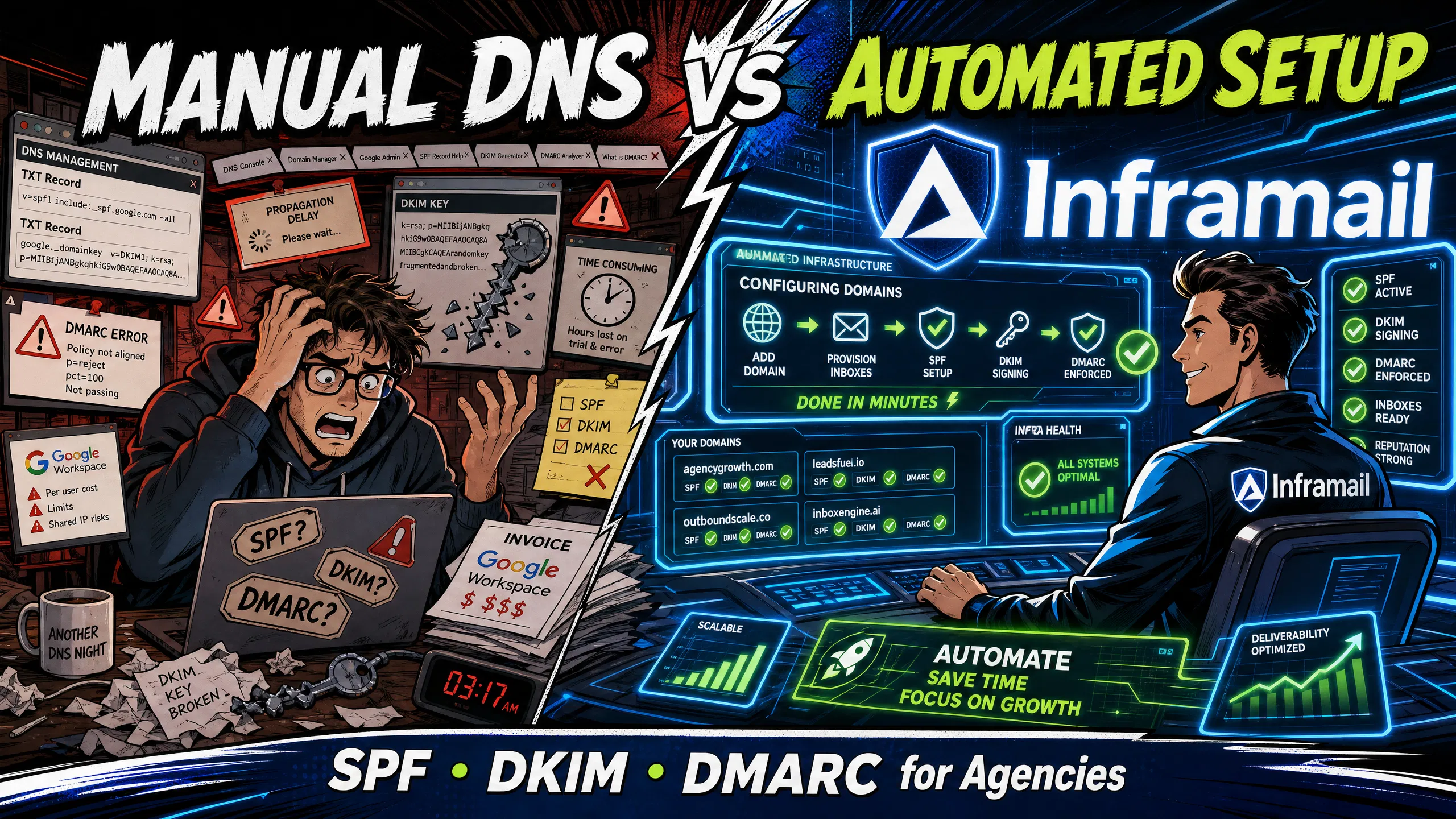
TL;DR: Manual DNS configuration for 50+ cold email domains takes 12 or more hours, costs approximately $350/month and up in Google Workspace per-seat fees, and introduces typo risks that can severely damage inbox placement rates. Automated email infrastructure like Inframail cuts DNS setup to minutes, reduces costs to $129/month for unlimited inboxes, and reduces DNS configuration to a copy/paste-free process with no manual TXT record entry required. For agencies managing 50-200 domains, automation saves thousands annually at the 50-inbox tier while reclaiming 12-16 hours of monthly DNS labor at the 50-domain tier that should be spent on campaign performance.
Setting up 50 cold email domains manually takes over 12 hours of copying and pasting TXT records across DNS panels. One typo in a DKIM key (a 2048-bit key typically runs 350-500+ characters in the TXT record) causes authentication failure, potentially landing your emails in spam and burning weeks of warmup reputation before anyone notices.
Many outbound campaign managers report that DNS configuration work competes directly with campaign strategy and copy time. This guide breaks down the exact time and financial costs of both approaches with line-item proof, so you can make the right infrastructure decision at your agency's current scale.
This section covers the core DNS records every cold email domain requires and how each one functions within the authentication process.
Authentication basics for deliverability
Email authentication is critical for cold email deliverability. Receiving servers check whether your domain is authorized to send before deciding whether to deliver your message to the inbox, the spam folder, or reject it entirely. Without properly configured authentication records, even a well-written email sequence bounces or lands in spam before a prospect reads it.
Sender reputation is built at the domain and IP level. Inbox placement rate, the metric your clients judge you on, depends directly on whether your authentication records are correctly configured and whether the IPs you send from have a clean history. Cold email infrastructure monitoring involves verifying those records stay healthy as campaigns scale.
The essential trio for domain health
Three DNS records form the authentication layer for every cold email domain you operate.
SPF (Sender Policy Framework): Authorizes which servers can send email on behalf of your domain. Think of it as a guest list: if your sending server isn't on the list, receiving mail servers treat the message as suspicious.
DKIM (DomainKeys Identified Mail): Cryptographically signs outgoing messages, like a wax seal on a letter. It helps prove the message was sent by an authorized party and hasn't been altered in transit.
DMARC: The policy layer. DMARC instructs receiving servers how to handle messages when SPF or DKIM checks fail: deliver anyway, quarantine to spam, or reject outright. It also generates reports that show authentication failures across your domain portfolio.
All three records should be present and correctly formatted before you send messages at scale. SPF failures typically cause hard bounces (most servers reject the message) or soft fails (delivery to spam), both of which damage your domain's reputation from day one.
Manual DNS setup: a step-by-step guide
Setting up these three records manually on a single domain follows this process.
Log into your domain registrar (Namecheap, Cloudflare, GoDaddy) and find the DNS management panel.
Generate your DKIM key in Google Workspace Admin or Microsoft 365. In Google, navigate to Apps → Google Workspace → Gmail → Authenticate Email, select your domain, and click "Generate New Record."
Add SPF as a TXT record. In Namecheap's Advanced DNS tab, click "Add New Record," select TXT, and paste the SPF value (for Google:
v=spf1 include:_spf.google.com ~all).Add DKIM as a TXT record. Paste the full DKIM public key generated in step 2. The host field must match the selector your provider specified.
Add DMARC as a TXT record. The host is
_dmarcand the value begins withv=DMARC1. Set your policy top=noneinitially to gather reports before enforcing rejections.Wait for propagation and test using Mail-Tester or MXToolbox before launching any send.
On Cloudflare, the platform appends your domain automatically, so you enter only the selector prefix (e.g., google._domainkey) in the Name field, not the full record path. Miss this and DKIM verification fails.
The following breakdown examines where manual DNS management creates measurable cost and operational drag across common agency domain portfolio sizes.
DNS setup time: Namecheap vs Cloudflare
Experienced operators report taking 15-20 minutes per domain for a clean manual setup. That estimate assumes no typos, no propagation issues, and no switching between admin panels to regenerate a DKIM key. At 50 domains, that hidden labor cost of $360 or more per configuration cycle often exceeds the monthly platform fee itself, a ratio that worsens when senior operations staff absorb the workload instead of junior roles. See the complete infrastructure pricing guide for broader context on cold email infrastructure costs.
The hidden costs of setup errors
A single formatting error in your SPF or DKIM record causes immediate authentication failure. Common DKIM mistakes include extra spaces, truncated public keys, and mismatched selectors. These errors disrupt authentication and lead to emails bouncing or landing in spam, and they often remain unnoticed until deliverability problems surface mid-campaign. DKIM failures are direct: email gets rejected or lands in the spam folder, causing poor deliverability across every message sent from that domain until the record is corrected and propagation completes.
Scaling DNS tasks: 50 vs 200 domains
The labor scales linearly. At 15-20 minutes per domain:
50 domains: 750-1,000 minutes (12-16 hours) of active DNS work
100 domains: approximately 1,500-2,000 minutes (25-33 hours)
200 domains: approximately 3,000-4,000 minutes (50-66 hours)
At 200 domains, that's more than a full week of work just for initial DNS configuration, not including ongoing troubleshooting, record updates when providers change DKIM keys, or blacklist delisting requests. Organizations that fully account for the labor cost of managing large domain portfolios find that manual domain management is the single largest drain on their operations budget and the primary driver for moving to automated tools.
Hidden costs: propagation waits and context switching
DNS propagation can take anywhere from a few hours to 48-72 hours for full global propagation. During that window, emails may bounce, get lost, or land in spam because recipient servers are reading outdated records. That delay, combined with the time to complete DNS setup itself, pushes campaign launches out by days per new client, and agencies competing on 48-hour onboarding promises can't absorb that lag.
Context switching across DNS registrars, email admin panels, and sending platforms compounds the problem. DNS configuration requires focused attention across dozens of sequential steps, and interruptions significantly extend the time required to complete each domain.
Past 50 domains, manual DNS management stops being a time issue and becomes a headcount issue. The campaign manager who owns DNS configuration becomes the bottleneck for every new client onboarding. A single DNS error discovered at step 4 of a 6-step process sends you back to step 1.
A 2048-bit DKIM public key typically runs 350-500+ characters in the TXT record. A single extra space or missing character anywhere in that string causes the entire signature to fail verification. An SPF record with an incorrect include statement silently fails for senders not explicitly whitelisted. These errors don't announce themselves until you run a Mail-Tester check or a client asks why reply rates dropped overnight.
When a campaign can't launch because DNS records are still propagating or an error needs correcting, you lose active sending time that can't be recovered. Manual configuration makes that consistency increasingly difficult as domain count grows.
This section outlines how an automated platform handles the DNS configuration workflow and what the process looks like from domain to live inbox.
Auto-configuration of SPF/DKIM/DMARC records
Inframail automates the entire DNS configuration process. When you purchase or transfer a domain, SPF, DKIM, and DMARC records are auto-configured instantly with no manual panel work required. You don't log into Namecheap. You don't generate DKIM keys in Google Admin. You don't wait for propagation on individual records.
The platform handles Microsoft email infrastructure setup end-to-end: domain purchase or transfer, DNS record generation, and inbox provisioning all happen through a single interface. Watch the setup walkthrough to see the full process from domain to configured inbox in real time.
Time from domain purchase to ready inboxes
Manual setup for multiple inboxes across multiple domains can take several hours minimum before propagation. Inframail customers report completing similar setups in under 10 minutes. That's the difference between a campaign that can start warming on day one versus day three or later.
"I can set-up inboxes in 5 mins while saving money on Google Workspace subscriptions and benefit from great deliverability. All of my campaigns on Inframail are on a >10% reply rate, which is really good." - Verified user review of Inframail
Watch this Inframail setup tutorial for the complete workflow from account creation to live inbox.
Syncing sender platforms via CSV export
Once inboxes are provisioned, Inframail generates IMAP/SMTP credentials for each inbox automatically. You export all credentials to a single CSV file and import directly into Instantly, Smartlead, or ReachInbox. The Smartlead integration guide covers the exact import steps, and the platform compatibility list confirms Inframail works with any tool that supports custom SMTP and IMAP settings.
Automating DNS configuration through Inframail removes the per-domain labor entirely. The platform configures all three authentication records simultaneously across every domain you add, with no per-domain context switching, no propagation waits between records, and error risk reduced to near-zero with no manual TXT record entry required. At 50 domains, manual work of 12-16 hours shrinks to minutes. At 200 domains, the math makes a dedicated DNS operations hire unnecessary.
Watch the dedicated vs shared IP comparison to see why infrastructure type matters as much as setup speed at this scale. Bhavesh Kumar's results show what's possible at volume, with 200+ appointments per month generated from the same infrastructure.
Domain count | Manual setup time | Inframail setup time | Time savings |
|---|---|---|---|
50 domains | 12-16 hours | Minutes | 12-16 hrs |
100 domains | ~25-33 hours | Minutes | ~25-33 hrs |
200 domains | ~50-66 hours | Minutes | ~50-66 hrs |
Manual setup times based on 15-20 minutes per domain from DNS configuration research. Inframail automated times reflect the platform's 700% faster setup benchmark and customer-reported results.
Sign up to Inframail and configure your first 10 domains in under 10 minutes.
The sections below compare the pricing structures of both approaches across hosting, domains, and labor at three common inbox volumes.
Manual: Google Workspace pricing breakdown
Google Workspace Business Starter costs $8.40 per user per month on a monthly plan, or $7 per user per month on an annual commitment. Per-seat pricing means your infrastructure bill scales exactly with your inbox count, with no ceiling.
Inbox count | Monthly cost (annual plan) | Annual cost |
|---|---|---|
50 inboxes | $350/month | $4,200 |
100 inboxes | $700/month | $8,400 |
200 inboxes | $1,400/month | $16,800 |
Every new client you onboard adds directly to your Google Workspace line item. Scale from 10 clients to 15 clients, add 50 inboxes, and your infrastructure bill jumps $350/month with no change to the platform itself.
Budgeting for automated email infrastructure
Inframail's Unlimited Plan costs $129/month (or $90.30/month on annual billing) for unlimited email inboxes on 1 dedicated US-based IP. The Agency Pack costs $327/month (or $228/month annually) for unlimited inboxes on 3 dedicated IPs.
Add domain costs at $5-16 per domain per year through the platform, plus an external warmup tool since Inframail does not include a built-in warmup feature. Tools like Warmbox or Lemwarm run $15-50/month per inbox. Factor all three components into your monthly budget for a complete infrastructure picture. The sending capacity calculator helps you pick the right plan based on your inbox count.
12-month TCO comparison: 50, 100, and 200 inboxes
The tables below use domain costs estimated at $5-16 per domain per year depending on TLD and registrar, approximately $30/hour for operations labor (rates vary by role and region), and Google Workspace annual plan pricing.
50 inboxes
Cost category | Google Workspace | Inframail |
|---|---|---|
Email hosting (annual) | 50 × $7 × 12 = $4,200 | $129 × 12 = $1,548 |
Domain costs | 50 × ~$16 = ~$800 | 50 × ~$16 = ~$800 |
Setup labor | ~12 hrs × $30 = ~$360 | Minimal |
Warmup tool (annual) | $348/year ($29/month) | $348/year ($29/month) |
Sending platform (annual) | $444/year ($37/month) | $444/year ($37/month) |
Total annual | ~$6,152 | ~$3,140 |
Annual savings | ~$3,012 |
100 inboxes
Cost category | Google Workspace | Inframail |
|---|---|---|
Email hosting (annual) | 100 × $7 × 12 = $8,400 | $129 × 12 = $1,548 |
Domain costs | 100 × ~$16 = ~$1,600 | 100 × ~$16 = ~$1,600 |
Setup labor | ~25 hrs × $30 = ~$750 | Minimal |
Warmup tool (annual) | $348/year ($29/month) | $348/year ($29/month) |
Sending platform (annual) | $444/year ($37/month) | $444/year ($37/month) |
Total annual | ~$11,542 | ~$3,940 |
Annual savings | ~$7,602 |
200 inboxes
Cost category | Google Workspace | Inframail |
|---|---|---|
Email hosting (annual) | 200 × $7 × 12 = $16,800 | $129 × 12 = $1,548 |
Domain costs | 200 × ~$16 = ~$3,200 | 200 × ~$16 = ~$3,200 |
Setup labor | ~50 hrs × $30 = ~$1,500 | Minimal |
Warmup tool (annual) | $348/year ($29/month) | $348/year ($29/month) |
Sending platform (annual) | $444/year ($37/month) | $444/year ($37/month) |
Total annual | ~$22,292 | ~$5,540 |
Annual savings | ~$16,752 |
Warmup tool cost based on Lemwarm entry plan ($29/month). Sending platform cost based on Instantly Basic ($37/month). Both costs are identical across platforms as neither Google Workspace nor Inframail includes warmup or a sending platform natively. Annual savings differential is unaffected by these shared costs.
At 50 inboxes, estimated annual savings reach approximately $3,000. At 100, savings jump to approximately $7,600. At 200, flat-rate pricing saves approximately $16,750 annually compared to Google Workspace per-seat costs. The Inframail vs Mailscale cost analysis confirms that flat-rate platforms protect agency margins as portfolio size grows. For a detailed look at how shared-IP per-inbox competitors stack up, the Maildoso alternatives guide covers the full comparison.
Platform feature comparison
Feature | Inframail | Maildoso | Google Workspace |
|---|---|---|---|
Pricing model | Flat rate, unlimited inboxes | Per-inbox | Per-seat |
DNS setup | Automated (seconds per domain) | Automated | Manual per inbox |
IP type | Dedicated (1-3 per plan) | Shared pool | N/A |
Warmup included | No (external required) | Warmup send limits only (no dedicated tool) | N/A |
For a breakdown of Maildoso's shared IP infrastructure risks, see the Maildoso deliverability review.
The following considerations help agencies quantify the financial return of switching from manual to automated infrastructure based on their current operational setup.
Calculating labor costs for DNS setup
An operations manager at $30/hour fully loaded cost spends 12 hours configuring 50 domains manually. That's $360 in labor for a single batch, and that number repeats every time you onboard a new client or add domains to an existing campaign. At 200 domains, labor can reach $1,500 or more per configuration cycle depending on hourly rates. Automating that work through Inframail cuts the per-cycle labor cost from $360 or more to near-zero, at any domain count, since configuration takes minutes rather than hours per batch.
Minimize per-inbox hosting costs
On a $2,000-3,500/month agency retainer, a $150/month infrastructure cost per client represents roughly 4-8% of revenue, keeping it within a range that supports healthy gross margin at typical agency billing rates. At Google Workspace rates, a single client with 25 dedicated inboxes costs $175-210/month in email platform fees alone before adding domain costs or warmup tools. Inframail's flat-rate model keeps per-client infrastructure costs predictable as you add inboxes mid-engagement.
ROI impact of automated setups
The combined ROI of switching from manual Google Workspace setup to Inframail at the 50-inbox tier includes approximately $3,000 in annual hosting and labor savings, 12-16 hours of monthly DNS configuration time returned to campaign management, and faster client campaign launch times. Inframail reports a 9.5/10 score on Mail-Tester and 88% inbox rate via GMass testing across tested domains, with dedicated IPs ensuring your sender reputation isn't affected by other users' behavior on shared pools.
"InfraMail makes it remarkably easy to purchase domains, configure them correctly, create inboxes, and initiate warm-up immediately. The level of automation is exceptional and clearly designed for serious operators; it removes friction and allows you to focus on execution rather than setup." - Verified user review of Inframail
Inframail's optional Monitoring add-on ($12.41/month) tracks domain and IP health with blacklist monitoring and auto-submits delisting requests when domains are flagged. Dillon Andrew's $1M agency case shows how operational speed at the infrastructure level compounds into client acquisition and retention outcomes.
"Inframail has been absolute gold in terms of delivering a great customer experience, and allowing me to spin up cold email infrastructure at scale for my clients as easily and fast as possible" - Verified user review of Inframail
There are specific circumstances where manual DNS setup remains a viable option. The scenarios below outline where those boundaries apply.
Managing fewer than 20 domains
If your agency manages fewer than 20 domains, manual DNS setup may be manageable, though still less efficient than automation. The setup labor for smaller portfolios approaches the monthly cost of an automated platform. Error risk remains a concern at any scale, but the time savings become more compelling as domain count increases. The value of automation typically becomes clear when managing multiple clients and manual DNS work starts competing with campaign management time.
When to keep existing Workspace inboxes
If you have Google Workspace inboxes with substantial warmup history and a clean sender reputation, don't migrate them mid-campaign. Keep those inboxes active and consider using automated infrastructure to provision all new domains going forward. When migrating to new IPs, warmup on new infrastructure is required since IP reputation doesn't transfer, though your domain reputation remains intact as long as authentication records are correctly configured on the new platform. One approach is parallel deployment: legacy inboxes stay active while new infrastructure handles new domains.
Managing DNS records manually
There are narrow scenarios where manual DNS management remains necessary: organizations with proprietary DNS infrastructure that can't integrate with third-party provisioning tools, or companies with compliance requirements mandating complete manual audit trails. For most agencies running standard cold email campaigns at scale, neither constraint applies, and automation is the correct operational choice.
Sign up to Inframail and get started today.
How long does manual DNS setup take per domain?
Manual DNS setup for a single domain takes 15-20 minutes of active work for an experienced operator, plus 24-48 hours of DNS propagation time before the records are active globally. For 50 domains, that's 12-16 hours of active configuration before any warmup can begin.
Does automated setup work with Instantly and Smartlead?
Yes. Inframail generates IMAP/SMTP credentials for every inbox and exports them to a CSV file that imports directly into Instantly, Smartlead, and ReachInbox. The platform works with any sending tool that supports custom SMTP and IMAP settings.
What's included in the Inframail Unlimited Plan at $129/month?
The Unlimited Plan was updated to $129/month (or $90.30/month on annual billing). It includes 1 dedicated US-based IP, unlimited Microsoft email inboxes, automated SPF/DKIM/DMARC configuration, a free AI deliverability consultant, priority support, and access to a 545M+ contact B2B database on the annual plan.
Can I switch from manual to automated mid-campaign?
Yes. You can migrate existing domains to Inframail or use the platform for all new domain provisioning while keeping active campaigns on their current infrastructure. For domains mid-warmup, complete the warmup cycle on existing infrastructure first, as moving to new infrastructure requires rebuilding IP reputation on the new sending IPs.
SPF (Sender Policy Framework): A DNS TXT record that authorizes which mail servers can send email on behalf of your domain. Misconfigured SPF causes sending servers not on the list to fail authentication and land in spam or bounce.
DKIM (DomainKeys Identified Mail): A cryptographic signature mechanism for outgoing email that helps prove the message was authorized by the domain owner and wasn't modified in transit. A single character error in the DKIM public key causes complete signature failure.
DMARC: A DNS policy record that instructs receiving mail servers what to do when SPF or DKIM fails (deliver, quarantine, or reject) and sends authentication failure reports back to the domain owner.
DNS propagation: The time it takes for a new or updated DNS record to replicate across global DNS servers, typically ranging from a few hours to 48 hours or more. Campaigns launched before propagation completes risk bounces and spam placement.
Dedicated IP: An IP address assigned exclusively to your sending infrastructure. Your sender reputation is determined solely by your own sending behavior, not the behavior of other users on the same IP pool.
Inbox placement rate: The percentage of sent emails that successfully land in the recipient's primary inbox rather than the spam folder or promotions tab. Measured via tools like Mail-Tester, GMass, or GlockApps.
IMAP/SMTP credentials: The login and server settings used to connect an email inbox to a sending platform like Instantly or Smartlead. Inframail generates these automatically and exports them to CSV for bulk import.