
IP Blacklist Monitoring at Agency Scale: Managing 50-200 Sending IPs
Learn how agencies can monitor 50-200 sending IPs, detect blacklist risk, isolate contamination, manage dedicated IPs, and protect cold email deliverability.
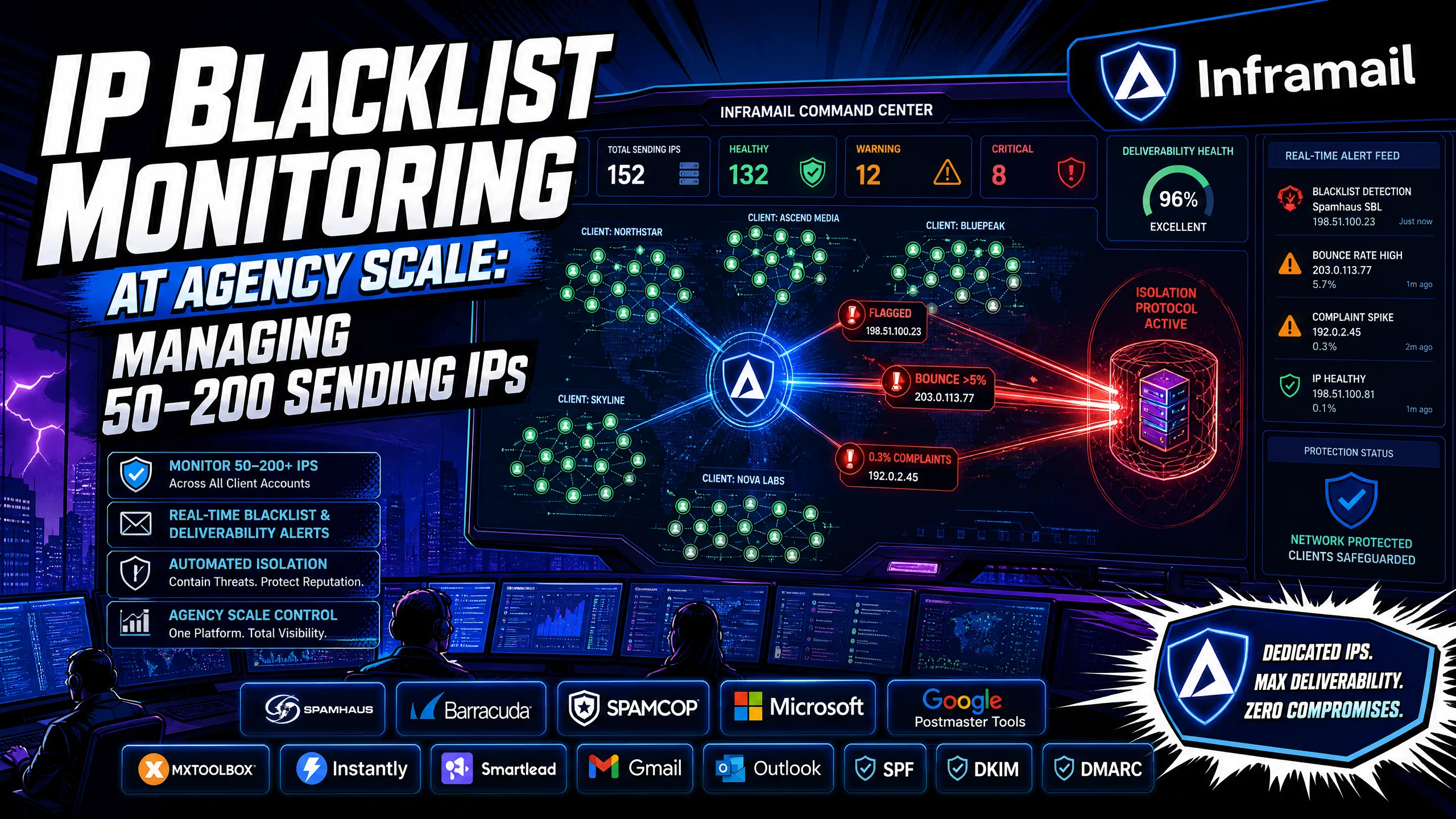
TL;DR: At your scale, IP reputation risk compounds fast. Shared IP pools expose every client's campaigns to other senders' behavior, and a single contamination event can severely impact your inbox placement in under 24 hours. The answer is dedicated IP allocation per client tier, automated blacklist monitoring with real-time alerts, and a documented isolation protocol ready before an incident happens. Inframail's built-in blacklist monitoring and auto-delisting cover the detection and recovery loop on Microsoft-based dedicated infrastructure. Know your thresholds: bounce rates above 5% are a red flag, and spam complaint rates above 0.3% trigger throttling and filtering.
Managing one client's sending IP is a weekend project. Managing 50-200 IPs across 8-15 client accounts is an operational discipline, and most campaign managers don't treat it like one until a crisis forces the conversation.
When your primary client domain gets flagged mid-campaign, the fallout is immediate: reply rates collapse, the client asks why meetings stopped booking, and you're explaining a technical problem to someone who hired you to produce pipeline. Campaign managers who avoid this scenario don't get lucky. You build systems that detect reputation degradation before it cascades and isolate problems before they spread across your portfolio.
This guide covers exactly that: how to structure your IP-to-domain tracking, the metrics that signal contamination before blacklisting hits, shared versus dedicated IP risk profiles at your scale, and the step-by-step protocol for isolating and recovering from a blacklist incident.
A single sender managing 10 domains can monitor blacklist status manually. You cannot. At 50-200 domains across multiple clients, the math changes: at 5 cold emails per inbox per day, 1,000 inboxes deliver roughly 150,000 emails per month, which means your volume and surface area for reputation incidents multiplies with every client you add. The full cold email infrastructure guide shows how this math scales in practice.
The financial stakes match that scale. Deliverability collapse directly raises the cost of every meeting your campaigns generate, and the damage compounds quickly across multiple client accounts running on shared infrastructure. The monitoring problem has two distinct components: detection speed and isolation capability. Most campaign managers have neither working at scale yet.
Not every blacklist carries equal weight. Prioritizing your monitoring by impact tier saves time and focuses remediation effort where it matters.
Tier 1 - Critical:
Spamhaus (SBL, XBL, Zen, DBL): Spamhaus is widely used for IP and domain reputation checks. A listing can significantly impact deliverability and bounce rates. Removal processes and timelines vary by list type.
Barracuda (BRBL): Typically responds to delisting requests within 12 hours of submission for legitimate senders with a valid explanation.
Tier 2 - High priority:
SURBL and URIBL Black: Domain-based lists that flag URLs in email content. Your content, not just your sending IP, determines listing here.
SpamCop: Its direct adoption by major ISPs varies, but it still has meaningful impact on B2B campaign deliverability. SpamCop listings typically expire automatically after a period of time with no action required.
Tier 3 - Decommissioned / No current impact:
SORBS: Fully decommissioned by Proofpoint on June 5, 2024. All 18 zones were emptied and queries now return NXDOMAIN, meaning SORBS has no current impact on deliverability. No monitoring or remediation action is required.
Microsoft internal lists: Relevant for Microsoft-based infrastructure. Our Microsoft blacklist recovery guide covers the delisting process in detail. The key operational point: being removed from one blacklist does not remove you from others. Each list runs independently, and remediation requires separate submissions per list.
Blacklist | Impact tier | Delisting time | Auto-delist? |
|---|---|---|---|
Spamhaus SBL | Critical | Varies | No (manual review) |
Spamhaus XBL/PBL | Critical | Varies | Yes (self-service) |
Barracuda BRBL | High | ~12 hours | No |
SpamCop | Medium | Auto-expires | Yes |
Blacklist listing is not the first signal. It's the result of earlier signals you missed. Campaign managers who catch deliverability degradation early do so by tracking leading indicators, not just blacklist status. Regular monitoring of Google Postmaster Tools helps you catch deliverability issues before they escalate into visible campaign failures.
Bounce rate thresholds
Bounce rates are the first quantitative signal that something is wrong with your sending IP or domain reputation.
Below 3%: Healthy range. Continue normal monitoring.
3-5%: Worth investigating. Check list quality and recent IP behavior.
Above 5%: Concerning. You may be hitting spam traps or sending to outdated contacts.
Above 10%: Urgent action required. This trajectory can lead to blacklisting and deliverability collapse.
Spam complaint rate thresholds
According to industry best practices, keeping spam complaint rates low is critical for deliverability. Rates above 0.3% trigger throttling, filtering, and significant inbox placement degradation within days across major email providers.
Other early indicators
Watch for these signals before you check blacklists:
A sudden drop in reply rates on sequences that previously performed well
Increased soft bounces with messages referencing IP or domain reputation
Gmail or Outlook returning temporary deferral codes (421, 450)
Google Postmaster Tools showing domain reputation moving from "High" to "Medium"
At 10 clients you can track this in a spreadsheet. At 30 clients you cannot. You need a mapping document that ties every active sending domain to its assigned IP, the client it belongs to, and its current health status. Without this, isolating a contamination event becomes guesswork.
The recommended structure for domain-to-IP tracking at your scale:
Client column: Client name and account ID
Domain column: Each sending domain (never the client's primary root domain)
Assigned IP: The dedicated IP or shared pool identifier for that domain
Inbox count: Number of active inboxes on that domain
Last health check: Date and result of most recent Mail-Tester or GMass check
Blacklist status: Clean / Flagged / Under remediation
Warmup status: Day in warmup schedule (relevant for new domains)
If you're on Inframail, this mapping is handled through the platform dashboard, which shows domain and IP health in real time. The monitoring workflow follows the alert structure and health check cadence covered in the sections below.
Critical operational rule: Isolate client infrastructure as much as possible. Separate domains, separate inboxes, and separate IPs wherever feasible help ensure that one client's deliverability problem has minimal impact on other clients' sending environments. The bulletproof infrastructure setup guide walks through how to structure this at the domain level.
Most cold email senders run on shared IP infrastructure. Shared IPs come pre-warmed with established reputation, and they avoid the warm-up window that dedicated IPs require. But the risk profile when you're managing multiple clients is fundamentally different from a solo sender.
On a shared IP pool, one sender with poor list hygiene or aggressive volume can trigger a blacklisting that affects every sender on that IP immediately. This "noisy neighbor" problem is the primary structural risk at your scale. As Inframail's Kidous Mahteme explains in the dedicated vs shared IP breakdown, your sending reputation on a shared pool reflects not just your behavior but everyone else's.
The shared IP risk profile:
IP reputation reflects all senders on that pool, not just your campaigns
One contamination event can collapse inbox placement across multiple client accounts simultaneously
Troubleshooting root cause is harder because the trigger may not be your sending behavior at all
Recovery requires waiting for the pool provider to remediate or migrating to new infrastructure
The dedicated IP profile:
Your sending behavior alone determines ESP trust
Contamination on one client's IP does not affect other clients' IPs
Recovery timelines are faster because you control the delisting process directly
Requires proper warm-up for new IPs before ramping send volume
If you're managing 50+ domains, dedicated infrastructure is the structural answer to shared IP contamination risk. MXToolbox provides a free blacklist monitor with email alerts for new listings. At your scale, automated platform-level checking is more reliable than relying on MXToolbox alone.
"I’ve been using Inframail for a couple of months and the experience has been really good. I can set-up inboxes in 5mins while saving money on Google Workspace subscriptions and benefit from great deliverability." - Verified user review of Inframail
Inframail gives you a real-time view of domain and IP health across your entire sending stack. The platform tracks sending IPs against major blacklists continuously and sends alerts when listings are detected, shifting blacklist management from crisis response to routine maintenance.
The key features relevant to monitoring at your scale:
Blacklist monitoring: The dashboard tracks domain and IP health against blacklists and surfaces alerts when a listing is detected. You don't need to manually run checks across 200 domains.
Auto-delisting submissions: When a domain or IP gets flagged, Inframail automatically submits delisting requests with a reported 68.3% delisting success rate within 48 hours. This is the difference between catching a blacklisting at 9 AM and having it cleared quickly versus spending hours manually submitting forms to each registry.
DNS configuration support: The platform auto-configures SPF, DKIM, and DMARC records, ensuring proper authentication setup across all domains. DNS failures are high-priority fixes because they directly affect inbox placement. You can watch the 2-minute SPF/DKIM/DMARC setup walkthrough to see how automated DNS configuration works in practice.
"Inframail has been absolute gold in terms of delivering a great customer experience, and allowing me to spin up cold email infrastructure at scale for my clients as easily and fast as possible" - Verified user review of Inframail
When you detect a blacklisted IP or domain, speed of containment matters more than anything else. Here's your step-by-step isolation protocol:
Pause all sending on the affected domain immediately. Every additional send compounds the reputation damage and increases delisting complexity.
Check which clients share that IP. If you're on shared infrastructure, assume all senders on that pool are affected until you confirm otherwise.
Run a full blacklist audit on all sending IPs for the affected client. Use MXToolbox or your platform's built-in tools. Check Spamhaus, Barracuda, and SpamCop at minimum.
Identify the root cause before resuming sends. Common causes include: hitting spam trap addresses, complaint rate spikes, poor list quality, or shared IP contamination from another sender.
Submit delisting requests. For Spamhaus, submit at spamhaus.org with documentation showing the issue is resolved. Barracuda processes manually within 12 hours of submission.
Move affected campaigns to a clean IP while delisting processes. Don't pause client campaigns entirely. Provision new infrastructure or shift to a secondary dedicated IP while the primary clears.
Document the incident. Record trigger date, affected domains and IPs, root cause, and delisting timeline. The monitoring frequency at different scales varies based on infrastructure complexity:
IP count | Monitoring approach | Check frequency |
|---|---|---|
10-20 IPs | Manual plus basic tools | Weekly recommended |
20-50 IPs | Semi-automated dashboard | 2-3 times weekly recommended |
50-150 IPs | Automated monitoring | Daily plus deep checks 3x weekly recommended |
150-200+ IPs | Full automation and incident response | Real-time alerts plus daily review recommended |
Not every blacklisted IP recovers cleanly. Some scenarios make requesting a fresh IP allocation more efficient than fighting a delisting battle.
Request a new IP when:
The IP has been listed on Spamhaus multiple times in 90 days. Repeated listings typically signal a systemic problem that delisting alone won't fix.
Inbox placement stays below 60% after successful delisting. Some ISPs maintain local suppression lists that persist beyond public blacklist removal.
You're inheriting a contaminated IP from a previous platform. If you're migrating to Inframail from a shared IP provider, check IP history before pointing any warmed domains at it.
A client's campaign urgency outweighs the recovery timeline. If a client needs sends live within 24 hours and delisting will take longer, a fresh IP with properly warmed domains is the faster path. When you move to a new IP, the warm-up process matters. The Inframail inbox warm-up guide covers the full ramp schedule. The standard approach is to start with low send volumes and increase gradually over 2-3 weeks before running active campaign volume.
On the Inframail Unlimited Plan at $129/month, you get 1 dedicated US-based IP. The Agency Pack includes 3 dedicated US-based IPs for $228/month on annual billing. Dedicated IPs give you clean separation between clients and direct control over delisting timelines without depending on a shared pool manager. The cold email infrastructure costs comparison shows how these costs stack up across seven platforms if you're evaluating infrastructure options.
"One of the best mailbox infra vendors I have ever used super easy and quick setup and support is practically 24/7 with at max a 2min wait to get a question answered." - Verified user review of Inframail
Professional cold email operations treat infrastructure as ongoing discipline, not a one-time setup task. This includes regular inbox rotation and systematic monitoring across all client accounts. When properly systematized, operators typically spend a few hours per week on infrastructure management across their full client portfolio.
Your weekly routine at this scale looks like this:
Monday: Run full blacklist scan across all sending IPs via platform dashboard or MXToolbox alerts
Wednesday: Pull bounce rate and complaint rate data from your sending platform (Instantly or Smartlead), and flag any domains above threshold
Friday: Review Google Postmaster Tools for domain reputation changes on high-volume sending domains
Monthly: Rotate inboxes approaching 90 days of active sending, and audit your domain-to-IP mapping document for accuracy
The infrastructure setup that supports this routine includes full SPF, DKIM, and DMARC configuration on every sending domain, dedicated IPs per high-volume client, automated blacklist monitoring with real-time alerts, and clean isolation between client accounts so a problem on one domain cannot cascade to others. The B2B cold email infrastructure setup guide walks through the foundational structure step by step.
The goal of this routine is straightforward: detect problems before clients notice them and contain incidents before they cascade across accounts. Campaign managers who build this habit spend their time optimizing copy and targeting instead of firefighting DNS panels at 8 PM explaining to clients why campaigns went quiet.
At 50-200 sending IPs, automated blacklist monitoring and dedicated infrastructure are not optional. Inframail's Unlimited Plan starts at $129/month plus domain costs of $5-16 per domain, with 1 dedicated US IP, automated blacklist detection, and auto-delisting submissions with a reported 68.3% delisting success rate within 48 hours. The Agency Pack scales to 3 dedicated IPs at $228/month annual billing plus domain costs of $5-16 per domain, giving you clean isolation between clients and direct control over reputation management. Sign up to Inframail and get started today.
How often should I check IP blacklist status across 50-200 sending IPs?
At 50-150 IPs, run automated monitoring checks daily with deeper manual reviews three times weekly. At 150-200+ IPs, real-time alert monitoring via a platform dashboard is the minimum standard because manual checks at that volume create significant detection gaps.
What is the fastest blacklist to get removed from?
SpamCop is one of the fastest to recover from because it auto-expires after a period of time with no action required on your part. Spamhaus offers both automated self-service removals and manual review processes depending on the specific list.
At what bounce rate should I pause a sending domain?
Pause and investigate at 5% bounce rate, because at that level you may be hitting spam traps or sending to outdated contacts, and continuing to send can accelerate the path to blacklisting. Above 10% requires urgent action.
What is the difference between a dedicated IP and a shared IP pool for cold email?
A dedicated IP means your sending behavior primarily determines ESP trust and your blacklist status. A shared IP pool means one sender with poor practices can get the pool flagged, potentially affecting other senders running on that infrastructure.
Does Inframail include IP blacklist monitoring?
Yes. Inframail's dashboard tracks sending IPs against major blacklists in real time, sends alerts when listings are detected, and auto-submits delisting requests with a reported 68.3% delisting success rate within 48 hours. The Unlimited Plan includes 1 dedicated US-based IP and the Agency Pack includes 3.
When does a blacklisted IP need to be replaced rather than remediated?
Replace rather than remediate when the IP has been listed on Spamhaus multiple times within a short period, when inbox placement remains poor after a successful delisting, or when a client's campaign urgency requires sends within 24 hours and the delisting timeline is longer.
What spam complaint rate triggers Gmail throttling?
Rates above 0.3% trigger active throttling and filtering, with significant inbox placement degradation within days at that level, per Google's official sender guidance. Keeping complaint rates low is critical for maintaining deliverability.
Dedicated IP: A sending IP address assigned exclusively to one sender or client, so only that sender's behavior determines its reputation and blacklist status.
Shared IP pool: A group of IP addresses shared across multiple senders, where any sender's poor practices can trigger blacklisting that affects all other senders on the pool.
Blacklist: A list of IP addresses or domains flagged for problematic sending behavior, used by ISPs and email providers to filter or block incoming messages. Major examples include Spamhaus, Barracuda, and SpamCop.
SPF (Sender Policy Framework): A DNS record that helps verify which mail servers are authorized to send email on behalf of your domain.
DKIM (DomainKeys Identified Mail): An email authentication method that uses cryptographic signatures to help receiving servers verify message authenticity and integrity.
DMARC (Domain-based Message Authentication, Reporting, and Conformance): A DNS policy that works with SPF and DKIM to help protect domains from unauthorized use and provides reporting on authentication results.
Inbox placement rate: The percentage of sent emails that land in the recipient's inbox rather than the spam folder or being blocked entirely. High inbox placement is critical for cold email campaign success.
Spam complaint rate: The percentage of recipients who mark a message as spam. Rates above 0.3% trigger throttling and filtering at major providers.
Domain burn rate: The percentage of sending domains that become unusable each month due to reputation degradation, blacklisting, or deliverability collapse. Professional operations target low burn rates through proper monitoring and list hygiene.