
How to Write an Email Subject Line: Complete Beginner's Guide
Learn how to write email subject lines that get opened. Discover character limits, psychology triggers, and why domain authentication matters more than copy.
Updated July 13, 2026
TL;DR An email subject line is the short text that appears in a recipient's inbox before they open your message. To write one that gets opened, keep it between 30 and 50 characters so it displays fully on mobile devices. Front-load the most important words, avoid spam trigger phrases, and match the subject to the body copy. None of that matters if your domain lacks SPF, DKIM, and DMARC records. Missing authentication significantly increases the risk that emails are routed to spam before a recipient ever sees the subject.
A subject line written by a world-class copywriter is useless if a missing SPF record routes the email straight to the spam folder. Most open-rate advice focuses on psychology and curiosity gaps, but the real bottleneck for campaign managers is technical: truncation on mobile screens, spam filter keyword triggers, and domain authentication gaps. This guide covers the mechanics of subject line construction from the ground up, starting with what shows in the inbox and ending with the infrastructure that determines whether any subject line lands at all.
An email subject line is the first line of visible text a recipient reads in their inbox. It sits alongside the sender name and the preheader text, and together these three elements determine whether a recipient opens the message or ignores it.
How subject lines drive open rates
Subject lines trigger opens through three psychological mechanisms: curiosity, urgency, and personal relevance. Curiosity works when the subject implies something valuable is inside without giving it away completely, urgency creates a time or opportunity pressure that motivates action, and personal relevance works when the subject references something specific to the recipient, their company, or their current situation.
These mechanisms don't operate in isolation. The sender name establishes trust, the subject line creates the reason to open, and the preheader text (the grey snippet that follows the subject in many clients) reinforces or extends the message. Optimizing the subject line alone while ignoring the preheader leaves a significant opportunity unused. The Inframail cold email spam avoidance tutorial covers how subject line choices interact with spam filter scoring in 2026.
Where email clients display subjects
The number of characters a recipient sees depends entirely on the email client and device they use. Desktop inboxes are more forgiving, but mobile is where most campaigns lose the message.
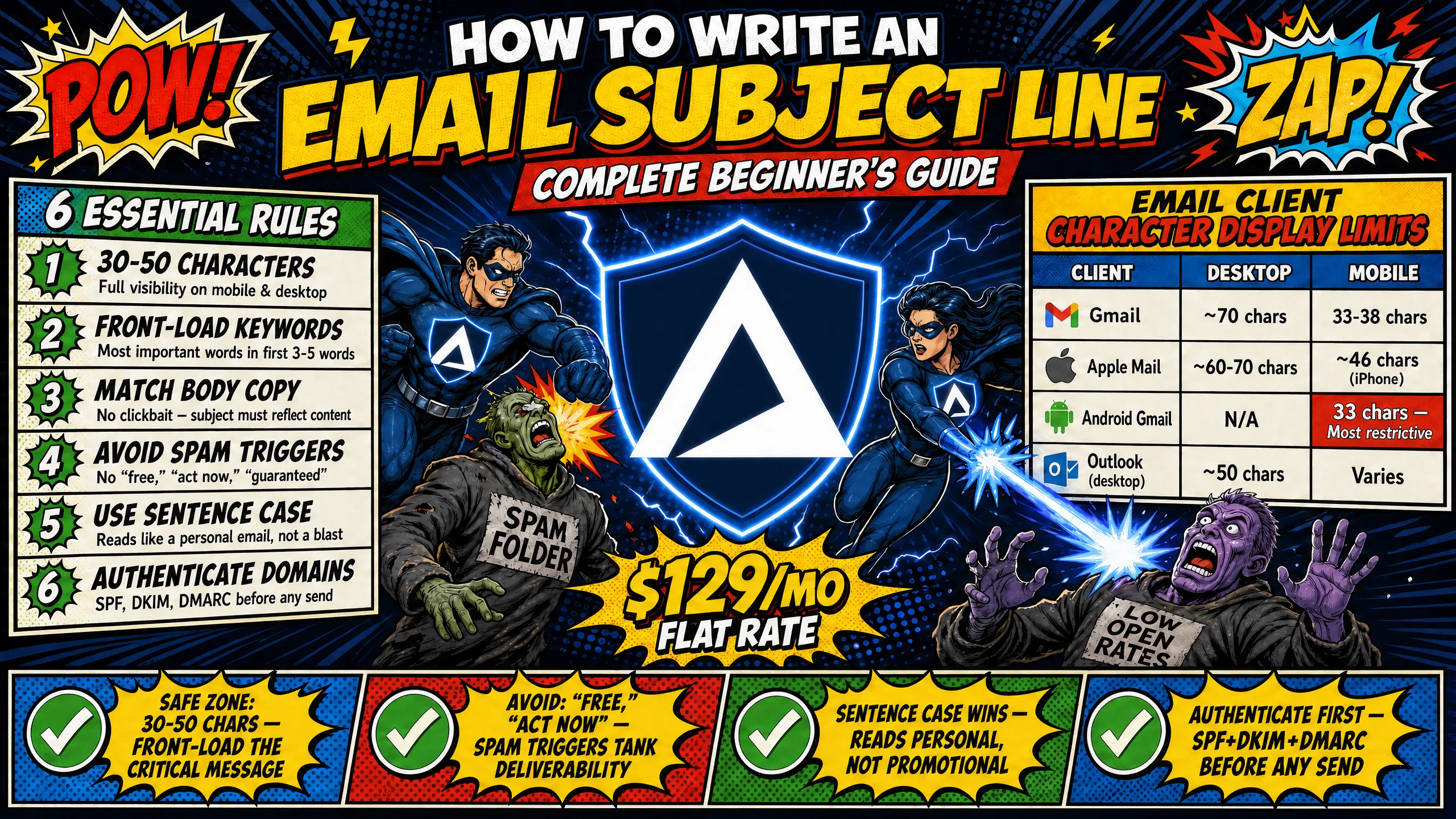
Email client character display limits
Client | Desktop | Mobile |
|---|---|---|
Gmail | ~70 characters | 33-38 characters |
Apple Mail | ~60-70 characters | ~46 characters (iPhone) |
Android Gmail app | N/A | 33 characters |
Outlook (desktop app) | ~50 characters | Varies by version |
The Android Gmail app is the most restrictive common email client, displaying only 33 characters. An optimal subject line that shows fully on every device sits at or below 33 characters. If the campaign targets a mixed device audience, the practical safe range is 30 to 50 characters, with the most critical words placed in the first three to five words.
The impact on deliverability and opens
Even a perfectly written, correctly truncated subject line does nothing if the email never reaches the inbox. Domain authentication is the first checkpoint that receiving servers evaluate, and it significantly shapes whether your message ends up in the inbox or the spam folder.
SPF (Sender Policy Framework) specifies which mail servers are authorized to send on behalf of a domain. DKIM (DomainKeys Identified Mail) uses a cryptographic signature to confirm the message wasn't altered in transit. DMARC (Domain-based Message Authentication, Reporting, and Conformance) tells receiving servers what to do when SPF or DKIM checks fail, whether to quarantine, reject, or deliver the message anyway. Domains that haven't configured these three records correctly can find their emails quarantined as spam or rejected entirely, as Google and Microsoft's technical documentation confirms. A missed record on one domain can tank inbox placement for that entire sending volume.
Inframail automates SPF, DKIM, and DMARC configuration for every domain provisioned on the platform, eliminating the manual panel work and the risk of misconfigured records. The Inframail getting started guide walks through how the platform handles this automatically.
"InfraMail makes it remarkably easy to purchase domains, configure them correctly, create inboxes, and initiate warm-up immediately. The level of automation is exceptional and clearly designed for serious operators; it removes friction and allows you to focus on execution rather than setup." - Verified user review of Inframail
Keep subject lines under 50 characters
The 30-to-50-character range is the practical sweet spot for mobile-first subject lines. It ensures the subject displays fully on Gmail for Android (33 characters) and leaves room to front-load the critical message. Aiming for 33 characters guarantees full visibility across every major client, and going up to 50 characters is acceptable if the campaign audience skews toward desktop users.
Mobile preview checklist
Length check: Is the subject line under 40 characters for maximum mobile compatibility?
Front-loading: Are the most important words in the first three words of the subject?
Preheader alignment: Does the preheader text extend or complement the subject without repeating it word-for-word?
Truncation test: Does the subject still make sense if it cuts off at character 33?
Prioritize critical keywords
Front-loading means placing the most important noun or action at the very start of the subject line. Inbox scanning is fast, recipients read left to right, and attention drops off quickly. A subject like "Partnership idea for Acme Corp" works better than "Reaching out about a potential partnership" because the value proposition appears before any truncation point. This principle applies across all campaign types: in cold outreach, the company name or pain point goes first, and in meeting requests, the time frame goes first.
Crafting high-open subject lines
The balance between clarity and curiosity shifts by campaign type. Cold outreach subject lines perform best when they are direct and specific rather than clever, because recipients don't recognize the sender and need an immediate reason to open. Research on B2B cold email performance shows that question-framed subject lines consistently outperform statement-based alternatives in B2B open rates.
Marketing subject lines can lean on curiosity gaps because recipients already have brand familiarity. A cold email from an unknown sender that reads "You won't believe this" generates suspicion, not curiosity.
Aligning subject lines with email content
Clickbait subject lines, where the subject implies something the body doesn't deliver, cause two measurable problems. First, recipients feel deceived and unsubscribe or mark the message as spam. Second, spam report rates rise, which damages sender reputation at the domain level and reduces inbox placement on all future sends. The rule is simple: the subject line is a preview, not a hook designed to mislead.
Writing subject lines that get opened
Proven formulas for cold outreach subject lines:
Question format: "Quick question re: [specific pain point]"
Name drop: "[Prospect Name] / [Your Company]"
Specific value: "Ideas for [Prospect's Company] growth"
Benefit framing: "3 ways to reduce [specific cost] at [Prospect's Company]"
Direct ask: "15 mins this week?"
These structures work because they are low-friction and specific, allowing the recipient to assess relevance in under two seconds without opening the email.
Best practices for formal email subjects
B2B, legal, and financial contexts require subject lines that prioritize clarity over curiosity. The recipient should know exactly what the email contains before opening it, so use descriptive, action-oriented language like "Invoice #4471 attached" or "NDA review requested by [Date]" to communicate the purpose immediately and reduce the time needed to triage their inbox.
Writing clear meeting request subjects
Meeting request subject lines should reduce friction, not create it. Short, time-specific structures like "15 mins next Tuesday?" or "Quick call Wednesday or Thursday?" signal low time investment and make scheduling feel easy rather than like a commitment. The subject line for a meeting request should match the ask inside the email: if the body requests 30 minutes, the subject shouldn't imply 5.
Writing subject lines that get replies
Reply-focused subject lines need to feel conversational and low-pressure. Anything that looks or reads like a marketing email reduces reply probability because recipients mentally categorize it as broadcast content rather than a personal message. The cold email guide by Connor Murray covers this psychological distinction in detail.
Lowercase or sentence case subject lines work better for reply-focused campaigns because they mimic how a colleague would write an email. All-caps or Title Case subjects read as announcements, not conversations.
Optimizing cold outreach subject lines
The core distinction between marketing and cold outreach subject lines is this: marketing relies on curiosity and urgency, cold outreach relies on relevance and personalization. A marketing email can tease a benefit to exploit a curiosity gap. A cold email from an unknown sender must justify the open immediately because the recipient has no prior relationship to draw on.
High-performing cold outreach subject lines for B2B lead generation:
"Quick question re: [specific pain point]" - direct, relevant, low-friction
"[Prospect First Name] / [Your Company]" - personal, unusual formatting catches attention
"Ideas for [Prospect's Company]" - implies value without committing to a claim
"Are you the right person to speak with?" - question format, consistently high open rate in B2B
Drafting clear internal team emails
Internal subject lines benefit from tagging conventions that reduce the need to open every message. The [EOM] (End of Message) tag signals that the entire message is contained in the subject line and the body is empty or irrelevant.
When to use[EOM]:
Short confirmations: "Meeting moved to Room 3 [EOM]"
Simple scheduling updates: "Call at 2 PM confirmed [EOM]"
Quick approvals: "Budget approved for Q3 campaign [EOM]"
When to avoid[EOM]:
Complex requests requiring context or attachments
Policy changes that require body copy explanation
Sensitive communications where tone matters
Other useful internal tags include [Action Required] for items needing a response and [FYI] for informational-only messages.
Fixing generic and unhelpful subject lines
"Checking in," "Hello," and "Just following up" are the weakest performing subject lines in cold outreach. They carry no information about value or relevance, and they signal low effort to the recipient. Replace them with specific references to the prospect's company, industry, or a pain point observed in their business: "Checking in" becomes "Question about [Prospect's Company] outbound process" and immediately communicates relevance.
Avoiding deceptive subject lines
Adding "Re:" or "Fwd:" to a cold email that is not part of an existing thread can damage sender reputation across multiple fronts. Spam filters analyze message headers for legitimate reply chains, and a message with "Re: Our conversation" that lacks proper In-Reply-To and References headers fails header validation and draws extra scrutiny from ISPs (Internet Service Providers). Recipients who open the email and realize it isn't a genuine reply may file spam reports at higher rates, which compounds the domain reputation damage over time. The Inframail deliverability guide covers how ISPs evaluate header consistency as part of spam scoring.
Fixing blank email subject lines
Sending an email with a blank subject line is one of the fastest routes to the spam folder. Spam filters treat a missing subject as a technical anomaly that matches known spam patterns, and recipients rarely open emails with no subject unless they immediately recognize the sender. Always include a subject, even for internal messages.
Why brevity boosts open rates
Short subject lines outperform long ones on mobile because they display completely rather than truncating mid-message. A long, creative subject that cuts off at character 33 destroys the hook the writer intended. At 33 characters, "Partnership idea for [Company]" shows the full message. At 33 characters, "We've been thinking about ways your team could significantly improve" shows nothing meaningful.
Steer clear of common spam keywords
Spam filter scoring analyzes subject lines for trigger words that correlate with promotional or deceptive content. Research shows that emails containing multiple promotional trigger words are significantly more likely to end up in spam folders. The table below lists the highest-risk terms and safe alternatives for B2B cold outreach.
Spammy word (avoid) | Safe alternative (use) |
|---|---|
Free, risk-free | Complimentary, no-cost |
Act now, urgent, limited time | Upcoming, scheduled, timeframe |
Guarantee | Standard, assured |
Beyond keyword filtering, domain reputation is the earlier and more consequential gatekeeper. Even a subject line with zero trigger words fails if the sending domain has missing SPF, DKIM, or DMARC records. The Inframail infrastructure monitoring guide covers how to monitor domain health continuously to catch authentication issues before they affect campaign performance.
When to include RE and FW prefixes
Use "Re:" only when replying to an existing email thread that the recipient initiated or participated in. Use "Fwd:" only when forwarding a genuine prior conversation. These prefixes carry a technical expectation: the message should contain proper In-Reply-To and References headers that reference a real prior thread. Applying them to cold emails or first-touch outreach violates that expectation and triggers ISP scrutiny, leading to higher spam report rates from recipients who feel deceived.
Boost engagement using subject tags
Bracket tags help recipients triage inboxes faster and set clear expectations. Common high-performing tags for B2B campaigns include:
[Action Required]- clear directive for internal or client emails needing a response[Case Study]- identifies emails containing a real-world example or client outcome
Tags work best when they are accurate. A [Case Study] tag on an email that doesn't contain a case study trains recipients to ignore the tag entirely.
Standardizing your email subject case
Three capitalization conventions compete in B2B email: Title Case (Every Word Capitalized), Sentence case (Only the first word capitalized), and lowercase (everything lowercase). The B2B cold email top subject lines analysis by Chris Bussing highlights a consistent finding across campaigns: lowercase and sentence case outperform Title Case in cold outreach because they resemble a personal email from a colleague rather than a marketing blast. For formal B2B communication, legal, or financial contexts, sentence case is the appropriate standard.
Do emojis hurt email deliverability?
Emojis don't directly trigger spam filters in most modern ESPs (Email Service Providers), so the deliverability impact is minimal on their own. The practical risks are different: in B2B cold outreach, emojis can look unprofessional when email clients render them inconsistently, and older Outlook desktop clients sometimes display emojis as blank squares or character codes. The more significant risk is perception, as a decision-maker receiving a cold email with an emoji in the subject line may file it mentally as promotional content rather than a business communication, which reduces reply probability even if it avoids the spam folder. Use emojis only if the brand context explicitly supports a casual tone and the audience is confirmed to use modern email clients.
Analyze subject line open rates
Sending platforms like Instantly and Smartlead report open rates at the sequence level, with breakdowns by subject line variant where A/B testing is active. The key metric to watch alongside open rate is reply rate. A subject line that generates high opens but low replies indicates a curiosity gap trap: the subject overpromised and the body underdelivered, or the targeting was too broad to generate genuine responses.
Validate subject lines via A/B testing
A structured A/B test produces reliable data without requiring a large sample size. Follow this three-step process:
Define the variable: Test one element at a time. Short versus long, question versus statement, or personalized versus generic. Testing two variables simultaneously makes it impossible to attribute the performance difference to a single cause.
Send to a small sample: Each variant needs at least 200 recipients for statistically meaningful results. If the total list is 400 contacts, split evenly. With larger lists, 10 to 20 percent of the total volume per variant is sufficient for early-stage testing.
Analyze open rate and reply rate together: The winning variant should show improvement on both metrics, or at least no decline in reply rate alongside an open rate gain. Teams that systematically test subject lines see meaningfully higher average open rates over time compared to teams that pick one subject line per campaign and never vary it.
Get peer reviews on your subject lines
Before launching a high-volume campaign, run the subject line by one or two colleagues who represent the target audience demographic and ask them: "What do you expect to find inside this email?" Their answer reveals whether the subject line communicates the right expectation, and if their answer doesn't match the body copy, the subject needs revision. Peer review also catches spam trigger words that the writer has become blind to through repeated exposure.
Sign up to Inframail and get started today. The platform handles SPF, DKIM, and DMARC configuration automatically across every domain, so your subject line work lands in the inbox rather than spam. The Unlimited Plan starts at $129 per month for unlimited inboxes. Compare the full infrastructure cost breakdown against other platforms before you scale.
What is the recommended subject line character count?
Keep subject lines between 30 and 50 characters to ensure full visibility on both mobile and desktop email clients. The most restrictive common client, Gmail on Android, displays only 33 characters, so front-loading the critical message within the first three to five words is essential for any audience with mobile users.
How does personalization impact open rates?
Personalizing subject lines with a recipient's name or company name can meaningfully increase open rates, based on research across B2B email campaigns. Overusing personalization tokens can make emails look like automated blasts rather than genuine outreach, which reduces reply rates even when open rates improve.
Should you modify subject lines in replies?
Do not change the subject line when replying to an active email thread. Modifying the subject breaks email threading in the recipient's inbox and can confuse recipients who track correspondence by thread, as the response will appear in a separate thread from prior messages.
What happens if you send an email without a subject line?
Sending without a subject line increases the risk of the email being flagged by spam filters, because missing header fields match known spam patterns. Recipients also rarely open emails with blank subject lines unless they immediately recognize the sender.
What is an email subject line?
An email subject line is the short text that appears in the inbox preview before the recipient opens the message, summarizing the content and purpose of the email in a single line. It functions alongside the sender name and preheader text to give the recipient enough context to decide whether to open the email.
How do you write an email subject?
Write the subject line by identifying the single most important point of the email, placing it in the first three to five words, keeping the total length under 50 characters, and avoiding spam trigger words like "free," "guaranteed," or "act now." For cold outreach, match the subject to the specific recipient's company or pain point rather than using a generic phrase.
SPF (Sender Policy Framework): A DNS record that specifies which mail servers are authorized to send email from a domain. Missing SPF records cause emails to fail authentication checks and increase the risk of spam folder routing.
DKIM (DomainKeys Identified Mail): A cryptographic signature added to outgoing emails that confirms the message wasn't altered between the sender's server and the recipient's inbox.
DMARC (Domain-based Message Authentication, Reporting, and Conformance): A DNS policy that tells receiving mail servers what to do when SPF or DKIM checks fail, whether to quarantine, reject, or deliver the email anyway.
Preheader text: The grey preview text that appears after the subject line in most email clients. It extends the message of the subject line and should complement rather than repeat it.
Sender reputation: A score assigned by ISPs and ESPs to a sending domain or IP based on historical engagement, spam complaint rates, and authentication status. Low sender reputation reduces inbox placement rates regardless of subject line quality.