
How to Recover from a Spamhaus Listing: Step-by-Step Delisting Playbook
Learn how to recover from a Spamhaus listing with a step-by-step delisting playbook covering diagnosis, remediation, removal requests, and re-listing prevention.
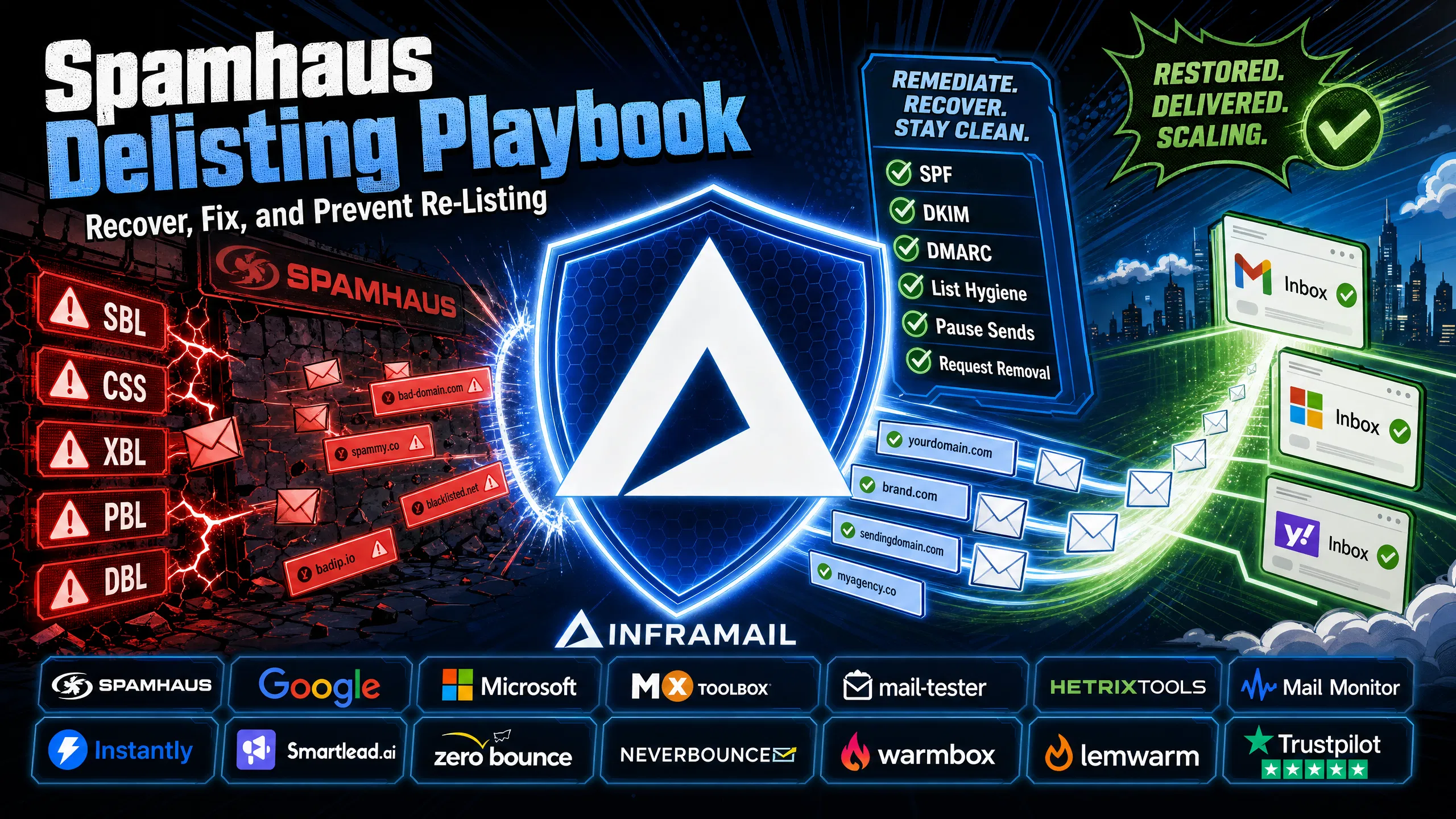
TL;DR: A Spamhaus listing stops your campaigns cold and can end a client relationship fast. Before you submit a removal request, identify which blocklist flagged you (SBL, CSS, XBL, PBL, or DBL) and fix the root cause completely. Document every remediation step in specific detail. First-time SBL listings with clear evidence of remediation are resolved promptly once Spamhaus confirms the issue is fixed. Rushing the request before fixing the underlying problem is the most common reason requests get denied and re-listings happen within hours. This playbook walks you through every step, from diagnosis to prevention.
One spam trap hit, one aggressive send volume spike, one shared IP contamination event, and your client's primary domain lands on a blocklist that over 4.5 billion mailboxes query before deciding whether to deliver your email. Cold email operations running dozens of domains face this risk daily, and knowing the exact recovery sequence is what separates a 48-hour fix from a weeks-long deliverability disaster.
The playbook below gives you the exact sequence: how to diagnose your listing, what to fix before you request removal, how to write a request that gets approved, and what to put in place so you never go through this again.
Understanding which Spamhaus list flagged you determines who handles the removal, what the process looks like, and how long it takes. The sections below cover each list and how to confirm your listing status.
The five blocklists and which one you're on
Not all Spamhaus listings carry the same weight. The removal process, timeline, and required remediation differ depending on which list flagged you. Check first using check.spamhaus.org, the official free tool for querying all Spamhaus DNS blocklists by IP address or domain.
Here's what each list means and why it matters for cold email specifically:
Blocklist | What it targets | Who removes it | Typical timeline |
|---|---|---|---|
IPs under control of spammers, bulk mailers | You contact ISP, ISP contacts Spamhaus | No fixed timeline; Spamhaus acts promptly once issue is confirmed resolved | |
IPs sending low-reputation email, snowshoe spam | Self-service request | 30 minutes to a few hours; auto-expires after 3 days | |
Compromised or infected systems | Self-service, or auto after clean | Hours to 48 hours | |
End-user IP ranges not meant to send directly | Only request if running a dedicated mail server from that IP | N/A for most cold email setups | |
Domains with poor reputation | Self-service domain removal | Up to 24 hours |
For cold email senders, the SBL and CSS both carry significant deliverability consequences because they affect multiple mailbox providers simultaneously, with SBL listings generally being the more severe of the two. According to Spamhaus, the CSS dataset contains between 2 and 4 million listings, with 300,000 to 400,000 new listings added every 24 hours, so your domains face constant exposure when sending behavior raises red flags.
One important note on the PBL: if your IP lands on the Policy Blocklist, that reflects expected behavior for most end-user IP ranges. The PBL applies broadly to end-user IPs that should not be delivering unauthenticated SMTP email directly. Only request removal if you run a dedicated mail server from that specific IP, and only for static single IP addresses assigned to mail servers.
How to check your listing status immediately
Start with check.spamhaus.org. Enter your sending IP and each active domain. Note the exact SBL reference number for any listings, because you'll need it when submitting your removal request.
For a broader view across more than 100 blocklists at once, we recommend running your IP and domain through MXToolbox's blacklist checker. This shows whether you're listed on non-Spamhaus blocklists simultaneously, which is common when the underlying issue involves spam traps or complaint rates. Fixing Spamhaus without checking the wider list means you fix one fire while missing three others.
Our infrastructure monitoring guide covers the full stack of health checks worth running before, during, and after a listing event.
Submitting a removal request before identifying and fixing the root cause is the most common reason listings come back within hours of removal. Work through both sections below before opening any removal form.
Why cold email senders get listed
Spamhaus lists you because your sending behavior, your list quality, or your infrastructure signals spam. The three most common root causes for cold email operations are:
Spam trap hits: Anti-spam organizations maintain spam traps, which are email addresses created specifically to identify senders with poor list hygiene. They appear in scraped lists, old purchased databases, and any list that hasn't been cleaned in 12 or more months. Hitting even one trap can damage domain reputation significantly. Note that while spam traps contribute to listings, Spamhaus's documentation focuses on broader behavioral patterns: IPs appear on the SBL because they appear to be under the control of, used by, or made available for use by spammers and abusers in unsolicited bulk email.
High complaint rates: Google's Sender Guidelines enforce a 0.3% complaint rate threshold before spam classifications trigger. Spamhaus flags IPs based on broader behavioral patterns, but high complaint rates are a contributing signal that increases listing risk.
Compromised infrastructure or shared IP contamination: If another sender on a shared IP pool has been flagged, your sending reputation absorbs the damage. This is why dedicated IPs matter specifically for protecting your ability to delist cleanly. Our Maildoso deliverability review covers how shared IP pools expose senders to exactly this problem. In my experience, a Spamhaus listing is almost always a symptom, not the disease. Removing yourself from the blocklist without fixing the underlying list hygiene, authentication gaps, or send volume problem means you get re-listed within hours of removal. Spamhaus tracks re-listing patterns, and repeat offenders face longer review timelines and harder removal processes.
What evidence to gather before submitting
Before opening any removal form, compile this documentation:
Exact sending IP address
SBL reference number from the listing
Description of what caused the listing (specific, not vague)
Specific steps taken to fix the problem, with timestamps
Timeline showing when the issue started and when you resolved it
Proof that SPF, DKIM, and DMARC are implemented and passing on all affected domains
You also need to confirm that a working postmaster@yourdomain.com address exists and accepts mail, that your MX records resolve correctly to a valid mail server hostname (MX records must always point to a hostname, never directly to an IP address), and that bounce rates are as low as possible across the affected campaigns. Getting bounce rates as low as possible before requesting removal is standard best practice, and elevated bounce rates while requesting removal signal the problem is ongoing.
For actionable steps on list hygiene tools, our ZeroBounce vs NeverBounce comparison covers verification options for cleaning lists before relaunching campaigns.
Each step in the sequence below depends on completing the one before it. Moving out of order, or skipping steps to save time, is the primary reason removal requests get denied or re-listings occur shortly after.
Step 1: Stop sending immediately
The moment you confirm a Spamhaus listing, pause all sends from the affected domain and IP. Every send after you discover the listing goes into Spamhaus's records and signals the problem is ongoing. Pause in your sending platform (Instantly.ai or Smartlead), not just at the domain level. Continuing to send while listed extends your review timeline and makes the situation worse.
This video from Harsh S on deliverability recovery walks through the pause-and-diagnose sequence that applies directly to this step.
Step 2: Fix the root cause completely
This is the step most campaign managers skip or rush. I've seen it happen repeatedly: requesting removal before the problem is fixed results in delisting followed by re-listing within hours, which damages your standing with Spamhaus for future requests.
Work through this checklist before submitting anything:
Authenticate fully: SPF, DKIM, and DMARC must all pass and align. Google and Microsoft now reject non-compliant mail at the SMTP level before content filtering, so if any of the three fail, fix them first. Note that DMARC is mandatory for high-volume senders (5,000+ emails per day to Microsoft consumer services) and strongly recommended for all cold email operations regardless of volume. For the full DNS setup process, the cold email infrastructure setup guide walks through each record step by step.
Clean the list segment: If a specific uploaded list segment triggered spam trap hits, suppress those addresses entirely. Anti-spam organizations recycle spam traps from email addresses that go inactive. Suppression preserves the contact record for compliance history under GDPR and CCPA while preventing further sends, which matters when you need to retain proof of removal requests. Prune inactive subscribers aggressively, since lists older than 12 months carry the highest trap exposure.
Check your bounce rate: Get it below 1% before submitting. Run the affected segments through a verification service and remove any addresses that bounce or can't be confirmed.
Review send volume: Keep cold sends to a level that avoids triggering bulk-sender pattern detection. Increase volume gradually, typically by 20-30% per week over a 30-60 day period, distributing sends throughout business hours with varied timing rather than firing at predictable intervals.
Verify
postmaster@exists and accepts mail: Spamhaus rejects requests if this address doesn't work. Test it before submitting.
Step 3: Submit your delisting request correctly
For SBL listings, you must contact your Internet Service Provider's abuse team and request that they contact Spamhaus on your behalf. This is the process as Spamhaus defines it, and there are no shortcuts. For CSS and XBL listings, one self-service removal request covers both simultaneously through check.spamhaus.org.
The removal message is where most requests fail. Spamhaus requires a specific, human account of what happened and what you fixed. Here's the difference:
Ineffective: "We are not spammers. Our emails are legitimate. Please remove us immediately."
Effective: "We identified that a user uploaded an unverified legacy list containing spam traps. We stopped sending at 10:00 AM on \[date\], suppressed the affected list segment, implemented double opt-in verification for new signups, confirmed SPF/DKIM/DMARC are all passing, and verified bounce rates are below 0.5%. We formally request removal."
Submit using postmaster@yourdomain.com, not a freemail address. Spamhaus rejects requests from Gmail, Outlook, or any address not tied to the domain you're requesting removal for.
Step 4: What Spamhaus checks during review
Spamhaus runs technical verification against several factors once your request is in:
Whether the spamming behavior has actually ceased
Whether SPF, DKIM, and DMARC pass on the domain
Whether
postmaster@accepts mailWhether the issue you described matches the activity pattern they observed
Whether the domain has been listed before and re-listed quickly after removal
The SBL team operates around the clock and acts promptly once they confirm the underlying issue is resolved. There's no expedited review process, and no third-party service can accelerate or influence their decision. Removal is always free. Any service charging for Spamhaus delisting is a scam.
Step 5: What to expect after submission
For first-time listings with clear evidence of remediation, Spamhaus typically completes SBL removals promptly once they confirm the underlying issue is resolved. Repeat offenders or severe violations require manual review, which can extend to one to two weeks or longer. Once removed, run check.spamhaus.org again to confirm the listing is gone before resuming sends.
After removal, do not immediately ramp back to full send volume. Start at 20-30 emails per day per mailbox and increase gradually over 4-6 weeks, beginning with highly engaged seed contacts. Monitor Mail-Tester scores (target 9+/10), and watch bounce and complaint rates daily during the first two weeks following removal. Reputation recovery takes time: minor deliverability incidents typically require 1-2 weeks of clean sending, moderate damage takes 4-6 weeks, and severe cases can require 8 weeks or more before inbox placement rates fully normalize. A slow restart protects the reputation you just recovered and avoids triggering re-listing.
For the volume ramp methodology that applies after any deliverability incident, our guide on sending bulk emails effectively covers the phased approach in detail.
Most denials come from one of four mistakes:
Requesting removal before fixing the problem. You'll get delisted and re-listed within hours. Spamhaus tracks this pattern, and escalation makes future removals harder and slower.
Vague remediation descriptions. "We cleaned our server" is not evidence. Spamhaus needs the specific cause, the specific fix, and the specific timeline. They reject vague submissions outright.
Using a freemail address to submit. The ticket must come from
postmaster@yourdomain.com. A Gmail or Outlook address signals that you don't control the domain infrastructure.Continuing to send during the review period. If Spamhaus sees active sends from the listed IP or domain while your review is in progress, they deny the request and reset the timeline.
The pattern that makes future removal increasingly difficult is rushing: request removal before fixing the root cause, get delisted, get re-listed within hours, request again, get denied. Repeat cycles of this damage your standing with Spamhaus and extend the timeline for every subsequent removal request significantly.
Removal resolves the immediate listing. Staying off the blocklist requires consistent attention to the infrastructure, list practices, and monitoring habits covered in the sections below.
Technical authentication requirements
Authentication is the foundation. SPF, DKIM, and DMARC all need to be configured, passing, and aligned on every sending domain. A misconfigured record across any of your active domains creates re-listing exposure. The cold email infrastructure setup guide walks through the full authentication stack and is worth watching if you're configuring domains manually.
For agencies managing 50-200 domains, manual DNS configuration creates the most consistent authentication errors. We built automated DNS configuration into Inframail for every domain provisioned on the platform specifically to eliminate the copy-paste errors in SPF/DKIM/DMARC records that leave individual domains exposed. See the B2B cold email system guide for the infrastructure checklist that covers these requirements in full.
Sending volume and list hygiene
Two behaviors drive most re-listings after successful removal:
Aggressive volume increases. Increase send volume gradually, targeting 20-30% per week over a 30-60 day ramp. Distribute sends throughout business hours with varied timing rather than predictable scheduled batches. Bulk-sender pattern detection triggers when volume spikes suddenly, even after a clean removal.
Stale or purchased lists. Verify lists before uploading and suppress any segment that generated trap hits. Stale lists (12+ months) carry the highest exposure. Use email verification tools (our ZeroBounce vs NeverBounce guide compares the leading options) and retain suppression records for compliance. Keep bounce rates below 1% across all active campaigns. For broader compliance context, our guide on whether cold email is legal covers the operational boundaries that govern compliant outreach.
Monitoring tools to catch problems early
Catching a listing early, before it's been active for days, makes recovery significantly faster and less damaging to client campaigns. I run these monitoring tools continuously:
Google Postmaster Tools: Provides authenticated senders with direct data from Gmail, covering spam rate trends and domain reputation scores. This free tool shows exactly how Gmail perceives your sending domain before issues escalate to blacklisting.
**MXToolbox:** Queries over 100 DNS-based blacklists simultaneously with customizable alerts when any of your IPs or domains appear on a new list.
HetrixTools: Provides hourly blacklist checks with real-time alerts via Slack, SMS, and email. For operations managing 50+ domains, hourly checks catch listings within one send cycle rather than discovering the problem after a client asks why reply rates dropped.
MailMonitor: Tracks over 100 blocklists and sends instant alerts. Worth evaluating when you're managing 100+ domains across multiple clients.
Running campaigns on dedicated IPs changes the blacklist risk profile fundamentally. On shared IP pools, one sender's aggressive behavior or spam trap hits affects every domain on that pool. While domain reputation has become increasingly important as a stabilizing force, shared IP contamination still creates deliverability damage that requires cleanup even when your own practices are clean.
We provision dedicated US-based IPs (1 IP on the Unlimited Plan at $129/month, 3 IPs on the Agency Pack at $327/month) so your sending reputation stays isolated. Unlimited Plan total cost: $129/month platform fee plus $5-16 per domain per year. Inframail does not include a built-in warmup tool, so budget $15-50/month per inbox for an external service such as Warmbox or Lemwarm. Your behavior alone determines your ESP trust score, and any delisting request involves only your own sending history, not a pool of unknown senders.
The platform's blacklist monitoring dashboard tracks domain and IP health continuously, with automated DNS configuration eliminating the SPF/DKIM/DMARC misconfigurations that create re-listing exposure across large domain portfolios. For Microsoft-specific blacklist situations, our guide on the Microsoft blacklist removal process covers the Outlook and Hotmail delisting path, which differs from Spamhaus.
Here's how real users describe the infrastructure reliability after switching:
"We spent months hunting for a reliable cold-emailing stack. After repeated failures with another provider, we trialled two options - Inframail and a competitor. We chose the competitor. A month later, we switched back to Inframail. Zero issues since. Rock-solid infrastructure, sharp support, genuinely dependable. Highly recommended." - Verified user review of Inframail
The combination of dedicated IP infrastructure, automated authentication, and blacklist monitoring means that if a listing does happen, you're working from a clean single-sender history rather than untangling shared IP contamination. That speeds up every step of the playbook above.
Sign up to Inframail and get started today with dedicated IP infrastructure, automated DNS configuration, and built-in blacklist monitoring across all your domains.
How long does Spamhaus delisting take?
For first-time listings with clear evidence of remediation, Spamhaus acts promptly once they confirm the underlying issue is resolved, though there is no fixed timeline. Repeat offenders or severe violations require manual review, which can extend to one to two weeks or longer.
Can I submit the Spamhaus SBL delisting request myself?
No. For SBL listings, you must contact your ISP's abuse team and ask them to contact Spamhaus directly on your behalf. For CSS and XBL listings, one self-service request at check.spamhaus.org covers both lists simultaneously.
What should I write in my Spamhaus removal request message?
Describe the specific cause, the specific fix, and the exact timeline with timestamps. State what list segment was suppressed, what authentication records were fixed, and what your current bounce and complaint rates are. Vague requests like "we are not spammers" are rejected.
Does Spamhaus charge for removal?
No. Removal is always free. Any third-party service charging for Spamhaus delisting is a scam, and no outside service has the ability to influence or accelerate the Spamhaus review process.
Will my deliverability recover immediately after delisting?
Not immediately. Start at 20-30 emails per day per mailbox after removal, prioritizing highly engaged seed contacts first, and monitor Mail-Tester scores (target 9+/10) and bounce and complaint rates closely over the following weeks. Minor damage typically requires 1-2 weeks of clean sending to recover, moderate damage takes 4-6 weeks, and severe reputation damage can require 8 weeks or more.
Do I need to fix SPF, DKIM, and DMARC before requesting removal?
Yes. All three must be passing and aligned on every affected domain before you submit a removal request. Spamhaus verifies authentication during review, and a failing record gives them grounds for denial.
SBL (Spamhaus Block List): The Spamhaus dataset of IP addresses under the control of or used by spammers and abusers, containing 30-40 thousand listings maintained by a dedicated research team. ISP contact is required for removal.
CSS (Compromised and Snowshoe Spam list): An automated Spamhaus dataset targeting IPs sending low-reputation email, including snowshoe spam operations. Contains 2-4 million listings with self-service removal. Listings auto-expire three days after last spam detection.
XBL (Exploits Blocklist): Spamhaus list targeting compromised or infected systems. Auto-delists once the infected machine is cleaned, or can be removed via self-service request. One removal request covers both XBL and CSS simultaneously.
PBL (Policy Blocklist): A dataset of end-user IP address ranges that should not deliver unauthenticated SMTP email directly to mail servers. Applies broadly to end-user IPs. Only request removal if you operate a dedicated mail server from a static IP that is specifically assigned to that server.
DBL (Domain Block List): A Spamhaus list of domain names with poor reputation. Lists domains only, not IP addresses, with self-service removal available.
Spam trap: An email address that anti-spam organizations create and monitor to identify senders with poor list hygiene. Spam traps appear in scraped lists, old purchased databases, and stale lists that haven't been cleaned in 12 or more months.
DMARC (Domain-based Message Authentication, Reporting, and Conformance): An email authentication protocol that builds on SPF and DKIM to protect sending domains from spoofing. Mandatory for high-volume senders (5,000+ emails per day to Microsoft consumer services) and strongly recommended for all cold email operations.
Dedicated IP: An IP address used exclusively by a single sender, meaning your sending reputation is determined by your behavior alone rather than being affected by other senders on a shared pool.