
Final reminder email: last notice templates that work
A final reminder email works when it pairs a firm deadline with a single, friction-free next step and lands in the primary inbox. This guide covers nine copy-pa
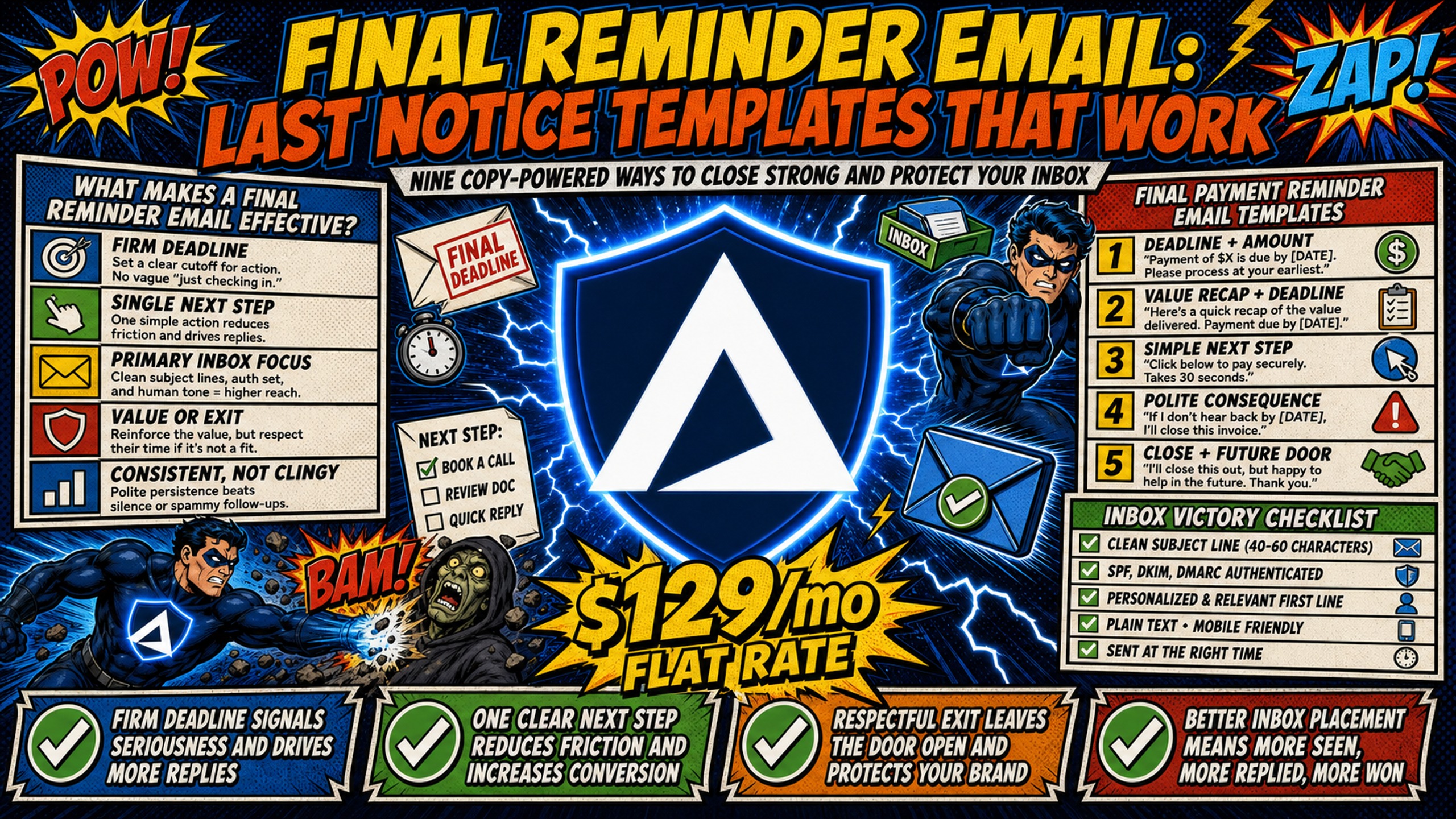
TL;DR: A final reminder email works when it pairs a firm deadline with a single, friction-free next step and lands in the primary inbox. This guide covers nine copy-pasteable templates across three scenarios: overdue payment notices, last-call meeting reminders, and cold outreach breakup emails. Each template is paired with a deliverability checklist covering SPF, DKIM, and DMARC configuration, because copy that never reaches the inbox cannot convert. For agencies running 50-200 domains, Inframail's flat-rate $129/month infrastructure cuts costs by $2,244-$3,084 annually per 50 inboxes compared to Google Workspace, with automated DNS setup so domains go live in minutes.
Whether the goal is recovering an overdue invoice, reducing no-show rates on sales calls, or closing out a cold outreach sequence, the framework is the same: clear language, a single next step, and a sending infrastructure that gets out of the way. This guide delivers copy-pasteable templates for all three, paired with the technical checklist that ensures those high-stakes emails are actually delivered.
What makes a final reminder email effective?
A final reminder carries more weight than any earlier touch in a sequence. The recipient knows the relationship is close to its conclusion, which creates a natural attention spike, but only if the email is written to match the moment. Aggressive copy wastes that attention and generates spam complaints. Vague copy wastes it differently, leaving the recipient with no clear path forward.
Urgency without aggression
Words like "act now," "limited time," and "urgent" are still flagged by modern filters, though less for the words themselves than for the sender-reputation and engagement signals that tend to accompany them. The highest-risk subject line words fall into three buckets: urgency phrases, financial promises, and manipulative CTAs.
The replacement is specific language. "Invoice #1047 remains unpaid as of August 5" communicates urgency through fact, not tone. Kidous Mahteme's video on cold email CTAs makes the same point about follow-up sequences: asking a recipient "Can you let me know if you need 5 or 10 minutes to review this?" drives action through a micro-commitment rather than pressure.
Risk to avoid: Never state a consequence you cannot or will not actually enforce. Writing "your account will be shut down today" when that is not your actual policy triggers immediate spam complaints and can get your sending domain flagged across major inbox providers.
Clear next steps
A final notice with multiple calls to action produces confusion, not action. The table below shows the difference between a legitimate final notice and a phishing attempt, because recipients make this assessment in seconds.
| Element | Legitimate final notice | Fraudulent phishing attempt |
|---|---|---|
| Sender domain | Matches the official company domain exactly | Uses look-alike domains or free webmail accounts |
| Authentication | Valid SPF, DKIM, and DMARC records | Missing or failing authentication checks |
| Call to action | Directs to a secure, known portal | Demands immediate login via an unverified link |
| Tone | Professional, firm, and factual | Threatening, alarmist, and overly urgent |
Authentication matters here beyond deliverability. Major inbox providers including Gmail and Yahoo reportedly require senders to authenticate their domains with SPF, DKIM, and DMARC. A final notice sent from an unauthenticated domain looks fraudulent to both the spam filter and the recipient.
Professional exit strategy
Closing out a relationship, whether a payment dispute or a cold outreach sequence, does not mean burning the bridge. A brief note that you are closing the file, combined with a clear offer to reopen the conversation when circumstances change, accomplishes both goals. For cold email specifically, US commercial email law (CAN-SPAM) reportedly requires clear sender identification and a functional opt-out mechanism in any commercial electronic message. Canadian recipients fall under CASL, which reportedly requires opt-in consent and allows substantial penalties for violations. This information is for educational purposes and does not constitute legal advice.
Final payment reminder email templates
The three templates below cover the most common payment scenarios: an initial overdue notice, a last notice before escalation, and a notice tied to a work hold. Each includes a subject line, body copy, and a single call to action.
First payment deadline reminder
Sent 3-7 days after a missed payment date. Keep the tone factual and the next step direct.
Subject: Invoice #[Number]: payment overdue as of [Date]
Hi [First Name],
Invoice #[Number] for $[Amount] was due on [Date] and remains unpaid. If payment has already been sent, please disregard this message and share the confirmation number so records can be updated. To pay now, use the link below: [Payment Link]. If something has come up, reply to this email and let me know.
[Your Name]
Last notice before collections
Sent when an invoice has gone significantly past due, often 60-90 days from the original due date, after earlier reminders have gone unanswered.
Subject: Final notice: Invoice #[Number] before account review
Hi [First Name],
This is the final notice for Invoice #[Number] totaling $[Amount], now [X] days past due. If payment is not received by [Specific Date], this account will be referred for further review. To resolve this today, use the payment link: [Payment Link]. If there is an issue with the invoice, reply now and it will be addressed immediately.
[Your Name]
Final invoice reminder with consequences
Sent when project work is on hold pending payment.
Subject: Project [Name] on hold: Invoice #[Number] required
Hi [First Name],
Work on [Project Name] is currently paused pending receipt of Invoice #[Number] for $[Amount], due [Original Date]. The project resumes as soon as payment clears. To process payment and restart the timeline, visit: [Payment Link]. If a payment plan works better, reply here and options can be discussed.
[Your Name]
Last-call meeting reminder templates
No-show rates for B2B sales calls run high, and a structured same-day sequence reduces that rate without a heavy lift. Tuesday through Thursday are commonly cited as strong days for B2B outreach, and the same timing logic applies to meeting reminders.
Same-day meeting confirmation
Sent a few hours before the scheduled call as a day-of reminder.
Subject: We're on for [Time] today
Hi [First Name],
Looking forward to our call at [Time] today. Here is the dial-in link: [Meeting Link]. The agenda is [Topic], and it should run [X] minutes. Reply here if anything has changed.
[Your Name]
Final reminder before rescheduling
Sent after the scheduled start time has passed with no connection.
Subject: [First Name], still on for our call?
Hi [First Name],
The calendar showed [Time] for our call. If this time no longer works, here is a link to find a better slot: [Scheduling Link]. Happy to connect when the timing is right.
[Your Name]
No-show follow-up template
Sent later the same day to offer a reschedule.
Subject: Missed you today, [First Name]
Hi [First Name],
Sorry the call did not work out today. If you want to find a new time, the scheduling link is below: [Scheduling Link]. If the timing is not right, that is completely fine. Let me know.
[Your Name]
Cold outreach breakup email templates
The breakup email is often the highest-performing touch in a cold outreach sequence. Research into multi-step sequences suggests that campaigns with only one email achieve approximately 3% reply rates, while sequences with additional follow-ups plateau around 5-6% at three touches before declining. The mechanism is reportedly loss aversion: when a prospect realizes the conversation is ending, the opportunity to respond becomes more salient. This B2B cold email breakdown covers the same dynamic for outreach sequences more broadly.
The soft breakup approach
Best for prospects who have gone cold after initial engagement.
Subject: Closing the loop, [First Name]
Hi [First Name],
It looks like the timing may not be right on your end, and that is completely fine. I will close out my file for now. If [Pain Point] becomes a priority down the road, feel free to reach back out. Wishing you a strong quarter.
[Your Name]
The direct last attempt
Best for prospects who have opened emails but not replied.
Subject: Still worth a conversation?
Hi [First Name],
One last note. Are you open to a 15-minute call to discuss [Specific Outcome]? A simple yes or no works. If not, no follow-up from my end.
[Your Name]
The door-opener breakup
Best for longer sales cycles where timing genuinely may not align.
Subject: Leaving this here for you, [First Name]
Hi [First Name],
I won't keep following up, but I wanted to leave this resource in case it helps: [Link to Case Study or Guide]. It covers [Topic] and may be useful when [Trigger Situation] comes up. Feel free to reach out whenever the timing works.
[Your Name]
How to write your own final reminder email
Technical authentication is the non-negotiable foundation for any final notice campaign. SPF (Sender Policy Framework) validates the sending IP address by authorizing the servers allowed to send on behalf of a domain, functioning as a guest list for that domain. DKIM (DomainKeys Identified Mail) uses cryptographic signatures to verify that email content has not been altered in transit.
DMARC sits on top of both, requiring at least one to pass and, critically, requiring the domain used by SPF or DKIM to align with the domain in the "From" header before instructing receiving servers how to handle messages that fail the check. These are widely accepted industry standards for email authentication.
3-step DNS setup checklist:
- Configure SPF: Authorize your sending servers by adding a TXT record to your domain's DNS settings.
- Set up DKIM: Generate a public/private key pair and publish the public key as a TXT record to digitally sign outgoing email.
- Implement DMARC: Add a DMARC policy record that tells receiving servers whether to quarantine or reject unauthenticated messages and where to send reporting data.
Manual configuration for 50 domains requires logging into individual DNS panels, creating records, waiting for propagation, and testing, a process that eats significant hours across a week, as Inframail's infrastructure monitoring guide confirms. Inframail's automated setup handles SPF, DKIM, and DMARC for every domain provisioned on the platform, no panel access required. The Smartlead integration guide shows how to export IMAP (Incoming Mail Access Protocol) and SMTP (Simple Mail Transfer Protocol) credentials directly to a sending platform once provisioning is complete.
"InfraMail makes it remarkably easy to purchase domains, configure them correctly, create inboxes, and initiate warm-up immediately. The level of automation is exceptional and clearly designed for serious operators; it removes friction and allows you to focus on execution rather than setup." - Verified user review of Inframail
Note: warmup on Inframail's standard plans requires an external tool such as Warmbox or Lemwarm. It is not built into the base platform.
Deliverability checklist for high-stakes notices
- Verify SPF, DKIM, and DMARC records are fully propagated.
- Use your official brand domain for transactional notices (invoices, meeting confirmations).
- Use secondary domains for cold outreach.
- Check that your dedicated IP is not listed on major blacklists.
- Keep spam trigger words out of your subject lines and body copy.
- Verify that IMAP and SMTP credentials are functioning correctly.
Inframail's deliverability monitoring dashboard tracks domain and IP health and auto-submits delisting requests when domains are flagged, achieving a 68.3% delisting success rate. For agencies scaling to 100 or 200 domains, dedicated IPs isolate IP reputation specifically, though domain reputation remains the primary factor in inbox placement. On a shared IP pool, one sender's poor practices can potentially affect the IP reputation of the entire range. On a dedicated IP, your behavior alone determines your IP reputation, while your domain reputation is independently protected through proper authentication and sending practices.
Subject line formulas that get opens
High-performing subject lines for final notices are specific and factual. Spam filters scrutinize urgency language heavily, making factual subject lines both safer and more credible. Use these formulas as a starting point, and the B2B subject line breakdown as a reference for what resonates with business audiences:
- "Final notice: Invoice #[Number] due [Date]"
- "Closing [First Name]'s file on [Date]"
- "[First Name], one last note on [Topic]"
- "Still open to a conversation?"
- "Last outreach before I close your file"
- "Project [Name] paused pending Invoice #[Number]"
Body structure and tone
Keep the body to three short paragraphs: context (what is outstanding and since when), consequence (what happens next if there is no response), and a single call to action. No paragraph should exceed four sentences. For a practical walkthrough of how sequence structure affects reply rates, the cold email strategy breakdown covers multi-touch approaches in concrete terms.
Call-to-action best practices
A single call to action outperforms multiple options in final notice contexts. A single, low-effort ask, one link, one question, or one time slot option, consistently outperforms multi-option CTAs by reducing the number of decisions the recipient has to make. For payment emails, one payment link is the CTA. For outreach breakups, one binary question is the CTA.
When to send your final reminder
Industry research suggests that B2B emails often perform best between 9 AM and 12 PM. Multiple timing studies consistently identify Tuesday through Thursday as top-performing days for open rates. Common spacing recommendations between follow-ups in a sequence include 2, 4, 7, and then 14 days, with a suggested minimum of 24 hours before the first reminder.
Common final reminder email mistakes
Three patterns consistently reduce final reminder performance. Each one is straightforward to fix once identified.
Being too aggressive
Aggressive language in final notices produces the opposite of the intended effect. Words like "urgent," "immediate action required," and direct threats are the same patterns spam filters have been trained on from millions of phishing and scam emails, and the result is a spam flag before the notice reaches a human. Factual, professional language keeps the email in the inbox and the conversation intact.
Leaving no clear next step
A final notice that ends without a direct path forward forces the recipient to take an extra step to find one, and that friction is enough to kill the response. Every final reminder should close with one link, one phone number, or one yes/no question, with no attachment and no multiple options.
Sending too many 'final' reminders
Sending three or four emails labeled "final notice" destroys credibility and trains recipients to ignore the label. One genuine final notice is more effective than repeated false deadlines. If a true final notice goes unanswered, the correct next step is to escalate through a different channel or close the file entirely, not send another "final" email.
The templates, checklist, and timing guidance above cover every variable within the sender's control. The remaining variable is infrastructure: whether authenticated, properly routed email actually reaches the inbox.
Inframail's $129/month Unlimited Plan covers unlimited inboxes on one dedicated US-based IP. Google Workspace charges $7-8.40 per inbox per month, scaling to $350-420/month for 50 inboxes alone.
The cost difference compounds fast at agency scale. Domain costs run approximately $0.68/month per domain when amortized annually. The table below shows the full infrastructure cost comparison at three common volume tiers. Warmup tools are separate on both platforms and are not included in these figures.
| Volume | Google Workspace | Inframail (platform + domains) | Annual savings |
|---|---|---|---|
| 50 inboxes | $350-420/month | ~$163/month | $2,244-$3,084 |
| 100 inboxes | ~$700-840/month | ~$197-240/month (est.) | $6,036-$7,200 |
| 200 inboxes | $1,400-1,680/month | ~$265-340/month (est.) | $13,620-$16,080 |
Estimated rows apply the same calculation as the verified 50-inbox tier: flat $129/month platform fee plus domain costs amortized at $0.68/month per domain across the inbox count shown.
For agencies running 50-200 domains across multiple clients, the flat-rate model means adding a new client does not add a proportional infrastructure bill. The Mailreef vs. Inframail comparison covers that matchup directly, and the cold email infrastructure cost comparison covers it across a wider platform set. Sign up to Inframail and get started today.
FAQs
How many reminders should I send before a final notice?
A common approach is to send 2 to 3 reminders spaced 2, 4, and 7 days apart before sending a true final notice. Anything more than one genuine "final notice" undermines the credibility of the label and reduces response rates.
Should I include consequences in final reminders?
Yes, but only if the consequence is real and you will follow through. State it once, clearly and factually, such as "the project resumes upon receipt of payment" or "this account will be referred for review on [Date]."
What's the best time to send a final reminder?
Send Tuesday through Thursday between 9:00 AM and 12:00 PM in the recipient's local time. Mailchimp's send-time optimization research identifies Tuesday, Wednesday, and Thursday at 10 AM in the recipient's time zone as a commonly cited top-performing combination for open rates.
Can I re-engage after a breakup email?
Consider waiting 30 to 60 days before attempting to re-engage a cold contact who did not respond to a breakup email. Reaching back out too soon signals that the "final" framing was not genuine, which reduces the effectiveness of future outreach.
Key terms glossary
SPF (Sender Policy Framework): An email authentication protocol that authorizes specific servers to send email on behalf of a domain. Missing SPF causes receiving servers to treat your email as a potential forgery.
DKIM (DomainKeys Identified Mail): A cryptographic signature added to outgoing email that verifies the message has not been altered in transit. Major inbox providers including Gmail and Yahoo reportedly require this for bulk senders.
DMARC: A policy layer that sits on top of SPF and DKIM, requiring at least one to pass and the associated domain to align with the "From" header. It instructs receiving servers how to handle messages that fail authentication and routes aggregate reports back to the sender.
Dedicated IP: A sending IP address used exclusively by one sender. Dedicated IPs isolate your IP reputation so that other senders' behavior cannot affect your IP reputation, though domain reputation remains independently critical for inbox placement rates.
CAN-SPAM: The US law governing commercial email, requiring clear sender identification and a functional unsubscribe mechanism in every commercial message, along with other compliance requirements.
CASL: Canada's Anti-Spam Legislation, which requires opt-in consent before sending commercial electronic messages to Canadian recipients and allows fines up to $10 million per violation for companies.