
Email Authentication and Blacklist Prevention: How SPF/DKIM/DMARC Reduce Spam Folder Risk
Learn how SPF, DKIM, and DMARC reduce spam folder risk, prevent blacklist issues, and protect cold email sender reputation across Gmail, Outlook, and Yahoo.
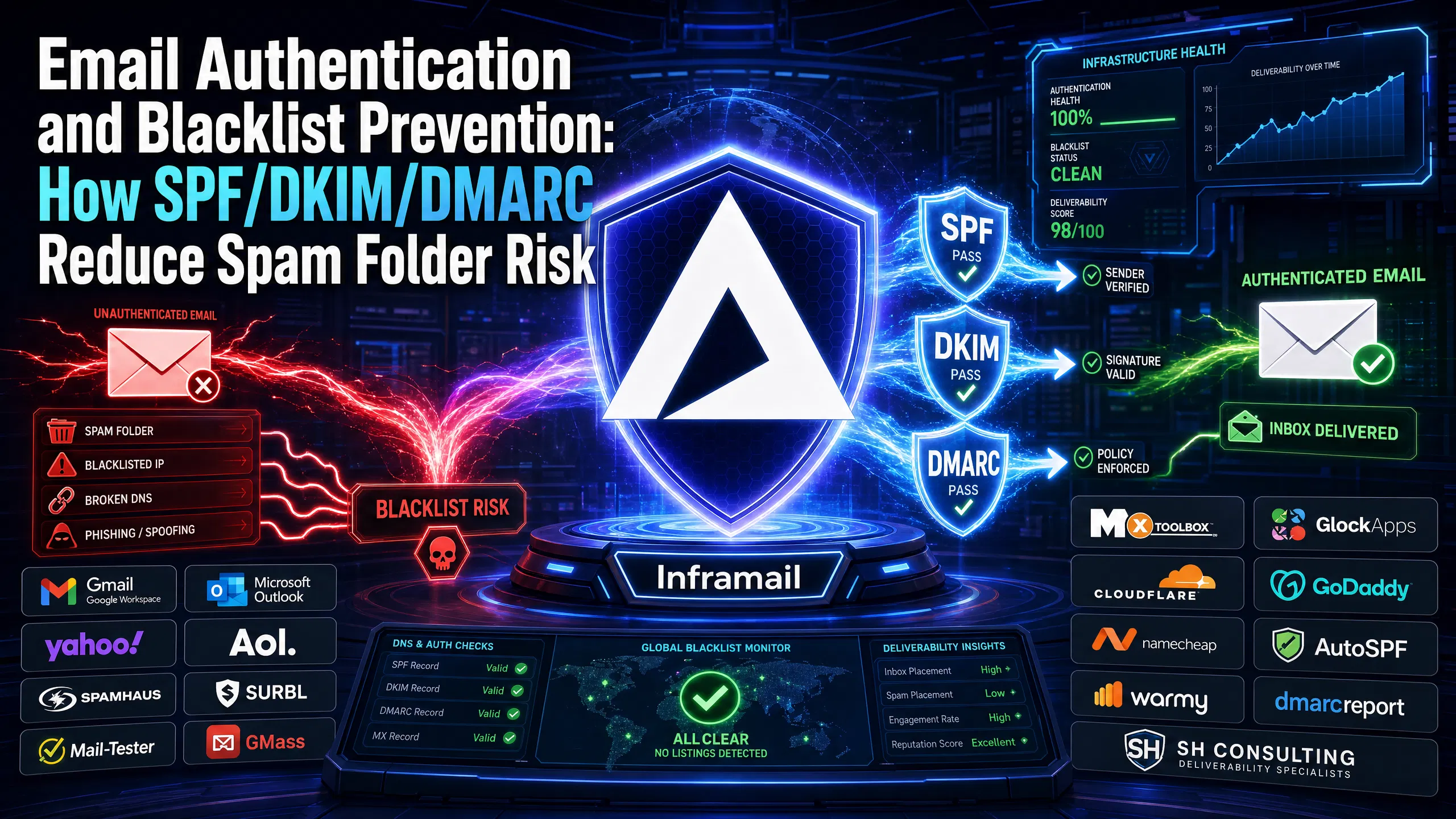
TL;DR: Proper SPF, DKIM, and DMARC alignment is the primary filter every major inbox provider runs before your content is evaluated. Authentication failures consistently trigger negative signals in automated filtering systems at Gmail, Outlook, and Yahoo. Manual DNS setup for multiple domains is time-intensive and creates typo risks that can harm campaigns. Inframail automates all three records instantly, gives you dedicated US-based IPs for isolated reputation control, and costs $129/month flat regardless of inbox count, compared to $420/month for 50 Google Workspace seats.
Every manual DNS record you copy-paste is a deliverability problem waiting to surface. A single typo in your SPF record, a missing DKIM key, or a DMARC policy left at p=none triggers immediate filtering and delivery failures at the SMTP level. Repeated authentication failures from the same domain build negative reputation signals that can increase blacklist risk. For agencies managing multiple domains across client accounts, those errors compound quickly.
This guide breaks down how SPF, DKIM, and DMARC protect your domains from blacklists like Spamhaus and SURBL, how these protocols shape your sender reputation score at Gmail and Outlook, and how to automate the entire setup so you spend less time in DNS panels and more time booking meetings.
Email authentication is built on three protocols that work as a layered verification system. Each one confirms a different aspect of your sending identity to the receiving mail server. Together, they answer three questions: Is this email coming from an authorized server? Was the message tampered with in transit? What should happen if either check fails?
Validating sending IPs via SPF
SPF (Sender Policy Framework) is a DNS TXT record that declares which mail servers are authorized to send email on behalf of your domain. Think of it as a passport: your domain publishes a list of approved sending IPs, and the receiving server checks whether the sending IP appears on that list.
Key SPF mechanics:
Typically published as a TXT record at the root of your sending domain
Lists authorized IPs and hostnames using mechanisms like
include:andip4:Commonly ends with
~all(softfail) orall(hard fail) to handle unauthorized sendersA passing check confirms your email came from a server you control
A failing check, or a missing record entirely, signals the opposite and immediately raises your spam score.
How DKIM prevents domain blacklisting
DKIM (DomainKeys Identified Mail) adds a cryptographic signature to every outgoing message. Picture it as a wax seal on an envelope: the receiving server verifies the seal is authentic and that the message was not altered in transit. This signing mechanism links your domain to each individual message.
For cold email, DKIM is critical because the signature proves that the email was sent by someone controlling the private key stored on your domain's DNS. That positive signal feeds directly into sender reputation scoring at all major inbox providers.
DMARC: Preventing domain spoofing
DMARC (Domain-based Message Authentication, Reporting, and Conformance) ties SPF and DKIM together and instructs receiving servers what to do when either check fails: monitor and report the failure, quarantine the message, or reject it outright. DMARC requires that the "From" header domain aligns with the domain that passed SPF or DKIM, a check called "alignment."
Without DMARC, a spoofed email that passes SPF for a different domain can still impersonate your brand. With DMARC properly configured, that spoofing attempt gets blocked before it reaches the inbox.
Blacklist operators flag domains and IPs as spam sources, then share those flags with receiving servers worldwide. Once you are listed, your emails stop reaching inboxes. Understanding how authentication connects to that outcome is the first step to preventing it.
Authentication failures trigger blacklist flags
Blacklist operators use automated systems that scan messages for patterns. Authentication failures are one of the primary upstream signals that contribute to automated blacklist flags at Gmail, Outlook, and Yahoo, alongside spam complaint rates, bounce patterns, and suspicious sending volume. According to dmarcreport.com's analysis, authentication is now treated as a hard prerequisite before content is evaluated at all.
Spamhaus criteria for SPF and DKIM
Spamhaus uses multiple data sources including spam prevention sensors, network operator reports, and spam trap hits to enforce listing criteria. According to Warmy's analysis of Spamhaus detection mechanisms, proper authentication, combined with list hygiene and a controlled sending warmup, can help reduce your risk of triggering Spamhaus detection. Domains sending unauthenticated mail at volume may be at higher risk for Spamhaus DBL listings, which directly blocks delivery to mail servers that query Spamhaus in real time.
SURBL and reputation-based blacklists
SURBL operates differently from IP-based lists. As SH Consulting's SURBL guide explains, SURBL reportedly does not evaluate your sending IP or your authentication records. It scans the URLs inside the body of your messages. If your domain appears as a link inside enough flagged messages, SURBL may list the domain itself, regardless of whether your SPF and DKIM are perfect.
Authentication is the foundation, not the full picture. You also need clean list hygiene and controlled send volume. Without proper authentication, though, you will not clear the first filter that every major inbox provider runs before evaluating your content.
The authentication-to-blacklist connection
Gmail and Outlook both use automated filtering before content scanning. When your email fails both SPF and DKIM in the same session, receiving servers reportedly assign a negative reputation signal that feeds into your sending domain's score and your sending IP's score. Repeated failures from the same domain can accelerate the path to a blacklist listing.
Sender reputation works like a credit score for your sending domain and IP. Inbox providers calculate it continuously based on authentication pass rates, spam complaint rates, bounce rates, and engagement metrics. Authentication is the most foundational signal because it is binary: you either pass or fail with each message.
Major provider authentication requirements
Google's bulk sender requirements reportedly went into full enforcement in November 2025, mandating SPF, DKIM, and DMARC for anyone sending 5,000 or more messages per day to Gmail. Microsoft began enforcing similar requirements in May 2025, rejecting non-compliant emails with SMTP errors: hard bounces, not soft filters. Yahoo and AOL aligned with these policies, reportedly capping spam complaint rates at 0.3%. For cold email agencies, domains missing these records while sending to consumer addresses now face filtering at all three major providers.
Google reportedly stated that since introducing these requirements, 265 billion fewer unauthenticated messages reached Gmail users, a 65% reduction, and the number of bulk senders following security best practices increased significantly. For guidance on staying compliant at scale, watch the Inframail tutorial on increasing cold email deliverability. Nick Abraham's breakdown of cold email deliverability in 2026 also covers the specific technical changes agencies need to address.
Why failed authentication tanks your score
Failed authentication does not just affect the individual message. It creates a negative data point in the receiving server's evaluation of your entire domain and IP. At Inframail, we score 9.5/10 on Mail-Tester with strong inbox placement on Gmail via GMass testing across our Microsoft-based infrastructure, both results built on consistent SPF and DKIM alignment across every domain we provision.
How to configure SPF alignment
Your SPF record is typically a single TXT record published at the root of your sending domain (the @ record in Namecheap or Cloudflare). The record typically starts with v=spf1, lists the authorized sending mechanisms (such as include:spf.protection.outlook.com for Microsoft infrastructure), and ends with ~all or -all. For DMARC to pass via SPF, the domain in the Return-Path (envelope sender) must align with the domain in the "From" header.
DKIM signature alignment
DKIM alignment typically requires that the d= tag in the DKIM signature header matches the domain in your "From" address. Your DNS must publish a public key record at the selector subdomain (for example, selector1._domainkey.yourdomain.com). The sending server uses the corresponding private key to sign each message. Inframail generates and publishes DKIM records automatically, as shown in this 2-minute DNS setup video from our channel.
DMARC policy: none, quarantine, or reject
DMARC gives you three policy options published in the p= tag of your DNS record:
None: Monitor only. Failures are reported but mail typically still delivers.
Quarantine: Failures typically go to the spam or junk folder.
Reject: Failures are typically rejected outright at the SMTP level.
For cold email, a common approach is to start at p=none while you confirm SPF and DKIM are passing consistently, then move to p=quarantine once alignment is stable across all sending domains. The rua= tag specifies where aggregate reports are sent (not to be confused with forensic failure reports, which use the ruf= tag), providing essential data for diagnosing problems at scale.
Test your deliverability with Mail-Tester
Mail-Tester provides a quick way to confirm that SPF, DKIM, and DMARC are aligned correctly before you launch a campaign. Send a test email to the unique address Mail-Tester generates, then check your score. Our infrastructure consistently returns a company-reported 9.5/10 Mail-Tester score. Test every new domain before adding it to an active campaign sequence, and retest existing domains monthly to catch DNS drift or provider changes.
Most blacklisting events on cold email domains trace back to one of four configuration errors. Each one is more likely when you configure DNS records manually across dozens of domains.
Missing or incorrect SPF records
According to AutoSPF's analysis of common SPF problems, the most frequent SPF errors are:
Multiple SPF records on the same domain (typically only one TXT SPF record is valid)
Exceeding the 10-DNS-lookup limit, which can cause SPF to return a
permerrorSyntax errors such as a missing
v=spf1prefix or invalid mechanism namesExceeding character limits for a single record
Choosing
~allsoftfail when your intent is to enforce a hard-fail policy
Every one of these errors produces an SPF failure for every message sent from that domain, and that failure signal can impact inbox provider reputation scoring. Tyler Nannetti's tutorial on 6M cold emails without spam covers in detail how SPF misconfigurations are among the fastest routes to spam folder placement at scale.
DKIM signature validation failures
DKIM failures typically happen when the DKIM key published in DNS does not match the private key the sending server uses to sign messages. This mismatch can occur when you rotate DKIM keys without updating your DNS, when a copy-paste error corrupts the public key during manual DNS entry, or when a domain is transferred between providers without migrating DNS records. Every DKIM failure removes the authentication signal from that message and can negatively impact your domain's reputation.
DMARC policy set to 'none'
Setting DMARC to p=none means you are collecting failure reports but taking no enforcement action. This can leave your domain more vulnerable to spoofing: if another sender impersonates your domain and gets flagged, blacklist operators may associate those violations with your domain because there is no enforcement policy blocking the spoofed mail. Our guide on Microsoft blacklist recovery walks through the delisting process for both OLC and Office365 listings, including the specific forms and expected turnaround times.
Multiple authentication failures in sequence
The most damaging scenario is a cascade: SPF fails because the record is missing or malformed, DKIM fails because the key was never added correctly, and DMARC cannot pass because both underlying checks failed. Inbox providers may treat this pattern as a strong spam signal, and repeat failures from the same domain can accelerate movement toward blacklist listing. This is the pattern that kills campaign launches for agencies configuring DNS manually across multiple client domains simultaneously.
Manual DNS configuration requires logging into your DNS provider for each domain, adding TXT records individually, waiting for global propagation (which can take 24-48 hours), and then testing each domain to confirm the records resolved correctly. For 10 domains, that is a manageable task. For 50 domains, that is significant time investment plus the propagation wait. Inframail's automated DNS configuration eliminates every manual step.
The table below shows the real cost difference between platforms at scale:
Table 1: Monthly infrastructure cost by inbox count
Inbox count | Inframail | Google Workspace |
|---|---|---|
50 inboxes | $129/mo | $420/mo ($8.40 x 50) |
100 inboxes | $129/mo | $840/mo |
200 inboxes | $129/mo | $1,680/mo |
Table 2: Setup and IP comparison
Factor | Inframail | Google Workspace |
|---|---|---|
Setup time (50 domains) | Minutes (automated) | Manual configuration required |
IP type | Dedicated (1-3 IPs) | N/A |
SPF/DKIM auto-config | Yes, all three records | Varies by configuration |
DMARC auto-config | Yes | Typically manual |
Pricing data sourced from Google Workspace pricing and our infrastructure cost comparison guide.
Step 1: Add SPF records to your DNS
In your DNS provider (Namecheap, Cloudflare, GoDaddy), create a single TXT record on the root of your domain. For Microsoft-based infrastructure, the record value typically reads: v=spf1 include:spf.protection.outlook.com ~all. On Inframail, this record is generated and published automatically during domain setup with no panel access required.
Step 2: Add DKIM keys to your DNS
DKIM requires DNS records published at selector subdomains. For Microsoft 365 infrastructure, these are typically configured at subdomains like selector1._domainkey.yourdomain.com and selector2._domainkey.yourdomain.com. The record values are long cryptographic strings, and copying them manually is where most errors occur. Inframail generates and publishes DKIM records automatically alongside your SPF record. Watch the SPF, DKIM, DMARC tutorial to see the exact process for 10 or more inboxes.
Step 3: Stop spoofing with DMARC
Add a TXT record at the subdomain _dmarc.yourdomain.com with a value similar to: v=DMARC1; p=none; rua=mailto:reports@yourdomain.com. The rua address collects aggregate reports so you can see which domains generate authentication failures before they escalate. Once you confirm clean alignment across all sending domains, update p=none to p=quarantine to activate enforcement. Harsh S's tutorial on fixing emails going to spam walks through real examples of policy adjustments and their measurable impact on deliverability.
Step 4: Catch delivery issues early
Once your records are live, test each domain with Mail-Tester before adding it to any sending sequence. Our guide on campaign emails going to spam covers the specific metrics to watch, including spam rate thresholds and reply-rate benchmarks that indicate an authentication problem versus a targeting problem.
"SPF, DKIM, DMARC, forwarding - all handled in literally seconds without me having to dig through docs or guess what records to add." - Verified user review of Inframail
Managing authentication across a single domain is straightforward. Managing it across 50-200 active client domains simultaneously is an operational challenge that manual processes cannot handle reliably. You need systems that surface failures proactively so you catch a misconfigured record before it affects campaign performance for a paying client.
Best tools for bulk SPF/DKIM checks
The core toolkit for bulk domain health monitoring:
Mail-Tester: Run before launching any new domain. Confirms SPF, DKIM, and DMARC alignment in a single test score.
GMass inbox testing: Reports inbox vs. spam placement rates across Gmail accounts. Our infrastructure shows 88% inbox placement via GMass testing.
MXToolbox: Bulk DNS lookup tool that checks SPF record syntax and DKIM key validity across multiple domains simultaneously.
GlockApps: Tests inbox placement across Gmail, Outlook, Yahoo, and AOL in a single send, giving per-provider placement rates.
For a complete monitoring framework, our infrastructure monitoring guide covers alert thresholds, monitoring frequency, and the metrics that constitute healthy performance across a 50-domain portfolio.
Spotting SPF and DKIM failures in DMARC
DMARC aggregate reports (rua= destination) deliver daily XML summaries of every authentication result for your domain. The key fields to watch are the dkim and spf result tags within each record. A result of "fail" on either means messages from that source are not contributing positively to your sender reputation and may be actively hurting it.
For agencies running Inframail, our built-in blacklist monitoring dashboard tracks domain and IP health in real time. When a domain is flagged, the platform auto-submits delisting requests to streamline recovery. That removes the manual firefighting that kills campaign momentum when the root cause is someone else's bad sending behavior on a shared IP pool. The dedicated vs shared IP video explains exactly why reputation isolation matters: on a shared IP pool, one other user's spam run can contaminate your deliverability overnight. On dedicated IPs, your sending behavior alone determines your reputation.
Detect SPF and DKIM changes fast
DNS records can be accidentally modified during domain transfers, hosting migrations, or admin access changes. If an SPF record gets overwritten during a transfer, the change can affect every campaign running on that domain within hours. Set up monitoring alerts via MXToolbox or your DNS provider's change notification system to flag any modifications to your authentication records immediately.
For agencies managing Inframail infrastructure, the Inframail FAQ documentation covers setup, pricing, and platform capabilities including real-time monitoring. For inbox warmup procedures after any domain or DNS change, follow the inbox warmup schedule guide to protect your domain reputation during the transition period.
For campaign managers handling 100-200 domains, the 32 rules for spam prevention covers the full deliverability checklist with authentication as the first section, and Lead Gen Jay's breakdown of 100k cold emails per day covers the infrastructure math behind scaling send volume while maintaining inbox placement.
One note on Google versus Microsoft infrastructure: some deliverability experts point to a potential inbox placement gap between Google Workspace IPs and Microsoft IPs on certain receiving domains. Our data shows Inframail scoring 9.5/10 on Mail-Tester and 88% inbox placement on Gmail via GMass, while saving $291-$1,551/month compared to Google Workspace per-seat pricing across 50-200 inboxes. That cost savings protects your agency margin while keeping deliverability at a level that sustains campaign performance. For a detailed comparison against other cold email infrastructure options, see our Maildoso alternatives comparison guide.
Sign up to Inframail and get started today. The Unlimited Plan is $129/month for unlimited inboxes on a dedicated US-based IP, with automated SPF, DKIM, and DMARC configuration included.
Can I still get blacklisted with proper authentication?
Yes. Spamhaus and other IP-reputation lists can still flag your domain or IP based on spam complaint rates, poor list hygiene, or high bounce rates, regardless of authentication status. SURBL lists domains appearing in spam message bodies with no consideration of SPF, DKIM, or DMARC records. Clean lists, controlled send volume, and a 14-28 day warmup period for new domains remain essential. Follow our inbox warmup schedule guide before reaching full send volume.
Do I need all three (SPF, DKIM, DMARC)?
Yes, for any domain sending to Gmail, Outlook, or Yahoo at volume. Since Gmail's November 2025 enforcement and Outlook's May 2025 enforcement, missing any one of the three results in SMTP-level rejections (550 error codes) for 5,000+ daily senders, not just spam folder placement.
Fixing existing blacklists with SPF/DKIM?
Adding or correcting SPF and DKIM records does not automatically trigger delisting from Spamhaus or SURBL. You must submit a manual delisting request after fixing the authentication issue and demonstrating clean sending behavior for 24-48 hours. Inframail's platform auto-submits these requests on your behalf, with a company-reported 68.3% delisting success rate within 48 hours.
SPF (Sender Policy Framework): A DNS TXT record that specifies which mail servers are authorized to send email on behalf of your domain, defined in RFC 7208.
DKIM (DomainKeys Identified Mail): An authentication method that adds a cryptographic signature to outgoing messages, proving the message was not altered in transit and that it originated from a server controlling your domain's private key.
DMARC (Domain-based Message Authentication, Reporting, and Conformance): A protocol that uses SPF and DKIM results to determine whether an email is authentic, specifies what the receiver should do when checks fail (none, quarantine, or reject), and sends aggregate failure reports to the domain owner.
Dedicated IP: An IP address used exclusively by one sender, meaning your sending reputation is determined entirely by your own behavior and cannot be contaminated by other users on the same infrastructure.
Shared IP pool: A group of IP addresses shared by multiple senders, where one user's poor sending practices (high complaint rates, spam traps) can degrade inbox placement rates for all other senders on the same IPs.
DMARC alignment: The requirement that the domain in your "From" header matches the domain authenticated by SPF or DKIM, the technical check that prevents spoofed messages from passing authentication even when SPF or DKIM individually pass for a different domain.
Inbox placement rate: The percentage of sent messages that land in the primary inbox rather than spam, junk, or promotions folders, measured using tools like GMass, GlockApps, or Mail-Tester.