
Domain Reputation Recovery: What Works, What Wastes Time, and What Backfires
Learn how domain reputation recovery works, which cold email recovery actions help, which tactics waste time, and which mistakes can backfire across Gmail and Outlook.
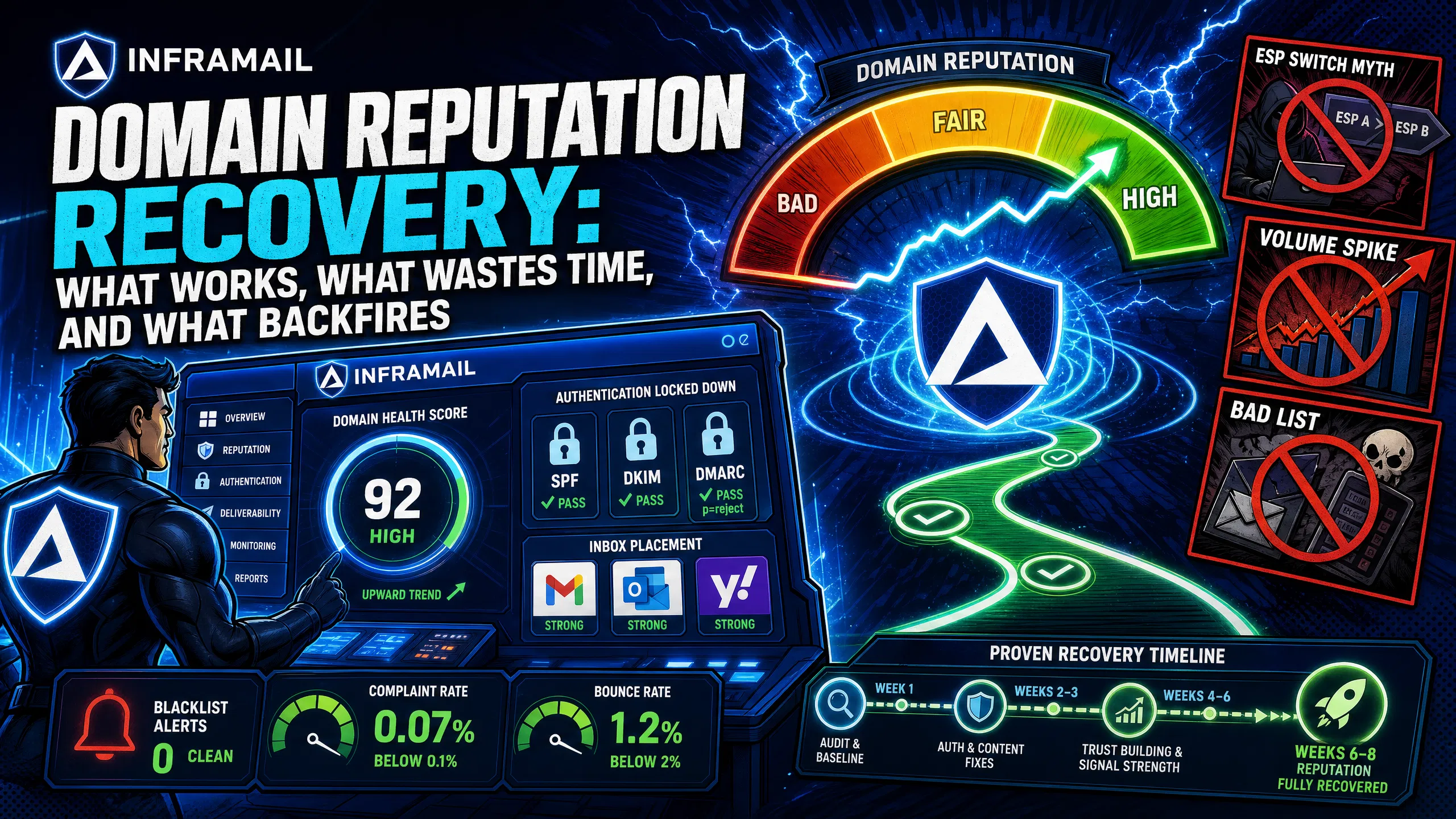
TL;DR: Domain reputation recovery works only when you fix SPF, DKIM, and DMARC authentication before touching send volume. Without proper authentication configured correctly, warmup may be less effective and can waste 4-12 weeks. Once authentication is confirmed, recovery typically starts at 5-10 emails per inbox per day targeting only your most engaged contacts, with volume ramping gradually over 6-8 weeks. Switching ESPs does not reset domain reputation, synthetic engagement tools have limitations in reversing severe damage, and volume spikes during recovery can reset weeks of progress. For secondary cold email domains with severe damage, starting fresh with a new domain may be faster than rehabilitation.
Cold email domains don't fail gradually. One week your campaigns run normally. The next, inbox placement craters and clients want answers. The instinct is to act fast, but the wrong moves here don't just waste time, they extend the damage window by weeks.
Domain reputation recovery has a frustrating catch: most of the "fixes" circulating in agency Slack groups are myths, and several actively make things worse. This guide separates the tactics with real evidence behind them from the noise.
Domain reputation is commonly understood as a score assigned to your sending domain by each mailbox provider based on your historical sending behavior. You don't have one reputation score. You have a separate reputation with every provider, including Gmail, Outlook, Yahoo, and potentially every corporate mail system running its own filtering stack.
How Gmail and Outlook score your domain
Gmail and Outlook both weigh domain reputation heavily, but their scoring methods differ in important ways.
Gmail's algorithm reportedly prioritizes recipient engagement above almost everything else. Opens, replies, forwards, and saves are generally considered positive signals. Immediate deletions and spam reports are negative ones. Gmail classifies sending domains into four tiers: High, Medium, Low, and Bad. If your domain drops from High to Medium, consider it a warning sign, as Medium indicates Gmail is scrutinizing your mail more closely and requires careful sending practices.
Outlook places more weight on technical infrastructure and IP reputation compared to Gmail's engagement-first model. Junk complaint rates are reportedly an important factor for Microsoft. If users frequently hit "Report Junk," your IP and domain reputation may both suffer. Follow Microsoft's DMARC configuration requirements carefully before warming any inboxes targeting Microsoft-hosted addresses, as Microsoft has implemented stricter authentication standards.
The measurable signals that tell you recovery is needed
Before starting recovery, confirm reputation is the problem, not targeting or copy quality. These are the thresholds that indicate actual reputation damage:
Metric | Healthy range | Recovery trigger |
|---|---|---|
Spam complaint rate | Below 0.1% | At or above 0.3% |
Bounce rate | Below 2% | Above 5% |
Inbox placement (GMass/GlockApps) | 80%+ | Declining below baseline |
Open rate trend | Consistent | Sharp decline |
Gmail Postmaster tier | High | Significant drop |
Keep spam complaint rate below 0.1% (one complaint per thousand emails). Gmail and Yahoo reportedly enforce strict thresholds around 0.3%. Check your deliverability dashboard to baseline these metrics before starting any recovery process. For a broader look at monitoring signals across your full domain portfolio, see our cold email health checks guide.
Provider documentation and measurable testing back these tactics. Each fix addresses a specific failure point in the recovery chain.
Fix authentication before anything else
A warmup without proper authentication is ineffective. Email authentication now determines inbox placement, and Gmail and Yahoo enforce strict requirements for bulk senders. Configure all three records correctly before you reduce volume or start any warmup process.
SPF (Sender Policy Framework) tells receiving servers which mail servers are authorized to send on behalf of your domain. SPF is an email validation protocol that lets providers verify whether the sending IP is legitimate. Without it, your emails lack this verification layer.
DKIM (DomainKeys Identified Mail) adds a cryptographic signature to your email headers. DKIM enables mailbox providers such as Gmail and Microsoft to track the email reputation of your sending domain, and it helps prevent spoofing and phishing that can damage your reputation if attackers send spam using your identity.
DMARC tells mailbox providers what to do when emails fail SPF and DKIM checks. Start with p=none to collect reporting data, then move toward p=quarantine as your authentication stabilizes. Follow Microsoft's DMARC configuration requirements for inbox warming that targets Outlook and Microsoft-hosted addresses.
Inframail auto-configures SPF, DKIM, and DMARC for every domain on the platform, so you don't manually copy-paste records into DNS panels. Watch the full process in this SPF, DKIM, and DMARC setup video, and see how to handle bulk inbox configuration in this bulk inbox SPF/DKIM setup walkthrough.
The warmup schedule that actually rebuilds reputation
Once authentication is confirmed, recovery follows a disciplined volume ramp. Recovery typically takes 4-8 weeks for moderate damage and up to 3 months for domains rated "Bad" in Google Postmaster Tools. Here is the evidence-based ramp protocol:
Week 1-2: Approximately 5-10 emails per inbox per day. Send only to contacts near-certain to engage, such as existing customers, colleagues, or warm connections. Maximize reply rates and keep spam complaints as close to zero as possible. Every positive engagement interaction during this window reportedly helps rebuild score directly.
Week 3-4: Approximately 15-25 emails per inbox per day. Expand to warm prospects and newsletter subscribers. Track bounce rate (target under 2%), reply rate (an increasingly important engagement signal), and spam complaint rate (target below 0.1%).
Week 5-6: Approximately 30-50 emails per inbox per day. Continue monitoring inbox placement via tools like GMass or GlockApps weekly and maintain focus on engagement quality over volume. For the sending capacity math supporting this ramp, see our guide on how to calculate sending capacity. For post-migration warmup specifics, the Inframail inbox warmup guide covers the exact steps.
The critical shift in recent years is that engagement quality increasingly outweighs volume. Sending 100 emails that get zero replies may signal to providers that your messages are unwanted. Sending a smaller batch that generates consistent replies can demonstrate that real people find your emails valuable. This is why restricting sends to your most engaged contacts in weeks 1-2 is often recommended as the mechanism that helps rebuild the score.
List hygiene as a prerequisite, not a finishing step
Bad data can cause significant reputation damage. Mailbox providers treat bounce rates above 2% as a red flag. Every bounce during recovery counts against you, and high bounce rates tell mailbox providers you're sending to unverified contacts.
Verify your list through a tool like ZeroBounce or NeverBounce before starting recovery. Our ZeroBounce vs. NeverBounce comparison covers the key differences for agency-scale list cleaning. Consider removing the following before recovery sending begins:
Hard bounces (invalid or non-existent addresses)
Role-based addresses (info@, support@, sales@) with no prior engagement history
Addresses from older lists that haven't been recently re-verified
Any address that previously generated a spam complaint
Engagement-first sending during recovery
Mailbox providers reportedly use engagement to measure sender quality. When recipients delete without reading or mark as spam, providers may interpret it as evidence your messages are unwanted and filter more aggressively on future sends from that domain.
During recovery, consider temporarily pausing cold outreach to new prospects and sending only to contacts with a demonstrated history of opening or replying to your emails. It feels counterproductive when clients expect campaigns, but it's the step that rebuilds the score and makes those campaigns viable again. The 2026 cold email deliverability breakdown covers how the engagement-first shift has changed recovery strategy since 2025. The walkthrough on sending 10k emails per day shows how high-volume senders structure infrastructure to sustain engagement quality at scale.
The following tactics are common in agency workflows but don't produce the recovery outcomes operators expect.
Switching ESPs doesn't reset domain reputation
This is the most common misconception in the category. Domain reputation follows your domain, not your ESP. Moving from one platform to another typically changes your IP reputation because you get new sending IPs, but your domain reputation carries over. Agencies can waste weeks migrating while their domain continues accumulating negative signals on every provider's scoring system.
Dedicated IPs give you control, not a better reputation automatically. If your sending volume is relatively low, a dedicated IP with no sending history may perform worse than a well-maintained shared IP pool during the early weeks. See the dedicated IP vs. shared IP breakdown for cold email to understand when dedicated IPs help versus when they require additional warmup time.
Synthetic warmup tools won't save a burned domain
Warmup tools are useful for building reputation on a new domain and for maintaining sender health during active campaigns. However, they have limitations when it comes to reversing damage on a severely impacted domain. Providers reportedly detect synthetic engagement and may not extend full reputation credit for it. If you've been running a warmup service on a damaged domain, consider focusing recovery effort on real recipient traffic rather than continued synthetic sends.
Warmup tools are most effective when used as a complement to real sending, not as a substitute for fixing list hygiene, authentication, and send volume discipline.
Running test campaigns at normal volume to check if things have improved
Running a full-volume campaign before confirming recovery risks triggering algorithmic scrutiny, because providers treat sudden volume increases after a reduction as a suspicious sending pattern. Use tools like Mail-Tester for technical authentication checks (a score of 7.0 or higher generally indicates your message is technically clean), and GMass or GlockApps for inbox placement tests across Gmail, Outlook, and Yahoo. These tools give you diagnostic data without burning reputation on real prospects.
The following mistakes don't just stall recovery, they actively damage reputation and can reset weeks of progress.
Volume spikes after a brief reduction
The most common recovery mistake is a two-step: reduce volume for a few days, see one decent campaign result, then ramp back to normal. Providers treat erratic sending patterns as suspicious behavior. A sender who drops to 10 emails per day then jumps to 200 the following Tuesday triggers algorithmic scrutiny and can reset weeks of careful recovery work.
If deliverability signals degrade at any point during recovery (open rates drop, bounces spike, or complaints rise), consider reducing volume until metrics normalize. Don't push through bad signals expecting them to resolve on their own.
Continuing to send to unverified data during recovery
Running recovery warmup simultaneously with normal cold outreach to unverified lists defeats the process entirely. Emailing bad addresses during recovery damages reputation faster than not warming at all, because high bounce rates signal to providers that you're sending to purchased or scraped lists without verification.
This is one reason many agencies use separate domain sets for cold outreach versus client communication. Our guide on how to send bulk emails effectively covers infrastructure separation strategy and how keeping cold email on dedicated infrastructure protects your primary domain.
Ignoring the root cause and treating symptoms
You can follow the recovery ramp carefully and still experience recurring issues if the underlying cause isn't identified and fixed. Start recovery by identifying the root cause: bad list hygiene, a complaint spike, spam trap hits, or shared IP contamination. Without addressing it, recovery may be temporary.
For Microsoft-specific blacklisting issues, our guide on getting off the Microsoft blacklist covers the root cause diagnostic and delisting process. For shared IP contamination scenarios, the dedicated IP vs. shared IP breakdown explains how one sender on a shared pool can tank inbox rates for everyone sharing those IPs.
"After repeated failures with another provider, we trialled two options - Inframail and a competitor. We chose the competitor. A month later, we switched back to Inframail. Zero issues since. Rock-solid infrastructure, sharp support, genuinely dependable." - Verified user review of Inframail
The decision depends on whether the affected domain is primary or secondary.
Primary business domain (the one on your website and contracts): Recovery is often the right call for established domains. The cost of abandoning an established domain with brand history and existing reputation is significant, and 6-12 weeks of careful warmup may be worth it compared to rebuilding from scratch.
Secondary cold email domains: The calculus is different. Consider abandoning and starting fresh when:
The domain is listed on multiple major blacklists and delisting requests have been denied or produced no change after two or more submission attempts
The domain was purchased without checking its spam history (expired domains may carry reputation forward)
Recovery attempts over multiple weeks show minimal inbox placement improvement
You purchased the domain recently and have limited history invested in building its reputation
Starting fresh is often faster than rehabilitating severely damaged domains. For secondary cold email domains, the economics may favor starting over when damage is severe. One important step before purchasing any replacement domain: verify its history. A low-cost domain with prior spam use may cost more than a clean one once you factor in recovery time.
For a full view of the monitoring setup that catches reputation issues before they reach abandonment thresholds, the cold email health checks guide covers the alert protocols and dashboard structure.
Your infrastructure shapes how often you need to recover and how much damage you absorb when something goes wrong.
Dedicated IPs vs. shared pools: With a shared IP pool, one sender sending to a bad list creates a blacklist event that affects every sender sharing those IPs. With dedicated IPs, your sending behavior alone determines your IP reputation. Inframail's Unlimited Plan includes 1 dedicated US-based IP, and the Agency Pack includes 3, keeping your sending reputation isolated from other users' behavior. The full dedicated IP vs. shared IP breakdown covers when this isolation matters most.
Automated authentication: Manual DNS configuration errors (a missing character in a DKIM key or a typo in an SPF record) can invalidate your authentication and potentially damage domain reputation over time. Inframail auto-configures SPF, DKIM, and DMARC for every domain, eliminating configuration errors as a recovery trigger. See the ultimate cold email infrastructure guide for the full infrastructure architecture behind high-volume sending.
Blacklist monitoring and delisting: Inframail's deliverability dashboard monitors domain and IP health against major blacklists and auto-submits delisting requests when flags appear. Inframail's 68.3% delisting success rate within 48 hours reduces the window between a flagging event and campaign restoration. The guide on getting off the Microsoft blacklist walks through manual delisting steps for cases requiring direct submission.
For 50 inboxes, Inframail's infrastructure cost runs $129/month (platform) plus domain costs. The same 50 inboxes on Google Workspace cost $350-420/month at $7-8.40 per seat, and every new inbox adds linearly to that bill. Flat-rate pricing means recovery infrastructure costs nothing extra when you spin up additional domains. See the infrastructure cost comparison for the full 50/200/500 inbox cost model.
"I can set-up inboxes in 5mins while saving money on Google Workspace subscriptions and benefit from great deliverability. All of my campaigns on Inframail are on a >10% reply rate, which is really good." - Verified user review of Inframail
Domain reputation recovery demands weeks of careful warmup, but infrastructure mistakes reset that progress instantly. Inframail auto-configures SPF, DKIM, and DMARC for every domain, eliminating DNS errors as a recovery trigger. Flat-rate pricing at $129/month means spinning up replacement domains during recovery costs nothing extra, and dedicated IPs (1 on Unlimited, 3 on Agency Pack) isolate your reputation from shared pool contamination. Sign up to Inframail and get started today.
How long does domain reputation recovery take?
Recovery typically takes 4-8 weeks for moderate damage and up to 3 months for domains rated "Bad" by Google Postmaster Tools. IP reputation typically rebounds in 2-4 weeks, but domain reputation may require 6-12 weeks of consistent, low-complaint sending to recover fully.
Does switching email service providers reset domain reputation?
No. Your domain reputation is tied to your domain, not your ESP. Switching providers typically changes your IP history, but your domain reputation score carries over to every new platform you send from.
What spam complaint rate triggers reputation damage at Gmail?
Gmail and Yahoo reportedly enforce strict thresholds around 0.3%, but deliverability research suggests that maintaining rates well below that threshold is advisable. Keep spam complaint rate below 0.1%, which equals fewer than one complaint per 1,000 emails sent.
Can warmup tools fix a burned domain?
Warmup tools can support recovery, but they have limitations in reversing severe reputation damage on their own. Providers reportedly detect synthetic engagement and may not extend full reputation credit for it, so warmup tools work best when combined with real recipient sends, clean list hygiene, and a disciplined volume ramp.
When should I abandon a secondary cold email domain instead of recovering it?
Consider abandoning a secondary domain when it appears on multiple major blacklists without a clear delisting path, when it may carry prior spam history from previous ownership, or when multiple weeks of disciplined recovery sending show minimal inbox placement improvement. Newer domains with limited history invested may be more practical to replace than to rehabilitate.
What daily send volume should I use during reputation recovery?
Start at approximately 5-10 emails per inbox per day in weeks 1-2, sending only to contacts with confirmed engagement history. Increase gradually by 10-20 emails per day each week, monitoring bounce rate (target under 2%) and spam complaint rate (target under 0.1%) weekly.
Does DMARC policy level affect Outlook reputation recovery?
Yes. Microsoft has specific DMARC requirements for senders targeting Outlook. Follow Microsoft's DMARC configuration guidance and work toward stronger policies over time as your authentication and sending behavior stabilize.
Domain reputation: A score each mailbox provider assigns to your sending domain based on historical sending patterns, engagement signals, bounce rates, and complaint rates. Scores are separate at Gmail, Outlook, Yahoo, and other providers.
SPF (Sender Policy Framework): A DNS record that specifies which mail servers are authorized to send email on behalf of your domain. Required for basic email authentication.
DKIM (DomainKeys Identified Mail): A cryptographic signature in email headers that verifies the sending domain's identity and enables domain reputation tracking with mailbox providers.
DMARC: A DNS policy record that tells mailbox providers what to do when emails fail SPF and DKIM checks. Common policy levels are p=none (report only), p=quarantine (send to spam), and p=reject (block entirely).
Inbox placement rate: The percentage of sent emails that land in the primary inbox rather than spam or promotions folders, measured via tools like GMass or GlockApps.
Dedicated IP: A sending IP address used exclusively by one sender, isolating that sender's reputation from other users' behavior on shared IP pools.
Spam complaint rate: The percentage of recipients who mark an email as spam. Gmail and Yahoo enforce a hard ceiling at 0.3%, but the safe operating target is below 0.1%.
Bounce rate: The percentage of sent emails that fail delivery. Hard bounces above 2% may signal deliverability problems to major mailbox providers and trigger increased scrutiny on future sends.