
DMARC Policy for Cold Email: When to Use None, Quarantine, and Reject at Agency Scale
Learn DMARC policy for cold email, including when to use p=none, p=quarantine, and p=reject at agency scale, plus reporting and troubleshooting.
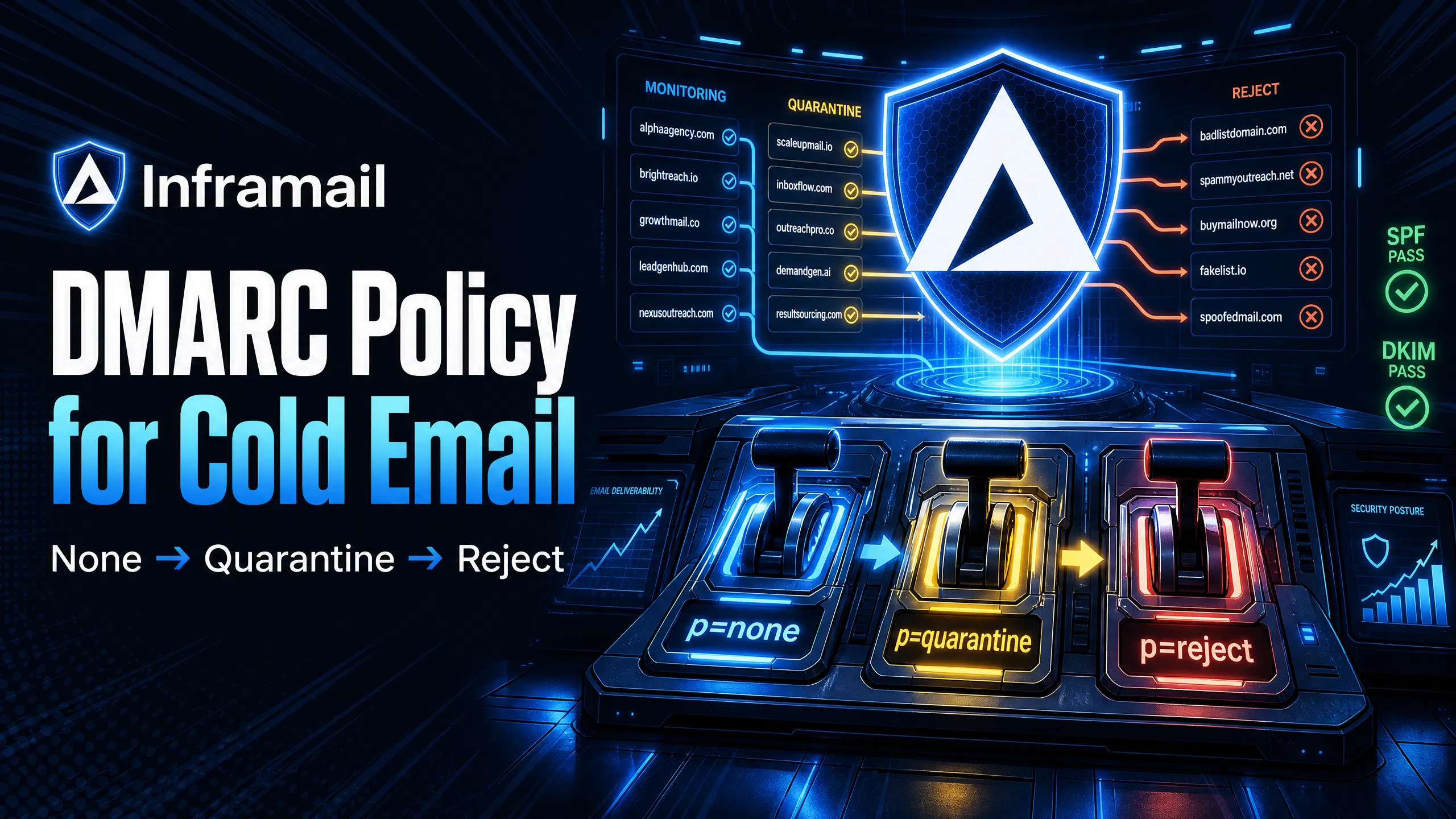
TL;DR: For cold email domains,
p=quarantineat 100% is the correct permanent operating standard, notp=reject.p=quarantineroutes authentication failures to spam (recoverable), whilep=rejectgenerates hard bounces that accumulate against your sender reputation and halt campaigns during routine DNS propagation delays or forwarding chains.
Managing 50-200 cold email domains across multiple client accounts means a single misconfigured DMARC (Domain-based Message Authentication, Reporting, and Conformance) record can drop your inbox placement rate overnight. Google and Yahoo now block bulk senders who lack a valid DMARC record, so you must implement proper authentication to hit an 80%+ inbox placement rate across campaigns.
Most deliverability guides tell you to jump straight to p=reject. For cold email, that advice is dangerous. This guide breaks down when to use each DMARC policy, what happens technically at each enforcement level, and why shared IP pools make strict policies a liability rather than a safeguard.
DMARC ties together SPF (Sender Policy Framework) and DKIM (DomainKeys Identified Mail) into a single enforcement layer. Without it, receiving servers have no instruction on what to do when authentication checks fail on your sending domain. When you publish a DMARC record, you signal domain hygiene to every major inbox provider and give them clear instructions on handling authentication failures.
For agencies managing multiple client domains, DMARC also protects primary business domains from spoofing while keeping cold outreach domains operating under a separate reputation. Cold email domains absorb reputation risk by design. If a cold outreach domain gets flagged, your core business domain stays clean.
How DMARC complements SPF and DKIM
SPF (Sender Policy Framework) specifies which mail servers are authorized to send on behalf of your domain. DKIM (DomainKeys Identified Mail) adds a cryptographic signature to each message, proving the email was not altered in transit. DMARC adds the alignment check: the domain in the visible "From" header must match the domain that passed SPF or DKIM.
RFC 7489, the DMARC specification, defines two alignment modes. Relaxed alignment allows subdomain matches, so mail.yourdomain.com aligns with yourdomain.com. Strict alignment requires an exact match.
For cold email, relaxed alignment gives operational flexibility as you spin up subdomains across client accounts. DMARC passes if either SPF or DKIM is both authenticated and aligned. Having both provides redundancy because DKIM survives forwarding chains while SPF does not, so prioritize DKIM alignment for resilience at agency scale.
How email providers read DMARC policies
When Gmail or Outlook receives your email, the server looks up your sending domain in DNS to find the DMARC TXT record. The record contains your policy, an optional reporting address (rua=), and an optional percentage tag (pct=). The server checks SPF and DKIM against the visible From domain, applies your policy if both fail, and delivers, quarantines, or blocks the message accordingly.
The pct= tag controls what percentage of failing messages receive the enforcement action. At pct=10, only 10% of failing messages are quarantined or rejected, with the rest treated as p=none. This graduated rollout is how you safely progress from monitoring to enforcement without disrupting active campaigns.
How DMARC policies affect inbox placement
Starting February 2024, Google mandated that any sender pushing more than 5,000 messages per day must have SPF, DKIM, and a DMARC record at minimum p=none. Yahoo joined with equivalent bulk sender requirements in the same enforcement window, applying to bulk senders without a published volume threshold. Gmail has begun issuing temporary and permanent rejections for non-compliant senders. Running campaigns without DMARC means your emails face rejection at the server level before they ever reach a spam folder.
Proper DMARC configuration combined with Mail-Tester scores of 9+/10 and GMass inbox placement rates of 80%+ forms the technical baseline for any serious outbound operation.
The three DMARC policy levels each produce different server-side behavior. Here is the full comparison for cold email operations:
DMARC policy | Action on failure | Best use case in cold email | Risk level |
|---|---|---|---|
| No action (monitoring only) | New domains, initial warmup, first 30 days | Low |
| Send to spam/quarantine folder | Active campaigns, established domains | Medium |
| Block email entirely | Brand protection, not recommended for cold outreach | High |
For a detailed breakdown of cold email infrastructure costs across platforms at each scale tier, the operational standard for active sending domains is p=quarantine, not p=reject.
Monitoring deliverability with p=none
Start every new domain at p=none. It publishes your DMARC record and begins generating RUA (aggregate) reports without taking any enforcement action on failing messages. You get full visibility into who is sending email from your domain and whether SPF and DKIM are passing, with zero risk of blocking legitimate sends while DNS records propagate.
Most organizations need at least 30 days of monitoring to identify all legitimate mail streams before moving toward enforcement. Complex setups with multiple sending sources or third-party services may require 60-90 days of data collection.
Mitigating deliverability risks with p=quarantine
p=quarantine instructs receiving servers to treat failing messages with increased scrutiny. Emails that fail DMARC checks route to the spam folder rather than being accepted normally. Under p=quarantine, the email still reaches the recipient's mailbox folder. That is recoverable. Under p=reject, the message never arrives and the sending server receives a hard bounce, so quarantine acts as the safety net for cold email where minor misconfigurations happen regularly during domain warmup.
Achieving your DMARC enforcement target
Google and Yahoo require a minimum of p=none across all sending domains. While p=none is the compliance floor, p=quarantine at 100% is the recommended operational standard for any domain in active cold outreach. For the daily infrastructure monitoring an agency runs across 50+ domains, p=quarantine at 100% is the correct permanent target for cold outreach operations.
The following covers how to configure and validate p=none across new domains before advancing to enforcement.
Managing DMARC for new domains
Start every new cold email domain at p=none for the first 14 to 30 days. New domains have no sending history, no established SPF or DKIM records in DNS caches, and no DMARC aggregate data. Publishing p=quarantine or p=reject before your legitimate sending sources are fully authenticated risks bouncing your own warmup emails.
Set up your DMARC TXT record on day one: v=DMARC1; p=none; rua=mailto:reports@yourdomain.com. Including the rua= reporting address is strongly recommended so you begin collecting aggregate data immediately, though it is not a strict technical mandate under the current specifications.
Comparing cold email platform options
Manual DNS configuration for a 50-domain client build takes 12-20 hours. The process looks like this:
Log into Namecheap or Cloudflare for each domain
Copy and paste SPF values
Create DKIM TXT records
Set DMARC policies
Wait 24-48 hours for propagation
Test each domain for alignment
At agency scale, this is a recurring bottleneck every time you win a new client. Inframail's automated platform configures SPF, DKIM, and DMARC records for every domain you purchase or migrate, with no DNS panel access required. Watch the SPF, DKIM, and DMARC setup walkthrough, which shows the full domain-to-inbox workflow with timestamps, and the bulk inbox setup for Instantly covering CSV export to your sending platform.
Validating deliverability at p=none
Before advancing past p=none, run a Mail-Tester check on each domain, targeting a score of 9+/10. Mail-Tester confirms SPF and DKIM are both passing and aligned, which is the technical prerequisite for moving to enforcement. A score below 9 indicates a configuration problem that will generate DMARC failures under p=quarantine. GlockApps supplements this by testing inbox placement across Gmail, Outlook, and Yahoo simultaneously. Fix any authentication issue before advancing your policy, as moving to p=quarantine with an unresolved SPF or DKIM failure will route your own legitimate sends to spam.
The following covers when to apply p=quarantine, how to roll it out safely, and when it is the better choice over stricter enforcement.
When to use quarantine for active sends
Move to p=quarantine once a domain completes its warmup schedule (typically days 21-30) and your aggregate DMARC reports show consistent SPF and DKIM alignment across all authorized sending sources. Start with pct=10: v=DMARC1; p=quarantine; pct=10; rua=mailto:reports@yourdomain.com. Increase pct gradually over two to three weeks: 10, then 25, then 50, then 100, monitoring DMARC aggregate reports at each step.
Optimizing inbox health for agencies
p=quarantine protects your domains from spoofing attacks without the catastrophic risk of p=reject:
Spammers attempting to use your domain in the From header get quarantined, not accepted
Your domain reputation stays protected
Your legitimate sends continue flowing normally
Set p=quarantine on all active client domains before importing credentials. This exceeds Google and Yahoo's minimum bulk sender requirement of p=none, protects clients from spoofing, and keeps campaigns live even when minor configuration issues appear mid-campaign. For the full connection and credential import process, see the Inframail to Smartlead connection guide.
"Inframail has been absolute gold in terms of delivering a great customer experience, and allowing me to spin up cold email infrastructure at scale for my clients as easily and fast as possible." - Verified user review of Inframail
When to use quarantine over reject
The argument for p=reject is straightforward in corporate email: maximum brand protection with zero tolerance for spoofing. For cold email, three operational realities make p=reject too aggressive:
DNS propagation delays of 24-48 hours mean a newly configured domain sending emails while records are still propagating will generate authentication failures. Under
p=reject, those emails are permanently blocked, not routed to spam.Forwarding chains break SPF alignment. When a prospect forwards your email, SPF fails. Under
p=quarantine, forwarded messages land in spam. Underp=reject, they bounce hard.Minor platform misconfigurations happen at scale. A
p=rejectpolicy converts a fixable configuration issue into a campaign-stopping hard bounce event that accumulates against your Instantly or Smartlead sender reputation.
Keep cold outreach domains at p=quarantine at 100% and reserve p=reject for your primary business domain that never runs outbound sequences.
The following covers how shared infrastructure introduces authentication risk and why IP isolation matters when combining strict DMARC policies with high-volume sending.
Shared IP pool contamination risk
Shared IP pools put multiple senders on a single IP address. If one sender on that IP has poor authentication records, high spam complaint rates, or gets blocklisted, the IP reputation degrades for everyone on the pool. Your own clean SPF and DKIM records don't protect your campaigns when the IP you're sending from is already flagged.
Inframail's dedicated IP model addresses this directly. The dedicated IP vs shared IP explainer covers how isolated reputation works in practice: your sending behavior alone determines how Gmail and Outlook treat your traffic. The Unlimited Plan includes 1 dedicated US-based IP. The Agency Pack includes 3 dedicated US-based IPs, distributing reputation risk across higher-volume campaigns.
"We spent months hunting for a reliable cold-emailing stack. After repeated failures with another provider, we trialled two options—Inframail and a competitor. We chose the competitor. A month later, we switched back to Inframail. Zero issues since. Rock-solid infrastructure, sharp support, genuinely dependable." - Verified user review of Inframail
DMARC rejection and email errors
When a p=reject policy blocks an email at the SMTP level, the sending server receives a permanent error code. The three most common DMARC-specific rejection codes are:
Error code | Provider | Meaning |
|---|---|---|
550 5.7.26 | Gmail | DMARC policy failure, rejected before delivery |
550 5.7.1 | Multiple | Broader authentication failure covering DMARC, blacklist, content policy |
554 5.7.5 | Multiple | Generic DMARC policy evaluation error |
All three are 5xx permanent failure codes, which sending platforms treat as hard bounces against your sender account. High hard bounce rates from DMARC rejections damage your sender account reputation on those platforms, creating a compounding problem beyond inbox placement.
Risks of p=reject on shared IP pools
Combining p=reject with a shared IP pool is the highest-risk configuration for a cold email operation. The failure chain runs like this:
A bad actor on your shared IP sends spam with poor authentication
The IP gets flagged or blocklisted
Your emails from that IP fail SPF alignment because the authorized IP is now flagged
Your
p=rejectpolicy instructs receiving servers to block your messages permanentlyCampaigns halt, hard bounces accumulate, and sender reputation on your sending platform degrades
The Maildoso deliverability review documents the inbox rate drop pattern that occurs when shared IP contamination hits mid-campaign. For a direct infrastructure comparison, the Maildoso alternatives guide covers how to evaluate shared vs dedicated IP providers across cost and deliverability metrics.
The following covers how to configure report delivery, what the data shows, and which tools make parsing reports practical at agency scale.
Configuring DMARC reporting destinations
The rua= tag directs aggregate XML reports to a specified email address. Set this to a dedicated inbox you check weekly. A typical DMARC TXT record for an active cold email domain looks like this:
v=DMARC1; p=quarantine; pct=100; rua=mailto:dmarc-reports@yourdomain.com; adkim=r; aspf=r
The adkim=r and aspf=r tags set relaxed alignment for both DKIM and SPF, which is the correct configuration for cold email platforms routing through subdomain sending addresses.
Interpreting RUA aggregate reports
RUA reports are XML files showing every IP that sent email claiming to be from your domain, message counts, and whether SPF and DKIM passed or failed for each source. Check these core fields weekly:
source\_ip: The IP address that sent email from your domain
count: Number of messages sent from that IP during the report period
policy\_evaluated: Whether the message passed or failed DMARC under your current policy
dkim and spf result fields: Pass/fail status for each authentication method per source IP
Any unrecognized IP sending from your domain is either a legitimate service you forgot to authorize or a spammer actively spoofing your domain. Parsing raw XML across 50+ domains manually is not scalable, so use these free tools:
MXToolbox DMARC Analyzer: Checks record syntax, shows aggregate report summaries, and verifies SPF and DKIM records in one pass at mxtoolbox.com/DMARC.aspx.
Google Postmaster Tools: Tracks domain reputation, spam complaint rate, and authentication pass rates specifically for Gmail delivery. Free for verified domain owners. For Outlook-specific deliverability drops alongside suspicious RUA activity, the Microsoft blacklist and delisting process covers the recovery steps. Inframail's platform auto-submits delisting requests when domains are flagged, with a 68.3% delisting success rate within 48 hours.
The following covers the recommended progression from initial setup through full enforcement, with validation checkpoints at each stage.
Days 1-30: Establishing your DMARC policy
Follow this progression for every new cold email domain:
Day 1: Purchase the domain through Inframail ($5-$16/year per domain). Inframail auto-configures SPF, DKIM, and DMARC at
p=none. Confirm propagation via MXToolbox.Days 2-21: Run your warmup schedule through Warmbox or Lemwarm. Collect daily RUA (aggregate) reports to identify all legitimate sending sources.
Day 22: Check DMARC aggregate reports and confirm SPF and DKIM are passing for all authorized senders. Run Mail-Tester to verify a 9+/10 score.
Days 23-30: Advance to
p=quarantinewith a gradual rollout starting atpct=10. Monitor for 48 hours, then increase pct from 10 to 25 to 50 to 100 over the remaining days, checking RUA reports at each step. The cold email infrastructure guide covers this full setup process for agencies managing multiple client domain builds simultaneously.
Validating domain health at quarantine
Before you scale pct= to 100%, run a final GlockApps inbox placement test. Target 80%+ inbox rate across Gmail and Outlook. If inbox rates drop after advancing to p=quarantine; pct=50, check DMARC aggregate reports for new authentication failures. A drop at this stage usually indicates a sending source that was not captured during the p=none phase and needs SPF or DKIM authorization before full enforcement applies.
Scaling DMARC to permanent quarantine
For agency-managed cold email domains, the permanent operating state is p=quarantine at 100%. This exceeds Google and Yahoo's minimum bulk sender requirement of p=none, protects against spoofing, and keeps campaigns live through the minor configuration issues that would cause hard bounces under p=reject. Reserve p=reject for your primary business domain, your clients' primary corporate domains, and any domain that never runs outbound cold email sequences.
The following covers the most common DMARC-related issues that affect active cold email campaigns and how to resolve them.
How DMARC impacts inbox placement
Sudden drops in reply rates often get blamed on copy or targeting, but DMARC failures are a common root cause that gets overlooked. If a domain's DMARC record is missing or misconfigured after a DNS change, failing messages under p=quarantine start routing to spam and open rates drop with no visible bounce notification. Check DMARC record status any time reply rates drop sharply on a specific domain without a clear campaign cause. The agency infrastructure health check guide covers the full weekly monitoring checklist for agencies managing 50+ active domains.
Setting DMARC before activating sender platforms
Instantly.ai and Smartlead both require valid DMARC records to pass their domain validation checks before activating sending. p=quarantine at 100% is the correct operating configuration for cold outreach domains on any sending platform. For the full connection and credential import process, the Inframail to Smartlead connection guide covers IMAP/SMTP credential export and the Smartlead import sequence step by step.
DMARC DNS propagation timeframes
When you publish or update a DMARC record, DNS propagation takes 24-48 hours. During this window, some receiving servers see your old record and some see the new one, which produces mixed DMARC results in your RUA reports. Use MXToolbox's DMARC lookup to check current record status across multiple DNS resolvers simultaneously. Temporary 451-class SMTP errors during propagation indicate a DNS lookup timeout, not a permanent failure, and resolve automatically once propagation completes.
Should every cold email domain have DMARC?
Yes. Running cold email campaigns without a DMARC record guarantees spam folder placement or outright rejection from Gmail for any campaign exceeding 5,000 messages per day, and from Yahoo under equivalent bulk sender requirements. Even below that threshold, missing DMARC signals poor domain hygiene to receiving servers and reduces trust scores. The minimum requirement is p=none on day one, with an rua= reporting address strongly recommended, and p=quarantine at 100% as the target for any domain in active sending. Inframail configures all three authentication records automatically on every domain you purchase or migrate through the platform.
"For years, I considered running cold email campaigns but consistently held back due to a lack of technical knowledge and confidence... InfraMail makes it remarkably easy to purchase domains, configure them correctly, create inboxes, and initiate warm-up immediately. The level of automation is exceptional." - Verified user review of Inframail
Correct DMARC setup is one operational layer. The underlying infrastructure cost is the other. At 50 inboxes, Google Workspace Business Starter runs $7.80/user/month on annual billing, totaling $390/month. Inframail's flat-rate model for the same inbox count costs $129/month platform plus approximately $34/month in amortized domain costs, totaling $163/month before warmup tool costs. External warmup tools (e.g., Warmbox, Lemwarm) run $15-50/month per inbox and apply to both platforms. The savings compound sharply as inbox count scales because the Inframail platform fee stays fixed.
Inbox count | Google Workspace cost (excl. warmup) | Inframail cost (platform + domains, excl. warmup) | Monthly savings | Annual savings |
|---|---|---|---|---|
50 inboxes | $390/month | $129 + ~$34 = $163/month | $227/month | $2,724 |
100 inboxes | $780/month | $129 + ~$68 = $197/month | $583/month | $6,996 |
200 inboxes | $1,560/month | $129 + ~$136 = $265/month | $1,295/month | $15,540 |
Warmup tools (external) | $15–50/month per inbox (e.g., Warmbox, Lemwarm) | $15–50/month per inbox (e.g., Warmbox, Lemwarm) |
Google Workspace costs are based on annual billing at $7.80/user/month. Inframail domain costs are calculated at $5-$16/year per domain, amortized monthly.
Warmup tools (e.g., Warmbox, Lemwarm) cost approximately $15-50/month per inbox and are required on both platforms. These costs are not included in the figures above and apply equally regardless of infrastructure provider.
"So affordable that it will make your unit economics work, even for lower ticket b2b businesses like ours." - Verified user review of Inframail
The Mailreef vs Inframail comparison covers how per-seat and approval-gated infrastructure alternatives stack up against flat-rate dedicated IP models at agency scale, including the 100k cold email math that shows the inbox-per-domain ratios required at production volume.
Sign up to Inframail and get automated SPF, DKIM, and DMARC setup included on the $129/month flat-rate plan, with dedicated US-based IPs on your account.
What is the minimum DMARC policy required by Google and Yahoo?
Google mandates DMARC for senders pushing 5,000+ messages per day, requiring at minimum a p=none record. Yahoo joined with equivalent bulk sender requirements in February 2024, applying to bulk senders without a published volume threshold. An rua= reporting address is strongly recommended but not a strict technical mandate.
Can I use p=reject on a shared IP pool?
No. Using p=reject on a shared IP pool is highly risky because one bad actor's spam activity can trigger IP-level authentication failures that hard-bounce your legitimate emails, with no recovery path short of changing IP infrastructure entirely.
How long does it take for a DMARC record to propagate?
DNS propagation typically takes 24-48 hours. You can verify your record status across multiple DNS resolvers immediately using MXToolbox's DMARC lookup, which shows whether your updated record is resolving correctly before you advance your policy.
Does Inframail include automated DMARC setup?
Yes. Inframail automatically configures SPF, DKIM, and DMARC records for every domain you purchase or migrate through the platform, with no manual DNS panel access required. Customer-reported setup time for 10 inboxes is approximately 2 minutes.
Why should cold email domains stay at p=quarantine instead of p=reject?
p=reject permanently blocks emails that fail DMARC authentication. p=quarantine sends those emails to spam (recoverable) rather than issuing a hard bounce, keeping your campaigns live through routine operational issues like DNS propagation delays and forwarding chains.
What SMTP error code does Gmail return on a DMARC p=reject failure?
Gmail returns error code 550 5.7.26 when a message fails DMARC authentication under a p=reject policy. This is a 5xx permanent failure that Instantly and Smartlead count as a hard bounce against your sender account.
DMARC (Domain-based Message Authentication, Reporting, and Conformance): An email authentication protocol that uses SPF and DKIM to protect domains from unauthorized use and spoofing, and instructs receiving servers on how to handle messages that fail authentication checks.
SPF (Sender Policy Framework): A DNS TXT record that specifies which mail servers are authorized to send email on behalf of your domain.
DKIM (DomainKeys Identified Mail): An authentication method that adds a cryptographic signature to outgoing emails, verifying that the message was sent by the domain owner and was not modified in transit.
RUA report: An aggregate DMARC report sent to the address specified in the rua= tag. Shows all IPs that sent email from your domain and their SPF/DKIM authentication results during the reporting period.
pct= tag: A DMARC parameter that controls what percentage of failing messages receive the declared policy enforcement action, used for gradual rollout from monitoring to full enforcement.
SPF/DKIM alignment: The DMARC requirement that the domain in the visible "From" header matches the domain that passed SPF or DKIM authentication. Without alignment, authentication passes on a different domain than the one recipients see.
Dedicated IP: An IP address used exclusively by a single sender, keeping that sender's reputation completely isolated from other users' sending behavior.
Shared IP pool: A group of IP addresses shared among multiple senders, where one sender's poor practices or spam activity can damage inbox placement rates for every other sender on the pool.