
DKIM Setup for Cold Email: Key Rotation, 2048-Bit Keys, and Multi-Domain Management
Learn DKIM setup for cold email, including 2048-bit keys, key rotation, TXT records, multi-domain management, and Inframail automation.
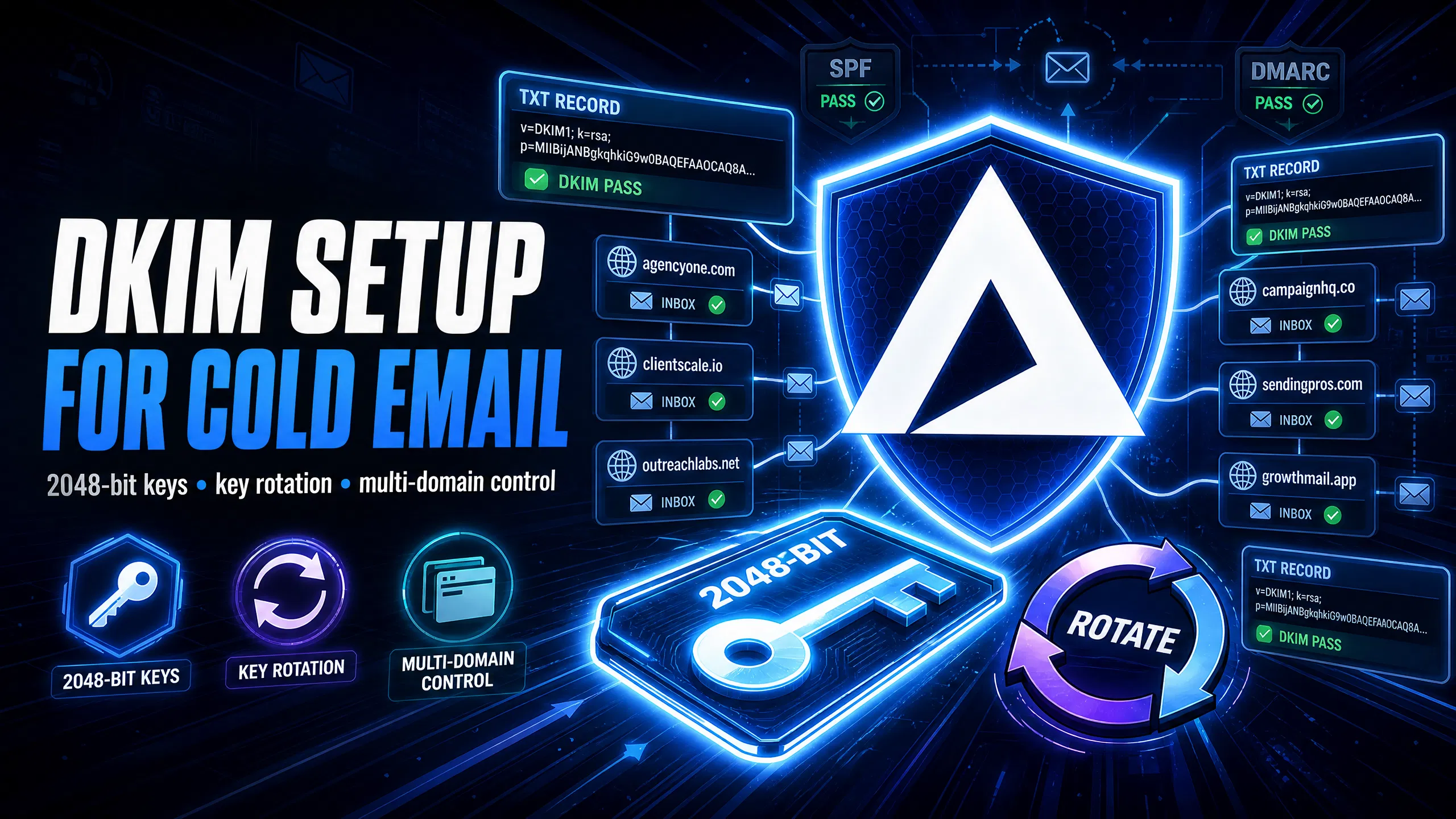
TL;DR DKIM is a cryptographic email authentication method that helps protect your outbound domain reputation. Without proper authentication, your emails may fail checks at Gmail and Outlook, potentially affecting inbox placement rates. For agencies managing 50-200 domains, manual DKIM setup wastes hours of operational time and creates constant rotation debt. The fix: use 2048-bit keys, rotate every 90-180 days, and automate the entire process. Inframail configures SPF, DKIM, and DMARC automatically across every domain you provision, offering substantial cost savings compared to Google Workspace at scale.
Most campaign managers focus on email copy and targeting while ignoring a direct deliverability risk sitting in their DNS settings: outdated 1024-bit keys, missing rotation schedules, and selectors that don't match what their sending platform expects. DKIM is not just a security protocol, it is the foundation of your outbound domain reputation. This guide shows you exactly how to deploy 2048-bit keys, build a safe rotation schedule, and automate the entire setup across 50+ domains so you protect inbox placement and cut the hours spent in DNS panels.
DomainKeys Identified Mail (DKIM) is an email authentication method that attaches a cryptographic signature to every outgoing message, linking it to your sending domain. The receiving server queries your DNS to retrieve the matching public key and verifies the signature. If it matches, the message passes authentication. If it doesn't, spam filters treat the message as suspicious.
DKIM works alongside SPF (Sender Policy Framework, which lists authorized sending IPs) and DMARC (Domain-based Message Authentication, Reporting, and Conformance, which sets policies for authentication failures) to build a more complete authentication stack. Skipping any one of them creates gaps that ESPs like Gmail and Outlook flag instantly, which is why our cold email infrastructure guide covers all three as a unified setup requirement.
How DKIM stops email spoofing
DKIM works like a wax seal on an envelope. Your mail server signs the outgoing email with a private key stored securely on your server. The recipient's server retrieves your public key from the DNS record at selector._domainkey.yourdomain.com and verifies the signature against it. If they match, the message passes. If they don't, the receiving server treats the message as potentially spoofed.
DKIM has one critical advantage over SPF: signatures survive email forwarding. SPF can break when a message is forwarded because the sending IP changes. DKIM stays intact because the signature travels with the message headers, making it a more durable authentication method for protecting your domain reputation at scale. Watch the SPF, DKIM, and DMARC setup video from Inframail's founder to see this process visualized in real time.
Fixing DKIM setups to avoid spam folders
Google and Yahoo introduced 2024 bulk sender requirements that made DKIM authentication mandatory for anyone sending more than 5,000 emails per day to Gmail accounts. Microsoft has announced similar bulk-sender authentication enforcement for Outlook and Hotmail addresses, with enforcement scheduled for May 2025. Miss these requirements and your messages route directly to spam, regardless of how good your copy is.
Agencies with clients across multiple domains cannot afford a single authentication gap, because one flagged domain contaminates the agency's reputation for new client onboarding.
Manual DKIM configuration follows a consistent process: generate the key pair, copy the public key value, create a TXT record in your DNS panel with the correct selector and value, and verify propagation. At one domain this is straightforward. At 50 domains, the copy-paste process alone creates a significant window for error and takes the better part of a full workday.
Why 2048-bit keys are essential
Per RFC 6376, signers must use RSA keys of at least 1024 bits. RFC 8301, a subsequent update, tightened the rule further by requiring verifiers to treat signatures using keys below 1024 bits as invalid. The practical industry floor has since moved to 2048 bits, driven by a concrete security gap: a 1024-bit DKIM key can be broken in under four days using a cheap cloud server, according to security researchers. A 2048-bit key makes brute-force attacks computationally impractical.
According to industry documentation, Google recommends 2048-bit keys when your domain provider supports them. Microsoft 365 defaults to 1024-bit keys, and 2048-bit must be specified explicitly using the -KeySize 2048 parameter in the New-DkimSigningConfig PowerShell command. For agencies building infrastructure on Microsoft's platform, this is particularly important because sending on a key length below that standard weakens your sender trust signal with ESPs that now prioritize strong authentication. The dedicated vs shared IP comparison video also explains why authentication strength matters as much as IP reputation for inbox placement.
Creating DKIM keys for cold email
Generate your DKIM key pair in your ESP's admin console:
Google Workspace: Uses "google" as its default selector. Generate a 2048-bit key in the Gmail authentication settings under Apps, then Google Workspace, then Gmail, then Authenticate Email.
Microsoft 365: Uses "selector1" and "selector2" as default selectors, rotating between them for key management. Configure these in the Microsoft Defender portal under Email & Collaboration, then Policies & Rules, then Email Authentication Settings.
The selector name matters because your sending platform (Instantly, Smartlead) must use the same selector name that appears in your DNS record. The Inframail setup tutorial covers this configuration step.
How to publish DKIM TXT records
Publishing a DKIM record requires adding a TXT entry at [selector]._domainkey.[yourdomain.com] in your DNS provider. Here's how to publish DKIM records in the two most common DNS providers:
Cloudflare:
Log into your Cloudflare dashboard and select your domain
Click DNS, then Add Record
Set type to TXT, enter
[selector]._domainkeyas the namePaste the full key value. Cloudflare supports TXT records up to 2048 characters in the UI and splits longer records automatically
Namecheap and providers with 255-character string limits:
Log into your DNS provider and navigate to the domain's DNS settings
Add a new TXT record
The DNS protocol limits individual TXT strings to 255 characters. If your provider enforces this per string, split the 2048-bit key value into two quoted strings
Enter both strings one after another in the value field. The resolver concatenates them automatically
Set your TTL to 300 seconds (5 minutes) during initial setup so you can catch and correct errors quickly. Raise it to 3,600 seconds after you confirm the record is working correctly.
Validate your DKIM records now
After publishing, verify the record is live before you send any campaigns. Two tools provide immediate validation:
MXToolbox: Enter
[selector]._domainkey.[yourdomain.com]in the DNS Lookup tool and confirm the key value matches what you publishedMail-Tester: Send a test email to your unique Mail-Tester address and check the DKIM score. Inframail domains consistently score 9.5/10 on Mail-Tester, confirming both key validity and alignment
Look for dkim=pass in the Authentication-Results header of any received test message. In Gmail, click the three dots on a message and select "Show Original" to view the full header.
Key rotation means replacing your active DKIM key pair with a new one on a scheduled basis. The goal is to limit the window of exposure if a key is ever compromised, cracked, or leaked.
Why rotate DKIM keys regularly
A DKIM key in use for two years has potentially been exposed to interception attempts, brute-force attempts, and server vulnerability windows. M3AAWG best practices recommend rotating DKIM keys at least twice a year (every six months) as the minimum frequency for maintaining strong authentication hygiene.
Regular rotation also isolates reputation damage. If a key is compromised and used to spoof your domain before you detect it, retiring the key cuts off the attacker's access immediately. Without rotation, a compromised key could potentially be exploited long-term. For agencies where one client domain getting flagged can trigger a client churn conversation, rotation is a risk management tool, not just a security formality.
90-day vs 180-day rotation schedules
The right frequency depends on your send volume and risk tolerance:
90-day rotation: Recommended by some high-volume senders. The shorter window limits exposure and aligns with the security posture that large ESPs expect from serious bulk senders.
180-day rotation: Appropriate for lower-volume domains where the operational overhead of quarterly rotation at scale may not justify the marginal security gain for lower-risk domains.
For agencies managing 50+ domains, tracking rotation dates in a spreadsheet creates its own risk. Missing a rotation window on 10 domains because the spreadsheet wasn't updated leaves those domains running on stale keys, extending your exposure window and adding deliverability risk across your portfolio.
Safe DKIM key rotation steps
The risk with key rotation is breaking active campaigns during DNS propagation. The safe method uses a grace period:
Generate new key: Create a new 2048-bit key pair with a new selector (e.g., change "selector1" to "selector2")
Publish early: Add the new selector's TXT record to DNS before switching your sending platform
Wait for propagation: Allow 48-72 hours for full DNS propagation before activating the new selector in your sending configuration
Switch signing: Update your outbound signing config to use the new selector
Grace period: Keep the old selector's DNS record published for at least 7 days after switching
Clean up: Remove the old record after the grace period expires
This 7-day grace period is designed to cover delayed delivery, queue retries, and DNS cache expiration. Removing the old key record before residual messages using that selector are delivered causes verification failures for those in-flight emails.
The scale problem is straightforward: every domain should have its own unique DKIM key pair. Sharing keys across domains creates a single point of failure where one compromised domain exposes the signing credentials for your entire portfolio. Each domain needs its own key generated separately, including alias domains and secondary domains.
DKIM setup: manual vs tool-based
Factor | Manual setup | Inframail automated setup |
|---|---|---|
Time per domain | 10-15 minutes | Under 30 seconds |
Time for 50 domains | 8-12 hours | Minutes |
Error rate | High (copy-paste errors common) | Near zero (platform-generated) |
Rotation tracking | Manual spreadsheet | Platform-managed |
DNS panel access required | Yes | No |
Cost (50 domains) | Time cost | Included in $129/month |
Manual setup gives you theoretical control, but that control comes at the cost of introducing human error at every step. Copy-pasting a 2048-bit key value across 50 domains with character transposition errors creates DKIM failures you won't discover until campaigns start dropping to spam.
Generating unique DKIM for each domain
Never share a single DKIM key pair across multiple sender domains. The risks are specific:
Reputation contamination: If one domain is blacklisted and the attacker identifies your key, they could potentially spoof any other domain sharing that key
Cascade failure: A single DNS misconfiguration on the shared key breaks DKIM authentication for every domain attached to it simultaneously
Audit complexity: Shared keys make it harder to isolate which domain triggered an authentication failure
Shared IP pools work like carpool lanes where one bad actor affects everyone else. Dedicated IPs work like private lanes where your behavior alone determines reputation. The same logic applies to DKIM keys: one unique 2048-bit key pair per domain, rotated on an independent schedule.
Manage DKIM at scale without sheets
Inframail's platform auto-configures SPF, DKIM, and DMARC for every domain you provision, generating unique 2048-bit keys for each domain without any manual DNS panel work. No copy-pasting. No selector naming. No propagation monitoring. The platform handles it in real time.
Ethan James, who manages over 1,000 email accounts on Inframail, described the scale difference directly:
"I personally have over 1,000 email accounts with Inframail for one flat price. Adding all those records would have probably taken dozens of hours. Instead all records were added within 10 minutes." - Verified user review of Inframail
That time savings translates directly to margin. Hours spent in DNS panels are hours not spent building sequences, monitoring reply rates, or onboarding the next client.
Bulk DKIM setup for 50+ domains
Inframail's bulk provisioning workflow follows four steps:
Purchase or transfer domains through the Inframail platform. Domain pricing runs $5-$16 per year.
Create inboxes in bulk. The platform provisions each inbox, generates unique 2048-bit DKIM keys, and auto-publishes SPF, DKIM, and DMARC records simultaneously.
Export credentials to CSV. Each inbox's IMAP/SMTP credentials are packaged in a CSV file ready for import.
Import to Instantly or Smartlead. The Smartlead integration guide covers the exact import process. Instantly supports CSV credential imports.
The following sections cover how to diagnose common DKIM issues, manage DNS timing, and resolve configuration errors that affect authentication results.
How to debug DKIM signature errors
Start with the email header. In Gmail, open any received message, click the three dots, and select "Show Original." Look for the Authentication-Results header. A passing record shows dkim=pass. A failure shows dkim=fail followed by a reason code.
Common failure reasons and what they mean:
body hash did not verify: The message body was modified in transit after signing. Check if your sending platform or a relay is altering the message.no key for signature: The public key TXT record is likely missing from DNS or hasn't propagated yet.signature did not verify: The private key used to sign the message doesn't match the public key in DNS, typically meaning the wrong key was used or the DNS record was updated without updating the sending config.
Avoid wait times for DNS changes
TTL (Time to Live) controls how long DNS resolvers cache your records. High TTL values mean changes take longer to propagate globally. Set TTL to 300 seconds during any DNS change window and raise it back to 3,600 seconds after you confirm the new record is live.
After publishing a new DKIM record, DNS propagation typically takes 15 minutes to 48 hours. Wait at least 24 hours before concluding that a record is failing. Running a Mail-Tester check at the 1-hour mark and the 24-hour mark gives you a clear propagation timeline.
Fixing DKIM selector mismatch errors
A selector mismatch happens when your sending platform references a selector name that doesn't exist in your DNS. For example, if your sending platform is configured to use "selector1" but your DNS only has a record for "google," every message will fail DKIM validation.
Fix process:
Find the
s=tag in theDKIM-Signatureheader of a failing message. That value is the selector your sending platform is using.Check your DNS for a TXT record at
[that-selector]._domainkey.[yourdomain.com].If the record is missing, either publish a new record matching the selector or update your sending platform to use your existing selector.
Google Workspace defaults to "google" as its selector. Microsoft 365 uses "selector1" and "selector2." Always verify the exact selector your platform expects before launching campaigns.
Resolving DKIM 2048-bit rejections
The DNS protocol limits individual TXT record strings to 255 characters. A 2048-bit DKIM key value exceeds that limit. If your DNS provider enforces this constraint per string, you need to split the key into multiple quoted strings.
Split key format:
"[first 255 characters of key value]" "[remaining characters]"Both strings go in the same TXT record value field, one after the other. The DNS resolver concatenates them automatically. Cloudflare handles this splitting automatically in the UI, which is one reason it's a recommended DNS provider for high-volume cold email operations. Run a blacklist check in MXToolbox alongside your DKIM verification to confirm your sending IPs and domains are clean before launching campaigns.
Using GMass for inbox placement tests
After configuring DKIM, run a GMass inbox placement test to confirm your authentication is working and measure your actual inbox rate. GMass sends test messages to seed accounts across Gmail, Outlook, and Yahoo, then reports the percentage that landed in the inbox versus spam.
Inframail domains score 88% inbox placement via GMass testing, paired with 9.5/10 on Mail-Tester. Run both tests after any DNS change to confirm the configuration is live and functioning. A low GMass score after a confirmed DKIM pass may indicate list quality or send volume issues rather than an authentication problem.
Here is the complete manual setup checklist versus Inframail's automated workflow:
Manual DKIM setup (per domain):
Generate a 2048-bit key pair in Google Admin or Microsoft 365 admin center
Copy the public key TXT record value
Log into your DNS provider (Cloudflare, Namecheap, or other)
Create a TXT record at
[selector]._domainkey.[domain]Paste the key value, splitting if your provider enforces the 255-character string limit
Save and wait 15 minutes to 48 hours for propagation
Verify with MXToolbox or Mail-Tester
Configure your sending platform to use the matching selector
Test with a sent message and check the Authentication-Results header
At 50 domains, this represents hundreds of discrete steps with significant margin for copy-paste errors.
Inframail automated setup (all domains simultaneously):
Add domains to the Inframail platform
Create inboxes. DKIM, SPF, and DMARC auto-configure in real time
Export CSV and import to Instantly or Smartlead
Felix Mwania described the shift in operational experience:
"InfraMail makes it remarkably easy to purchase domains, configure them correctly, create inboxes, and initiate warm-up immediately. The level of automation is exceptional and clearly designed for serious operators; it removes friction and allows you to focus on execution rather than setup." - Verified user review of Inframail
2048-bit vs 1024-bit DKIM keys explained
Factor | 1024-bit key | 2048-bit key |
|---|---|---|
Crack time (cloud server) | Under 4 days (per security researchers) | Computationally impractical |
Google recommendation | Minimum threshold | Actively recommended |
Microsoft 365 default | Yes (1024-bit is the platform default) | No (must be specified explicitly) |
RFC compliance | Minimum per RFC 6376 | Industry standard |
ESP trust signal | Declining | Strong |
Industry guidance from Google, Microsoft, and M3AAWG consistently points toward 2048-bit as the expected standard, and senders still using 1024-bit keys are operating below the threshold that major ESPs now treat as baseline authentication hygiene.
Recommended DKIM key rotation schedule
For agencies running high-volume cold email:
90-day rotation: Recommended for domains with high send volume. Set calendar reminders before each rotation to allow preparation time.
180-day rotation: Acceptable for lower-volume domains. Still preferable to annual or no rotation.
Grace period: Always keep the old key's DNS record published for 7 days after switching to the new key, to avoid breaking in-flight message validation.
Track rotation dates in a simple table indexed by domain and selector. At 50+ domains, a structured tracking system prevents missed rotations from creating permanent deliverability debt.
Sharing DKIM keys: risks and best practices
Never share a single DKIM key pair across multiple sender domains. The risks are specific:
Reputation contamination: If one domain is blacklisted and the attacker identifies your key, they could potentially spoof any other domain sharing that key
Cascade failure: A single DNS misconfiguration on the shared key breaks DKIM authentication for every domain attached to it simultaneously
Audit complexity: Shared keys make it harder to isolate which domain triggered an authentication failure, because the same key appears in headers across your entire portfolio
Best practice: one unique 2048-bit key pair per domain, rotated on an independent schedule. For agencies managing 50+ domains, the only practical way to maintain this at scale is through a platform that generates and manages unique keys automatically. Our Maildoso alternatives comparison covers how infrastructure providers compare on pricing, IP reputation, and setup automation across client portfolios.
Troubleshooting failed DKIM validation
Quick reference checklist for DKIM=fail results:
Confirm the TXT record exists at
[selector]._domainkey.[domain]using MXToolboxVerify the selector in the
DKIM-Signatureemail header matches your DNS record name exactlyCheck that the full key value was copied correctly with no truncation or extra spaces
For 2048-bit keys on providers enforcing the 255-character string limit, confirm the key was split correctly into quoted strings
Confirm DNS propagation is complete (wait up to 48 hours, test again at intervals)
Verify your sending platform is configured to use the correct selector name
Check that the message body was not modified in transit after signing
How do I automate DKIM for 100+ domains?
Manual DKIM management at 100+ domains is operationally unsustainable. At even 10 minutes per domain, 100 domains require substantial DNS panel work for initial setup alone, and quarterly key rotation compounds that into a recurring maintenance burden every few months.
Inframail's flat-rate platform at $129/month automates the entire DKIM, SPF, and DMARC configuration for every domain you provision, with no per-inbox charges. At 100 inboxes, Google Workspace costs $700-$840/month at $7-$8.40 per seat. Inframail costs $129/month plus approximately $42-$67 in domain costs, totaling $171-$196/month.
Cost comparison at scale:
Inbox count | Google Workspace | Inframail (platform + domains)\* | Monthly savings |
|---|---|---|---|
50 inboxes | $350-$420/month | $163-$188/month | $162-$257/month |
100 inboxes | $700-$840/month | $171-$196/month | $504-$669/month |
200 inboxes | $1,400-$1,680/month | $212-$262/month | $1,138-$1,468/month |
\*Inframail costs include $129/month platform plus estimated domain costs at $5-$8/year per domain amortized monthly.
Lorenzo Garufi confirmed the combination of cost savings and inbox performance:
"I can set-up inboxes in 5mins while saving money on Google Workspace subscriptions and benefit from great deliverability. All of my campaigns on Inframail are on a >10% reply rate, which is really good." - Verified user review of Inframail
You can watch the complete setup workflow, including DNS auto-configuration and CSV export to Instantly, in the 2-minute SPF, DKIM, DMARC setup video showing 10+ inboxes configured end-to-end. Sign up to Inframail and get started today.
How long does DKIM setup take?
Manual setup takes approximately 10-15 minutes per domain, scaling to 8-12 hours for 50 domains. Inframail automates the process and configures domains with full SPF, DKIM, and DMARC records in minutes.
Can I use a free DKIM generator?
Yes, free generators exist, but they typically require manual DNS copy-pasting for each domain and do not support automated key rotation or bulk provisioning across multiple domains.
What is the cost of DKIM setup?
DKIM setup has no direct tool cost if done manually, but the operational time cost at 50+ domains is significant. Inframail's flat-rate platform at $129/month automates DKIM setup for unlimited domains, saving over $257/month compared to Google Workspace for 50 inboxes.
Do I need coding skills to set up DKIM?
No, DKIM setup typically only requires adding a TXT record to your DNS panel. No coding is involved, but the manual copy-paste process across 50+ domains introduces significant error risk without automation.
How often should I rotate DKIM keys?
M3AAWG recommends rotating DKIM keys at least twice a year (every six months) as the minimum. Some high-volume senders rotate more frequently (every 90 days) for additional security if operational capacity allows. Always use a 7-day grace period to keep the old key's DNS record live after switching.
What is a DKIM selector mismatch?
A selector mismatch occurs when your sending platform references a selector name that doesn't match any TXT record in your DNS. Fix it by publishing a DNS record for the expected selector or reconfiguring your platform to use your published selector.
Why do 2048-bit keys get rejected by some DNS providers?
Some DNS providers enforce a 255-character limit per TXT record string, and 2048-bit keys exceed that limit. Split the key value into two quoted strings entered sequentially in the same record field, or use Cloudflare, which handles splitting automatically.
DKIM (DomainKeys Identified Mail): An email authentication method defined in RFC 6376 that uses a cryptographic signature to verify a message was sent from and authorized by your domain.
TXT record: A DNS record type that holds text values used for domain verification and authentication. DKIM public keys are published as TXT records at [selector]._domainkey.[domain].
Selector: A string in your DKIM-Signature header (s= tag) that points to the specific public key TXT record in your DNS. Sending platform and DNS record selectors must match exactly.
2048-bit key: The current industry-standard cryptographic key length for DKIM, recommended by Google and supported by Microsoft via explicit configuration, that is computationally impractical to crack with current hardware.
Key rotation: The process of generating a new DKIM key pair, publishing it, switching signing to the new key, and retiring the old key on a scheduled basis to limit exposure from key compromise.
SPF (Sender Policy Framework): A DNS record that lists which servers are authorized to send email from your domain. Works alongside DKIM and DMARC for complete authentication coverage.
DMARC (Domain-based Message Authentication, Reporting, and Conformance): A DNS record that instructs receiving servers on what to do when SPF and DKIM checks fail, and sends reports back to the domain owner.
Inbox placement rate: The percentage of sent emails that land in the recipient's inbox rather than the spam or junk folder, measured by tools like GMass and Mail-Tester.