
Dedicated IP vs Shared IP Pools: Real Deliverability Data & Risk Analysis
Compare dedicated IPs and shared IP pools for cold email deliverability, including reputation isolation, bad-neighbor contamination, blacklist risk, agency-scale cost modeling, and corrected Inframail domain-cost calculations.
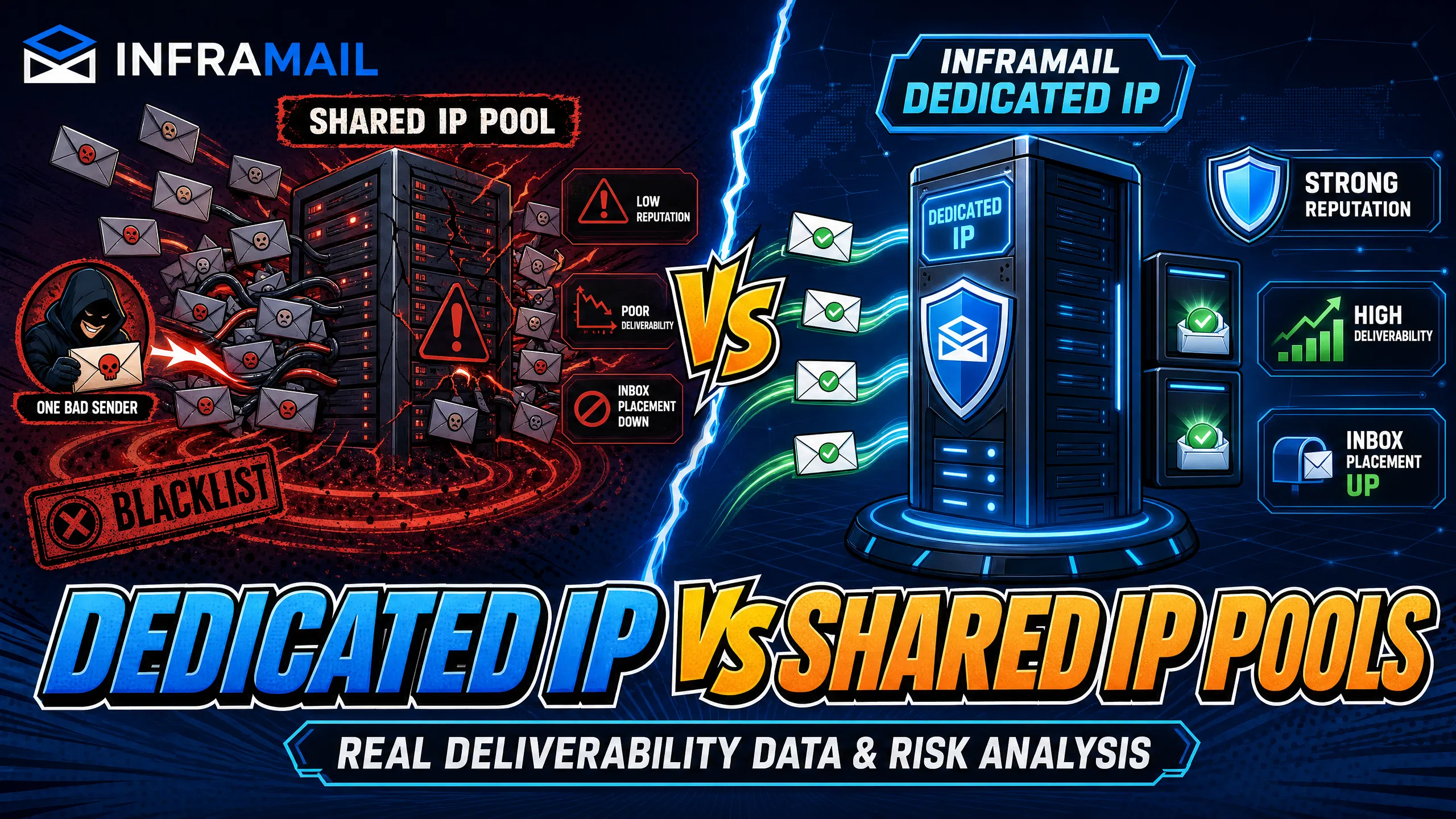
TL;DR: Shared IP pools expose your cold email campaigns to "bad neighbor" contamination, where one abusive sender on the same IP can drop your inbox rates overnight. Dedicated IPs isolate your sender reputation so your behavior alone determines inbox placement. Inframail's Unlimited Plan provides 1 dedicated US-based IP at $129/month for unlimited inboxes, and the Agency Pack provides 3 dedicated US-based IPs at $327/month for unlimited inboxes, both with automated SPF/DKIM/DMARC configuration, cutting infrastructure costs to $163/month for 50 inboxes versus $350-420/month on Google Workspace.
When inbox rates drop and reply volumes decline without any change to your copy or targeting, the problem may be your shared IP infrastructure. This article breaks down live deliverability data, blacklist risk math, and TCO figures to show exactly what dedicated IP isolation is worth to an agency managing 50 to 200 cold email domains.
Before comparing performance data and costs, it helps to understand what each infrastructure type actually is and how each one routes your email traffic.
Dedicated IP for cold email
A dedicated IP address is a static IP assigned to one sender exclusively. Every email you send leaves from that IP, and every engagement signal, complaint, and bounce rate attaches to your sending profile alone. Your behavior determines your reputation, and nothing else does.
Inframail's dedicated IP vs shared IP pools comparison (video) explains the infrastructure difference between dedicated and shared IP sending environments. Inframail's Unlimited Plan includes 1 dedicated US-based IP at $129/month and the Agency Pack includes 3 dedicated US-based IPs at $327/month, both for unlimited inboxes. Your sending reputation stays isolated, whether you manage 50 or 500 inboxes on the same plan.
How shared IP pools work
Multiple senders use a shared IP simultaneously. Every other sender on that pool contributes to the IP's reputation. If a sender in the same pool hits spam traps, generates complaint rates above 0.1%, or sends to purchased lists, those negative signals attach to the IP address routing your emails too, regardless of how clean your own operation is.
Many lower-cost email infrastructure providers use IP rotation, cycling your traffic across dozens of IPs in a pool. IP rotation is a scaling mechanism, not a deliverability solution. When it appears in infrastructure design, it typically reflects the challenges of maintaining reputation across a multi-tenant pool rather than a deliberate performance advantage. Our Maildoso deliverability review covers how shared pool routing affects inbox rate in practice.
IP reputation and inbox placement
IP reputation and domain reputation work together to determine inbox placement. SPF (Sender Policy Framework) authorizes which mail servers can send for your domain. DKIM (DomainKeys Identified Mail) digitally signs message headers to confirm they have not been altered in transit. DMARC (Domain-based Message Authentication, Reporting, and Conformance) tells receiving servers what to do when SPF or DKIM checks fail.
Modern mailbox providers including Gmail and Yahoo prioritize domain reputation for long-term inbox decisions, as outlined in their published sender guidelines, but a flagged IP can still impact delivery depending on the receiving server and the severity of the blacklist. You need both to be clean for consistent inbox placement. Our SPF, DKIM, and DMARC setup guide walks through the configuration process for multiple inboxes using Inframail's automated system.
The sections below cover how each infrastructure type performs across the major receiving environments agencies send to most, with standardized test data where available.
Gmail: the dedicated IP inbox difference
Gmail's spam filter weighs sender authentication, engagement history, and IP reputation together. A dedicated IP builds a consistent sending profile that accumulates clean signals from your campaigns alone. Shared IP users cannot build a coherent reputation because traffic spreads across rotating IPs, each carrying mixed signals from multiple senders.
How Outlook filters dedicated IP traffic
Outlook uses its own sender reputation signals and Microsoft SmartScreen filtering. Microsoft's filter shows slightly different behavior than Gmail for cold email from Microsoft-hosted infrastructure, which is worth knowing upfront. Dedicated IPs stabilize performance by keeping your sending profile consistent and your complaint rate attributable only to your own campaigns, not to shared pool contamination from other senders.
Yahoo inbox placement rates
Yahoo's Postmaster guidelines require bulk senders to keep spam complaint rates below 0.3%. On a shared pool with hundreds of active senders, maintaining a collective complaint rate below that threshold depends entirely on the worst sender in the pool. A single abusive sender can push the pool over the threshold and affect everyone routing through the same IP range.
Mail-Tester IP reputation scores
Mail-Tester scores email sends out of 10 based on multiple deliverability factors. Inframail's infrastructure scores 9.5/10 on Mail-Tester, reflecting properly configured SPF/DKIM/DMARC records across dedicated IPs with no active blacklist flags at the time of testing.
GMass inbox placement: 88% primary inbox rate
GMass inbox placement testing measures the percentage of test sends that land in the primary inbox rather than spam or promotions folders, using a panel of Gmail and Outlook seed addresses. Inframail's dedicated IP infrastructure returned an 88% primary inbox placement rate on GMass testing. Cold email sent from shared infrastructure commonly sees lower primary inbox rates due to pool-level reputation dilution from other senders in the pool. Our ultimate cold email infrastructure guide covers full testing methodology and what scores to target before scaling send volume.
The sections below cover what shared pool failures look like when they occur in practice, and what recovery costs in time, client trust, and campaign performance.
Contamination scenario and Spamhaus consequences
A contamination scenario typically runs like this: your inbox rate drops noticeably mid-week with no changes to your sequences or sending volume. A post-mortem check on MXToolbox shows that Spamhaus flagged the shared IP routing your emails after another sender on the same pool sent a high-volume blast to a purchased list.
Spamhaus maintains the SBL (Spamhaus Block List), which major ISPs query before accepting email. When a shared IP hits the SBL, every sender routing traffic through that IP faces rejection or spam folder placement until delisting is complete. First-time CSS listings may qualify for self-service removal via the Spamhaus removal tool. Standard SBL listings require direct contact with the Spamhaus SBL Team. Reputation recovery often extends beyond the initial delisting period. For guidance on Microsoft-specific events, our Microsoft blacklist recovery guide covers the delisting process step by step.
This is the core structural problem with shared pools, and it explains why reliability is the deciding factor in these Trustpilot reviews:
"We spent months hunting for a reliable cold-emailing stack. After repeated failures with another provider, we trialled two options—Inframail and a competitor. We chose the competitor. A month later, we switched back to Inframail. Zero issues since." - Verified user review of Inframail
The bad neighbor effect
Shared IP infrastructure puts your sender reputation in the hands of every other sender on the pool. The sending habits of others can affect your sending directly, because complaint signals accumulate at the IP level rather than the individual sender level. Even senders with low individual complaint rates receive elevated spam classification if their IP carries a poor aggregate signal from the pool.
Cost of shared IP reputation repair
Repairing a shared IP reputation event costs more than most campaign managers account for. The direct costs include:
Campaign downtime: 24 to 72 hours of paused sends while waiting for delisting.
Client communication: Explaining a deliverability drop that originated outside your control damages agency credibility.
Reputation recovery time: 2 to 4 weeks of reduced inbox rates while ISPs rebuild trust in the delisted IP.
Our cold email infrastructure monitoring guide covers the alert systems that catch blacklist events before they affect active client campaigns.
The sections below break down how blacklist exposure compares across infrastructure types, and what the measurable differences look like when tracking risk and recovery outcomes.
Managing dedicated IP blacklist risk
On a dedicated IP, your data quality, bounce rate, sending volume, list hygiene, authentication alignment, and spam complaint rate are the primary inputs that affect your IP's reputation. Engagement signals including opens, replies, and non-spam classifications also feed ISP reputation scoring positively, while ignores and deletions feed it negatively. Inframail's deliverability monitoring dashboard tracks domain and IP health in real time, with automated blacklist monitoring across major blocklists.
When a domain or IP does get flagged, Inframail auto-submits delisting requests. Our automated delisting system processes removal requests faster than the manual process of identifying each blocklist contact and submitting individual requests per domain.
How shared pools hurt deliverability
ISPs use feedback loop signals to identify abusive senders. On shared infrastructure, complaint signals aggregate at the IP level rather than the sender level. Legitimate senders with low individual complaint rates receive elevated spam classification because their IP carries the combined signal of the entire pool, regardless of their own sending practices.
Which providers delist fastest?
Inframail's automated delisting system submits removal requests across all blocklists simultaneously rather than requiring manual submission per blocklist. Inframail's blacklist monitoring records a 68.3% delisting success rate within 48 hours. Manual processes on shared infrastructure typically require identifying each blocklist individually, submitting separate requests, and monitoring each one for confirmation, extending the window before sending can resume. For the full breakdown of Spamhaus SBL listing types and their respective timelines, see the contamination scenario section above.
The sections below look at how infrastructure type determines who holds control over your sender reputation, and what that means for long-term inbox performance.
Reputation contamination in shared IP pools
Shared IP architecture creates a multi-tenant reputation environment where your inbox placement rate is partly determined by senders you cannot monitor. Your sending behavior contributes only a fraction of the IP's total reputation signal. Even with pristine list hygiene and zero spam complaints, a single aggressive sender in the same pool can contaminate your shared IP overnight.
Maildoso uses shared IP infrastructure with heavy IP rotation. For a direct comparison of infrastructure categories across more providers, see our infrastructure costs comparison across 7 platforms.
Dedicated IP: stable sender reputation
On a dedicated IP, every engagement signal feeds one reputation profile. High open rates, low spam complaints, and proper authentication build a strong sender reputation over time because every data point references the same sender. There is no noise from other senders diluting your sending history.
Your inbox rate: domain vs IP impact
Domain reputation and IP reputation create a feedback loop. A clean dedicated IP gives your new domains a neutral starting point for reputation building. As domains accumulate positive engagement signals (replies, non-spam classifications, open rates), their domain reputation strengthens independently. Both reputations reinforce each other. On shared infrastructure, a contaminated IP can suppress a strong domain reputation because the IP-level check fires before domain-level trust is fully evaluated by some receiving servers.
The sections below work through the actual numbers at each inbox tier, so you can see where the cost and deliverability case for dedicated IPs becomes clear for your agency's current scale.
50 domains: your real cost per inbox
Google Workspace Business Starter prices at $7-8.40 per user per month depending on billing plan. For 50 cold email inboxes, that represents approximately $350-420/month in platform costs, plus domain registration at $5-16/year per domain, adding roughly $21-67/month for 50 domains, bringing total infrastructure to approximately $371-487/month.
Inframail's Unlimited Plan runs $129/month for unlimited inboxes, plus domain costs of $5-16/year per domain. With domain costs at approximately $8/year per domain on average (mid-point of the $5-16/year range), 50 domains add roughly $34/month in domain costs, bringing total infrastructure to approximately $163/month. The savings: approximately $187-257/month, or $2,244-3,084 annually on the 50-inbox tier alone.
A complete TCO model also includes warmup tools and a sending platform. Warmup tools (such as Instantly warm-up, Lemwarm, or Warmup Inbox) run approximately $15-50/month depending on the tool and inbox count. Sending platform costs vary by provider and plan, typically ranging from $30-150/month for agencies at this scale. These costs apply equally regardless of whether you use Google Workspace or Inframail for infrastructure, so they do not change the savings differential above. Adding $45-200/month in warmup and sending platform costs to both options shifts the total monthly spend to approximately $416-687/month (Google Workspace, 50 inboxes) versus $208-363/month (Inframail, 50 inboxes), keeping the monthly savings range at $187-257/month.
Dedicated IP costs: 100+ accounts
The flat $129/month fee does not scale with inbox count, which is where margin protection becomes significant at agency scale.
Inbox count | Google Workspace | Inframail total | Monthly savings |
|---|---|---|---|
50 inboxes | $350-420/mo | ~$163/mo | $187-257/mo |
100 inboxes | ~$700-840/mo | ~$162-179/mo | ~$521-678/mo |
200 inboxes | ~$1,400-1,680/mo | ~$195-229/mo | ~$1,171-1,485/mo |
Inframail total includes the $129/mo platform fee plus domain costs at approximately $8/year per domain average (mid-point of the $5-16/year range), amortized monthly.
The 100-inbox tier assumes 2-3 inboxes per domain, so domain count does not double when inbox count doubles. At 2 inboxes per domain, 100 inboxes require approximately 50 domains, keeping domain costs similar to the 50-inbox tier and explaining why total infrastructure cost at 100 inboxes is comparable to the 50-inbox total.
Warmup tool and sending platform costs ($45-200/month combined, depending on tools used) are excluded from the table above. These costs apply equally to both infrastructure options and do not affect the monthly savings figures shown.
At 200 inboxes, Inframail's flat rate means infrastructure costs approximately $195-229/month including domain costs. Google Workspace bills approximately $1,400-1,680/month for the same inbox count. That difference of roughly $1,171-1,485/month is a direct margin impact on agency financials. For a detailed seven-platform cost breakdown including Maildoso, Mailreef, and Mailscale, see our infrastructure costs comparison guide.
Break-even point for agency IPs
Inframail's flat $129/month becomes cost-effective against Google Workspace Business Starter at low inbox counts. Above approximately 18-20 inboxes, every additional inbox on Inframail costs nothing more in platform fees. For agencies managing 50 to 200 domains across multiple clients, the cost case for dedicated IP infrastructure is decisive from both a cost and deliverability perspective.
The steps below walk through three practical methods for checking where your emails are landing and identifying any infrastructure issues before they affect active campaigns.
Assess sender reputation via Mail-Tester
Send an email to your unique Mail-Tester address from one of your active cold email inboxes.
Check the score. Higher scores (9+/10) reflect clean authentication and no active blacklist flags. Lower scores point to specific issues (failed DKIM, IP blacklist flag, or content triggers) that you can isolate from the report.
Run this test from both your best-performing inbox and a recently added inbox to check whether the issue is domain-specific or IP-level.
Measure IP inbox placement with GMass
The GMass inbox placement test sends from your actual inbox to a panel of Gmail and Outlook seed addresses and reports the percentage landing in the primary inbox versus spam. If your inbox rate is running significantly below benchmark levels, that is worth investigating at the infrastructure level. Run the test before scaling send volume on any new domain.
Find your IP's blacklist status
Check your sending IP against major blocklists using:
MXToolbox Blacklist Check: MXToolbox's blacklist checker checks multiple blocklists simultaneously.
Spamhaus IP lookup: The Spamhaus lookup tool checks IP and domain blocklist status.
Inframail dashboard: Our platform's domain health monitoring checks and alerts automatically without manual lookup.
"Inframail has been absolute gold in terms of delivering a great customer experience, and allowing me to spin up cold email infrastructure at scale for my clients as easily and fast as possible." - Verified user review of Inframail
Decoding your IP test results
If your Mail-Tester score is low, check DKIM alignment, confirm DMARC is set to p=quarantine or p=reject, and verify your IP is not on an active blocklist. If you are on shared infrastructure and scores are consistently low, the fix may require migrating to dedicated IPs rather than adjusting individual DNS records. Our automated configuration system (included with the Unlimited and Agency Pack plans) handles DNS setup and provides diagnostics based on your current domain and IP configuration. The inbox health guide from our help center walks through interpreting these results in the context of active campaigns.
“I’ve been using Inframail for a couple of months and the experience has been really good. I can set-up inboxes in 5mins while saving money on Google Workspace subscriptions and benefit from great deliverability.” - Verified user review of Inframail
Watch the full Inframail setup tutorial to see the domain purchase to CSV export workflow with timestamps, and the unlimited inbox creation demo to see bulk inbox provisioning in action.
Sign up to Inframail and get started today.
Does a dedicated IP improve inbox rates compared to shared IPs?
Yes. Dedicated IPs isolate your sender reputation from other senders, removing shared pool contamination as a variable. Inframail's dedicated IP infrastructure achieves strong inbox placement on standardized testing versus the lower rates commonly seen on shared infrastructure where pool-level reputation dilution affects all senders.
How long does a dedicated IP warmup take?
Dedicated IP warmup requires starting with conservative daily send volumes and gradually increasing as positive engagement signals build. The timeline varies depending on your domain age, daily send volume, and list quality. Our inbox warmup guide covers the recommended ramp schedule in full.
Can I migrate to dedicated IPs mid-campaign without losing reputation?
Yes. Migrate your DNS records to Inframail using the automated configuration tool, complete the recommended warmup period on the new inboxes, then run parallel GMass tests before cutting over your full sending list to confirm inbox placement has improved.
Do I need dedicated IPs for every domain?
No. Inframail's Unlimited Plan provides 1 dedicated US-based IP, and the Agency Pack provides 3. Your domain portfolio size and daily send volume determine the right plan. Contact Inframail support to confirm the best fit for your current sending scale.
Dedicated IP: A static IP address assigned exclusively to one sender, where that sender's behavior alone determines the IP's reputation with ISPs.
Shared IP pool: A group of IP addresses shared across multiple senders on the same infrastructure platform, where each sender's behavior affects the collective IP reputation.
IP reputation: A score maintained by ISPs based on the sending history, complaint rate, bounce rate, and engagement signals attributed to a specific IP address.
SPF/DKIM/DMARC: Email authentication protocols. SPF authorizes sending servers, DKIM signs message headers, and DMARC specifies handling rules for authentication failures.
Mail-Tester: A free tool that scores an email send out of 10 based on authentication, IP reputation, and content quality checks at mail-tester.com.
Inbox placement rate: The percentage of sent emails that land in the primary inbox rather than the spam folder or promotions tab, measured via seed address panel testing tools like GMass.
Blacklist (blocklist): A real-time database maintained by organizations like Spamhaus that ISPs query to identify IP addresses associated with spam or abusive sending behavior.