
Bulk Inbox Provisioning for Cold Email: PowerShell Scripts and Automation Tools
Automate cold email inbox provisioning with PowerShell, Microsoft Graph API, DNS setup, CSV exports, and cost comparisons against flat-rate infrastructure.
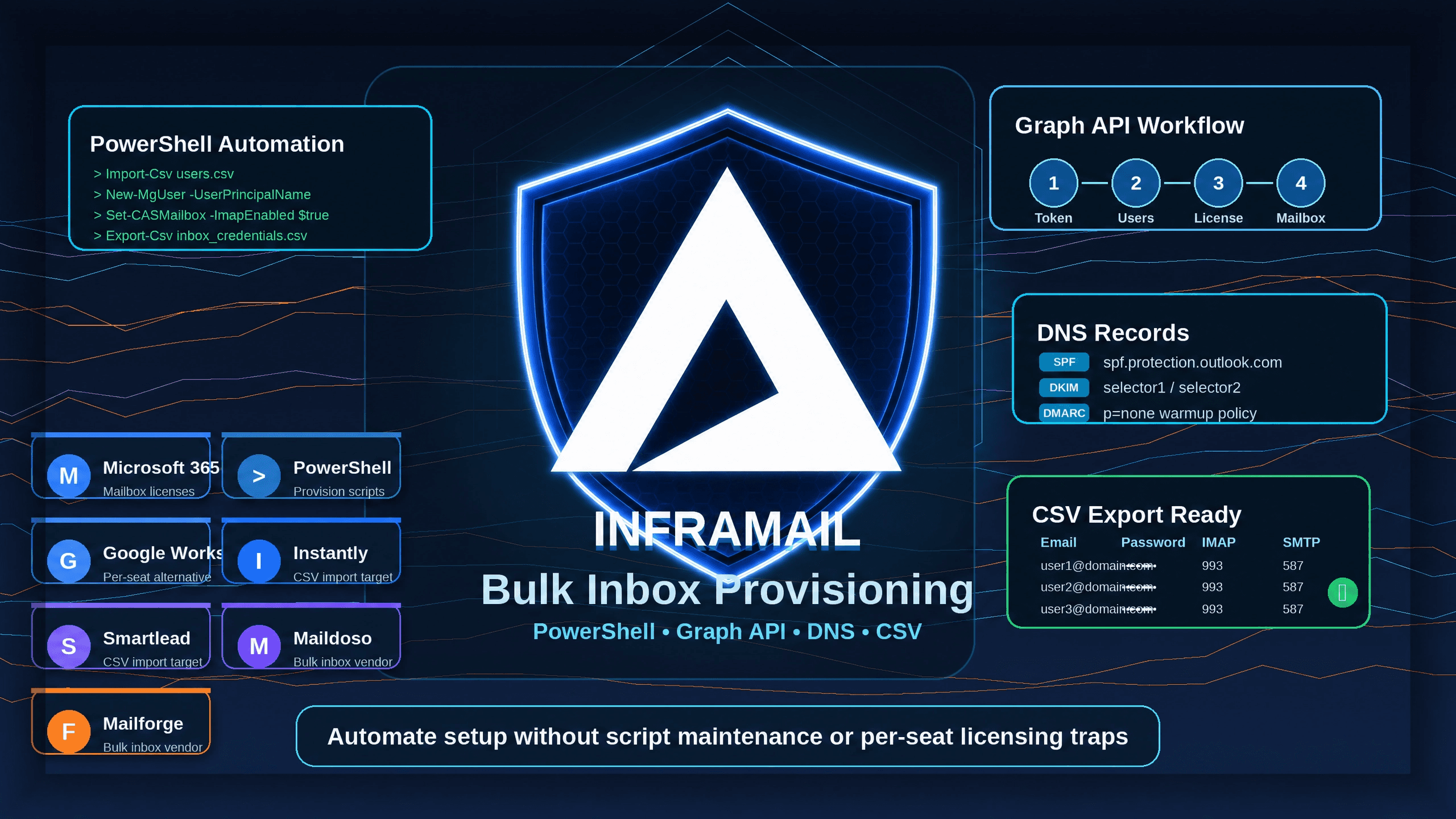
TL;DR: Manual bulk inbox provisioning can require significant time investment, but PowerShell and Microsoft Graph API scripts streamline the workflow considerably. Those scripts still require ongoing maintenance, complex credential management, and per-seat licensing that scales linearly with your inbox count. Inframail removes all three bottlenecks: automated DNS configuration, unlimited inboxes on dedicated IPs, and a $129/month platform fee plus domain costs (total cost from ~$163/month at 50 inboxes to ~$395/month at 200 inboxes). Use the scripts in this guide when you need direct infrastructure control, then compare the real total cost before committing.
Writing custom PowerShell scripts to provision mailboxes seems like the ultimate operations hack, until a Microsoft API update breaks your code on a Friday afternoon and three client campaigns go dark. This guide provides production-ready scripts and API workflows for bulk inbox creation, and it shows you exactly where the hidden maintenance costs and linear licensing traps live so you can make a deliberate choice between custom scripting and a dedicated flat-rate platform.
Scaling cold email across multiple clients means distributing sending volume across hundreds of domains and inboxes to protect deliverability. A single shared IP or a domain blacklist hit can collapse multiple client campaigns simultaneously, and operations managers who rely on manual setup face a compounding bottleneck that limits how fast the agency can onboard new clients. The only way to manage that volume without a dedicated engineering team is programmatic provisioning.
Why scripted setups beat manual methods
Manual inbox provisioning for 100 inboxes requires logging into a domain registrar, purchasing domains, configuring DNS records across potentially three different registrar UIs, creating users in the Microsoft 365 Admin Center one by one, assigning licenses, enabling IMAP and SMTP, and then logging every credential into a tracking spreadsheet. That workflow can take many hours of focused technical work, and it introduces human error at every step.
An automated script running the same workflow via Exchange Online PowerShell and the Microsoft Graph API can complete the task significantly faster, with consistent credential formatting and zero manual DNS panel work. The impact compounds as you scale: the upfront architecture investment can free substantial time monthly once the system is running.
Balancing inbox volume and overhead
As your active client count grows, your required inbox volume scales accordingly. Each inbox requires a credential record, a deliverability check, and an active connection to your sending tool. Without automation, your team spends more time diagnosing broken IMAP connections and mismatched DNS records than launching campaigns.
A manually typed SMTP password that is off by one character or a miscopied DKIM record means a campaign that never sends, and you may not discover the error until a client reports zero replies. Automated provisioning removes that failure category by generating and logging credentials programmatically.
Before you run any automation script, your administrative environment must be configured correctly. Skipping any prerequisite below leaves you with partial provisioning that is harder to diagnose than a clean failure.
Configure global admin roles
To provision mailboxes programmatically in Microsoft 365, your automation service account needs elevated privileges. Microsoft's Entra ID documentation indicates that Global Administrator, User Administrator, and License Administrator roles can manage users and licenses. For programmatic API access, typical application permissions include User.ReadWrite.All and Directory.ReadWrite.All in Microsoft Entra ID. Create a dedicated service account for your automation scripts to isolate automation traffic from personal admin activity and make it easier to audit failures in sign-in logs.
Install required tools
Your administrative machine needs PowerShell 7 or higher (recommended for the Microsoft Graph SDK), the ExchangeOnlineManagement module, and the Microsoft.Graph module. Version 3.9.2 of ExchangeOnlineManagement is a recent stable release as of January 2026. Install both modules in an elevated terminal:
Install-Module -Name ExchangeOnlineManagement -Force -AllowClobber
Install-Module -Name Microsoft.Graph -Force -AllowClobber
Register your Graph API application
Direct API integration requires registering an application in your Microsoft Entra ID tenant so scripts can authenticate without interactive sign-in:
Navigate to Microsoft Entra ID and select App Registrations, then click New Registration.
Name the application and select Single Tenant.
Under API Permissions, add application permissions
User.ReadWrite.AllandDirectory.ReadWrite.All, then click Grant Admin Consent.Navigate to Certificates & Secrets, generate a new Client Secret, and save the Client ID, Tenant ID, and Client Secret to a secure credential store (never hard-code these values directly in script files).
Prepare DNS records for authentication
Every domain used for cold email must have SPF, DKIM, and DMARC records configured before you send a single message. According to Microsoft's email authentication documentation, receiving mail servers will filter bulk-provisioned inboxes as spam without these records regardless of how cleanly the mailboxes themselves are configured. The Cloudflare scripting section below covers how to automate these records at scale.
The scripts below are production-ready templates tested against current Exchange Online and Microsoft Graph endpoints. Adapt the CSV structure and tenant details to your environment.
Connect to Exchange Online
To manage mailbox-level settings like SMTP AUTH and IMAP access, connect to the Exchange Online service at the top of your provisioning script:
Connect-ExchangeOnline -UserPrincipalName admin@yourtenant.onmicrosoft.com -ShowBanner:$falseFor fully automated pipelines without interactive sign-in, configure certificate-based authentication using the -CertificateThumbprint and -AppId parameters instead.
Structure your user data CSV
Create users.csv with the following column structure. Retrieve available SKU identifiers from your tenant by running Get-MgSubscribedSku | Select-Object -Property SkuPartNumber, SkuId before building the file.
UserPrincipalName,DisplayName,GivenName,SurName,Password,UsageLocation,LicenseSku
user1@yourdomain.com,User One,User,One,SecurePass123!,US,DEVELOPERPACK
user2@yourdomain.com,User Two,User,Two,SecurePass456!,US,DEVELOPERPACK
Enable SMTP and IMAP protocols
Microsoft disables SMTP AUTH by default for all new Microsoft 365 accounts. Most cold email sending platforms support SMTP AUTH for inbox connections. Enable SMTP AUTH and IMAP for each inbox using the Set-CASMailbox cmdlet:
Set-CASMailbox -Identity "user1@yourdomain.com" -SmtpClientAuthenticationDisabled $false -ImapEnabled $trueLog provisioning errors
Wrap every provisioning action in a try-catch block and write failures to a local log file. Common failure reasons can include licensing quota exhaustion, tenant propagation lag, and duplicate mailNickname values when your CSV contains similar display names:
try {
    # Provisioning commands here
    Write-Host "Provisioned: $($user.UserPrincipalName)" -ForegroundColor Green
} catch {
    $errorMsg = "$($user.UserPrincipalName): $($_.Exception.Message)"
    Write-Error $errorMsg
    Out-File -FilePath "C:\logs\provisioning_errors.log" -InputObject $errorMsg -Append
}
Complete provisioning script
The script below reads your CSV, creates users in Entra ID, assigns licenses, enables protocols, and exports credentials. The Start-Sleep delays allow time for Microsoft 365 to propagate changes before the next step.
param(
    [Parameter(Mandatory=$true)]
    [string]$CsvPath,
    [string]$LogPath = ".\provisioning_errors.log",
    [Parameter(Mandatory=$true)]
    [string]$AdminUpn
)

# Connect to Microsoft Graph and Exchange Online
Connect-MgGraph -Scopes "User.ReadWrite.All","Directory.ReadWrite.All"
Connect-ExchangeOnline -UserPrincipalName $AdminUpn -ShowBanner:$false

$users = Import-Csv -Path $CsvPath
$credentialExport = @()

foreach ($user in $users) {
    try {
        # Generate a unique secure password for each inbox
        Add-Type -AssemblyName System.Web
        $generatedPassword = [System.Web.Security.Membership]::GeneratePassword(14, 3)

        $passwordProfile = @{
            Password                      = $generatedPassword
            ForceChangePasswordNextSignIn = $false
        }

        # Create user in Entra ID
        New-MgUser `
            -UserPrincipalName $user.UserPrincipalName `
            -DisplayName       $user.DisplayName `
            -GivenName         $user.GivenName `
            -Surname           $user.SurName `
            -AccountEnabled    $true `
            -MailNickname      ($user.GivenName + $user.SurName).ToLower() `
            -PasswordProfile   $passwordProfile `
            -UsageLocation     $user.UsageLocation

        Start-Sleep -Seconds 10  # Allow time for user object sync

        # Assign license
        $mgUser = Get-MgUser -Filter "userPrincipalName eq '$($user.UserPrincipalName)'"
        $sku = Get-MgSubscribedSku | Where-Object { $_.SkuPartNumber -eq $user.LicenseSku }
        if (-not $sku) { throw "License SKU '$($user.LicenseSku)' not found in tenant." }
        Set-MgUserLicense -UserId $mgUser.Id -AddLicenses @{ SkuId = $sku.SkuId } -RemoveLicenses @()

        Start-Sleep -Seconds 20  # Allow time for mailbox provisioning

        # Enable IMAP and SMTP AUTH
        Set-CASMailbox -Identity $user.UserPrincipalName `
            -SmtpClientAuthenticationDisabled $false `
            -ImapEnabled $true

        # Add to credentials export
        $credentialExport += [PSCustomObject]@{
            Email     = $user.UserPrincipalName
            Password  = $generatedPassword
            IMAP_Host = "outlook.office365.com"
            IMAP_Port = 993
            SMTP_Host = "smtp.office365.com"
            SMTP_Port = 587
        }

        Write-Host "Provisioned: $($user.UserPrincipalName)" -ForegroundColor Green

    } catch {
        $errorMsg = "FAILED [$($user.UserPrincipalName)]: $($_.Exception.Message)"
        Write-Error $errorMsg
        Out-File -FilePath $LogPath -InputObject $errorMsg -Append
    }
}

# Export credentials CSV for sending platform import
$credentialExport | Export-Csv -Path ".\inbox_credentials.csv" -NoTypeInformation
Write-Host "Credentials exported. Review $LogPath for failures." -ForegroundColor Yellow

Disconnect-ExchangeOnline -Confirm:$false
Disconnect-MgGraph
The exported inbox_credentials.csv uses standard Microsoft 365 endpoints: outlook.office365.com for IMAP and smtp.office365.com for SMTP, which are commonly used for custom domain mailboxes in Exchange Online. For Smartlead-specific column mapping, refer to the Inframail to Smartlead integration guide.
For pipelines that run without a local PowerShell session, direct REST API calls to Microsoft Graph work from any HTTP client, including CI/CD pipelines and serverless functions.
Configuring OAuth for bulk automation
Use the OAuth 2.0 client credentials grant flow to authenticate without user interaction. Send a POST request to the Microsoft identity platform token endpoint:
POST <https://login.microsoftonline.com/{tenant-id}/oauth2/v2.0/token>
Content-Type: application/x-www-form-urlencoded

client_id={your-client-id}
&scope=https://graph.microsoft.com/.default
&client_secret={your-client-secret}
&grant_type=client_credentials
The response contains an access_token typically valid for 60 to 90 minutes (75 minutes on average). Include it as a Bearer token in the Authorization header of all subsequent Graph API requests.
Automating bulk inbox provisioning
Create users by posting to the /users endpoint. The usageLocation field is typically required before license assignment or the subsequent call may return a 400 Bad Request error:
POST <https://graph.microsoft.com/v1.0/users>
Authorization: Bearer {access-token}
Content-Type: application/json

{
  "accountEnabled": true,
  "displayName": "User One",
  "mailNickname": "userone",
  "userPrincipalName": "user1@yourdomain.com",
  "usageLocation": "US",
  "passwordProfile": {
    "forceChangePasswordNextSignIn": false,
    "password": "SecurePassword123!"
  }
}
Optimizing bulk API request flow
When you send hundreds of creation requests in a short period, Microsoft Graph may return an HTTP 429 status code with a Retry-After header specifying the wait time in seconds. Read that header and implement exponential backoff: double the wait time on each subsequent retry up to a maximum limit. A typical provisioning sequence follows this order:
1. POST /oauth2/v2.0/token        → Acquire access token
2. POST /v1.0/users               → Create user account (wait 10s)
3. GET  /v1.0/users/{upn}         → Verify user exists, retrieve object ID
4. POST /v1.0/users/{id}/assignLicense → Assign license (wait 20s)
5. Set-CASMailbox (Exchange Online) → Enable IMAP and SMTP AUTH
6. Export credentials CSV           → Format for sending platform import
Custom scripting reduces setup time significantly, but it creates a second job: script maintenance, API monitoring, and license cost management at a linear per-seat rate. Here is how the primary approaches compare on the factors that matter most to agencies running 50 to 200 inboxes.
Automating Inframail inbox provisioning
Inframail removes the entire scripting layer. The platform handles domain purchase with unlimited daily domain setups, auto-configures SPF, DKIM, and DMARC records for every domain, provisions unlimited inboxes on Microsoft infrastructure under dedicated US-based IPs, and generates the credentials CSV for direct import into Instantly.ai or Smartlead. For a look at what is available for teams that want to integrate the platform into a broader workflow, the Inframail API documentation covers available endpoints. The full cold email infrastructure guide covers the complete setup workflow.
"I personally have over 1,000 email accounts with Inframail for one flat price. Adding all those records would have probably taken dozens of hours. Instead all records were added within 10 minutes." - Verified user review of Inframail
Google Workspace bulk user creation
Google Workspace does not provide a native flat-rate bulk creation tool for cold email. You must either upload CSV files manually through the Admin Console or use the Google Apps Manager command-line tool, which requires its own separate installation and OAuth configuration. More critically, the per-seat pricing model makes Google Workspace cost-prohibitive at scale: Google Workspace Business Starter pricing runs $7-8.40/user/month depending on commitment terms.
At 100 inboxes, per-seat pricing can reach $700 to $840/month in platform fees alone before domain or warmup costs. For a full breakdown of how these costs stack up across seven platforms, the cold email infrastructure cost comparison covers each option with actual numbers.
Bulk inbox provisioning via PowerShell
Building custom scripts on Microsoft 365 Business Basic reduces setup time significantly, but the licensing costs follow the same linear model: $6/user/month currently (the current rate until July 2026, when it increases to $7/user/month per Microsoft's current pricing).
For 100 inboxes that is $600/month today, rising to $700/month. Beyond licensing, the technical debt compounds: when Microsoft updates Graph API endpoints or changes permission scope requirements, your provisioning script fails mid-run and diagnosing the issue requires cross-referencing changelog documentation rather than sending campaigns.
Third-party email automation tools
The table below compares the four primary approaches across setup speed, cost, IP infrastructure, and DNS automation.
Feature | Inframail | Maildoso | Mailforge | Google Workspace |
|---|---|---|---|---|
Price per inbox | $2.58/inbox | ~$2-3/inbox | ~$2-3/inbox | $7-8.40/user/month |
Inbox limit | Unlimited | Varies by plan | Varies by plan | Per-user |
DNS automation | Fully automated | Fully automated | Fully automated | None (manual) |
Built-in warmup | Yes | No | None (Warmforge, free) | No |
Dedicated IPs | Yes | Shared | Shared | Shared |
Best for | High-volume cold email | Budget multi-inbox | Developer teams | General business |
The dedicated vs. shared IP comparison is a critical operational factor for agencies running multiple clients on the same infrastructure. Shared IP pools mean that another sender's behavior can potentially affect your inbox placement rates.
"Rock-solid infrastructure, sharp support, genuinely dependable." - Verified user review of Inframail
If you are building your own Microsoft 365-based infrastructure, you must automate DNS record creation to keep pace with inbox provisioning.
Batch configure SPF, DKIM, and DMARC
Standard record values for Microsoft 365-based cold email domains are consistent across your entire tenant. SPF record for Exchange Online:
v=spf1 include:spf.protection.outlook.com -allUse this starting DMARC record during warmup, then move to stricter policies (p=quarantine or p=reject) once deliverability metrics are stable:
v=DMARC1; p=none; rua=mailto:dmarc-reports@yourdomain.com; sp=none; aspf=r; adkim=rFor DKIM on Microsoft 365, typical setup involves adding two CNAME records per domain (selector1 and selector2) pointing to Microsoft's signing infrastructure, then enable DKIM in the Microsoft 365 Defender portal. This two-step process is one reason automated DNS scripting alone does not fully replace a platform that handles DKIM enablement inside the provider's admin layer.
Sync domain records via Cloudflare API
If you manage domains through Cloudflare, use their DNS record creation API to automate record creation. The following PowerShell function adds any DNS record to a specified zone:
function Add-CloudflareDnsRecord {
    param(
        [string]$ZoneId, [string]$ApiToken,
        [string]$RecordType, [string]$RecordName, [string]$RecordContent
    )
    $headers = @{ "Authorization" = "Bearer $ApiToken"; "Content-Type" = "application/json" }
    $body = @{ "type"=$RecordType; "name"=$RecordName; "content"=$RecordContent; "ttl"=1; "proxied"=$false } | ConvertTo-Json
    $response = Invoke-RestMethod -Uri "<https://api.cloudflare.com/client/v4/zones/$ZoneId/dns_records>" -Method Post -Headers $headers -Body $body
    Write-Host "$(if ($response.success) { 'Added' } else { 'Failed' }): $RecordName for $ZoneId"
}

# Add SPF for each domain in your list
Get-Content ".\domains.txt" | ForEach-Object {
    Add-CloudflareDnsRecord -ZoneId "YOUR_ZONE_ID" -ApiToken "YOUR_API_TOKEN" `
        -RecordType "TXT" -RecordName "@" -RecordContent "v=spf1 include:spf.protection.outlook.com -all"
}
Validate SPF and DKIM setup scripts
After writing DNS records, validate them before routing inbox traffic through the domain. Use Resolve-DnsName to check presence programmatically across your entire domain list:
function Test-EmailAuthRecords {
    param([string]$Domain)
    $spf = Resolve-DnsName -Name $Domain -Type TXT -ErrorAction SilentlyContinue
    $spfValid = $spf.Strings -match "spf.protection.outlook.com"
    Write-Host "SPF ($Domain): $(if ($spfValid) { 'VALID' } else { 'MISSING' })" -ForegroundColor $(if ($spfValid) { "Green" } else { "Red" })

    $dmarc = Resolve-DnsName -Name "_dmarc.$Domain" -Type TXT -ErrorAction SilentlyContinue
    $dmarcValid = $dmarc.Strings -match "v=DMARC1"
    Write-Host "DMARC ($Domain): $(if ($dmarcValid) { 'VALID' } else { 'MISSING' })" -ForegroundColor $(if ($dmarcValid) { "Green" } else { "Red" })
}

$domains = Get-Content ".\domains.txt"
foreach ($domain in $domains) { Test-EmailAuthRecords -Domain $domain }
The platform cost per inbox is only one line item in the true total cost of ownership (TCO). Developer time to write and maintain scripts adds upfront effort plus ongoing quarterly maintenance for API updates and troubleshooting.
Automated inbox cost comparison
The table below uses current June 2026 pricing: Microsoft 365 Business Basic at $6/user/month, Google Workspace Business Starter at $7-8.40/user/month, and Inframail at $129/month flat for the platform. Domain costs are estimated at approximately $10 to $16/year per domain. For a detailed breakdown of the annual savings at each inbox tier, the inbox vs. Google Workspace costs article covers each scenario.
Inbox count | Google Workspace | M365 DIY PowerShell | Inframail (flat-rate) |
|---|---|---|---|
50 inboxes | $350-$420/month | $300/month | ~$163/month |
100 inboxes | $700-$840/month | $600/month | ~$196/month |
200 inboxes | $1,400-$1,680/month | $1,200/month | ~$395/month |
Inframail figures include the $129/month platform fee plus amortized domain registration costs at $16/year per domain (1-2 inboxes per domain depending on inbox count; the ~$395/month figure at 200 inboxes assumes 200 domains at $16/year each). Per-seat columns show license fees only. Domain registration costs of $50-150/month also apply to Google Workspace and Microsoft 365 at scale and are not included in those figures.
At 200 inboxes, Inframail at ~$395/month versus $1,200 to $1,680/month for per-seat alternatives represents savings of $805 to $1,285/month, or up to $15,420 annually.
Environment setup:
PowerShell 7 or higher installed
ExchangeOnlineManagement module installed (version 3.9.2 or later)
Microsoft.Graph module installed
Service account created with Global Administrator or User Administrator role
Azure App Registration created with
User.ReadWrite.AllandDirectory.ReadWrite.AllpermissionsAdmin consent granted for API permissions
Client ID, Tenant ID, and Client Secret stored in a secrets manager
CSV preparation:
users.csvcreated with correct column headersAll UserPrincipalName values verified as unique within the tenant
LicenseSku values confirmed against
Get-MgSubscribedSkuoutputSufficient available licenses confirmed before running
Log file directory created
DNS configuration (per domain):
SPF TXT record added
DMARC TXT record added at
_dmarc.yourdomain.comDKIM CNAME records (selector1 and selector2) added
DKIM enabled in Microsoft 365 Defender portal
DNS validation script run and all records confirmed present
Post-provisioning verification:
All accounts visible in Microsoft Entra ID admin center
SMTP AUTH confirmed enabled for all inboxes
IMAP confirmed enabled for all inboxes
Credentials CSV exported and validated for column structure
Test import completed for sample accounts in sending platform
Error log reviewed and failed accounts reprovisioned
Ready to eliminate the technical debt of custom scripts, the ongoing cost of per-seat licensing, and the Friday afternoon API breakage panic? Sign up to Inframail and provision unlimited inboxes on dedicated IPs today without writing or maintaining a single line of code.
How long does DNS propagation take for new email domains?
DNS changes propagate in under 5 minutes on Cloudflare-managed domains but can take up to 24 to 48 hours on GoDaddy or Namecheap. Use Resolve-DnsName in PowerShell or DNSChecker.org to verify propagation status before routing any sending traffic through newly configured domains.
How do I connect provisioned inboxes to warmup tools?
External warmup tools like Lemwarm and Warmbox typically support multiple connection methods including OAuth for Google and Microsoft accounts, as well as IMAP/SMTP for other providers. For Microsoft 365 inboxes connected via IMAP, the endpoint is outlook.office365.com:993. Import your exported credentials CSV directly into your sending platform, which manages the warmup connection from there. For post-migration warmup steps, the Inframail inbox warmup guide covers the recommended schedule.
How do I manage script errors mid-run without creating duplicate accounts?
Add a pre-run check using Get-MgUser -Filter "userPrincipalName eq '$($user.UserPrincipalName)'" at the top of your provisioning loop. If the user already exists, skip creation and proceed directly to license assignment and protocol configuration to prevent duplicate account errors on re-runs after partial failures.
How do I resolve PowerShell license assignment failures?
License failures typically occur when your tenant runs out of available seats or when Microsoft's licensing API experiences propagation lag after user creation. Build a retry loop that attempts license assignment multiple times with delays between attempts, then log any persistent failures for manual review rather than halting the entire script run.
What is the break-even point where Inframail becomes cheaper than DIY Microsoft 365?
Based on current Microsoft 365 Business Basic pricing of $6/user/month, Inframail's $129/month platform fee becomes cost-effective at approximately 15 to 20 inboxes, depending on your domain costs. At 50 inboxes, Inframail saves $137 to $257/month compared to per-seat alternatives, and at 200 inboxes the savings reach $805 to $1,285/month before accounting for developer time and script maintenance.
SPF (Sender Policy Framework): A DNS TXT record that specifies which mail servers are authorized to send email on behalf of your domain. Microsoft 365 typically uses spf.protection.outlook.com as the include value for Exchange Online domains.
DKIM (DomainKeys Identified Mail): An email authentication method that adds a cryptographic signature to outgoing messages. Microsoft 365 typically requires two CNAME records per domain for key rotation on custom domains.
DMARC: A DNS policy record that specifies how receiving mail servers handle messages that fail SPF and DKIM checks. Many implementations start with p=none for monitoring during warmup and move to p=reject for production domains.
Exchange Online PowerShell: The administrative command-line interface for managing Microsoft Exchange mailboxes, permissions, and mail flow. Connected via Connect-ExchangeOnline from the ExchangeOnlineManagement module.
Microsoft Graph API: The unified HTTP REST endpoint for programmatically accessing and managing Microsoft 365 services including user creation, license assignment, and directory management.
OAuth 2.0 client credentials flow: An authentication pattern where an application authenticates directly using its Client ID and Client Secret, without requiring a user to sign in interactively. Required for fully automated provisioning pipelines.
Dedicated IP: A unique IP address assigned exclusively to your sending infrastructure. Inframail's Unlimited plan includes 1 dedicated US-based IP and the Agency Pack includes 3, keeping your sending reputation isolated from other senders' behavior.
SMTP AUTH: A protocol that allows email clients to authenticate with an SMTP server using a username and password. Microsoft 365 disables this by default for security reasons and requires explicit enablement via Set-CASMailbox for each inbox.