
Best email tracking software for Outlook: 8 tools ranked for 2026
HubSpot Sales is the best overall email tracking tool for Outlook teams on HubSpot CRM, with a native Office 365 add-in, sequences and CRM sync at $7-$150 per s
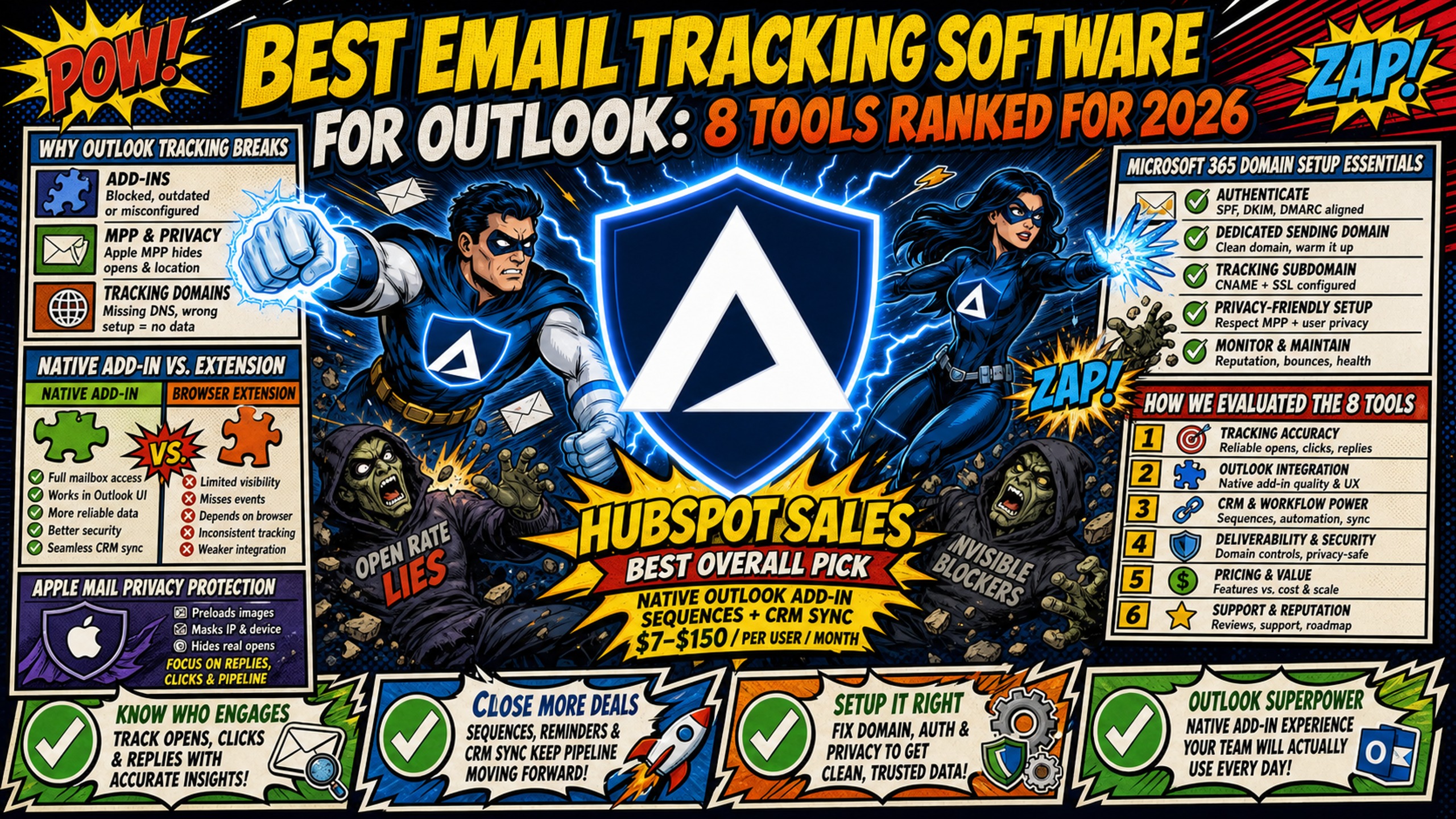
TL;DR: HubSpot Sales is the best overall email tracking tool for Outlook teams on HubSpot CRM, with a native Office 365 add-in, sequences and CRM sync at $7-$150 per seat per month billed annually. Yesware ($65 per user per month on Enterprise billed annually) is the best value for 6-12 SDR teams on Salesforce, and Mailtrack ($2.99 per user per month billed annually) covers basic open tracking for 1-5 SDRs. Salesloft and Outreach suit teams of 13+ SDRs running multi-channel cadences, but both price by quote. Pixel-based open rates can be inflated by Apple Mail Privacy Protection, and Apple accounted for 62.26% of opens Litmus tracked in July 2026. Tracking also depends on delivery. Inframail's Unlimited Plan provides unlimited Microsoft inboxes with automated SPF, DKIM and DMARC setup for a flat $129 per month, with domains and warmup tools billed separately.
Apple Mail accounts for the majority of tracked email opens, making it the most popular email client globally. Because Apple Mail Privacy Protection downloads remote content in the background when a message arrives, pixel-based tracking fires without a human reading the message, inflating open rates across the industry. When SDR managers choose tracking tools for Outlook 365, they face broken add-ins, missed tracking data, and spam complaints that tank deliverability.
The best email tracking software for Outlook isn't the tool with the most features. It's the one that works natively with Microsoft 365, survives Apple MPP, and doesn't trigger spam filters at 50-100 inbox scale. This article ranks 8 tools against those criteria, then shows why the underlying email infrastructure determines whether any tracking tool delivers accurate data.
Why Outlook tracking breaks: add-ins, MPP and tracking domains
Most email tracking tools were built for Gmail's architecture first, and when SDR managers try to force them onto Outlook 365, three technical barriers break tracking accuracy and deliverability.
Native add-in vs. browser extension architecture
SDR managers running Microsoft 365 need tracking that persists across desktop, web, and mobile without breaking when browsers update. Native Outlook add-ins install via the Microsoft 365 admin center or AppSource and work across all clients under one Microsoft 365 identity. The new Outlook for Windows supports only web add-ins, so trackers built as COM or VSTO add-ins for classic Outlook don't run there, as documented in Microsoft's new Outlook for Windows add-in overview.
Browser extensions live in a sandbox that restricts access to system resources. Extensions may break when browsers update or Outlook clients change, and tracking data may not sync to your CRM as reliably as native add-ins.
Apple Mail Privacy Protection impact
Apple Mail Privacy Protection hides the recipient's IP address and downloads remote content, including tracking pixels, in the background when a message arrives rather than when it's read, as documented on Apple's Mail Privacy Protection support page. The pixel fires and records an open even if the recipient never reads the message.
Apple Mail Privacy Protection's impact varies by audience composition. According to Litmus, Apple accounted for 62.26% of email opens tracked in July 2026, making it the most popular email client. MPP inflates opens for every recipient reading in Apple Mail with the feature on, so the effect scales with how much of your list uses Apple Mail. For enterprise B2B with managed Outlook environments, Apple MPP's impact is present but the broader trend means pixel-based tracking is becoming unreliable regardless of email client mix.
Click and reply tracking don't depend on image loads, so Apple MPP affects them less than pixel-based open tracking.
Microsoft 365 domain setup essentials
Tracking pixels can trigger spam filters, especially when those pixels call out to shared tracking domains with poor reputations. Shared tracking domains create guilt-by-association. If one sender on the platform spams, blocklists such as Spamhaus's Domain Blocklist can list the shared domain.
The result is a bounce or spam placement on emails that contain that link, even when the sending domain and IP are clean.
Spam filters do not just evaluate your sending domain and your IP. They also evaluate every domain that appears in your email, including the domains embedded in your tracking links and pixels. If your tracking domain has been associated with spam, the email containing it gets penalized, even if your sending domain is spotless.
Inframail's automated DNS engine configures SPF, DKIM, and DMARC records automatically, no DNS panel access required, removing the most common authentication errors behind spam placement.
How these 8 email tracking tools were evaluated
This analysis ranked 8 Outlook-compatible tracking tools across five criteria that matter to SDR managers running Microsoft 365 infrastructure at 50-100 inbox scale.
Evaluating integration for Outlook 365
The first criterion checked documentation for which tools offer native Outlook 365 add-ins versus browser extensions. Native add-ins install via Microsoft AppSource or the Microsoft 365 admin center. Browser extensions require manual installation per user and may break when Outlook updates.
Evaluating tracking precision after MPP
The second criterion assessed whether each tool uses pixel-based tracking, server-side tracking, or a hybrid approach. Apple MPP downloads images, including tracking pixels, in the background when a message arrives, meaning email tracking pixels may trigger even when recipients never actively open the message. Server-side tracking reportedly captures engagement at the email server level, potentially bypassing some MPP limitations.
How Outlook sync impacts CRM data
The third criterion evaluated native CRM synchronization with Salesforce, HubSpot, and Microsoft Dynamics. Tools that sync sends, opens, and clicks directly into CRM records reduce manual data entry and improve pipeline visibility.
Automating high-volume email outreach
The fourth criterion reviewed whether each tool supports multi-step sequences or cadences natively in Outlook. SDR managers running 15-35 meetings booked monthly need automation that doesn't require switching between platforms.
Budgeting for SDR team operations
The fifth criterion calculated per-seat costs at 5 and 12 SDR seats, reflecting the SDR Manager persona running 5-12 users. Tracking tools charge per user, not per sending inbox. An SDR manager running 8 SDRs across 80 inboxes buys 8 tracking seats, not 80. Per-seat tracking costs compound with per-inbox infrastructure costs, so total spend across both dimensions matters more than either headline price alone.
Best email tracking software for Outlook: comparison tables
Here's how the 8 tools stack up across integration method, tracking accuracy, CRM sync, and cost at scale.
| Tool | Outlook Integration | Tracking Method | MPP Handling | CRM Sync |
|---|---|---|---|---|
| HubSpot Sales | Native Office 365 add-in | Pixel-based | No public details | Native HubSpot, third-party Salesforce |
| Yesware | Native Microsoft 365 add-in | Pixel-based | No public details | Native Salesforce (Enterprise only) |
| Mixmax | Native Microsoft 365 add-in | Pixel-based | No public details | Native Salesforce |
| Salesloft | Outlook add-in via AppSource | Pixel-based | No public details | Native Salesforce, HubSpot, Dynamics |
| Outreach | Outlook add-in via admin center | Pixel-based | No public details | Native Salesforce, HubSpot, Dynamics |
| Mailtrack | Outlook add-in | Pixel-based | No public details | No native CRM sync |
| Boomerang | Outlook add-in | Visible read receipt | No public details | No native CRM sync |
| ContactMonkey | Outlook-focused add-in | Pixel-based | Privacy options documented | Microsoft Teams, SharePoint, HRIS tools |
The first table compares integration method, tracking architecture, and CRM sync capabilities across all 8 tools. The second table focuses on sequence automation, pricing at 5 and 12 SDR seats, and best-fit use cases. Use both together to match technical requirements and budget constraints to your team size.
| Tool | Sequence Capability | Cost at 5 Seats | Cost at 12 Seats | Best For |
|---|---|---|---|---|
| HubSpot Sales | Yes, via Outlook add-in | $35-$750/month | $84-$1,800/month | Teams using HubSpot CRM |
| Yesware | Campaigns on all paid plans (Pro capped at 20 recipients/month) | $75-$325/month | $180-$780/month | Salesforce-first teams |
| Mixmax | Sequences on Engagement Copilot and above | $145-$445/month | $348-$1,068/month | Gmail-focused teams |
| Salesloft | Yes, dedicated cadence engine | Quote-based | Quote-based | Large SDR teams with phone |
| Outreach | Yes, dedicated platform | Quote-based | Quote-based | Enterprise multi-channel |
| Mailtrack | No sequences | $15-$50/month | $36-$120/month | Budget teams under 10 SDRs |
| Boomerang | Basic send-later | $25-$75/month | $60-$180/month | Scheduling and reminders |
| ContactMonkey | No sequences | Quote-based | Quote-based | Internal communications |
"Cost at 5 Seats" and "Cost at 12 Seats" refer to SDR user seats, not sending inboxes. Infrastructure inbox costs are calculated separately.
1. HubSpot Sales: best for HubSpot CRM teams
HubSpot Sales ranks first because it combines a native Office 365 add-in, full sequence automation, and native HubSpot CRM sync, making it the strongest all-in-one option for teams already on HubSpot despite its high per-seat cost.
Setting up HubSpot Outlook sequences
Install the add-in from Microsoft AppSource by clicking Get It Now, then follow the prompts to sign in to your Office 365 account.
HubSpot has stopped active development on the classic Outlook for Windows desktop add-in, describing it as in maintenance mode. The legacy add-in remains available, but HubSpot directs new users to the Office 365 add-in as the primary option going forward, as documented in HubSpot's official setup guide.
HubSpot pricing at 5 and 12 seats
HubSpot Sales Hub pricing starts at $7 per seat per month for Starter billed annually ($10 per seat per month billed monthly), $90 per seat per month for Professional billed annually ($100 billed monthly), and $150 per seat per month for Enterprise billed annually. Professional requires a mandatory $1,500 onboarding fee and Enterprise requires a mandatory $3,500 onboarding fee.
For 5 SDR seats, that's approximately $35-$750 per month depending on tier. For 12 SDR seats, costs scale to approximately $84-$1,800 per month. Tracking seat costs are separate from per-inbox infrastructure costs, which are calculated by inbox count, not SDR headcount.
When to use HubSpot for tracking
HubSpot Sales works best for teams already invested in the HubSpot CRM ecosystem. The native integration syncs sends, opens, and clicks directly into contact records without manual data entry. SDR managers can build multi-step sequences that trigger based on engagement signals.
The trade-off is cost. At 12 seats on Enterprise, HubSpot Sales Hub is among the most expensive tools in this ranking with a published price, and Professional and Enterprise add mandatory onboarding fees. Teams paying $90-$150 per seat per month for tracking alone still need to budget for email infrastructure, warmup tools, and sending platforms.
2. Yesware: streamlining Outlook tracking for SDRs
Yesware ranks second because it delivers native Microsoft 365 add-in support and Salesforce sync on its Enterprise plan, making it the most practical choice for Salesforce-first SDR teams that don't need a full sales engagement platform.
Yesware's Salesforce integration, including the Inbox Sidebar, email sent and reply sync, and bi-directional activity sync, is included on the Enterprise plan ($65 per user per month billed annually).
How Yesware handles Outlook data
Yesware offers a native Microsoft 365 Outlook add-in available as a download from Yesware's site. The add-in tracks opens, clicks, and replies directly within the Outlook interface. SDRs can see engagement data without switching to a separate dashboard.
The platform uses pixel-based tracking, which means Apple MPP can inflate open rates. Yesware does not publicly document specific MPP adjustment features in available documentation.
Yesware pricing at 5 and 12 seats
Yesware pricing ranges from $15-$65 per user per month billed annually, with the realistic tier for most SDR teams at $35 per user per month for Premium. The Free plan supports only 1 user. Paid plans have no user limit. Salesforce-first teams need Enterprise at $65 per user per month billed annually, or $325 at 5 seats and $780 at 12 seats.
For 5 SDR seats, that's approximately $75-$325 per month. For 12 SDR seats, approximately $180-$780 per month. Yesware sits in the mid-market pricing tier between budget tools like Mailtrack and enterprise platforms like Salesloft.
Yesware: ideal use cases and gaps
Yesware works best for mid-market SDR teams running 10-50 inboxes who need Salesforce CRM sync inside Outlook. The native Outlook add-in reduces friction compared to browser extensions.
The gap is sequence capability. Yesware offers templates and basic sequences, but it doesn't match the multi-step cadence engines in Salesloft or Outreach. Teams running complex multi-touch campaigns may outgrow Yesware's automation features.
3. Mixmax: hybrid email tracking for Outlook and Gmail
Mixmax ranks third because it now supports Outlook through a Microsoft 365 add-in with Salesforce sync and sequence automation, though its Outlook feature set remains less complete than its Gmail integration, which limits its score on the Outlook-native criterion.
For example, Mixmax Calendar Enhancements in the inbox (except Share Availability) are not supported for Outlook-based users, according to Mixmax's calendar invite documentation, and adding recipients from the compose window is not yet supported for Outlook-based users, as noted in Mixmax's sequence documentation.
Configuring Mixmax for Outlook 365
Mixmax can be deployed through Microsoft AppSource by finding and selecting 'Mixmax'. Users can access the Mixmax Sidebar to look up contact activities, embed availability, insert email templates or update Salesforce records in Outlook.
Mixmax pricing at 5 and 12 seats
Mixmax pricing ranges from $29-$89 per user per month. For 5 SDR seats, costs are approximately $145-$445 per month depending on tier. For 12 SDR seats, costs scale to approximately $348-$1,068 per month.
When to choose this hybrid setup
Mixmax works best for mixed Gmail and Outlook teams that need basic tracking and Salesforce sync. The platform's Outlook support is newer and less feature-complete than its Gmail integration, so SDR managers should test thoroughly before committing at scale. Logging to Salesforce from the Outlook add-in also requires Engagement Copilot or above, as documented in Mixmax's Outlook add-in guide.
4. Salesloft: managing high-volume outreach at scale
Salesloft ranks fourth because its cadence engine and multi-channel automation outperform mid-market tools, but pricing is quote-based, so budget certainty is lower than with HubSpot or Yesware.
Salesloft offers native integration with Salesforce, HubSpot, and Microsoft Dynamics 365. The platform uses pixel-based tracking combined with link rewriting.
Outlook 365 email tracking setup
Salesloft Connect for Outlook brings cadence and engagement features into the Outlook inbox, and the add-in is available via Microsoft AppSource. SDRs send emails through Salesloft's cadence engine, which syncs with Outlook for delivery.
Maintaining deliverability at scale
Salesloft's pixel-based tracking captures engagement when recipients load images, but pixel tracking still depends on emails reaching the inbox in the first place.
Salesloft doesn't advertise built-in inbox placement testing, so SDR managers typically pair it with a dedicated deliverability tool.
When to choose Salesloft for Outlook
Salesloft works best for large SDR teams running 50+ inboxes with complex multi-touch sequences across email, phone, and LinkedIn. The platform's cadence engine supports advanced automation that simpler tools can't match.
The trade-off is cost and complexity. Salesloft pricing is quote-based, and seat minimums and implementation fees are set per contract.
5. Outreach: deep analytics for large-scale SDR teams
Outreach ranks fifth because it matches Salesloft on cadence depth and CRM coverage but carries one of the highest costs and the heaviest onboarding in this ranking, making it the right fit only for enterprise teams with dedicated RevOps support.
Outreach is built for enterprise teams running complex multi-touch sequences across email, phone, and LinkedIn, but pricing is quote-based, and implementation fees apply.
Setting up Outlook email tracking
Outreach connects to Microsoft/Office 365 mailboxes over the Microsoft Graph API, and the platform offers a Sales Engagement Outlook Add-in v3.0 installed via the Microsoft 365 Admin Center, with admin installation recommended. SDRs send emails through Outreach's platform, which syncs with Outlook for delivery.
Pricing and minimum commitments
Outreach pricing is quote-based and not publicly listed. Implementation fees apply.
SDR managers need to request a custom quote directly from Outreach.
Scaling outbound without performance loss
Outreach's dedicated platform architecture supports advanced analytics, A/B testing, and multi-channel sequences that simpler tools can't match. Pixel-based tracking is subject to the same MPP inflation affecting every tool in this ranking.
The trade-off is cost and onboarding complexity. Outreach works best for enterprise SDR teams with dedicated RevOps support. Smaller teams may find the platform over-engineered for their needs.
6. Mailtrack: best budget option for basic read receipts
Mailtrack ranks sixth because it offers a free Outlook add-in with unlimited tracking and a genuine free tier, but scores last on CRM sync, sequence automation, and MPP handling, limiting it to small teams that need basic open tracking only.
Mailtrack offers a free Outlook add-in with unlimited tracking for Outlook on the web and the Outlook desktop apps on Windows and Mac, as documented in Mailtrack's Outlook tracking guide. Paid plans start at $2.99 per user per month billed annually ($6.99 billed monthly).
Tracking Outlook emails with Mailtrack
Mailtrack offers a free Outlook add-in that tracks opens using pixel-based tracking, which means Apple MPP can inflate open rates.
Mailtrack pricing at 5 and 12 seats
Mailtrack pricing ranges from $2.99-$9.99 per user per month billed annually ($6.99-$19.99 billed monthly), per Mailsuite's pricing page. For 5 SDR seats, that's approximately $15-$50 per month. For 12 SDR seats, approximately $36-$120 per month.
Mailtrack's free tier is the lowest-cost way to add open tracking to Outlook, but it lacks CRM sync, sequence automation, and MPP adjustment.
Mailtrack: tracking scope and trade-offs
Mailtrack works best for budget-conscious teams under 10 SDRs who need basic open tracking without CRM integration. The free tier is genuinely useful for testing basic open tracking before committing to a paid plan.
The trade-off is accuracy and features. Pixel-based tracking inflates open rates after MPP, and the lack of CRM sync means SDRs manually log engagement data.
7. Boomerang: reliable email scheduling and analytics
Boomerang ranks seventh because its primary value is scheduling and reminders rather than sales tracking, it lacks CRM sync and sequence automation, and Boomerang doesn't document how its read receipts behave under Apple MPP.
Boomerang offers an Outlook add-in for scheduling, reminders, and basic read receipts. Unlike pixel-based tracking, Boomerang embeds a visible image in the email explaining the sender requested a read receipt, as documented in Boomerang's read receipt help.
Setting up Boomerang for Outlook
Boomerang for Outlook installs via AppSource. The add-in adds send-later, reminder, and read receipt features to the Outlook interface. SDRs can schedule emails and track opens without leaving Outlook.
Budgeting for scaled campaigns
Boomerang for Outlook costs $4.99 per user per month for Personal and $14.99 for Pro, billed annually. Pro includes unlimited read receipts. Team plans with central billing are custom-priced through Boomerang's sales team, according to Boomerang for Outlook's subscriptions page. For 5 SDR seats, that's approximately $25-$75 per month. For 12 SDR seats, approximately $60-$180 per month.
When Boomerang fits your workflow
Boomerang works best for teams that need email scheduling and reminders more than advanced tracking. The platform's send-later and follow-up reminder features help SDRs stay on top of outreach without a separate task manager.
The trade-off is tracking accuracy. Boomerang doesn't document how its read receipts behave under Apple MPP. The platform also lacks native CRM sync and sequence automation.
8. ContactMonkey: internal comms tool, not for SDR outreach
ContactMonkey ranks eighth because it is designed for internal communications, not outbound sales, and lacks sequence automation, native Salesforce or HubSpot CRM sync, and the deliverability monitoring features required for cold email campaigns. The platform uses pixel-based tracking. ContactMonkey pricing is quote-based, set by tier, number of sender seats, and recipient coverage, according to ContactMonkey's pricing page. SSO and HRIS sync may need IT coordination.
ContactMonkey works best for internal communications teams sending company-wide newsletters and updates, not for SDR managers running cold email campaigns. The platform lacks sequence automation, native CRM sync with Salesforce or HubSpot, and the deliverability monitoring features required for outbound sales. SDR managers should skip ContactMonkey unless they're also responsible for internal employee communications.
Matching tracking tools to your SDR stack
The best email tracking software for Outlook depends on team size, budget, and existing infrastructure. Here's how to match tools to your stack:
Top pick: Mailtrack. 1-5 SDRs: Start with Mailtrack ($2.99/user/month billed annually) or Boomerang Pro ($14.99/user/month) for basic open tracking and scheduling. Both lack CRM sync and MPP adjustment, but offer affordable entry points for small teams evaluating email tracking.
Top pick: Yesware. 6-12 SDRs: Evaluate Yesware Enterprise ($65/user/month billed annually) for full Salesforce sync, including bi-directional activity sync and the Inbox Sidebar, or HubSpot Sales Hub ($7-$150/user/month billed annually) for teams already invested in the HubSpot ecosystem. Teams that need Salesforce email logging from Outlook at a lower cost can also evaluate Mixmax Engagement Copilot ($49/user/month), though Mixmax's Outlook feature set is less complete than its Gmail integration and some features are unsupported. Teams at this size need CRM integration and basic sequence automation without enterprise pricing.
Top pick: Salesloft. 13+ SDRs: Evaluate Salesloft (quote-based, seat minimums set per contract) or Outreach (quote-based) for advanced multi-channel sequences and native CRM sync. Teams at this scale running cadences across email, phone, and LinkedIn need dedicated platforms with full sequence automation.
Why email infrastructure determines what your tracking tool can measure
Inframail is a flat-rate Microsoft email infrastructure platform built for agencies and SDR teams running 50-200 cold email domains. Automated DNS configuration provisions SPF, DKIM, and DMARC records automatically, no DNS panel access required, eliminating the setup errors that cause cold emails to land in spam before any tracking tool can record a single open. Dedicated US-based IPs (1 on the Unlimited Plan at $129/month, 3 on the Agency Pack at $327/month) mean your sending reputation isn't affected by other users on shared IP pools. Inframail delivers a 98%+ deliverability rate and a 68.3% blacklist delisting success rate within 48 hours.
Infrastructure savings at scale
Tracking tool costs compound with email infrastructure. Google Workspace costs $420/month for 50 inboxes, $840/month for 100 inboxes, and $1,260/month for 150 inboxes on the $8.40/seat Flexible Plan. Inframail's flat $129/month covers unlimited inboxes with automated DNS and 1 dedicated US-based IP, saving $291-$1,131/month at 50-150 inbox scale before adding any tracking tool.
| Inbox Scale | Google Workspace Cost | Inframail Cost | Monthly Savings | Annual Savings |
|---|---|---|---|---|
| 50 inboxes | $420/month | $129/month | $291/month | $3,492/year |
| 100 inboxes | $840/month | $129/month | $711/month | $8,532/year |
| 150 inboxes | $1,260/month | $129/month | $1,131/month | $13,572/year |
Domain costs ($5-$16 per domain per year) and warmup tools (typically $15-$50 per inbox per month) apply on both sides and are not included in this comparison.
The platform's automated DNS engine configures SPF, DKIM, and DMARC records automatically, no DNS panel access required, eliminating 12+ hours of manual DNS work for 50 domains.
Dedicated IP infrastructure (1 IP on Unlimited Plan, 3 IPs on Agency Pack) means your sending reputation stays isolated. Shared IP pools work like carpool lanes where you're affected by other drivers. One bad actor spamming gets the whole range flagged. Dedicated IPs work like private lanes where your behavior alone determines reputation.
Watch this case study video and see how Inframail helped a client generate 2.06x more positive replies per dollar than Outlook infrastructure, match the results of all other sending infrastructure combined with roughly one-third of the volume, and close a $20,000 deal in the first month.
"I personally have over 1,000 email accounts with Inframail for one flat price. Adding all those records would have probably taken dozens of hours. Instead all records were added within 10 minutes." - Verified user review of Inframail
Sign up to Inframail and get started today.
FAQs
Which email tracking works best with Outlook 365?
HubSpot Sales installs from Microsoft AppSource, Yesware offers an Outlook add-in download, and Salesloft Connect is available in AppSource. All three provide engagement tracking data for SDR managers running Microsoft 365 infrastructure at 50-100 inbox scale, though pixel-based open rates are subject to MPP inflation across all tools.
Do Outlook read receipts work for cold email tracking?
Outlook's built-in read receipts rely on the recipient's email client honoring the request, and recipients can decline them. For delivery status, Microsoft 365 message trace reports whether a message was received, rejected, deferred, or delivered, but doesn't report opens or clicks. Third-party tracking tools offer more reliable engagement signals.
How does Apple Mail Privacy Protection affect email tracking for Outlook 365?
Apple MPP downloads remote content in the background when a message arrives, meaning email tracking pixels may trigger even when recipients never actively open the message. MPP inflates opens for every recipient reading in Apple Mail with the feature on, so the effect scales with how much of your list uses Apple Mail.
What is the difference between pixel tracking and server-side tracking?
Pixel tracking embeds a 1x1 transparent image in emails that loads when the recipient opens the message. Server-side tracking reportedly captures engagement at the server level, so Apple MPP's image-preload mechanism affects it less than pixel-based open tracking, though the degree of improvement depends on implementation.
How much does email tracking software cost for a 5-12 person SDR team?
Tracking tools charge per SDR user, not per sending inbox. At 5 SDR seats, paid plans run from about $15 per month (Mailtrack) to $750 per month (HubSpot Enterprise). At 12 seats, the range is about $36 to $1,800 for tools with published pricing. Salesloft, Outreach, and ContactMonkey price by quote.
Infrastructure costs are calculated separately by inbox count: Google Workspace costs $420 per month for 50 inboxes versus Inframail's flat $129 per month, saving $291-$1,131 per month at 50-150 inbox scale before any tracking tool is added. Domain costs and warmup tools apply on both sides and are not included.
Key terms glossary
Apple Mail Privacy Protection (MPP): An Apple feature that hides the recipient's IP address and downloads remote content, including tracking pixels, in the background when a message arrives rather than when it's read. The pixel fires on receipt, regardless of whether the recipient opens the message. MPP inflates opens for every recipient reading in Apple Mail with the feature on, so the effect scales with how much of your list uses Apple Mail.
Dedicated IP: An IP address used exclusively by one sender rather than shared across multiple users. Dedicated IPs isolate sender reputation so one bad actor doesn't affect your deliverability.
Native Outlook add-in: Software that installs via Microsoft AppSource or the Microsoft 365 admin center and works across desktop, web, and mobile under one Microsoft 365 identity. Native add-ins are more reliable than browser extensions.
Pixel tracking: A tracking method that embeds a 1x1 transparent image in emails. The image loads when the recipient opens the message, triggering an "open" event. Pixel tracking is vulnerable to Apple MPP inflation.
Server-side tracking: A tracking method that captures engagement at the email server level without relying on image loads. Server-side tracking reportedly reduces the impact of Apple MPP compared to pixel-based open tracking, though the degree of improvement depends on implementation.
SPF/DKIM/DMARC: Email authentication protocols that verify sender identity and prevent spoofing. SPF specifies which servers can send email for a domain. DKIM adds a digital signature. DMARC enforces alignment between SPF and DKIM.